הקדמה
This manual provides detailed instructions for the setup, operation, maintenance, and troubleshooting of your Aula Moon Slasher SI-2008 Mechanical Keyboard. Please read this manual thoroughly before using the product to ensure proper function and longevity.
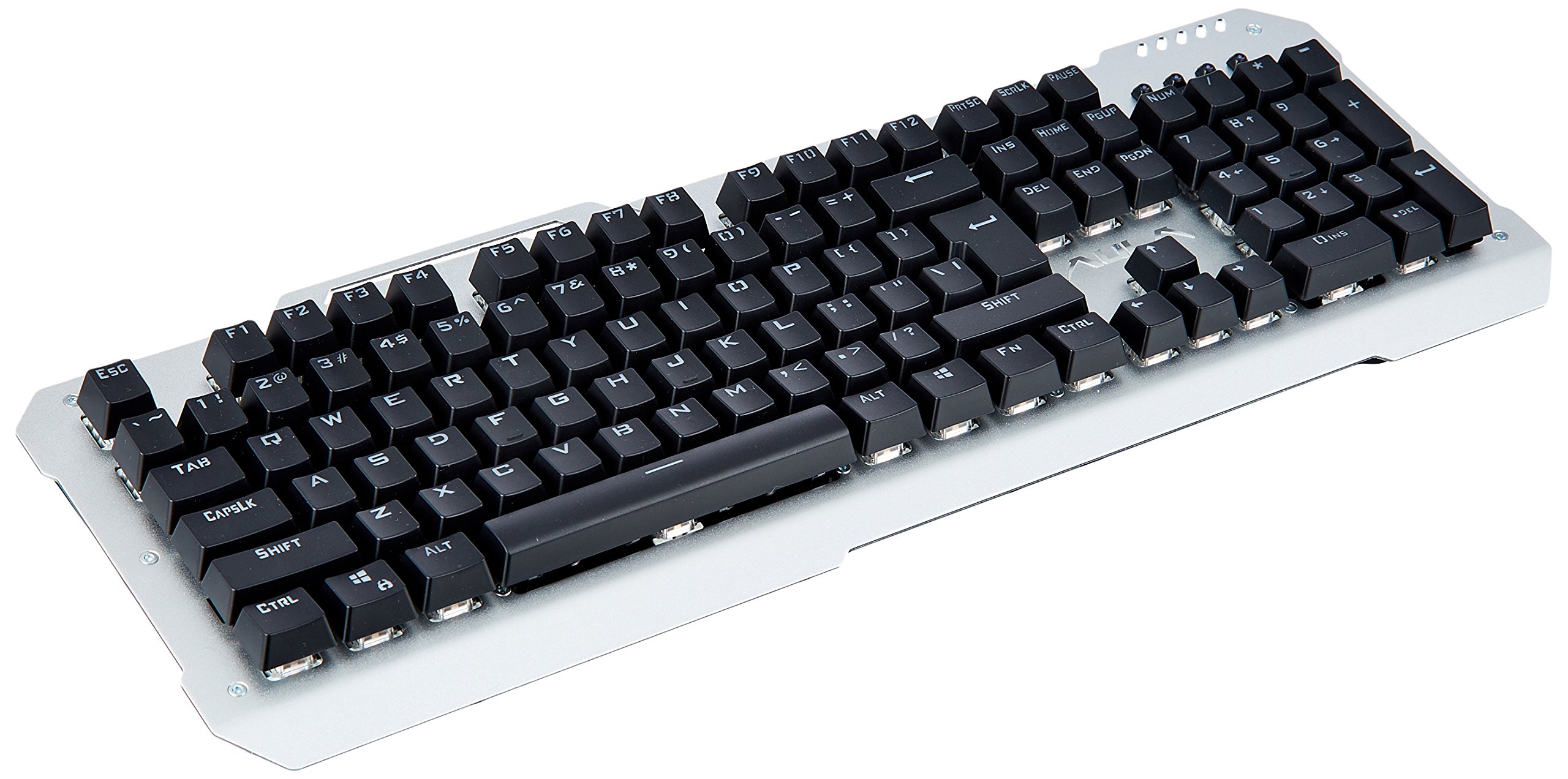
בילד: פון אויבן אַראָפּ view of the Aula Moon Slasher SI-2008 Mechanical Keyboard. It features a silver-colored metal frame with black keys, a standard 104-key layout including a numeric keypad, function keys, and navigation keys. The Aula logo is visible above the arrow keys.
סעטאַפּ אינסטרוקציעס
- ופשליסן די קלאַוויאַטור: Carefully remove the keyboard from its packaging. Ensure all components, including the manual and warranty card, are present.
- פאַרבינדן צו קאָמפּיוטער: Locate an available USB port on your computer. Insert the gold-plated USB connector of the keyboard into the USB port.
- דרייווער ינסטאַלירונג: The keyboard is typically plug-and-play. Your operating system (e.g., Windows 10) should automatically detect and install the necessary drivers. No additional software installation is usually required.
- ערשטע טעסט: Once connected, open a text editor or word processor and test typing to ensure all keys are functioning correctly.
אַפּערייטינג די קלאַוויאַטור
שליסל פֿעיִקייטן:
- מעטשאַניקאַל סוויטשיז: The keyboard features blue mechanical switches, providing tactile feedback and an audible click.
- רעגנבויגן באַקלייט: The keyboard is equipped with a rainbow backlight.
- וואָטערפּרוף פּלאַן: The keyboard is designed to be waterproof, offering protection against accidental spills.
באַקלייט קאָנטראָל:
The keyboard features various backlight modes and brightness levels. Use the Fn key in combination with specific function keys (F1-F12) or other designated keys to cycle through lighting effects, adjust brightness, or turn the backlight on/off. Refer to the included physical manual for specific key combinations, as these can vary by model revision.
פֿונקציע קיז:
Standard function keys (F1-F12) perform their usual operations. In combination with the Fn key, they may activate multimedia controls or other system functions. For exampלא, Fn + F1 קען שטיל מאַכן די אַודיאָ, Fn + F2/F3 might adjust volume, etc. Consult the physical manual for exact mappings.
וישאַלט און זאָרג
- רייניקונג: צו רייניקן די קלאַוויאַטור, טרענט עס אָפּ פֿון אייער קאָמפּיוטער. ניצט אַ ווייכן, דamp א טוך צו ווישן די ייבערפלאַך. פֿאַר שטויב און שמוץ צווישן שליסלען, ניצט קאָמפּרעסירטע לופט. פֿאַרמייַדט שטרענגע כעמיקאַלן אָדער אַברייסיוו רייניגער.
- שפּיל קעגנשטעל: While the keyboard is waterproof, it is recommended to clean up any spills promptly to prevent long-term damage or residue buildup. Do not immerse the keyboard in water.
- סטאָרידזש: When not in use for extended periods, store the keyboard in a dry, cool place away from direct sunlight.
טראָובלעשאָאָטינג
| פּראָבלעם | לייזונג |
|---|---|
| קלאַוויאַטור ניט ריספּאַנדינג |
|
| Certain keys are not working |
|
| Backlight is not working or flickering |
|
פּראָדוקט ספּעסאַפאַקיישאַנז
| שטריך | דעטאַל |
|---|---|
| סאָרט | אַולאַ |
| מאָדעל נומער | SI-2008 |
| סעריע | Moon Slasher |
| קאָליר | שוואַרץ |
| קלאַוויאַטור טיפּ | מעטשאַניקאַל |
| באַשטימען טיפּ | Blue switch |
| קאַנעקטיוויטי | Wired (Gold-plated USB connector) |
| באַקלייט | רעגנבויגן באַקלייט |
| ספּעציעלע שטריך | וואָטערפּרוף פּלאַן |
| קאַמפּאַטאַבאַל דעוויסעס | לאַפּטאַפּ |
| אָפּערייטינג סיסטעם | Windows 10 |
| פּונקט וואָג | 1.27 קג |
| פּעקל דימענשאַנז | 50.3 X 22 X 6.3 סענטימעטער |
וואָראַנטי און שטיצן
דער פּראָדוקט קומט מיט אַ 1 יאָר וואָראַנטי. Please refer to the included warranty card for detailed terms and conditions. For technical support or warranty claims, please contact your retailer or the manufacturer directly. Keep your purchase receipt as proof of purchase.
אַרייַנגערעכנט קאַמפּאָונאַנץ: Manual, Warranty Card.