1. הקדמה
This manual provides essential information for the proper installation, operation, and maintenance of the Trimble 7-Pin Coil Cable, model ATI026047. This cable is designed for use with various Spectra Laser Machine Control Systems, including CB30, CB52, and Apache models, facilitating reliable data and power transmission between components.
Please read this manual thoroughly before using the product to ensure safe and efficient operation and to prevent damage to the cable or connected equipment.
2. זיכערקייַט אינפֿאָרמאַציע
Observe the following safety guidelines to prevent injury and damage to equipment:
- Always ensure power is disconnected from all equipment before connecting or disconnecting the cable.
- Inspect the cable for any signs of damage (cuts, abrasions, bent pins) before each use. Do not use a damaged cable.
- Avoid kinking, crushing, or excessively stretching the coiled cable, as this can damage internal wiring.
- Keep connectors clean and free from dirt, moisture, and debris to ensure proper electrical contact.
- Operate equipment in accordance with all manufacturer's instructions and local safety regulations.
3. פּראָדוקט איבערview
The Trimble 7-Pin Coil Cable (model ATI026047) is a robust, coiled electrical cable designed for demanding machine control environments. Its coiled design allows for flexibility and extension while minimizing excess cable length, reducing entanglement risks. It features 7-pin connectors on both ends, ensuring secure and reliable connections for power and data transfer.

Figure 3.1: Trimble 7-Pin Coil Cable (ATI026047) as received in its protective packaging. The label clearly shows the part number and manufacturing date.
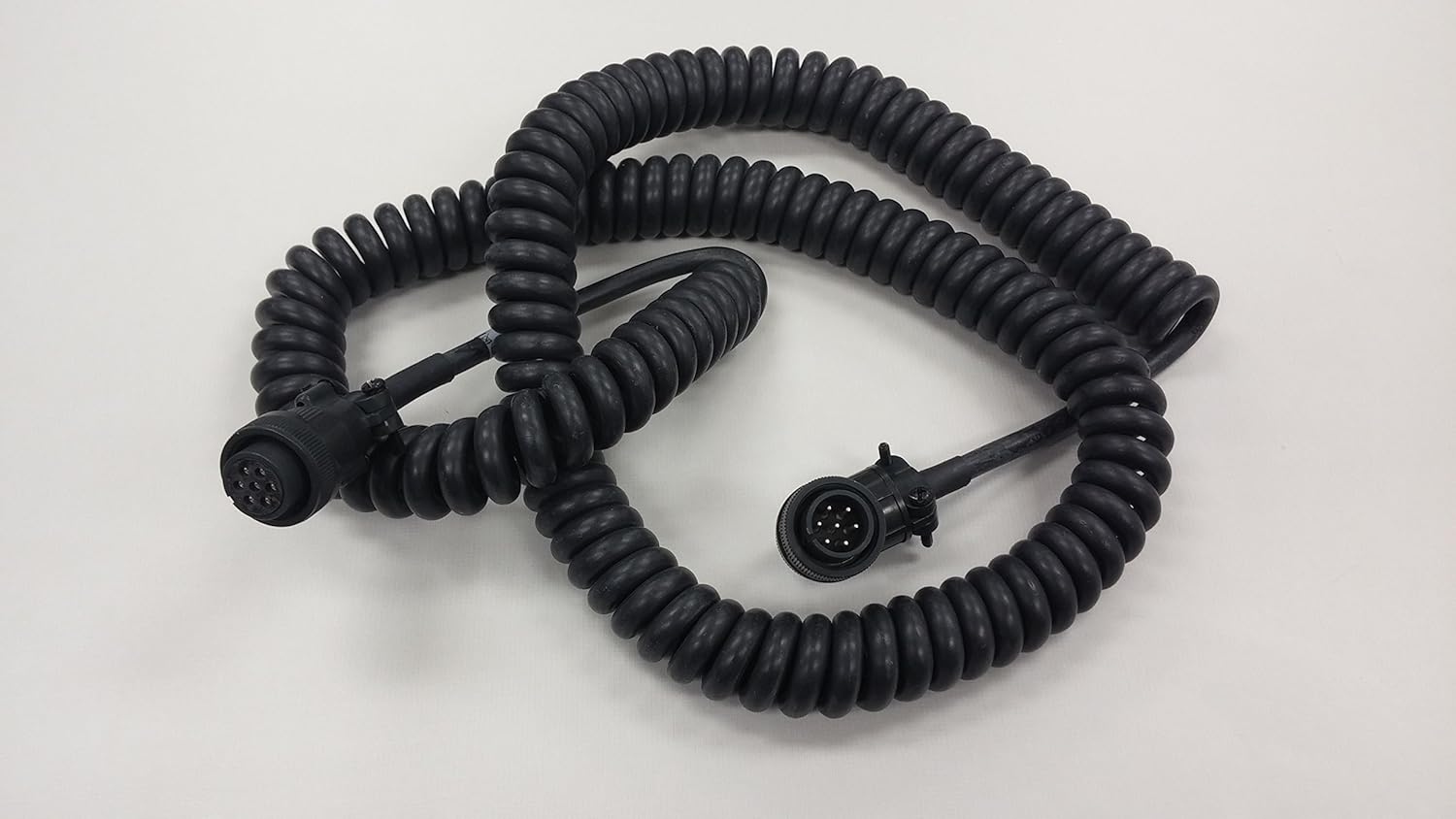
Figure 3.2: The Trimble 7-Pin Coil Cable (ATI026047) fully extended, showcasing its coiled design and robust construction. Both ends feature identical 7-pin connectors.

פיגור 3.3: א נענטער view of the Trimble 7-Pin Coil Cable, highlighting the durable rubber material and the secure connection points. The coiled nature allows for flexible length adjustment.

פיגורע 3.4: דעטאַילעד view of the male and female 7-pin connectors on the Trimble Coil Cable. Note the precise pin alignment and robust housing designed for secure mating and environmental protection.
4. סעטאַפּ און ייַנמאָנטירונג
Follow these steps to properly connect the Trimble 7-Pin Coil Cable to your Spectra Laser Machine Control System components:
- מאַכט אַוועק: Ensure all connected devices (e.g., CB30, CB52, Apache control box, laser receiver) are powered off before making any connections.
- דורכקוקן קאַנעקטערז: באַשטעטיקן אַז ביידע ענדס פון די ATI026047 cable and the corresponding ports on your equipment are clean, dry, and free from damage.
- פֿאַרבינדן ערשטן עק: Align the 7-pin connector on one end of the coil cable with the appropriate port on your first device (e.g., laser receiver). Gently push the connector in until it seats firmly.
- זיכער קשר: Twist the locking collar on the cable connector clockwise until it is hand-tight. Do not overtighten.
- פֿאַרבינדן צווייטע עק: Repeat steps 3 and 4 for the other end of the coil cable, connecting it to your second device (e.g., machine control box).
- קאַבלע רוטינג: Route the coiled cable in a manner that avoids sharp edges, moving parts, and areas where it could be pinched or damaged. Allow sufficient slack for machine movement without excessive stretching.
- מאַכט אויף: Once all connections are secure, power on your equipment according to the manufacturer's instructions.
5. אַפּערייטינג גוידעלינעס
Once the Trimble 7-Pin Coil Cable is correctly installed, it facilitates communication and power between your machine control components. No specific operational steps are required for the cable itself, as its function is passive data and power transmission. However, observe the following during operation:
- מאָניטאָר קאַנעקשאַנז: Periodically check that the cable connections remain secure, especially in environments with vibration or movement.
- פֿאַרמייַדן שפּאַנונג: Ensure the coiled cable is not subjected to excessive pulling or stretching beyond its intended range of motion.
- ענוויראָנמענטאַל שוץ: While the cable is designed for rugged use, protect connectors from direct exposure to heavy rain, mud, or extreme temperatures when possible.
6. וישאַלט
Regular maintenance helps prolong the life and ensure the reliability of your Trimble 7-Pin Coil Cable:
- רייניקונג:
- Disconnect the cable from all devices before cleaning.
- Wipe the cable and connectors with a clean, damp שטאָף צו באַזייַטיקן שמוץ, שטויב און דעבריס.
- For stubborn grime, use a mild, non-abrasive cleaning solution. Ensure connectors are completely dry before reconnecting.
- Use compressed air to clear debris from pin receptacles if necessary, avoiding direct contact with pins.
- דורכקוק:
- Regularly inspect the entire length of the cable for cuts, cracks, abrasions, or signs of wear.
- Check connectors for bent, corroded, or missing pins. Ensure locking collars operate smoothly.
- If any damage is found, replace the cable immediately to prevent equipment malfunction or electrical hazards.
- סטאָרידזש:
- When not in use, store the cable in a clean, dry environment, away from direct sunlight and extreme temperatures.
- Avoid tightly coiling or kinking the cable during storage. A loose coil is preferable.
7. טראָובלעשאָאָטינג
If you experience issues with your machine control system that you suspect are related to the cable, consider the following troubleshooting steps:
| פּראָבלעם | מעגלעך סיבה | לייזונג |
|---|---|---|
| No communication/power to device | פרייַ אָדער ימפּראַפּער קשר | Ensure both ends of the cable are fully seated and locking collars are tightened. |
| ינטערמיטאַנט קשר | Damaged cable or dirty connectors | Inspect cable for damage. Clean connectors. If damage is present, replace the cable. |
| Bent or corroded pins | Physical damage or environmental exposure | Do not attempt to straighten bent pins as they may break. Replace the cable. |
| Cable not extending/retracting properly | Internal damage to coil or excessive strain | Avoid overstretching. If the coil loses elasticity, the cable may need replacement. |
If troubleshooting steps do not resolve the issue, contact Trimble support or your authorized dealer for further assistance.
8. ספּעסאַפאַקיישאַנז
| שטריך | דעטאַל |
|---|---|
| מאָדעל נומער | ATI026047 |
| קאַנעקטער טיפּ | 7-Pin (Male/Female) |
| טיפּ קאַבלע | קוילד |
| מאַטעריאַל | Rubber (outer jacket) |
| אומגעפערע פּעקל דימענסיעס | 8 X 6 X 2 אינטשעס (20.3 X 15.2 X 5.1 סענטימעטער) |
| קאַמפּאַטאַבילאַטי | Spectra Laser Machine Control Systems (e.g., CB30, CB52, Apache) |
9. וואָראַנטי און שטיצן
For information regarding the warranty terms and conditions for the Trimble 7-Pin Coil Cable (ATI026047), please refer to the documentation provided with your original purchase or contact your authorized Trimble dealer. Trimble provides technical support and service for its products.
For technical assistance, spare parts, or service inquiries, please contact your local Trimble representative or visit the official Trimble webפּלאַץ פֿאַר שטיצן רעסורסן.


