1. פּראָדוקט איבערview
The Vimtag CP1 is a wireless IP video monitoring surveillance security camera designed for remote home or business monitoring. It features high-definition video, pan/tilt functionality, two-way audio, and night vision capabilities.
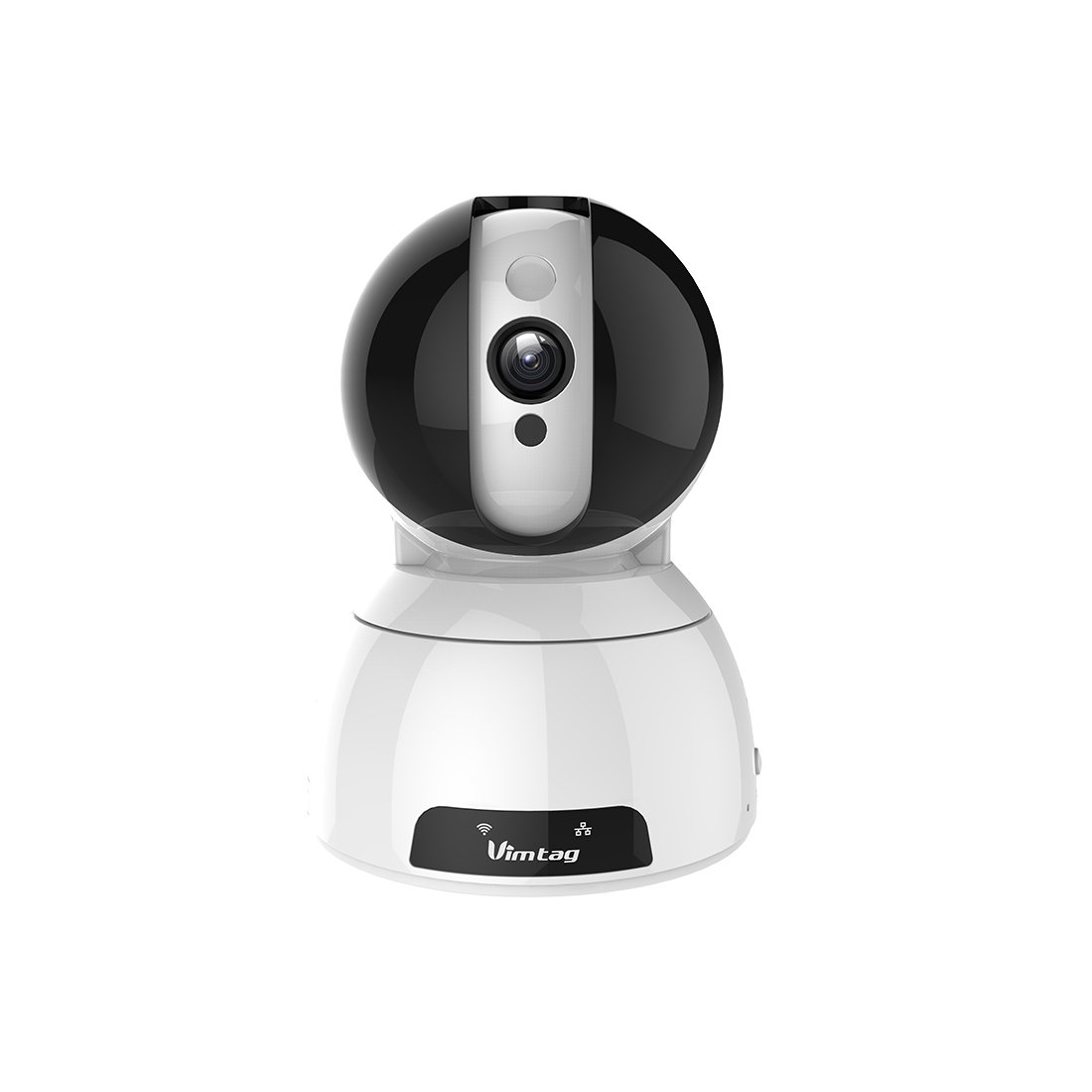
Figure 1: Vimtag CP1 Camera Front View
שליסל פֿעיִקייטן:
- HD ווידעא קוואַליטעט: 1280 x 720p at 25 frames per second for clear monitoring.
- פּאַן און טילט פאַנגקשאַנאַליטי: 350-degree horizontal rotation and 100-degree vertical tilt to cover a wide area.
- צוויי-וועג אַודיאָ: איינגעבויטער מיקראָפאָן און רעדנער פֿאַר קאָמוניקאַציע.
- נאַכט זעאונג: Infrared LEDs provide clear visibility up to 10 meters in low-light conditions.
- באַוועגונג דעטעקשאַן: Alerts with snapshots and video clips upon detecting movement.
- לאקאלע און קלאָוד סטאָרידזש: Supports Micro SD cards up to 64GB and optional cloud storage.
- גרינג סעטאַפּ: Quick Wi-Fi setup via the Vimtag רירעוודיק אַפּלאַקיישאַן.

Figure 2: Vimtag CP1 Key Features
2. סעטאַפּ גייד
2.1 פּעקל אינהאַלט
איידער איר הייבט אן, זיכערט זיך אז אלע זאכן זענען פאראן אין פעקל:
- 1 x Vimtag CP1 Camera
- 1 x Camera Rack
- 1 x מאַכט קאַבלע
- 1 רענטגענ עטהערנעט קאַבלע
- 1 x באַניצער מאַנואַל (דאָס דאָקומענט)
2.2 ערשטע אויפשטעל טריט
- מאַכט אויף: Connect the power cable to the camera and plug it into a power outlet. The camera will initiate its startup sequence.
- אראפקאפיע די אַפּ: Download the free Vimtag אַפּ פֿון דיין סמאַרטפֿאָן'ס אַפּ סטאָר (iOS אַפּ סטאָר אָדער גוגל פּליי סטאָר).
- אַקאַונט רעגיסטראַציע: Open the Vimtag app and register for a new account or log in if you already have one.
- צוגעבן אַפּאַראַט: Follow the in-app instructions to add your new CP1 camera. This typically involves scanning a QR code on the camera or entering its device ID.
- Wi-Fi קאַנפיגיעריישאַן: Configure the camera to connect to your Wi-Fi network using the app. Ensure your Wi-Fi network is 2.4GHz, as 5GHz networks may not be supported.
- מאַונטינג (אָפּטיאָנאַל): Use the included camera rack to mount the camera on a wall or ceiling if desired.
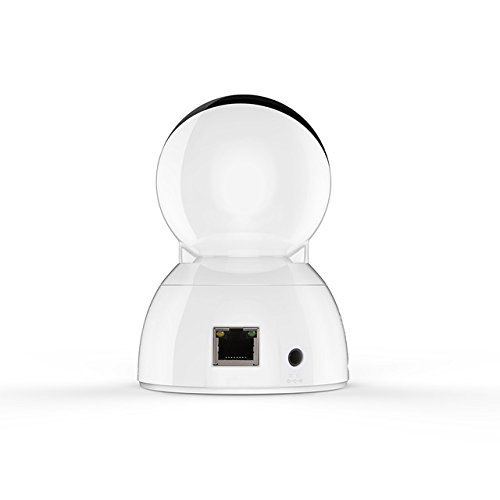
Figure 3: Vimtag CP1 Back View מיט פּאָרטן
For detailed visual guidance, refer to the video tutorials available on the official Vimtag שטיצן webפּלאַץ.
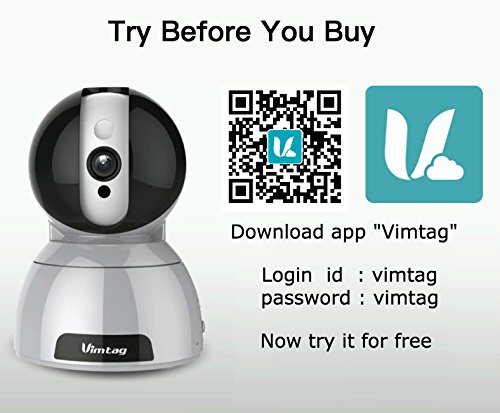
Figure 4: Vimtag App Download and Demo Information
אָפּלאָדירן די Vimtag אַפּ פֿון vimtag.com/download/.
3. אַפּערייטינג ינסטרוקטיאָנס
3.1 לעבן View און פּאַן/טילט קאָנטראָל
Once the camera is connected, open the Vimtag app to access the live video feed. Use the on-screen controls to pan the camera horizontally (350 degrees) and tilt it vertically (100 degrees) to adjust the viewינג ווינקל.

Figure 5: Pan and Tilt Control via App
3.2 צוויי-וועג אַודיאָ
The camera supports two-way audio. Tap the microphone icon in the app to speak through the camera's speaker, and listen to audio from the camera's built-in microphone.
3.3 נאַכט זעאונג
The CP1 camera automatically switches to night vision mode in low-light conditions, providing clear black and white video up to 10 meters using its infrared LEDs.
3.4 באַוועגונג דעטעקציע און וואָרענונגען
Configure motion detection settings within the Vimtag app. You can set sensitivity levels and define specific areas for detection. When motion is detected, the camera can send instant notifications to your smartphone, including snapshots or short video clips.
3.5 ווידעא רעקאָרדינג און סטאָרידזש
The camera supports two primary storage methods:
- מיקראָ סד קאַרד: Insert a Micro SD card (up to 64GB, not included) into the camera's designated slot for local recording. Recordings can be accessed and managed through the app.
- וואָלקן סטאָרידזש: Optional cloud storage services are available through Vimtag for remote backup and access to recorded footage.
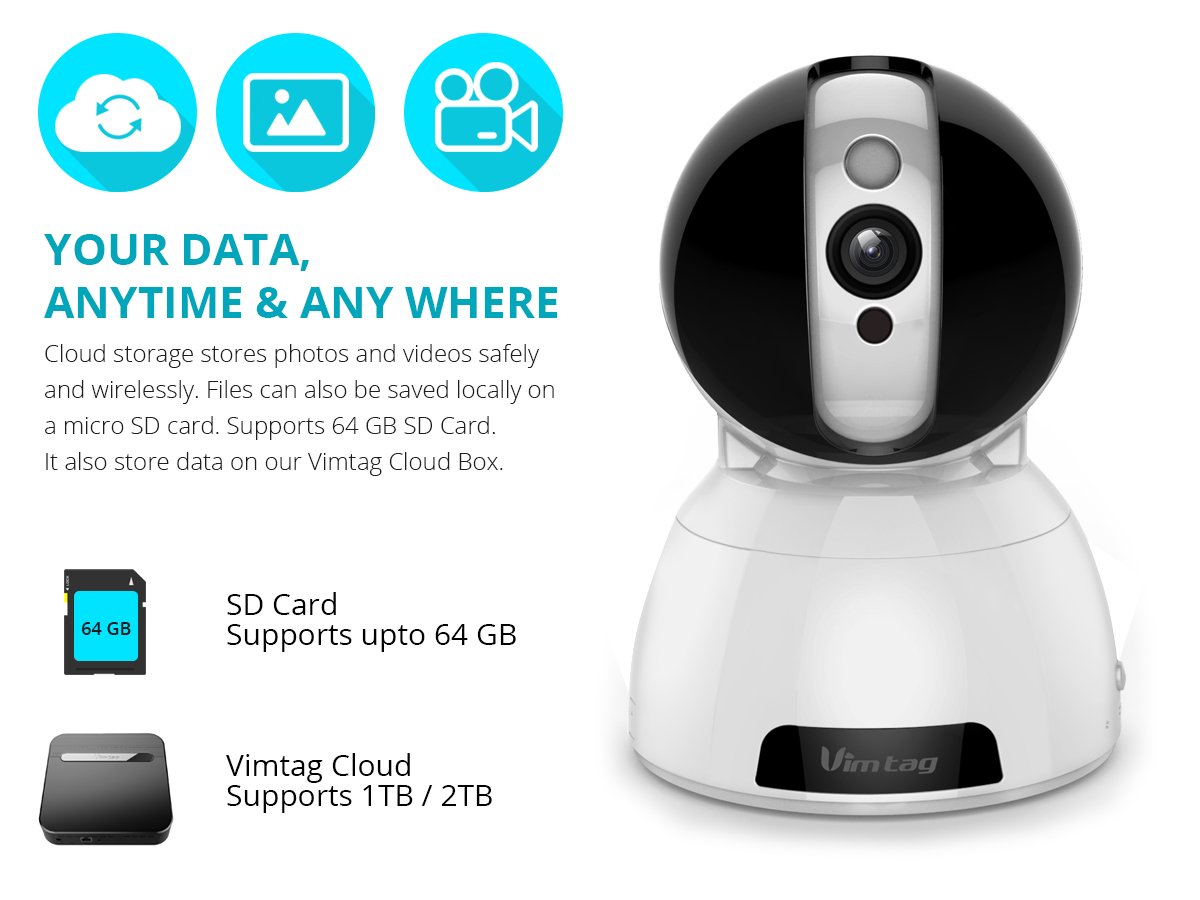
Figure 6: Storage Options for Vimtag CP1
4. וישאַלט
4.1 רייניקונג
To maintain optimal performance, periodically clean the camera's lens and exterior. Use a soft, dry cloth. Avoid abrasive cleaners or solvents that could damage the camera's finish or lens coating.
4.2 פירמוואַרע דערהייַנטיקונגען
וויםtag may release firmware updates to improve camera performance, add features, or enhance security. Check the Vimtag app regularly for available updates and follow the in-app instructions to install them. Ensure the camera remains powered during the update process.
4.3 ענוויראָנמענטאַל קאַנסידעריישאַנז
The Vimtag CP1 camera is designed for indoor use. Avoid exposing it to extreme temperatures, direct sunlight, high humidity, or water, as it is not water-resistant.
5. טראָובלעשאָאָטינג
This section addresses common issues you might encounter with your Vimtag CP1 camera.
5.1 קאַמעראַ פֿאַרבינדט זיך נישט צו Wi-Fi
- טשעק Wi-Fi באַנד: Ensure your Wi-Fi network is 2.4GHz. The camera may not support 5GHz networks.
- סיגנאַל שטאַרקייט: Place the camera closer to your Wi-Fi router to ensure a strong signal.
- ריכטיק פּאַראָל: Double-check that you are entering the correct Wi-Fi password in the app.
- צוריקשטעלן קאַמעראַ: Locate the reset button on the camera (often a small pinhole) and press it for 5-10 seconds until the camera resets. Then, attempt the setup process again.
- ראָוטער סעטטינגס: Verify that your router's firewall or security settings are not blocking the camera's connection.
5.2 שלעכטע ווידעא קוואַליטעט
- נעץ באַנדווידט: Ensure your internet connection has sufficient upload speed for streaming HD video.
- אַפּ סעטטינגס: Check the video quality settings within the Vimtag app; you might be able to adjust it.
- לינז ריינקייט: ריין די אַפּאַראַט אָביעקטיוו מיט אַ ווייך, טרוקן שטאָף.
5.3 צוויי-וועג אַודיאָ פּראָבלעמען
- באַנד לעוועלס: Check the volume settings on your smartphone and within the Vimtag אַפּ.
- מיקראָפאָן/רעדנער שטערונג: זיכער מאַכן אַז דער קאַמעראַ'ס מיקראָפאָן און רעדנער זענען נישט פאַרשטאָפּט.
- נעץ לייטאַנס: High network latency can affect audio quality and introduce delays.
5.4 באַוועגונג דעטעקציע אַרבעט נישט
- Enable Feature: Verify that motion detection is enabled in the Vimtag אַפּ סעטטינגס.
- סענסיטיוויטי: Adjust the motion detection sensitivity. If it's too low, it might miss events.
- דעטעקשאַן זאָנעס: Ensure the areas you want to monitor are correctly configured as detection zones.
6. טעכניש ספּעסאַפאַקיישאַנז
| מאָדעל נאָמען | וויםtag CP1 |
| נומער מאָדעל נומער | 6970167642228 |
| ווידעא קאַפּטורע רעסאָלוטיאָן | 720 פּ (1280 רענטגענ 720 בילדצעלן) |
| ראַם קורס | 25 ראָמען פּער סעקונדע |
| פּאַן / טילט קייט | 350 degrees (Pan) x 100 degrees (Tilt) |
| דיגיטאַל פארגרעסער | 4x |
| נאַכט זעאונג דיסטאַנסע | ביז 10 מעטער (אינפֿראַרויט) |
| סטאָרידזש אָפּציעס | מיקראָ סד (ביז 64 גיגאבייט), וואָלקן סטאָרידזש |
| קאַנעקטיוויטי | Wireless (Wi-Fi IEEE802.12b/g/n) |
| מאַכט מקור | AC Power Adapter (7 Watts) |
| דימענסיעס (L X W X H) | 40 x 30 x 40 מילימעטער |
| פּונקט וואָג | 450 גראַמז |
| דרינענדיק / דרויסנדיק באַניץ | דרינענדיק |
| וואַסער קעגנשטעל מדרגה | ניט וואַסער קעגנשטעליק |
| קאָנטראָל מעטאָד | App (Android, iOS), Voice |
7. וואָראַנטי און שטיצן
7.1 פּראָדוקט וואָראַנטי
The Vimtag CP1 camera comes with a 6-חודש פאַרבייַט וואָראַנטידי וואָראַנטי דעקט פאַבריקאַציע חסרונות און מאַלפאַנגקשאַנז אונטער נאָרמאַל נוצן. ביטע האַלטן דיין קויפן באַווייַז פֿאַר וואָראַנטי קליימז.
7.2 קונה שטיצן
For any queries, technical assistance, or warranty claims, please contact Vimtag customer support. Support is available via telephone, chat, Skype, and email. Refer to the official Vimtag webזייטל פֿאַר די מערסט אַקטועלע קאָנטאַקט אינפֿאָרמאַציע.
Step-by-step setup instructions and video tutorials are also available on the Vimtag support portal to assist you with installation and operation.


