הקדמה
This manual provides detailed instructions for the setup, operation, and maintenance of your Shure UA844+SWB/LC Five-way Active Antenna Splitter and Power Distribution System. This system is designed to enhance the performance of QLX-D, ULX, ULX-D, SLX, and BLX (BLX4R only) wireless receivers by providing efficient antenna signal splitting and power distribution. Please read this manual thoroughly before using the product to ensure optimal performance and safety.
זיכערקייַט אינפֿאָרמאַציע
- Ensure the device is connected to a power source that matches the specified voltagE און קראַנט באדערפענישן.
- שטעלט נישט אויס דעם אַפּאַראַט צו וואַסער אָדער צו פיל פייכטקייט.
- ויסמיידן בלאַקינג ווענטאַליישאַן אָופּאַנינגז צו פאַרמייַדן אָוווערכיטינג.
- ניצט נאָר אַקסעסאָריעס און אַטאַטשמאַנץ וואָס זענען ספּעציפֿיצירט דורך דעם פאַבריקאַנט.
- אָפּשיקן אַלע סערוויסעס צו קוואַלאַפייד סערוויס פּערסאַנעל.
פּעקל אינהאַלט
- Shure UA844+SWB/LC Five-way Active Antenna Splitter and Power Distribution System
- Front-mounting antenna hardware
- געשטעל-מאַונטינג ייַזנוואַרג
- Power supply (15V, 2.5A max)
- Note: Antenna cables and locking power cables are excluded.
פּראָדוקט איבערview
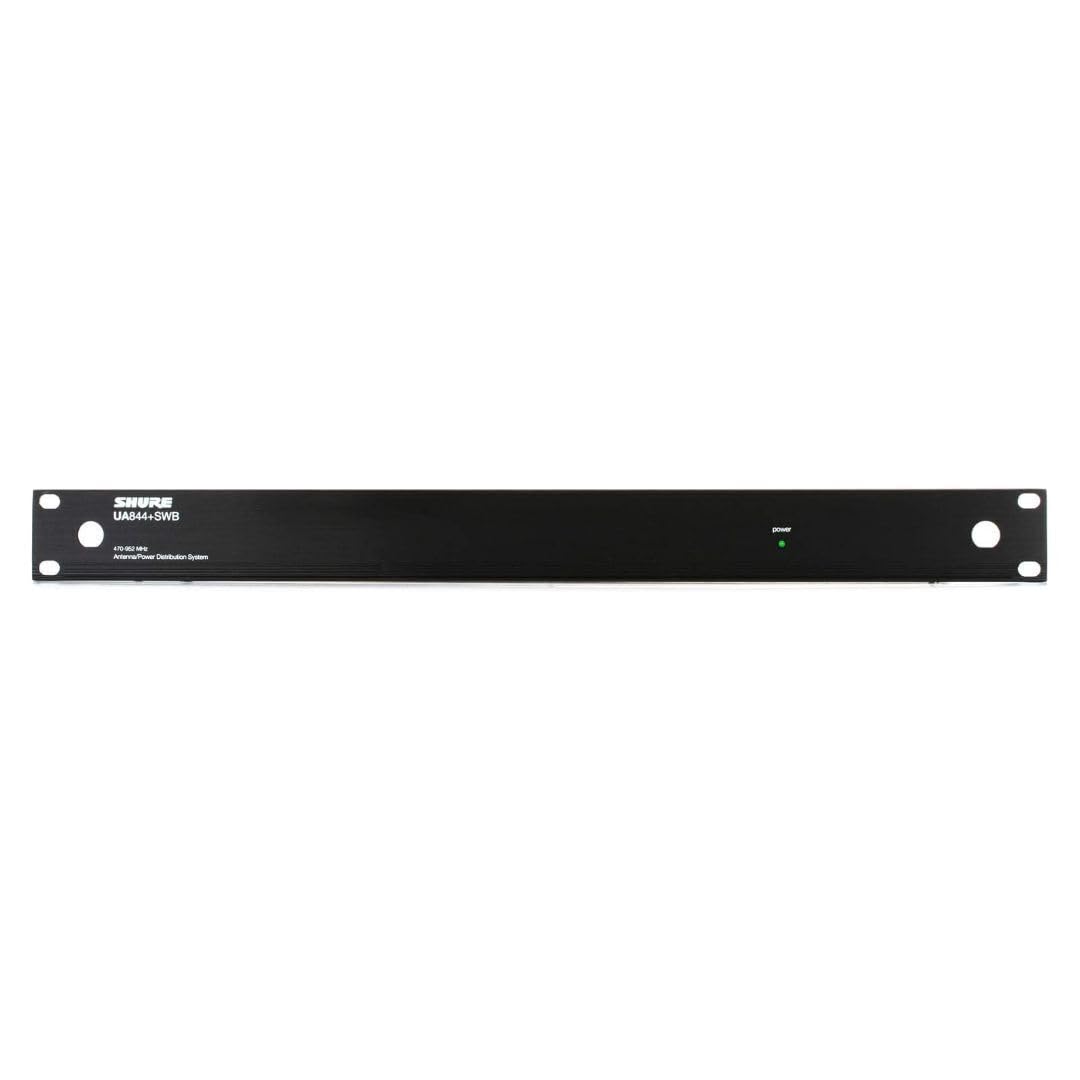
The Shure UA844+SWB/LC is a central unit for managing antenna signals and power for multiple wireless receivers. It features inputs for external antennas and multiple outputs to connect to your wireless receiver units.

סעטאַפּ
1. Connecting Antennas
Connect your external antennas to the BNC connectors on the Shure UA844+SWB/LC unit. Ensure connections are secure to maintain signal integrity. The system supports active antennas for boosted signal reception.
2. פֿאַרבינדן די מאַכט צושטעל
Connect the provided power supply to the UA844+SWB/LC unit and then to a suitable power source. The unit also provides 4 DC power feeds for your receivers (15V, 2.5A max), eliminating the need for individual power bricks for each receiver.
3. קאַנעקטינג ריסיווערז
Connect your QLX-D, ULX, ULX-D, SLX, or BLX4R receivers to the antenna outputs and DC power feeds on the UA844+SWB/LC. Use appropriate coaxial cables for antenna connections and locking power cables if available for secure power delivery.
4. Network Setup for QLX-D Systems
For QLX-D systems, network your receivers together using Cat 5e or Cat 6 Ethernet cables connected from the back of each receiver to a network switch. This enables features like Network Scan for coordinated frequency management. Ensure your network uses a DHCP-enabled router for automatic IP address assignment. Manual IP address setup is also possible. Receivers must be on the same subnet.
אַפּערייטינג
1. Finding an Open Channel (QLX-D)
On your QLX-D receiver, press the 'menu' button to access the scan function. Press 'enter' to initiate a scan for available frequencies. The group and channel will appear on the display once the scan is complete.
2. Syncing Transmitters (QLX-D)
Install batteries into your transmitter and turn it on. Press the 'sync' button on the receiver and align the transmitter's IR window about 6 inches away from the receiver's IR port. 'Good' will display on the receiver when sync is complete, and the blue RF LED will illuminate.
3. Checking Levels (QLX-D)
During a sound check, monitor the audio meter and LED on the receiver. The meter should display at least three bars, and the LED should be green. Adjust the gain using the arrow buttons on the front of the receiver if necessary to achieve optimal audio levels without clipping.
4. Using Network Scan (QLX-D)
Once receivers are networked, select a group or custom group on the receiver to initiate the Network Scan. Press the 'menu' button until 'Network Scan' appears and is flashing, then press 'enter'. The front panel LEDs of all receivers will blink when frequencies have been assigned. If full deployment does not occur due to insufficient open frequencies, select another group and re-scan. Consult the Shure online Wireless Frequency Finder tool if you are unsure which group is best to use.
וישאַלט
- Keep the unit clean and free from dust. Use a dry, soft cloth for cleaning.
- קאָנטראָלירט רעגולער אַלע קאַבלע פֿאַרבינדונגען פֿאַר אָפּנוץ און טרער.
- סטאָר די אַפּאַראַט אין אַ קיל, טרוקן אָרט ווען ניט אין נוצן.
טראָובלעשאָאָטינג
- קיין סיגנאַל: Check all antenna connections and ensure receivers are powered on and synced. Verify that the antennas are positioned correctly and unobstructed.
- אינטערמיטענט סיגנאַל: Re-scan for open frequencies, especially in environments with high RF interference. Ensure all components are securely connected.
- מאַכט ישוז: Confirm the power supply is correctly connected and functioning. Check all DC power feeds to receivers.
- Network Scan Not Appearing: Ensure all QLX-D receivers are properly networked together and recognized by the system.
ספּעסאַפאַקיישאַנז
| שטריך | דעטאַל |
|---|---|
| פּונקט וואָג | 8.51 פונט |
| פּראָדוקט דימענשאַנז | 23.2 X 16.4 X 4 אינטשעס |
| נומער מאָדעל נומער | UA844 + SWB / LC |
| קאָליר | שוואַרץ |
| אַנטענע טיפּ | ראַדיאָ |
| נומער פון טשאַנאַלז | 5 |
| UPC | 042406461535 |
| פאַבריקאַנט | שור |
וואָראַנטי און שטיצן
For warranty information, technical support, or further assistance, please visit the official Shure webזייטל אדער קאנטאקט זייער קאסטומער סערוויס. האלט אייער קויף קוויטל פאר גאראנטיע טענות.
אפיציעלע שור Webפּלאַץ: Visit the Shure Store


