1. הקדמה
This manual provides detailed instructions for the installation, operation, and maintenance of your BENINCA Bull 424R Sliding Gate Opener. The Bull 424R is a silent, powerful, and reliable 24VDC operator designed for intensive use with sliding gates. It features an LCD display for easy programming, internal limit-switches, and multiple electronic settings for torque and timing adjustments.
Please read this manual thoroughly before beginning installation or operation to ensure safe and correct use of the product.
2. זיכערקייַט אינפֿאָרמאַציע
ווארענונג: נישט נאכפאלגן די זיכערהייט אינסטרוקציעס קען רעזולטירן אין ערנסטע שאָדן אדער שאָדן צו פאַרמעגן.
- Installation must be performed by qualified personnel in compliance with local safety regulations.
- Ensure the power supply is disconnected before performing any installation, maintenance, or repair work.
- Keep hands, feet, and clothing clear of the gate and opener mechanism during operation.
- לאָזט נישט קינדער שפּילן מיט אָדער אָפּערירן די טויער עפֿנער קאָנטראָלן.
- קאָנטראָלירט רעגולער דעם טויער און עפֿנער פֿאַר וואונדער פֿון טראָגן, שאָדן, אָדער מיסאַליינמענט.
- זיכער מאַכן אַז אַלע זיכערהייט דעוויסעס (למשל, פאָטאָסעללס, זיכערהייט עדזשאַז) זענען ריכטיק אינסטאַלירט און פונקציאָנירן.
3. פּעקל אינהאַלט
באַשטעטיקט אַז אַלע קאָמפּאָנענטן וואָס זענען ליסטעד אונטן זענען פאַראַן אין אייער פּעקל:
- BENINCA Bull 424R Sliding Gate Opener Unit
- קאָנטראָל פּאַנעל (אינטעגרירט)
- ופנעמער אַפּאַראַט
- צוויי (2) ווײַטקאָנטראָלן
- Five (5) sections of 39-inch Rack Gear
- Installation Hardware (bolts, nuts, washers - specific quantities may vary)
- באַניצער מאַנואַל (דעם דאָקומענט)

Figure 3.1: Complete BENINCA Bull 424R Sliding Gate Opener kit components.
4. סעטאַפּ און ייַנמאָנטירונג
4.1 מעטשאַניקאַל ינסטאַלירונג
- מאָונטינג די אָפּענער: Securely mount the BENINCA Bull 424R motor unit on a stable, level concrete base next to the gate, ensuring proper alignment with the gate's movement path.
- Installing the Rack Gear: Attach the rack gear sections along the bottom edge of the sliding gate. Ensure the rack meshes correctly with the opener's pinion gear, maintaining a small clearance (approximately 1-2mm) to prevent binding.
- לימיט סוויטש אַדזשאַסטמענט: Adjust the internal limit switches to define the gate's fully open and fully closed positions. Refer to the control panel's specific instructions for precise adjustment.
4.2 עלעקטריקאַל קאַנעקשאַנז
כל עלעקטריקאַל קאַנעקשאַנז זאָל זיין געמאכט דורך אַ קוואַלאַפייד ילעקטרישאַן.
- מאַכט צושטעלן: Connect the 24VDC power supply to the designated terminals on the control board. Ensure correct polarity.
- זיכערהייט מכשירים: Connect any external safety devices, such as photocells or safety edges, to their respective terminals on the control board.
- ופנעמער יוניט: Connect the included receiver unit to the control board. This unit allows the remote controls to operate the gate.
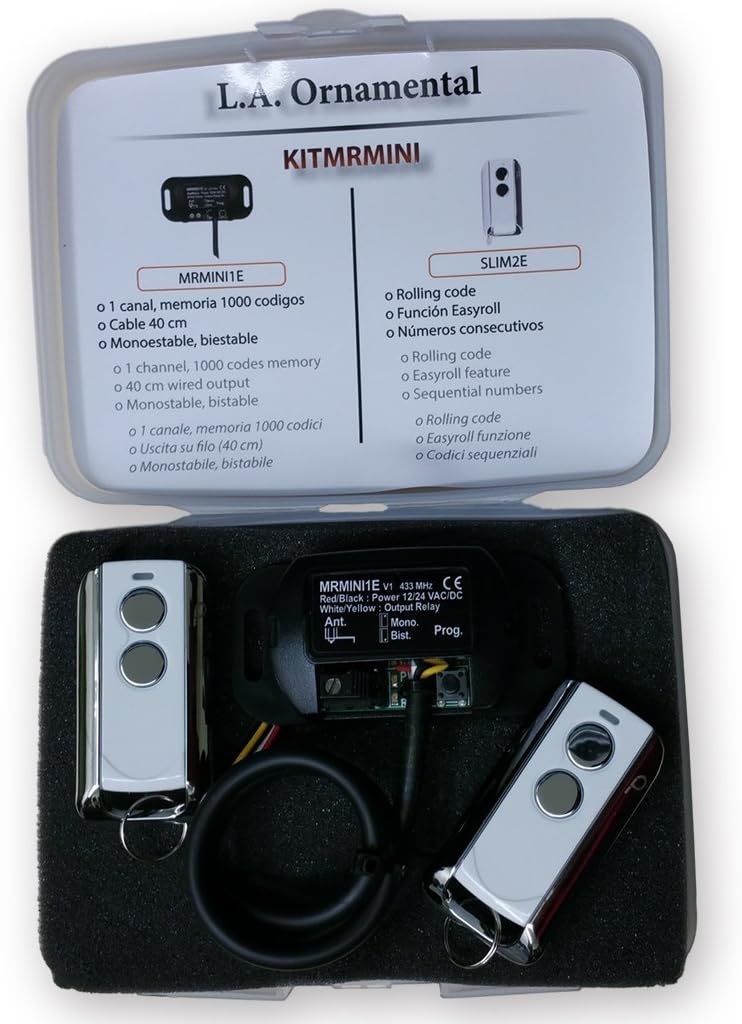
Figure 4.1: BENINCA Receiver and Remote Control Kit.
4.3 Programming the Control Panel and Remotes
The BENINCA Bull 424R features an LCD display for easy programming and digital adjustment of torque and timing.
- ערשט מאַכט-אַרויף: After all electrical connections are made, apply power to the unit. The LCD display will illuminate.
- אַקסעס די מעניו: Use the control panel buttons (usually labeled MENU, UP, DOWN, ENTER) to navigate the programming menu.
- Learning Remote Controls: Follow the on-screen instructions to program the remote controls. Typically, this involves selecting a "Learn Remote" option and pressing a button on each remote control.
- אַדזשאַסטינג פּאַראַמעטערס: Utilize the menu to set parameters such as motor torque, gate speed, automatic closing time, and obstacle detection sensitivity.
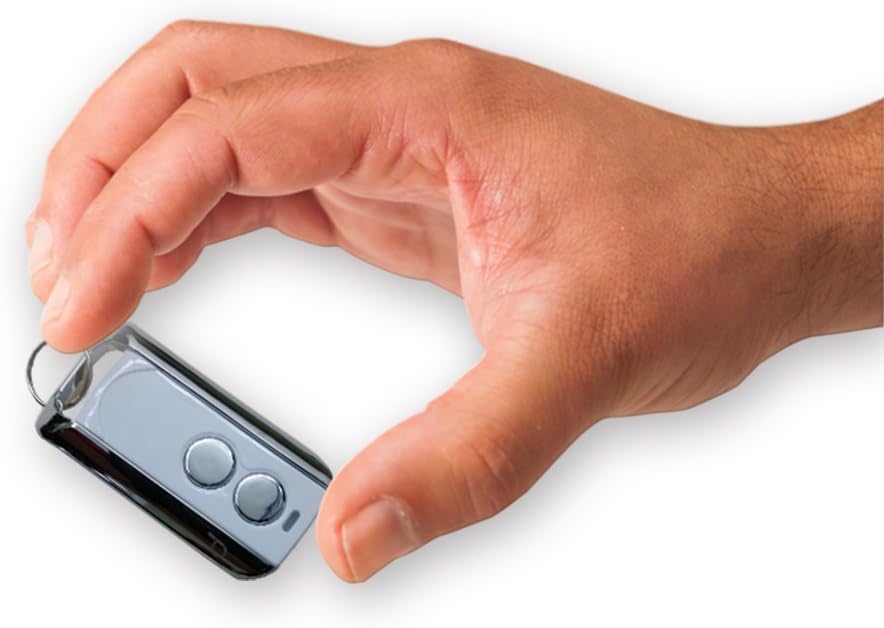
Figure 4.2: BENINCA Remote Control.
5. אַפּערייטינג ינסטרוקטיאָנס
Once installed and programmed, operating your BENINCA Bull 424R gate opener is straightforward.
5.1 ניצן די רימאָוט קאָנטראָל
- Press the designated button on your remote control once to open the gate.
- Press the button again while the gate is moving to stop it.
- Press the button a third time to reverse the gate's direction (if stopped mid-cycle) or to close it (if fully open).
5.2 מאַנואַל מעלדונג
In case of power failure or malfunction, the gate can be operated manually. Locate the manual release mechanism on the motor unit (refer to the specific diagram in your product's quick start guide for exact location). Engage the release mechanism to disengage the motor, allowing the gate to be moved by hand.
6. וישאַלט
רעגולערע אויפהאלטונג גאראנטירט די לאנגעוויטי און פארלעסלעכע אפעראציע פון אייער טויער עפנטער.
- כוידעשלעך: Inspect the gate's movement for any obstructions. Check the rack gear for debris and ensure it is securely fastened.
- פערטל: Lubricate the gate's wheels, hinges, and any moving parts as recommended by the gate manufacturer. Check the condition of the power cable and all electrical connections.
- יערלעך: Have a qualified technician inspect the entire system, including the motor, control board, safety devices, and gate structure, for wear or damage.
CAUTION: Always disconnect power to the unit before performing any maintenance.
7. טראָובלעשאָאָטינג
This section addresses common issues you might encounter with your BENINCA Bull 424R gate opener.
| פּראָבלעם | מעגלעך סיבה | לייזונג |
|---|---|---|
| Gate does not respond to remote control. |
|
|
| דער טויער שטעלט זיך אפ אדער דרייט זיך אום אומגעריכט. |
|
|
| טויער באוועגט זיך שטייטלעך אדער מיט שוועריקייט. |
|
|
8. ספּעסאַפאַקיישאַנז
Key technical specifications for the BENINCA Bull 424R Sliding Gate Opener:
- מאָדעל: בענינקאַ בול 424R
- פאַבריקאַנט: בענינקאַ
- מאָטאָר טיפּ: 24VDC
- קאָנטראָל פּאַנעל: ינטעגראַטעד מיט לקד אַרויסווייַזן
- שיעור סוויטשיז: אינערלעכער
- פּראָגראַממינג: Digital adjustment for torque and timing
- ASIN: B01FG7NE18
- ערשטער דאַטע בנימצא: 22 אפריל 2018
9. וואָראַנטי און שטיצן
For warranty information and technical support, please refer to the documentation provided with your purchase or contact your authorized BENINCA dealer. Keep your purchase receipt as proof of purchase.
For further assistance, you may visit the official BENINCA webפּלאַץ אָדער קאָנטאַקט זייער קונה סערוויס אָפּטיילונג.


