1. הקדמה
דאנק איר פֿאַר דיין ברירה AmpliVox S1695 Wireless Hand Microphone. This manual provides essential information for the proper setup, operation, and maintenance of your device. Please read this manual thoroughly before using the microphone to ensure optimal performance and safety.
די AmpliVox S1695 is a wireless handheld microphone with a built-in transmitter, offering 16 UHF channels for clear and reliable audio transmission. It is designed to work seamlessly with compatible AmpliVox sound systems, such as the Executive Sound Column, Presidential Plus, or Elite lectern SW models.
2. וויכטיק סאַפעטי אינפֿאָרמאַציע
- באַטערי זיכערקייַט: Use only the specified type and number of batteries. Ensure correct polarity (+/-). Do not mix old and new batteries, or different types of batteries. Remove batteries if the device will not be used for an extended period.
- ינטערפיראַנס: Wireless devices are susceptible to interference. To minimize this, ensure no other transmitters are broadcasting on the same frequency. UHF frequencies are generally less prone to environmental noise.
- ינווייראַנמענאַל טנאָים: Do not expose the microphone to extreme temperatures, humidity, water, or direct sunlight. Avoid dropping or subjecting the device to strong impacts.
- רייניקונג: Clean the microphone with a soft, dry cloth. Do not use liquid cleaners or aerosols.
- סערוויס: Do not attempt to open or service the microphone yourself. Refer all servicing to qualified AmpliVox personnel.
3. פּעקל אינהאַלט
ביים עפענען דעם פעקל, ביטע זיכער מאכן אז אלע זאכן זענען דא און אין גוטן צושטאנד:
- AmpliVox S1695 Wireless Hand Microphone (1)
- באַניצער מאַנואַל (דעם דאָקומענט)
- Note: Batteries are required and sold separately.
4. פּאַרץ לעגיטימאַציע
Familiarize yourself with the components of your AmpliVox S1695 Wireless Hand Microphone:
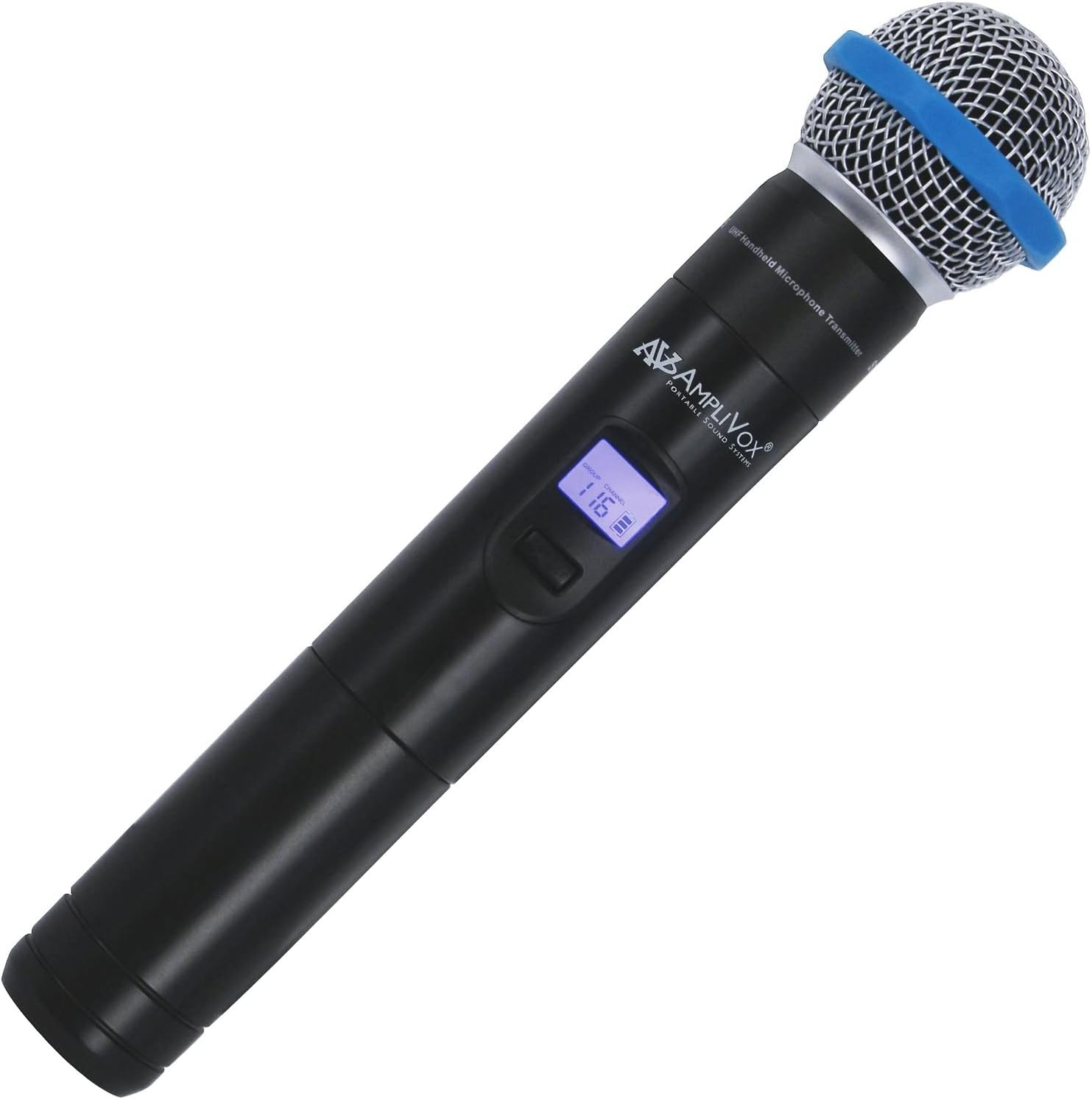
פיגורע 1: AmpliVox S1695 Wireless Hand Microphone. This image shows the black handheld microphone with a silver mesh grille and a blue ring near the top. A small digital display is visible on the body, showing "GROUP" and "CHANNEL" with the number "116". The AmpliVox logo is also visible.
- מיקראָפאָן גריל: Protects the microphone capsule and helps reduce plosive sounds.
- ווייַז פאַרשטעלן: Shows current group, channel, and battery status.
- מאַכט / שטום קנעפּל: דריקן און האַלטן צו אנצינדן/אויסלעשן. קורץ דריקן צו שטום/אויסשטומן.
- Channel/Group Selection Buttons: Used to change frequency channels or groups.
- באַטערי אָפּטייל: Located at the bottom, houses the required batteries.
5. סעטאַפּ
5.1. באַטאַרייע ייַנמאָנטירונג
די AmpliVox S1695 requires two batteries (not included). Ensure you use the correct type and insert them with the proper polarity.
- Unscrew the bottom cap of the microphone to access the battery compartment.
- Insert two fresh batteries, observing the polarity markings (+ and -) inside the compartment.
- Securely screw the bottom cap back onto the microphone.
5.2. צוזאַמענשטעלן מיט אַ ריסיווער
This microphone is designed for use with compatible AmpliVox wireless receivers (e.g., those found in Executive Sound Column, Presidential Plus, or Elite lectern SW models). Refer to your receiver's manual for specific pairing instructions. Generally, the process involves:
- Ensure both the microphone and the receiver are powered on.
- Select a clear channel on the microphone using the channel/group selection buttons.
- Tune your AmpliVox receiver to the same frequency channel as the microphone.
- Confirm successful pairing by checking the receiver's indicator lights or display.
Note: The microphone offers 16 UHF channels with a frequency range from 584 MHz to 602.45 MHz. Choose a channel that is free from local interference.
6. אַפּערייטינג ינסטרוקטיאָנס
6.1. פּאָווערינג אויף / אויסגעלאשן
- צו מאַכט אויף the microphone, press and hold the Power/Mute button until the display illuminates.
- צו מאַכט אַוועק the microphone, press and hold the Power/Mute button until the display turns off.
6.2. שטום פֿונקציע
- While the microphone is powered on, a short press of the Power/Mute button will toggle the mute function.
- When muted, the microphone will not transmit audio, but it will remain powered on.
6.3. קאַנאַל סעלעקציע
Use the Channel/Group Selection buttons (usually up/down arrows) to cycle through the available 16 UHF channels. Ensure the selected channel matches that of your AmpliVox receiver to avoid interference and ensure proper audio transmission.
6.4. באַניץ עצות
- Hold the microphone approximately 2-6 inches from your mouth for optimal sound quality.
- Avoid covering the microphone grille with your hand, as this can affect sound pickup.
- Monitor the battery indicator on the microphone's display and replace batteries promptly when low.
7. וישאַלט
- רייניקונג: Wipe the exterior of the microphone with a soft, dry, lint-free cloth. Do not use abrasive cleaners, solvents, or chemical sprays.
- סטאָרידזש: When not in use, store the microphone in a cool, dry place, away from direct sunlight and extreme temperatures. Remove batteries if storing for an extended period to prevent leakage.
- באַטערי פאַרבייַט: Replace batteries as soon as the low battery indicator appears on the display to ensure uninterrupted performance.
8. טראָובלעשאָאָטינג
| פּראָבלעם | מעגלעך סיבה | לייזונג |
|---|---|---|
| קיין געזונט פון מיקראָפאָן. |
|
|
| Distortion or static. |
|
|
| קורצע אפערירן ראנגע. |
|
|
9. ספּעסאַפאַקיישאַנז
| שטריך | דעטאַל |
|---|---|
| מאָדעל נומער | Ampli-S1695 |
| קאַנעקטיוויטי טעכנאָלאָגיע | דראָטלאָז (UHF) |
| אָפטקייַט ראַנגע | 584 מהז צו 602.45 מהז |
| נומער פון טשאַנאַלז | 16 |
| מיקראָפאָן פאָרם פאַקטאָר | כאַנדכעלד |
| פּאָליאַר מוסטער | ונידירעקטיאָנאַל |
| מאַכט מקור | Battery Powered (Requires two batteries) |
| קאָליר | שוואַרץ |
| פּונקט וואָג | 1.03 פונט (אומגעפער 0.47 ק"ג) |
| פּעקל דימענשאַנז | 10 x 8 x 4 אינטשעס (אומגעפער 25.4 x 20.3 x 10.2 ס״מ) |
| UPC | 800188018107 |
| פאַבריקאַנט | AmpliVox Sound Systems |
10. וואָראַנטי און שטיצן
For information regarding warranty coverage, technical support, or service inquiries for your AmpliVox S1695 Wireless Hand Microphone, please refer to the warranty card included with your purchase or visit the official AmpliVox website. You may also contact AmpliVox customer service directly for assistance.
AmpliVox Sound Systems
וווווו.amplivox.com


