1. הקדמה
This manual provides comprehensive instructions for the safe and efficient operation of your DBPOWER RD-805 Portable Multimedia Mini LED Projector. Please read this manual thoroughly before using the projector and retain it for future reference. This projector is designed for versatile multimedia applications, offering a compact solution for home entertainment, presentations, and more.
2. זיכערקייַט אינפֿאָרמאַציע
- קוק נישט גלייך אריין אין די פּראָיעקטאָר לינז ווען די לamp איז אָן. די אינטענסיווע ליכט קען שאַטן די אויגן.
- Ensure proper ventilation. Do not block ventilation openings. Overheating can damage the projector.
- Use only the power adapter supplied with the projector. Using an incorrect adapter may cause malfunction or fire.
- Keep the projector away from water or other liquids. Do not operate in humid environments.
- ויסמיידן פּלייסינג די פּראַדזשעקטער אויף אַנסטייבאַל סערפאַסיז.
- טרענט אפ דעם עלעקטרישן שנור בעת בליץ-שטורעמס אדער ווען עס ווערט נישט גענוצט פאר לאנגע צייטן.
- פרובירט נישט צו פאררעכטן דעם פראיעקטאר אליין. לאָזט איבער אלע סערוויסעס צו קוואַליפֿיצירטע פּערסאָנעל.
3. פּעקל אינהאַלט
באַשטעטיקט אַז אַלע זאכן וואָס זענען אויסגערעכנט אונטן זענען אַרייַנגערעכנט אין אייער פּעקל. אויב עפּעס פעלנדיק אָדער צעבראָכן, ביטע קאָנטאַקט אייער הענדלער.
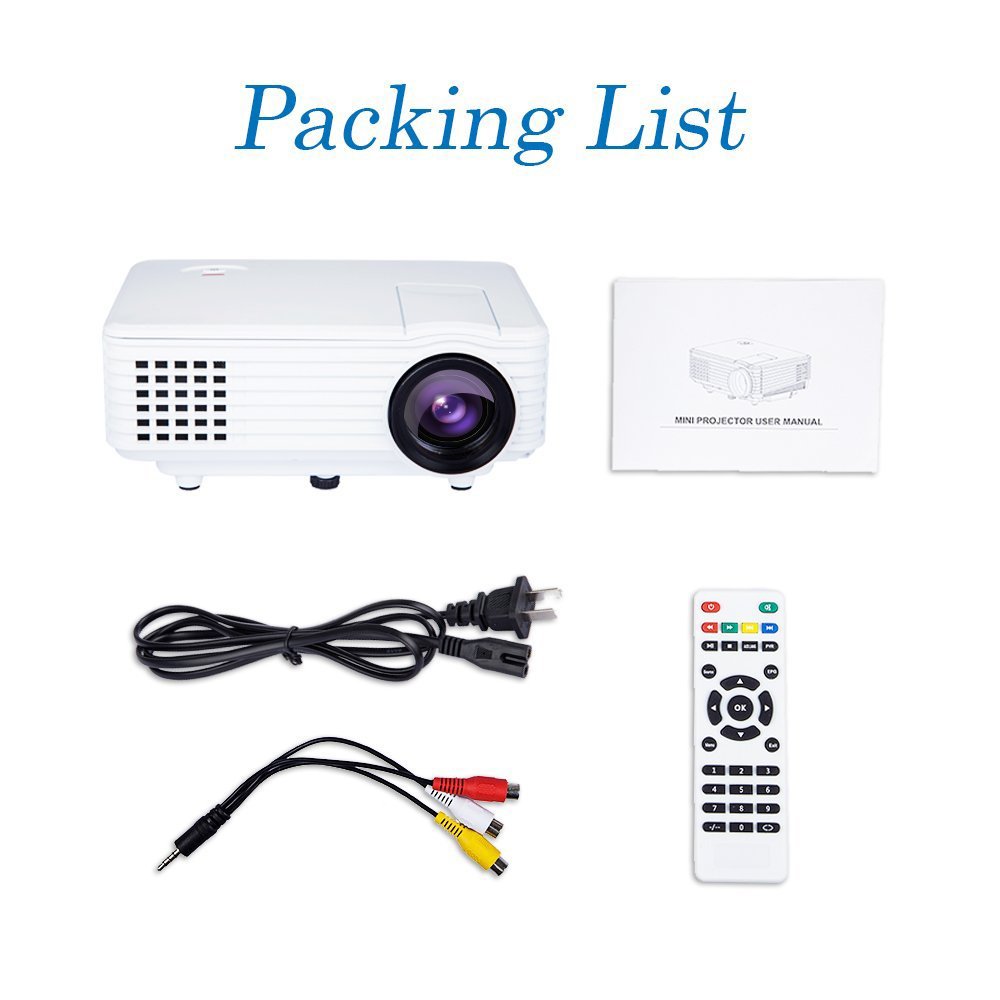
Image: Contents of the DBPOWER RD-805 projector package, showing the projector unit, power cable, AV cable, remote control, and user manual.
- DBPOWER RD-805 Mini LED Projector
- מאַכט קאַבלע
- ווייַט קאָנטראָל
- אב קאַבלע
- באַניצער מאַנואַל
4. פּראָדוקט איבערview
Familiarize yourself with the various parts of your projector.

Image: The DBPOWER RD-805 projector held in a hand, illustrating its portable and compact design.
4.1 פראָנט און אויבן View
- פּרויעקציע לענס: לאָזט אַרויס דאָס בילד.
- פאָקוס רינג: אַדזשאַסטירט בילד קלעריטי.
- קיסטאָון קערעקשאַן דיאַל: קאָריגירט טראַפּעזאָידאַל בילד דיסטאָרשאַן.
- קאָנטראָל פּאַנעל: Buttons for menu navigation and basic functions.
4.2 הינטערשטע פּאַנעל און קאַנעקשאַנז

בילד: דעטאַלירט view of the rear panel of the DBPOWER RD-805 projector, highlighting the power button, on/off switch, USB port, HDMI port, AV input, VGA input, and audio output jack.
- מאַכט קנעפּל: טורנס די פּראַדזשעקטער אויף / אַוועק.
- On/Off Button (Main Switch): הויפּט מאַכט סוויטש.
- וסב פּאָרט: פֿאַרבינדט USB דרייווז פֿאַר מעדיע ווידערשפּיל.
- הדמי פּאָרט: Connect devices via HDMI cable (e.g., laptops, gaming consoles).
- AV IN Port: Connect devices using the AV cable (e.g., DVD players).
- VGA פּאָרט: Connect computers via VGA cable.
- Audio Output (Earphone) Jack: פֿאַרבינדט עקסטערנע רעדנערס אָדער כעדפאָונז.
- מיקראָ וסב: (Not explicitly labeled in image, but mentioned in features) For specific connectivity.
5. סעטאַפּ
5.1 פּלייסמאַנט
Place the projector on a stable, flat surface. Ensure there is adequate space around the projector for ventilation. The projection distance will determine the image size (20-80 inches recommended).

Image: The DBPOWER RD-805 projector set up on a tripod next to a laptop, demonstrating a typical usage scenario for presentations or media viewing.
5.2 מאַכט קאַנעקשאַן
- Connect the power cable to the projector's power input.
- שטעקט אריין דעם אנדערן עק פונעם עלעקטרישן קאבל אין א וואנט ווענטיל.
- Flip the main On/Off switch on the rear panel to the 'On' position.
5.3 קאַנעקטינג דעוויסעס
דער פּראָיעקטאָר שטיצט פֿאַרשידענע אַרייַנשרייַב קוואלן:

Image: A circular diagram illustrating the wide range of devices compatible with the DBPOWER RD-805 projector, including laptops, desktops, gaming consoles (PS4, Xbox 360, Wii), mobile phones, tablets, DVD players, and MP4/MP5 players.
- הדמי: Connect laptops, gaming consoles (PS4, Xbox 360), Blu-ray players.
- ווגאַ: Connect desktop computers or older laptops.
- פון: Connect DVD players, set-top boxes using the included AV cable.
- וסב: Insert USB flash drives for direct playback of photos, videos, and music.
- מיקראָ וסב: For specific device connections (refer to device manual for compatibility).
- אַודיאָ אָוט: פאַרבינדן פונדרויסנדיק ספּיקערז אָדער כעדפאָונז פֿאַר ימפּרוווד אַודיאָ.
6. אפערירן דעם פּראָיעקטאָר
6.1 פּאַוערינג אויף / אַוועק
- Ensure the main On/Off switch on the rear is in the 'On' position.
- Press the Power button on the projector or remote control to turn on the unit.
- To power off, press the Power button again. The indicator light will change.
6.2 Adjusting Image
- פאָקוס: דרייט דעם פאָקוס רינג לעבן דער לינזע ביז די פּראַיעקטירטע בילד איז קלאָר און שאַרף.
- Keystone Correction: Use the keystone correction dial to adjust the image if it appears trapezoidal (wider at the top or bottom). The projector supports up to 15 degrees of keystone correction.
6.3 אויסוואל פון איינגאבע מקור
Use the 'Source' button on the remote or projector control panel to cycle through available input sources (HDMI, VGA, AV, USB).
6.4 מולטימעדיאַ ווידערשפּיל
When a USB drive is connected, navigate the on-screen menu to select the desired media type (Photo, Music, Movie, Text) and browse files. The projector supports MP3/WMA/OGG/AAC/FLAC/APE/WAV audio and JPEG/BMP/PNG image formats.
6.5 אַפּפּליקאַטיאָנס
The DBPOWER RD-805 is suitable for a variety of uses:

Image: A collage depicting various applications of the DBPOWER RD-805 projector, including outdoor movie nights, classroom teaching, business meetings, and gaming sessions.

בילד: פיר עקסamples of home theater environments utilizing the DBPOWER RD-805 projector for immersive viewינג יקספּיריאַנסיז.
- היים פֿאַרווייַלונג: Enjoy movies, TV shows, and sports on a large screen.
- גיימינג: Connect your gaming console for an immersive gaming experience.
- פּרעזענטירונג: Ideal for small business meetings or educational purposes.
- פאָטאָ Viewינג: Share your photos with friends and family on a big display.
7. וישאַלט
7.1 רייניקן די לינז
ניצט אַ ווייכע, לינט-פֿרייע שטאָף ספּעציעל דיזיינד פֿאַר אָפּטישע לענסעס. ניצט נישט קיין שרײַבנדיקע רייניגער אָדער טיכלעך וואָס קענען קראַצן די לענס.
7.2 רייניקן דעם פּראָיעקטאָר קערפּער
ווישט אָפּ דעם פּראָיעקטאָר'ס אויסערלעכן טייל מיט אַ ווייכן, טרוקענעם שטאָף. פֿאַר שווערע פֿלעקן, ניצט אַ ביסל טרוקן שטאָף.amp מען קען ניצן אַ שטאָף, און דערנאָך אַ טרוקענעם.
7.3 ווענטאַליישאַן
Regularly check and clean the ventilation grilles to prevent dust buildup, which can impede airflow and cause overheating.
7.4 לamp לעבן
די געפירט לamp in your projector has a long lifespan, rated for approximately 50,000 hours, significantly reducing the need for lamp פאַרבייַט.
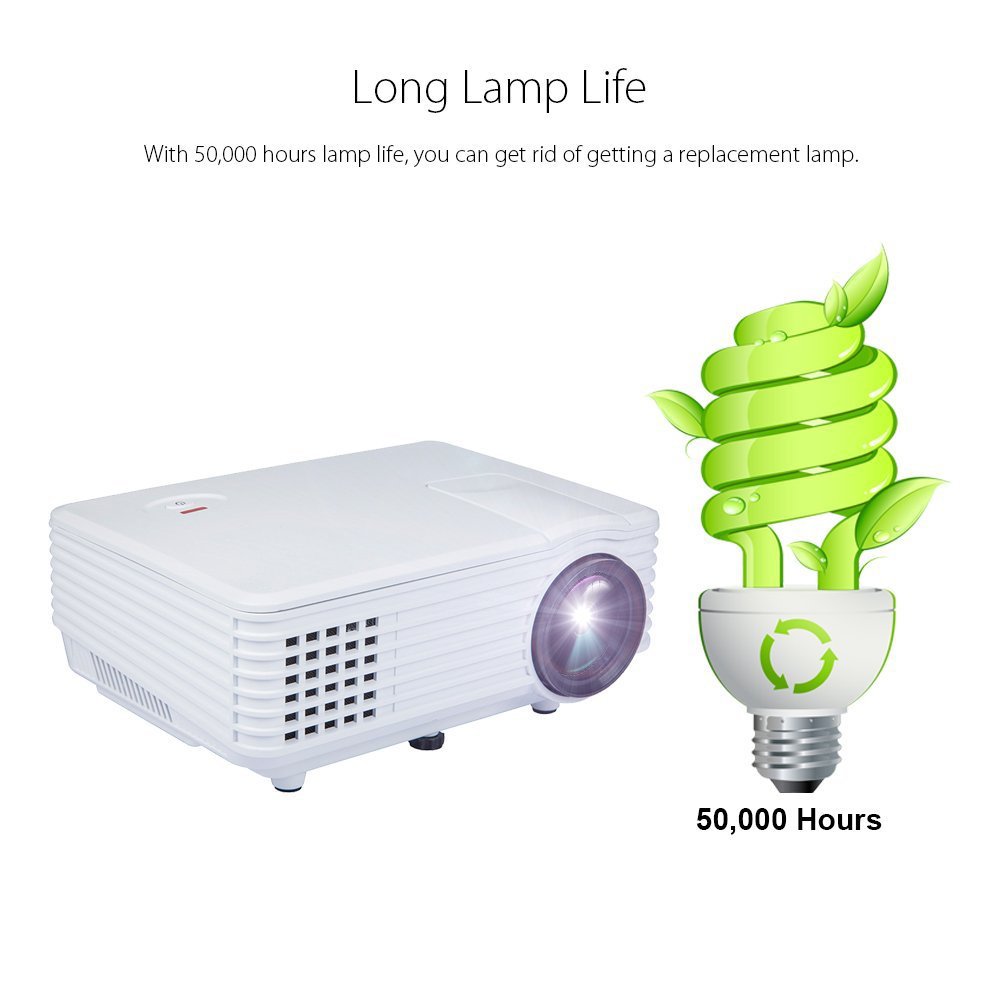
Image: An illustration highlighting the long lamp life of the DBPOWER RD-805 projector, indicating an estimated lifespan of 50,000 hours for its LED light source.
8. טראָובלעשאָאָטינג
| פּראָבלעם | מעגלעך סיבה | לייזונג |
|---|---|---|
| קיין בילד נישט פּראָיעקטירט | שטראָם נישט פארבונדן; נישט ריכטיגע אינפוט מקור; לינז דעקל אויף. | קאָנטראָלירט די מאַכט פֿאַרבינדונג; אויסקלייבן די ריכטיקע אַרייַנגאַנג מקור; אַראָפּנעמען די אָביעקטיוו דעקל. |
| די בילד איז בלערי | פאָקוס נישט אַדזשאַסטיד; פּראָיעקטאָר צו נאָענט/ווייט פֿון עקראַן. | Adjust focus ring; Adjust projection distance (20-80 inches). |
| בילד איז טראַפּעזאָידאַל | Keystone not adjusted. | אַדזשאַסטירן קיסטאָון קערעקשאַן דאַבאַל. |
| קיין געזונט | Volume too low; External speakers not connected; Audio format not supported. | Increase volume; Connect external speakers to audio out; Check audio format compatibility. |
| ווייַט קאָנטראָל נישט ארבעטן | Batteries dead; Obstruction between remote and projector. | טוישן באַטעריעס; זיכער מאַכן אַז עס איז קלאָר ווי דער טאָג צום IR ופנעמער. |
9. ספּעסאַפאַקיישאַנז

Image: The DBPOWER RD-805 projector with its physical dimensions (21cm length, 14.5cm width, 8cm height) and weight (1250g) indicated, alongside a "1 Year Warranty" badge.
| סאָרט | דבפּאָווער |
| מאָדעל נאָמען | RD-805 |
| נומער מאָדעל נומער | FP8048H1W-IV6 |
| ווייַז טעכנאָלאָגיע | לקד |
| ווייַז טיפּ | געפירט |
| פּרויעקציע גרייס | 20-80 inches (recommended) |
| Max Screen Display Size | 120 אינטשעס / 305 סענטימעטער |
| קייסטאָנע קערעקשאַן | Manual, 15 degrees |
| Lamp לעבן | אַרויף צו 50,000 שעה |
| אַרייַנשרייַב ינטערפייסיז | USB, VGA, HDMI, AV, Micro USB |
| רעזולטאַט צובינד | Earphone (3.5mm Audio Jack) |
| שטיצט אַודיאָ פֿאָרמאַטירונגען | MP3 / WMA / OGG / AAC / FLAC / APE / WAV |
| שטיצט בילד פאָרמאַץ | JPEG/BMP/PNG (with zoom, 360 degree rotate) |
| מאַכט קאַנסאַמשאַן | 20 וואטס |
| מאַכט מקור | AC |
| פּראָדוקט דימענשאַנז (LxWxH) | 21.08 X 14.48 X 7.87 סענטימעטער |
| פּונקט וואָג | 907.18 ג |
10. וואָראַנטי און שטיצן
Your DBPOWER RD-805 Projector comes with a 1-יאָר וואָראַנטי פֿון דעם קויפֿדאַטום. די וואָראַנטי דעקט פֿאַבריקאַציע חסרונות און אַרבעט אונטער נאָרמאַל נוצן.
For technical support, warranty claims, or any inquiries, please contact DBPOWER customer service through the contact information provided on their official website or your purchase platform. Please have your model number (RD-805) and purchase details ready when contacting support.


