1. פּראָדוקט איבערview
The COMTEC HDR-251GH is a high-performance Full HD drive recorder designed to capture clear video footage of your journeys. Manufactured in Japan, this device offers advanced features such as parking surveillance, continuous recording, and impact detection, ensuring comprehensive coverage for your vehicle. Its integrated GPS functionality records precise location and speed data, while HDR technology guarantees optimal image quality in various lighting conditions, including challenging night scenes and strong backlighting.
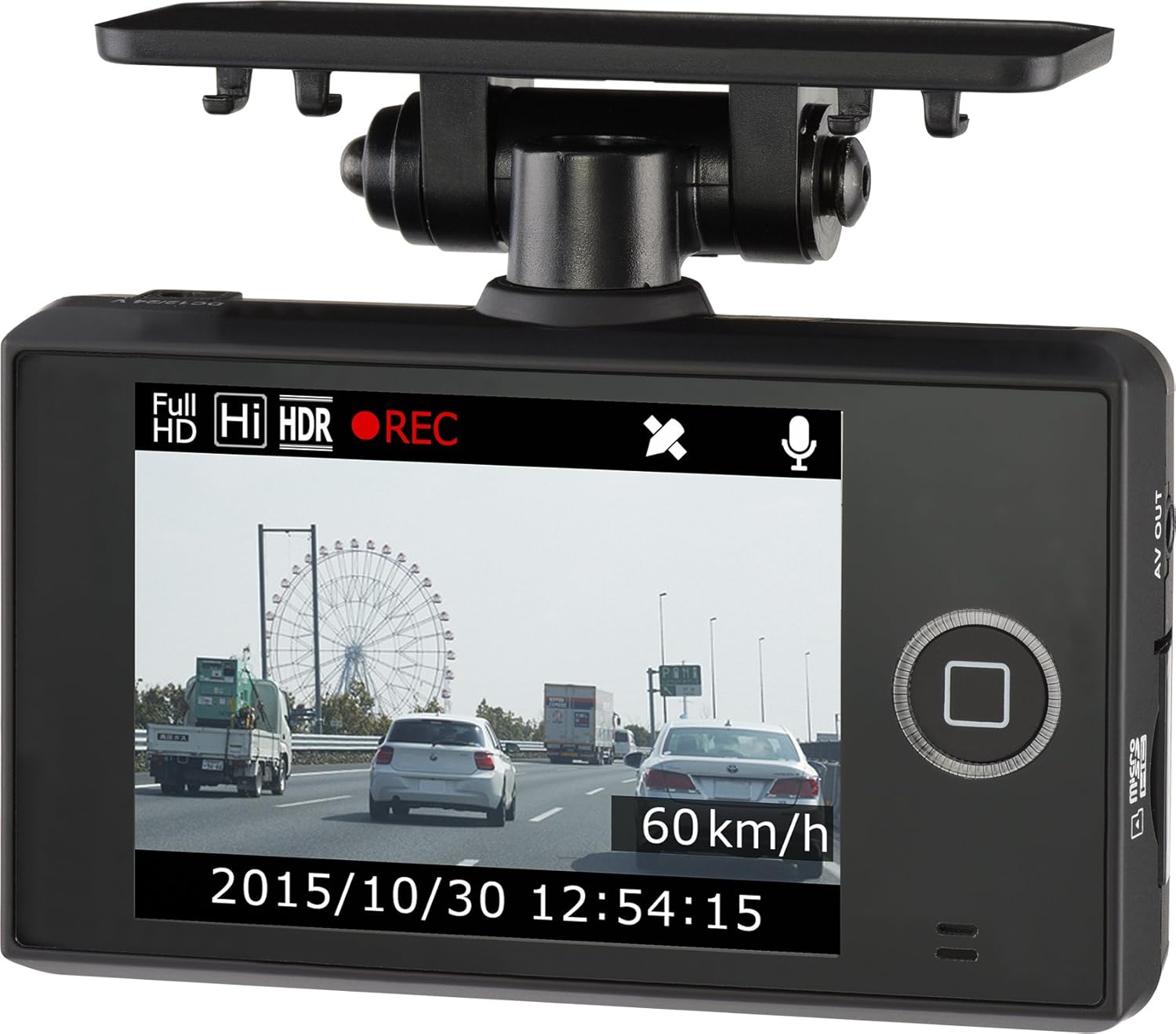
Image 1.1: The COMTEC HDR-251GH Drive Recorder mounted on a car windshield, showing its compact design and clear display of the road ahead.
2. אַרייַנגערעכנטע אַקסעסאָריעס
באַשטעטיקט אַז אַלע די פאלגענדע זאכן זענען אַרייַנגערעכנט אין דיין פּעקל:
- הויפּט אַפּאַראַט רענטגענ 1
- מאָונטינג קלאַמער רענטגענ 1
- Built-in Battery x 1
- Double-sided Tape for Bracket Fixing x 1
- Cigar Plug Power Cord (approx. 4m) x 1
- microSDHC Card (8GB) x 1 (pre-installed in main unit)
- Hex Wrench for Angle Adjustment x 1
- שנור קלampsx 3
- Instruction Manual (with warranty) x 1
- Compensation Service Registration Postcard (with privacy protection sticker) x 1
3. סעטאַפּ און ייַנמאָנטירונג
Follow these steps to properly install your COMTEC HDR-251GH drive recorder in your vehicle:
- מאַונטינג די הויפּט אַפּאַראַט: Attach the drive recorder to the windshield using the provided mounting bracket and double-sided tape. Ensure it does not obstruct your view.
- קאַנעקטינג די מאַכט שנור: Insert the cigar plug power cord into the main unit. Use the hex wrench to secure the unit's angle.
- Routing the Power Cord: Carefully route the power cord along the edge of the windshield, tucking it under the A-pillar trim and door molding to conceal it and prevent interference.
- קאַנעקטינג צו מאַכט: Guide the power cord down to the floor and connect the cigar plug to your vehicle's accessory power socket.
Video 3.1: This video demonstrates the step-by-step installation process of the COMTEC HDR-251GH Drive Recorder, including mounting, cable routing, and power connection.

בילד 3.1: זייט view of the COMTEC HDR-251GH Drive Recorder securely mounted on the car dashboard, showing its discreet placement.
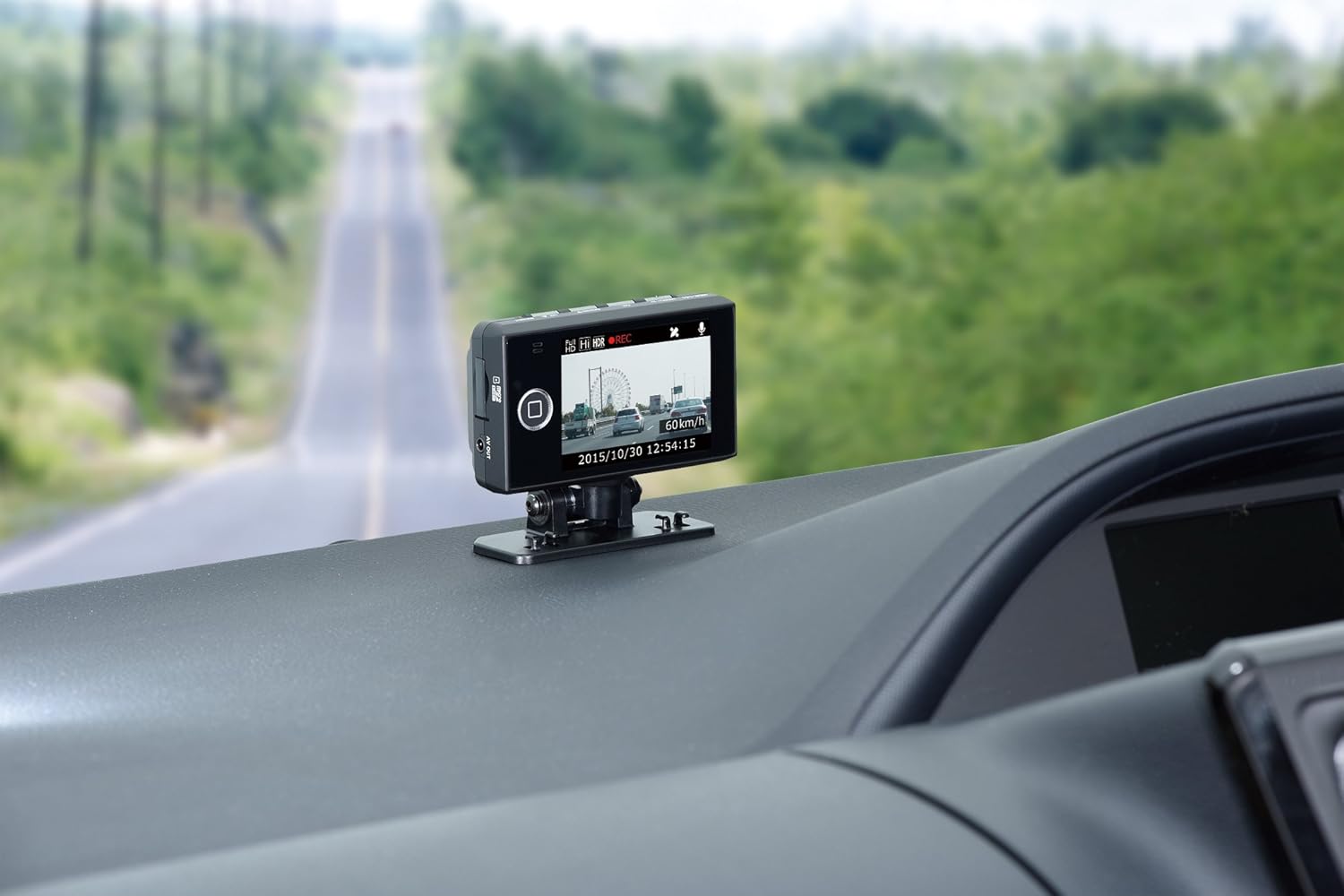
בילד 3.2: פראָנט view of the COMTEC HDR-251GH Drive Recorder mounted on the car dashboard, capturing the road ahead.
4. אַפּערייטינג ינסטרוקטיאָנס
4.1 רעקאָרדינג פונקציעס
- קעסיידערדיק רעקאָרדינג: The device automatically records video from engine ON to OFF. Recording duration varies based on video size and quality settings. Older footage is overwritten when the recording limit is reached (default setting).
- אימפּאַקט רעקאָרדינג: The built-in G-sensor detects impacts and automatically saves the video footage (10 seconds before and 30 seconds after the impact) as impact recording data. Older footage is overwritten when the recording limit is reached (default setting).
- מאַנואַל רעקאָרדינג: Pressing the dedicated switch allows you to record video at any desired moment (10 seconds before and 30 seconds after the switch is pressed). Older footage is overwritten when the recording limit is reached (default setting).
4.2 פּאַרקינג אויפֿזיכט מאָדע
With its built-in battery, the device can record 10 seconds before and 30 seconds after an impact even when the engine is off, providing surveillance for your parked vehicle.
4.3 דזשי-פי-עס פונקציאָנאַליטעט
The integrated GPS records your vehicle's driving speed and location information along with the video data. Date and time information is automatically corrected by GPS, eliminating the need for manual settings.
4.4 Viewער ווייכווארג
ניצט די דעדיקירטע viewer software (included on the microSDHC card or downloadable from the COMTEC website) on a Windows 7/8.1 PC to review recorded data. This software allows you to display driving routes on Google Maps, check driving speed, zoom into video, save linked recording data, and convert videos to still images.
4.5 Easy Switch Function
The easy switch allows one-touch operation of functions such as playback, recording, and audio ON/OFF. The audio ON/OFF toggle is particularly useful for quickly disabling audio recording when privacy is desired.
4.6 Large LCD Screen
The 2.8-inch full-color TFT LCD screen provides clear viewing of recorded footage directly on the device. It also displays live footage during recording, simplifying angle adjustments.
5. שליסל פֿעיִקייטן
- Full HD 2 Million Pixels: Records high-quality Full HD video (1920x1080) with a 1/3-inch CMOS sensor and Ambarella A7 chip, ensuring clear capture of details like license plates.
- HDR (High Dynamic Range) Function: Prevents overexposure and underexposure in scenes with high contrast, such as tunnels or strong backlighting, providing clear images day and night.
- F1.8 Large Aperture Glass Lens: Employs a large-aperture F1.8 lens with 6 glass elements for bright and clear recordings, especially in low-light conditions.
- שטיצע פון LED פאַרקער סיגנאַלן: Compatible with LED traffic signals across Japan, ensuring signals are properly recorded without flickering, regardless of regional power frequencies.
- Noise Countermeasures: Designed to minimize interference with digital terrestrial TV reception and car navigation GPS signals.
- Honeycomb Structure: The main unit's case features a honeycomb structure, increasing its strength by 15% compared to conventional products, protecting valuable footage.
- באַקאַפּ פונקציע: In case of power loss due to an accident, the backup function ensures that the recorded video is protected.
- Recording Failure Prevention: The device checks the microSDHC card upon startup to prevent recording failures due to card damage.
- Dashboard Mounting Support: The built-in G-sensor automatically detects the unit's orientation and inverts the LCD display, allowing for flexible mounting on the dashboard.
Video 5.1: This video provides a general introduction to the COMTEC HDR-251GH, highlighting its design and primary functions.
Video 5.2: This video demonstrates the superior night vision capabilities of the HDR-251GH compared to conventional drive recorders, showcasing clearer footagE אין נידעריק-ליכט טנאָים.

Image 5.1: A visual representation of the HDR-251GH's key features, including HDR for clear night images, LED signal compatibility, and robust construction.

בילד 5.2: דעטאַלירט view of the HDR-251GH's HDR function for balanced exposure and its compatibility with LED traffic signals.

Image 5.3: The user interface of the HDR-251GH, illustrating recording status, GPS data, and various settings for optimal operation.
6. ספּעסאַפאַקיישאַנז
| שטריך | באַשרייַבונג |
|---|---|
| פאַבריקאַנט | קאָמטעק |
| מאָדעל נאָמען | HDR-251GH |
| פּראָדוקט דימענשאַנז (ד רענטגענ וו רענטגענ ה) | 3.35 X 9.5 X 5.6 סענטימעטער |
| פּראָדוקט וואָג | 142 ג |
| בילד סענסאָר | 1/3-אינטש CMOS סענסאָר |
| גאַנץ פּיקסעלס | קסנומקס מיליאַן פּיקסעלס |
| עפעקטיוו פּיקסעלס | Max 2 Million Pixels |
| Lens Angle (Horizontal/Vertical/Diagonal) | 120 ° / 62 ° / 148 ° |
| F-Value | 1.8 |
| לענס מאַטעריאַל | גלאז |
| מינימום יללומינאַטיאָן | 2 לוקס |
| מאַכט וואָלtage | 12V/24V |
| Image Processing Chip | Ambarella A7 Chip |
| דורכשניטלעך קראַנט קאַנסאַמשאַן | ווייניקער ווי 500 מאַ |
| אַפּערייטינג טעמפּעראַטור ראַנגע | -10°C צו 60°C |
| Recording Image Size | FullHD (1920x1080) / HD (1280x720) / SD (848x480) |
| גפּס | יא |
| ג-סענסאָר | Yes (0.1G to 1.0G, adjustable in 0.1G units) |
| רעקאָרדינג מעטאַד | Continuous Recording / Event Recording (Impact Recording / Manual Recording) |
| רעקאָרדינג File סטרוקטור | 1-minute units |
| אַודיאָ רעקאָרדינג | ON / OFF possible |
| ראַם קורס | 29 פפּס |
| בילד File פֿאָרמאַט | MP4 (MPEG-4 AVC / H.264) |
| רעקאָרדינג מידיאַ | microSDHC card (Included: 8GB / class10) *Supports 4GB-32GB, class10 or higher recommended |
| Recording Time (with 8GB card) | 80-280 מינוט |
| לקד גרייס | 2.8-inch Full Color TFT |
| לקד האַכלאָטע | 320 X 240 |
| לאַנד פון אָריגין | יאַפּאַן |
| מאַטעריאַל | Heat-resistant ABS Resin |
7. טראָובלעשאָאָטינג
If you encounter any issues with your HDR-251GH drive recorder, please refer to the following common solutions:
- די מיטל איז נישט פּאַוערינג: Ensure the power cord is securely connected to both the drive recorder and the vehicle's power socket. Check the vehicle's fuse for the accessory power.
- רעקאָרדינג פּראָבלעמען: Verify that the microSDHC card is inserted correctly and is not full. Format the card regularly to maintain optimal performance. If the issue persists, try using a different compatible microSDHC card (Class 10 or higher, 4GB-32GB).
- נעבעך ווידעא קוואַליטעט: Clean the camera lens. Ensure the windshield area where the camera is mounted is clear of obstructions. Check if HDR is enabled for challenging lighting conditions.
- דזשי-פי-עס באקומט נישט קיין סיגנאל: ענשור אַז די מיטל האט אַ קלאָר view of the sky. Avoid mounting near metallic objects that might interfere with the GPS signal.
- אריינמישונג מיט אנדערע דעווייסעס: The device includes noise countermeasures. If interference occurs, ensure proper installation and cable routing away from sensitive electronics.
For more detailed troubleshooting, please consult the full instruction manual or contact customer support.
8. וואָראַנטי און שטיצן
8.1 פּראָדוקט וואָראַנטי
The COMTEC HDR-251GH drive recorder comes with a 3-יאָר פאַבריקאַנט ס וואָראַנטי פֿון דעם קויף־דאַטום. ביטע באַהאַלטן אייער קויף־באַווייַז פֿאַר גאַראַנטיע־קליימז.
8.2 Compensation Service
This product includes a unique compensation service. In the event of an accident, COMTEC will pay a fixed compensation of 20,000 Yen for one year from the registration date. Please refer to the included Compensation Service Registration Postcard for details on how to register and claim this service.
8.3 קונה שטיצן
For further assistance, technical support, or warranty inquiries, please visit the official COMTEC website or contact their customer service department. Contact information can be found in the full instruction manual.
9. Additional Content
Video 9.1: This video showcases footage recorded by a COMTEC drive recorder during a SUPER GT race, demonstrating its high-speed recording capabilities.


