פּראָדוקט איבערview
The Muse M-1280 BT is a versatile Bluetooth tower speaker designed to deliver clear audio with multiple connectivity options. It features A2DP Bluetooth for wireless streaming, a powerful 120W output, a PLL FM radio tuner, and ports for USB and SD card playback. Additionally, it includes a USB charging function and an auxiliary input for wired connections. The speaker is housed in a stylish wooden cabinet and stands approximately 100cm tall, making it a prominent addition to any room.
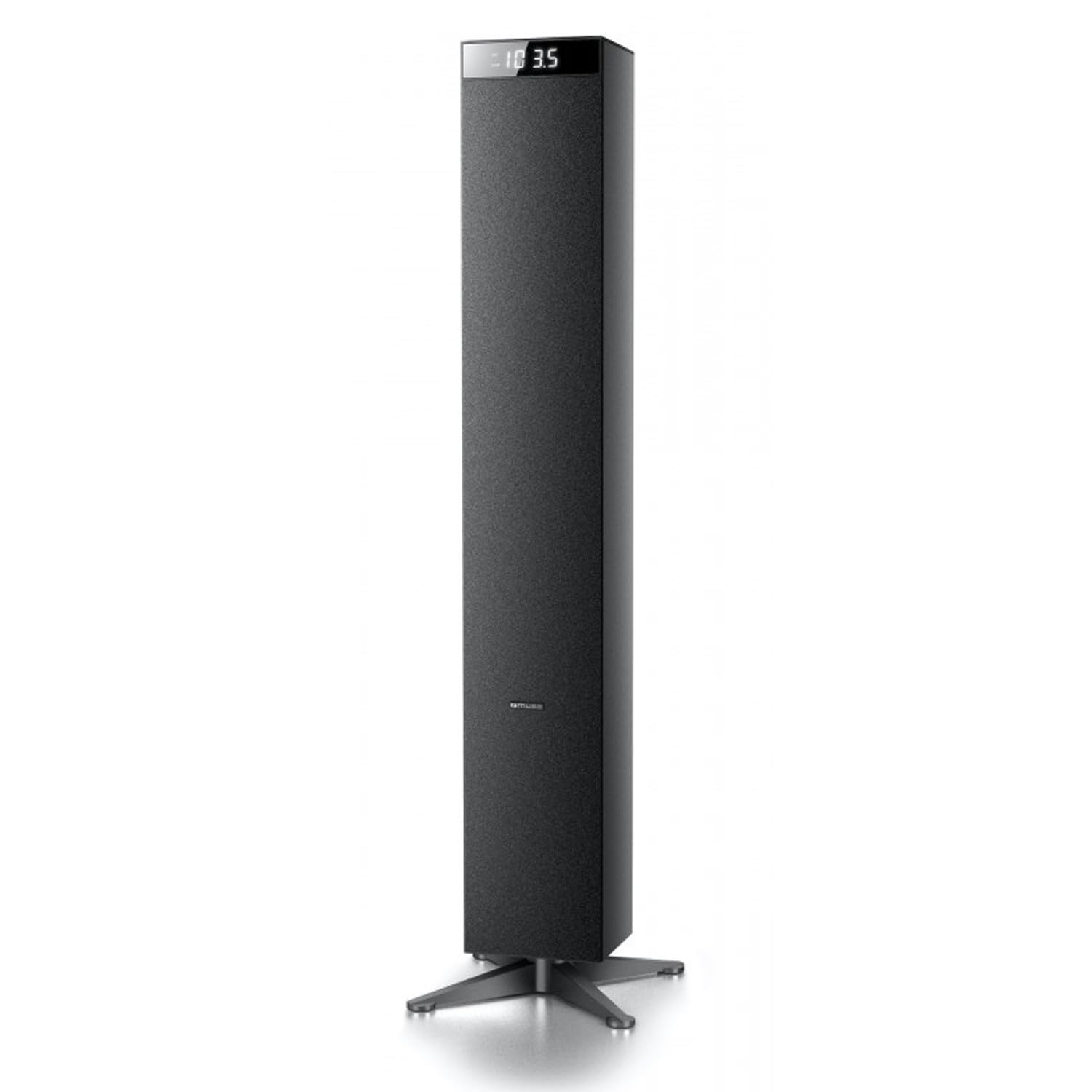
בילד: פראָנט view of the Muse M-1280 BT Bluetooth Tower Speaker, showcasing its sleek black design and integrated display.
פּעקל אינהאַלט
איידער איר שטעלט אויף, ביטע זיכער מאכן אז אלע זאכן זענען פאראן אין פעקל:
- Muse M-1280 BT Bluetooth Tower Speaker
- ווייַט קאָנטראָל
- Aux-In קאַבלע
- שנעל אָנהייב גייד
- מאַכט קאַבלע
סעטאַפּ אינסטרוקציעס
- אויספּאַקן: פֿאָרזיכטיק אַרויסנעמען דעם רעדנער און אַלע אַקסעסאָריעס פֿון דער פּאַקאַדזשינג.
- אָרט: Position the M-1280 BT speaker on a stable, flat surface. Ensure it is placed in a location with good ventilation and away from direct sunlight, heat sources, or moisture. The speaker is designed for floor standing.
- פאַרבינדן מאַכט: Insert the power cable into the AC IN port on the back of the speaker, then plug the other end into a standard wall outlet.
- ערשט מאַכט אויף: Press the Power button on the top panel or the remote control to turn on the speaker. The display will illuminate.

Image: The Muse M-1280 BT speaker positioned in a room, with a detailed view of its top control panel and phone dock.
אַפּערייטינג ינסטראַקשאַנז
1. אויסקלייבן אַ מקור
דרוק די מקור button on the top panel or remote control to cycle through available input modes: Bluetooth, FM Radio, USB, SD, and AUX.
2. בלועטאָאָטה מאָדע
- אויסקלייַבן בלועטאָאָטה mode using the SOURCE button. The display will show "BT" and flash, indicating it's in pairing mode.
- On your smartphone, tablet, laptop, or PC, enable Bluetooth and search for available devices.
- אויסקלייבן "M-1280 BT" from the list of devices. Once paired, the speaker will emit a confirmation sound, and "BT" on the display will stop flashing.
- You can now play audio from your connected device. Use the playback controls on your device or the speaker's top panel/remote (Play/Pause, Next/Previous Track) to manage your music.
3. עפעם ראַדיאָ מאָדע
- אויסקלייַבן עפעם ראַדיאָ mode using the SOURCE button.
- צו אויטאמאטיש סקענען און ראטעווען סטאנציעס, דריק און האלט די שפּיל / פּויזע button (often labeled as "SCAN" or "AUTO" in radio mode). The speaker will scan for available FM stations and store them.
- ניצן די ווייַטער / פרייַערדיק שפּור קנעפּלעך צו נאַוויגירן דורך די געראַטעוועטע סטאַנציעס.
- For manual tuning, briefly press the ווייַטער / פרייַערדיק שפּור קנעפּלעך צו סטרויערן די אָפטקייט שריט ביי שריט.
4. USB/SD קאַרטל ווידערשפּיל
- אַרייַנלייגן אַ וסב בליץ פאָר אין די וסב פּאָרט אדער אן SD קארטל אין דעם סד קאָרט שפּעלטל.
- אויסקלייַבן וסב or SD mode using the SOURCE button. The speaker will automatically begin playing compatible audio files.
- Use the playback controls (Play/Pause, Next/Previous Track) on the speaker or remote to control playback.
- Note: The speaker supports common audio file formats. Unsupported file types will not play.
5. AUX ינפּוט
- Connect one end of the provided Aux-In cable to the AUX IN port on the speaker and the other end to the audio output (e.g., headphone jack) of your external audio device.
- אויסקלייַבן AUX mode using the SOURCE button.
- Play audio from your external device. Volume can be controlled via the speaker or the external device.
6. וסב טשאַרדזשינג
The USB port on the speaker can also be used to charge compatible devices. Connect your device's USB charging cable to the speaker's USB port.

Image: Close-up of the Muse M-1280 BT speaker's top panel, highlighting the control buttons, digital display, and integrated dock for mobile devices.
וישאַלט
- רייניקונג: Use a soft, dry cloth to clean the speaker's exterior. Do not use liquid cleaners or abrasive materials, as they may damage the finish.
- סטאָרידזש: אויב איר לייגט אַוועק דעם רעדנער פֿאַר אַ לענגערע צייט, זאָלט איר אים אָפּשטעקן פֿון עלעקטריע און אים אַוועקלייגן אין אַ קילן, טרוקענעם אָרט.
- ווענטילאַטיאָן: Ensure the speaker's ventilation openings are not blocked to prevent overheating.
טראָובלעשאָאָטינג
| פּראָבלעם | מעגלעך סיבה | לייזונג |
|---|---|---|
| קיין מאַכט | שטראָם קאַבל נישט פארבונדן; שטראָם אַוטלעט נישט אַקטיוו | Ensure power cable is securely connected to both the speaker and a working wall outlet. |
| קיין געזונט | Volume too low; Incorrect source selected; Device not paired (Bluetooth) or connected (AUX) | Increase volume. Select the correct input source. For Bluetooth, ensure device is paired. For AUX, ensure cable is fully inserted. |
| בלועטאָאָטה פּערינג פיילז | רעדנער נישט אין פּערינג מאָדע; דעווייס צו ווייט; שטערונג | Ensure speaker is in Bluetooth pairing mode (BT flashing). Move device closer to speaker. Avoid strong electromagnetic interference. |
| נעבעך עפעם ראַדיאָ אָפּטראָג | Weak signal; Antenna not extended | Adjust the position of the speaker. Ensure the FM antenna (if external) is fully extended. |
ספּעסאַפאַקיישאַנז
- מאָדעל נאָמען: M-1280 BT
- סאָרט: MUSE
- רעדנער טיפּ: טורעם
- קאַנעקטיוויטי טעכנאָלאָגיע: Bluetooth (A2DP), USB, SD, AUX
- רעזולטאַט מאַכט: 120 וואטס (מאַקס)
- ראַדיאָ טונער: PLL FM
- וסב פּאָרט: Yes (for playback and charging)
- סד קאָרט לייענער: יא
- מאַכט מקור: עלעקטריק קאַבלע
- מאַטעריאַל: האלץ
- קאָליר: שוואַרץ
- דימענשאַנז (L x W x H): 20 X 18 X 101.2 סענטימעטער (7.87 X 7.09 X 39.84 אינטשעס)
- וואָג: 5.3 קילאָגראַמס (11.68 לבס)
- אַרייַנגערעכנט קאַמפּאָונאַנץ: Aux-In Cable, Quick Start Guide, Remote Control
- קאַמפּאַטאַבאַל דעוויסעס: Smartphone, Laptop, PC
וואָראַנטי און שטיצן
This Muse M-1280 BT speaker comes with a 1-יאָר פאַבריקאַנט וואָראַנטי פֿון דעם קויף־דאַטום. ביטע באַהאַלטן אייער קויף־באַווייַז פֿאַר גאַראַנטיע־קליימז.
For technical support, service, or warranty inquiries, please refer to the contact information provided in the Quick Start Guide or visit the official Muse website for your region. Do not attempt to repair the device yourself, as this may void the warranty.


