1. הקדמה
This manual provides comprehensive instructions for the installation, operation, and maintenance of your Speco Technologies HT5941T Intense IR HD TVI Dome Camera. This camera is designed to deliver high-definition surveillance with advanced features such as True WDR, Intense IR, and day/night operation. Please read this manual thoroughly before installation and use to ensure proper functionality and safety.
2. זיכערקייַט אינפֿאָרמאַציע
- מאַכט צושטעלן: Use only the specified 12VDC or 24VAC power supply. Incorrect voltagעס קען שעדיקן די קאַמעראַ.
- ייַנמאָנטירונג: Ensure the camera is securely mounted to prevent accidental falls. Professional installation is recommended.
- סוויווע: Do not expose the camera to extreme temperatures, humidity, or corrosive environments beyond its specified operating conditions.
- רייניקונג: אָפּשטעקן די מאַכט איידער רייניקונג. ניצט אַ ווייכע, טרוקענע שטאָף. פֿאַרמייַדן שאַרפע כעמיקאַליעס.
- סערוויס: Do not attempt to disassemble or service the camera yourself. Refer all servicing to qualified personnel.
3. פּעקל אינהאַלט
באַשטעטיקן אַז אַלע זאכן זענען פאַראַן אין דיין פּעקל:
- HT5941T Dome Camera
- Chameleon Cover
- מאָנטירונג האַרדווער (שרויף, אַנקערס)
- שנעלע אָנהייב גייד (אויב אָנווענדלעך)
4. סעטאַפּ און ייַנמאָנטירונג
4.1 מאָונטינג די אַפּאַראַט
The HT5941T camera supports 3-axis adjustment for both wall and ceiling mounting. Ensure the mounting surface is strong enough to support the camera's weight.
- אויסקלייַבן אַ פּאַסיק מאַונטינג אָרט.
- Use the provided mounting template (if included) or the camera base to mark drilling points.
- באָרט פּילאָט לעכער און אַרײַנשטעלן וואַנט אַנקערס אויב נייטיק.
- באַפֿעסטיקן די קאַמעראַ באַזע צו דער מאָנטירונג ייבערפלאַך מיט די צוגעשטעלטע שרויפֿן.
- Adjust the camera's angle for optimal viewing.
4.2 וויירינג און מאַכט קאַנעקשאַן
The HT5941T is an HD-TVI output only camera, providing full HD resolution over coaxial cable.
- Connect a coaxial cable (RG59 or similar) from the camera's BNC output to your HD-TVI DVR or monitor.
- Connect the power cable to the camera's power input. The camera supports dual voltage operation (12VDC or 24VAC). Ensure the power supply matches the camera's requirements.
- באַשטעטיקן אַלע קאַנעקשאַנז זענען זיכער איידער אַפּלייינג מאַכט.
4.3 Chameleon Cover Installation
The included Chameleon Cover can be painted to match your décor.
- If desired, paint the Chameleon Cover before installation. Allow it to dry completely.
- Align the cover with the camera body and snap it into place.
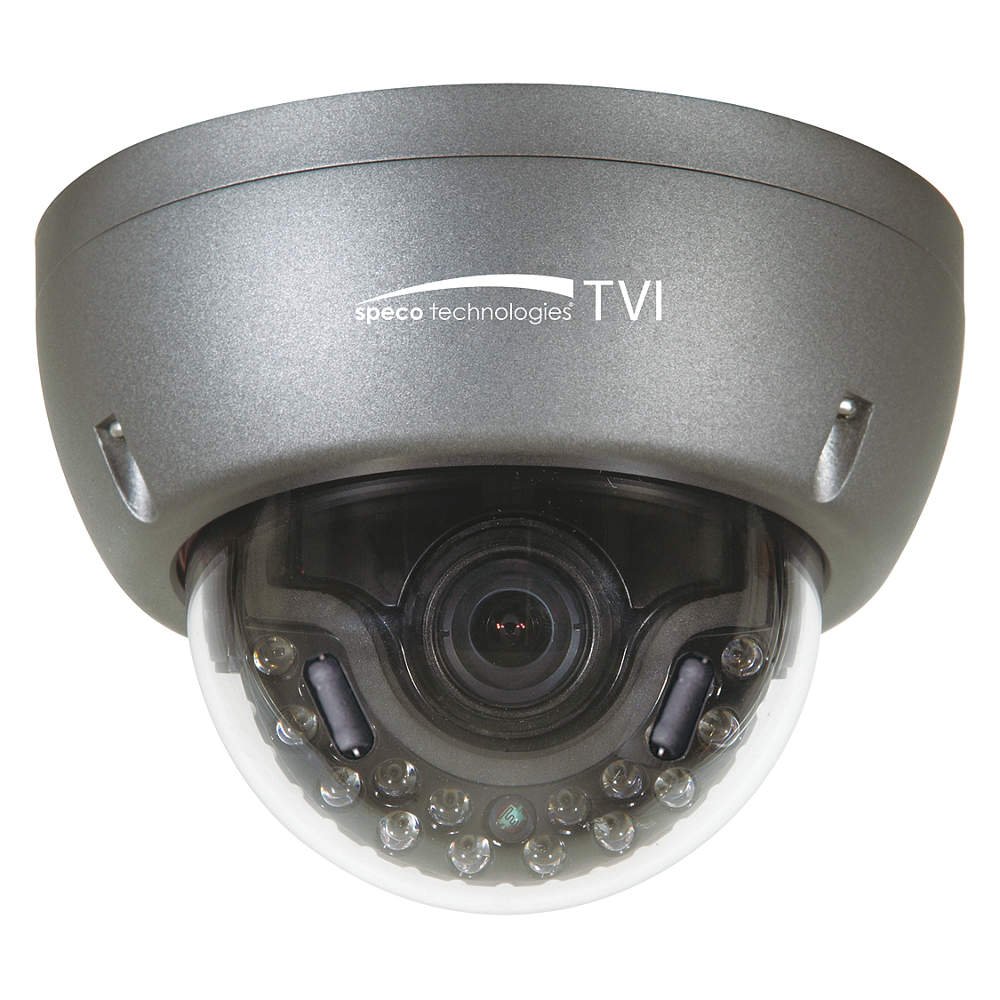
Figure 1: Speco Technologies HT5941T Dome Camera with its dark gray housing and dome design.
5. אַפּערייטינג ינסטרוקטיאָנס
5.1 Powering On and Initial View
Once the camera is properly wired and powered, it will automatically begin transmitting video. Connect your HD-TVI DVR or monitor to view די לעבן קאָרמען.
5.2 אויף-סקרין ווייַז (אָסד) מעניו
The camera features a full OSD menu for configuration, accessible via on-board controls or UTC (Up The Coax) control from a compatible DVR.
- Accessing OSD: Use the joystick or buttons on the camera (if present) or the UTC control function on your DVR to bring up the OSD menu.
- נאַוויגאַציע: Use the directional controls to navigate through menu options. Select options to adjust settings such as exposure, white balance, and image enhancements.
- שליסל פֿעיִקייטן:
- אמתער WDR: Wide Dynamic Range for clear images in high-contrast lighting.
- Intense IR: Adapts IR intensity to the subject, preventing saturation and providing vivid night vision.
- Day/Night Operation: Mechanical IR cut filter automatically switches between color (day) and monochrome (night) modes for optimal image quality.
6. וישאַלט
6.1 רייניקונג
רעגולערע רייניקונג העלפט אויפהאלטן די אָפּטימאַלע בילד קוואַליטעט.
- Gently wipe the camera lens and housing with a soft, lint-free cloth.
- פֿאַר שווערן שמוץ, אַ ביסל דampen the cloth with water or a mild lens cleaning solution. Avoid abrasive cleaners.
- זיכער מאַכן אַז די קאַמעראַ איז אויסגעלאָשן איידער רייניקונג.
6.2 ענוויראָנמענטאַל קאַנסידעריישאַנז
The HT5941T features heater circuitry and anti-moisture glass to reduce fog or condensation in various weather conditions. No specific user maintenance is required for these features, but ensure the camera's power supply is stable to allow these functions to operate effectively.
7. טראָובלעשאָאָטינג
| פּראָבלעם | מעגלעך סיבה | לייזונג |
|---|---|---|
| קיין ווידעא רעזולטאַט | No power; Loose cable connection; Incorrect video format (not HD-TVI compatible DVR) | Check power supply and connections; Ensure DVR supports HD-TVI input. |
| שלעכטע בילד קוואַליטעט (בלומען, פאַרקרימט) | Dirty lens; Improper focus; Cable interference; Insufficient lighting | Clean the lens; Adjust focus via OSD; Use shielded coaxial cable; Verify adequate lighting or IR function. |
| IR not working at night | Insufficient power; Day/Night setting incorrect; IR sensor blocked | Check power supply; Verify Day/Night mode in OSD; Ensure nothing obstructs the IR LEDs or sensor. |
| OSD מעניו דערשיינט נישט | Incorrect control method; DVR not compatible with UTC | Try on-board controls if available; Consult DVR manual for UTC compatibility and operation. |
8. ספּעסאַפאַקיישאַנז
| שטריך | באַשרייַבונג |
|---|---|
| מאָדעל נומער | HT5941T |
| סאָרט | ספּעקאָ טעטשנאָלאָגיעס |
| ווידעא קאַפּטורע רעסאָלוטיאָן | 1080p (פול HD) |
| ראַם קורס | 30 fps |
| קאַנעקטיוויטי טעכנאָלאָגיע | HD-TVI (Coaxial) |
| מאַכט מקור | 12VDC & 24VAC Dual Voltage |
| מאַונטינג טיפּ | Wall Mount (3-axis adjustment) |
| פאָרם פאַקטאָר | קופּאָל |
| נידעריק ליכט טעכנאָלאָגיע | Day/Night, Intense IR |
| ספּעציעלע פֿעיִקייטן | True WDR, Heater circuitry, Anti-moisture glass, Chameleon Cover |
| אינטערנאַציאָנאַלע פּראַטעקשאַן שאַץ | IP67 |
| דימענסיעס (L X W X H) | 5.12 X 4.84 X 3.66 אינטשעס |
| פּונקט וואָג | 1.5 פונט |
| מאַטעריאַל | גלאז (לינז) |
9. וואָראַנטי און שטיצן
For warranty information and technical support, please refer to the official Speco Technologies webזייטל אדער קאנטאקט זייער קאסטומער סערוויס דעפארטמענט. האלט אייער קויף קוויטל אלס באווייז פון קויפן פאר גאראנטיע קליימס.
Speco Technologies Official Webפּלאַץ: www.specotech.com


