הקדמה
Thank you for choosing the Coby Portable CD Player CD191. This device is designed to provide a versatile and enjoyable audio experience, combining classic CD playback with modern features like FM radio and MP3 compatibility. Its compact and shockproof design makes it ideal for both home use and on-the-go listening. Please read this manual thoroughly to understand the proper operation and maintenance of your new CD player.

א פראנט view of the Coby Portable CD Player, showcasing its compact design, LCD display, control buttons, and the included wired earbuds and Micro USB charging cable.
זיכערקייַט אינפֿאָרמאַציע
כדי צו זיכער מאַכן זיכערע אָפּעראַציע און פאַרמייַדן שאָדן, ביטע אָבסערווירן די פאלגענדע פאָרזיכטיגקייטן:
- שטעלט נישט אויס דעם אַפּאַראַט צו רעגן, פייכטקייט, אדער עקסטרעמע טעמפּעראַטורן.
- Avoid dropping or subjecting the unit to strong impacts, as this may damage internal components.
- צענעמט נישט דעם אַפּאַראַט. לאָזט איבער אַלע סערוויסעס צו קוואַליפֿיצירטע פּערסאָנאַל.
- Use only the specified battery type (2 AA batteries) and ensure correct polarity.
- פֿאַרמײַדט צו הערן אויף צו הויכע קולות פֿאַר לאַנגע פּעריאָדן כּדי צו פֿאַרמײַדן שאָדן צו דער הערן.
- Keep the CD compartment clean and free of dust or debris.
פּעקל אינהאַלט
באַשטעטיקן אַז אַלע זאכן זענען פאַראַן אין פּעקל:
- Coby Portable CD Player CD191
- סטערעאָ עאַרבודז
- מיקראָ וסב קאַבלע

The high-fidelity wired stereo earbuds that come with the CD player, providing a personal listening experience.
פּראָדוקט איבערview
קאַמפּאָונאַנץ און קאָנטראָלס
Familiarize yourself with the main components and controls of your CD player:
- LCD ווייַז: Shows track number, time, mode, and battery status.
- סי-די קאמפארטמענט: Where the CD is inserted.
- שפּיל / פּויזע קנעפּל: סטאַרץ אָדער פּאָזאַז פּלייבאַק.
- האַלטן קנעפּל: סטאַפּס פּלייבאַק.
- איבערשפרינגען/זוכן קנעפלעך (◀◀ / ▶▶): Skips tracks or fast-forwards/rewinds.
- מאָדע קנעפּל: Switches between CD, FM, and MP3 modes.
- פּראָגראַם קנעפּל: Used for programming track order.
- באַנד +/- קנעפּלעך: אַדזשאַסץ די אַודיאָ רעזולטאַט מדרגה.
- כעדפאָון דזשאַק (3.5 מם): פֿאַר פֿאַרבינדן כעדפאָונז אָדער עקסטערנע אַודיאָ דעוויסעס.
- מיקראָ וסב פּאָרט: פֿאַר עקסטערנער מאַכט צושטעל.
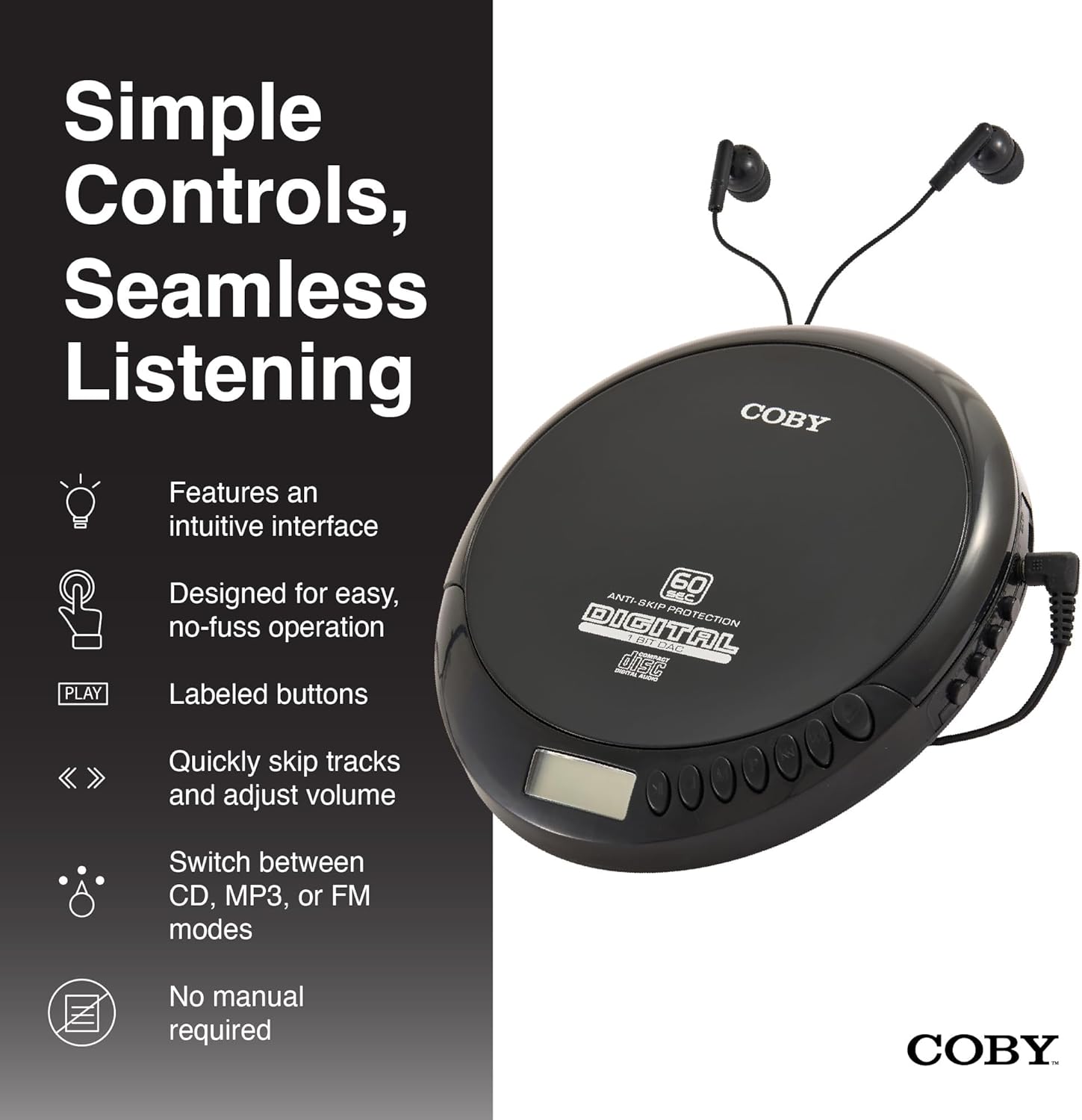
An illustration of the Coby CD Player highlighting its simple controls and intuitive interface.

א דיטיילד view of the player's LCD screen, which displays the current track number, elapsed time, and battery status.

A close-up of the player's intuitive control buttons, including Play/Pause, Stop, Skip/Search, Mode, and Program functions, designed for easy operation.
סעטאַפּ
מאַכט די מיטל
The Coby CD Player can be powered by 2 AA batteries (not included) or via the included Micro USB cable.
- ייַנמאָנטירונג פון באַטאַרייע: Open the battery compartment cover on the back of the unit. Insert 2 AA batteries, ensuring correct polarity (+/-). Close the cover securely.
- USB Power: Connect the Micro USB cable to the Micro USB port on the CD player and the other end to a USB power source (e.g., USB wall adapter, computer USB port).

An image showing a user enjoying music with the Coby CD player, highlighting its versatility with both battery and USB power options.

The included Micro USB cable, used for powering the CD player when not using batteries.
קאַנעקטינג כעדפאָונז
Insert the 3.5mm plug of your headphones into the headphone jack on the side of the CD player.
ינסערטינג אַ קאָמפּאַקטדיסק
- Press the OPEN button to open the CD compartment lid.
- Carefully place the CD onto the center spindle with the label side facing up.
- דריק די סי-די אראפ מיט א גוטן טון ביז זי קליקט אריין אין פלאץ.
- פֿאַרמאַכט דעם דעקל פֿון דעם סי-די אָפּטייל פֿעסט ביז עס פֿאַרשליסט זיך.
אַפּערייטינג ינסטראַקשאַנז
קאָמפּאַקטדיסק פּלייַבאַקק
- Insert a CD (CD, CD-R, CD-RW, or CD-MP3).
- דרוק די שפּיל / פּויזע button to begin playback. The LCD display will show the track number and elapsed time.
- דריקן אויף צו פּויזע פּלייבאַק שפּיל / פּויזע נאכאמאל. דריק עס נאך אמאל צו אנהייבן.
- צו האַלטן פּלייבאַק דריקן די האַלטן קנעפּל.
The player features 60-second anti-skip protection to ensure continuous audio during movement.
שפּור נאַוויגאַציע
- דרוק ▶▶ צו האָפּקען צו דער ווייַטער שפּור.
- דרוק ◀◀ to return to the beginning of the current track. Press it twice quickly to go to the previous track.
- דריקן און האַלטן ▶▶ to fast-forward through the current track.
- דריקן און האַלטן ◀◀ to rewind through the current track.
באַנד קאָנטראָל
ניצן די VOLUME + און באַנד - buttons to adjust the listening volume to a comfortable level.
עפעם ראַדיאָ אָפּעראַציע
- דרוק די מאָדע button until 'FM' appears on the LCD display.
- The player will automatically scan and tune to available FM stations.
- ניצן די ◀◀ און ▶▶ buttons to manually tune to specific frequencies or to scan for the next/previous strong station.

This image illustrates the built-in FM radio feature of the Coby CD player, allowing users to tune into their favorite radio stations.
MP3 פּלייַבאַקק
The Coby CD Player supports MP3 files burned onto CD-R or CD-RW discs. When an MP3 CD is inserted, the player will automatically detect the format and begin playback.
Connecting to External Audio Systems
You can connect your Coby CD Player to external speakers or a car audio system using a 3.5mm AUX cable (not included).
- Connect one end of the 3.5mm AUX cable to the headphone jack on the CD player.
- Connect the other end to the AUX input of your external speaker or car audio system.
- Ensure the external device is set to its AUX input mode.

The CD player connected to an external speaker, demonstrating its ability to deliver enhanced sound with features like Super Bass and Crystal Clear Sound when connected to compatible audio systems.

The portable CD player integrated into a car's audio system via an AUX connection, allowing for on-the-go music playback through car speakers.
וישאַלט
רייניקונג די אַפּאַראַט
- ווישט אָפּ די אויסערלעכע זייט פון דער איינהייט מיט אַ ווייכן, טרוקענעם שטאָף. ניצט נישט קיין שרײַבנדיקע רייניגער אָדער סאָלווענטן.
- To clean the CD lens, use a specialized CD lens cleaning disc (not included).
באַטערי זאָרגן און סטאָרידזש
- אַרויסנעמען באַטעריעס אויב די אַפּאַראַט וועט נישט ווערן גענוצט פֿאַר אַ לענגערע צייט צו פאַרמייַדן ליקאַדזש.
- האַלט דעם אַפּאַראַט אין אַ קיל, טרוקן אָרט אַוועק פון דירעקט זונשייַן און עקסטרעמע טעמפּעראַטורן.
טראָובלעשאָאָטינג
| פּראָבלעם | מעגלעך סיבה | לייזונג |
|---|---|---|
| דער אַפּאַראַט טוט נישט מאַכט אויף. | Batteries are dead or incorrectly inserted. USB cable not connected properly. | Replace batteries with new ones, ensuring correct polarity. Check USB cable connection. |
| Disc skipping or distorted sound. | Disc is dirty, scratched, or damaged. Unit is subjected to excessive vibration. | Clean the disc with a soft, lint-free cloth. Try a different disc. Ensure the anti-skip protection is active. Avoid strong impacts. |
| קיין קלאַנג פֿון די כעדפאָונז. | Headphones not fully plugged in. Volume is too low. Headphones are faulty. | Ensure headphones are fully inserted into the jack. Increase the volume. Try a different pair of headphones. |
| FM ראַדיאָ סטאַטיק אָדער שלעכטע אָפּנאַם. | Weak signal. Interference. | Adjust the position of the unit. Try moving to a different location. |
| MP3 CD not recognized. | Disc format not supported or disc is corrupted. | פאַרזיכערן די mp3 files are properly encoded and the disc is finalized. Try a different MP3 CD. |
ספּעסאַפאַקיישאַנז
| שטריך | דעטאַל |
|---|---|
| פּראָדוקט דימענשאַנז | 5.5 X 1 X 5 אינטשעס |
| פּונקט וואָג | 7 אונסעס |
| מאָדעל נומער | CD-191-BLK |
| מאַכט מקור | 2 AA batteries (not included), Micro USB |
| קאַנעקטיוויטי טעכנאָלאָגיע | אַגזיליערי, וסב |
| ספּעציעלע שטריך | Portable, FM Radio, MP3 Compatible |
| אַנטי-האָפּקען פּראַטעקשאַן | 60 סעקונדעס |
| קאַמפּאַטאַבאַל דיסק פֿאָרמאַטירונגען | CD, CD-R, CD-RW, CD-MP3 |
אפיציעלע פּראָדוקט ווידעאָ
אן אפיציעלע פראדוקט ווידעא ווייַזונגasing the features and benefits of the Coby Portable CD Player with Stereo Earbuds.
וואָראַנטי און שטיצן
For warranty information and customer support, please refer to the documentation included with your purchase or visit the official Coby website. Contact details for support are typically found on the manufacturer's product page or in the warranty card.
Coby Official Webפּלאַץ: Visit the Coby Store on Amazon


