1. הקדמה
This manual provides detailed instructions for the Edifier X5 True Wireless Stereo Earbuds. The Edifier X5 earbuds offer a high-fidelity audio experience with advanced features designed for convenience and durability.
שליסל פֿעיִקייטן אַרייַננעמען:
- High-Fidelity AptX Audio: Delivers CD-quality sound with deep bass and balanced tri-frequency.
- בלועטוט וו5.0 קאָנעקטיוויטי: Ensures faster, more stable signal transmission and lower power consumption.
- CVC 8.0 Noise Canceling Microphone: Reduces background noise for clear calls.
- IP55 Dustproof & Waterproof: Provides protection against dust, rain, and sweat, suitable for outdoor activities.
- איין-שריט פּאָרינג: Automatic connection with the last paired device after initial setup.
- סאָליד און לייטווייט פּלאַן: Comfortable for extended wear.

Image 1.1: Edifier X5 True Wireless Stereo Earbuds and Charging Case.
ווידעא 1.1: איבערview of Edifier X5 True Wireless Stereo Earbuds features.
2. סעטאַפּ
2.1. פּעקל אינהאַלט
ביטע טשעק די פּאַקעט פֿאַר די פאלגענדע זאכן:
- Edifier X5 True Wireless Stereo Earbuds (Left and Right)
- טשאַרדזשינג קאַסע
- וסב טשאַרדזשינג קאַבלע
- קייפל גרייסן פון אויער עצות
- באַניצער מאַנואַל
2.2. אויפלאָדן די אויערקנעפּלעך און קעסטל
פארן ערשטן באניץ, לאדט גוט אויף די אויערפאנען און די טשאַרדזשינג קעיס.
- לייגט די אויערן-קנעפּלעך אין דעם טשאַרדזשינג קעסטל. מאַכט זיכער אַז זיי זענען ריכטיק אײַנגעזעצט.
- Connect the USB charging cable to the charging port on the case and to a USB power adapter (not included).
- די אינדיקאַטאָר ליכט אויף דער טשאַרדזשינג קעסטל וועט ווייַזן די טשאַרדזשינג סטאַטוס. אַמאָל גאָר טשאַרדזשד, וועט דער אינדיקאַטאָר זיך טוישן אָדער אויסלעשן.
A full charge provides approximately 6 hours of playback time for the earbuds, with an additional 18 hours available from the charging case.
2.3. פּערינג מיט אַ מיטל
The Edifier X5 earbuds feature one-step pairing for convenience.

Image 2.1: Edifier X5 Earbuds demonstrating seamless connection.
- ערשטער מאָל פּערינג: עפֿנט דעם טשאַרדזשינג קעסטל. די אויערקנעפּלעך וועלן זיך אויטאָמאַטיש אָנצינדן און אַרײַן אין פּערינג מאָדע. די אינדיקאַטאָר ליכט אויף די אויערקנעפּלעך וועט בלינקען.
- אויף אייער דעווייס (סמאַרטפאָן, טאַבלעט, אאז"וו), אַקטיווירט בלועטוט און זוכט פֿאַר פֿאַראַן דעווייסעס.
- Select "EDIFIER X5" from the list of devices. Once connected, the earbud indicator lights will turn off or show a steady light.
- דערנאָך פּאָרינג: After the initial pairing, the earbuds will automatically connect to the last paired device when taken out of the charging case.

Image 2.2: Edifier X5 Earbuds powered by Qualcomm Bluetooth 5.0 for stable connection.
3. אפערירן די אויערקנעפלעך
3.1. טראָגן די אויערקנעפּלעך
Select the appropriate ear tips for a comfortable and secure fit. Insert the earbuds into your ears and gently twist them to ensure a snug seal for optimal sound quality and noise isolation.
3.2. ריר קאָנטראָלס
The Edifier X5 earbuds feature intuitive touch controls on each earbud.
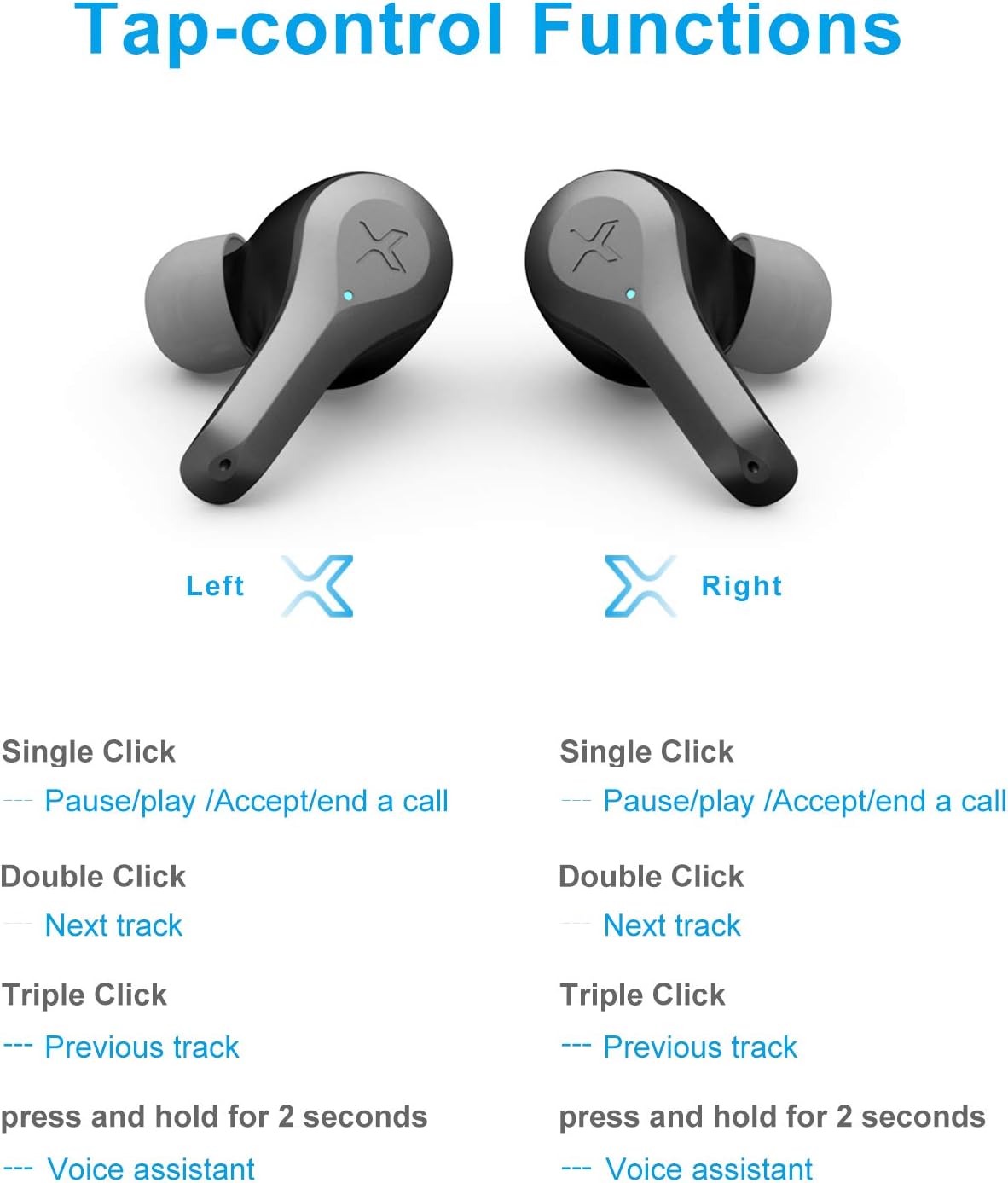
Image 3.1: Detailed diagram of Edifier X5 Earbuds touch control functions.
| קאַמף | לינקס עאַרבוד | רעכט עאַרבוד |
|---|---|---|
| איין קליק | Pause/Play, Accept/End a Call | Pause/Play, Accept/End a Call |
| טאָפּל גיט | ווייַטער שפּור | ווייַטער שפּור |
| דרייַיק דריקט | פֿריִערדיקע שפּירט | פֿריִערדיקע שפּירט |
| דריקן און האַלטן (2 סעקונדעס) | קול אַססיסטאַנט | קול אַססיסטאַנט |
3.3. מאכן און ריסיווינג קאַללס
The CVC 8.0 noise canceling microphone ensures clear communication during calls.
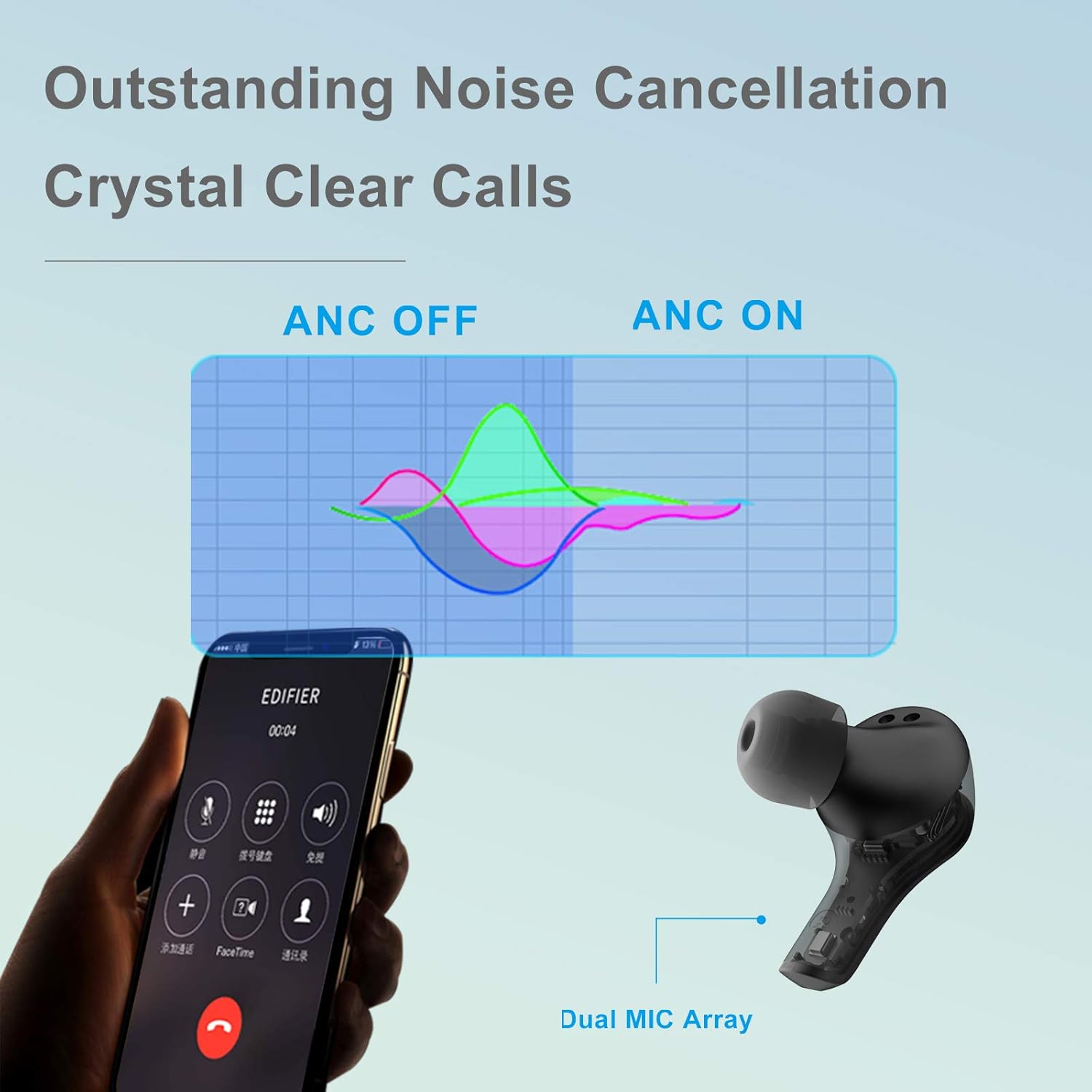
Image 3.2: Edifier X5 Earbuds featuring outstanding noise cancellation for clear calls.
- ענטפֿערן / סוף רופן: Single click either earbud.
- אָפּוואַרפן רופן: דריקן און האַלטן יעדער עאַרבוד פֿאַר 2 סעקונדעס.
3.4. מוזיק פּלייבאַק
Enjoy high-quality audio with AptX decoding.

Image 3.3: Edifier X5 Earbuds featuring AptX decoding for enhanced audio quality.
- שפּיל / פּויזע: Single click either earbud.
- ווייַטער שפּור: Double click either earbud.
- פֿריִערדיקע שפּור: Triple click either earbud.
4. וישאַלט
4.1. רייניקונג
רעגולערע רייניקונג העלפט אויפהאלטן אָפּטימאַלע פאָרשטעלונג און היגיענע.
- ניצט אַ ווייכן, טרוקענעם, לינט-פֿרייעם שטאָף צו ווישן די אויערקנעפּלעך און די טשאַרדזשינג קעסטל.
- אַראָפּנעמען די אויער־שפּיצן און רייניקן זיי מיט מילד זייף און וואַסער, און דערנאָך טרוקן גוט אויס איידער איר זיי צוריקבאַפעסטיקט.
- רייניקט זאַכט די טשאַרדזשינג קאָנטאַקטן אויף ביידע די אויערן-קנעפּלעך און די קעסטל מיט אַ טרוקענעם וואַטע שטאַפּל.
4.2. וואַסער און שטויב קעגנשטעל (IP55)
The Edifier X5 earbuds are rated IP55, meaning they are protected against limited dust ingress and low-pressure water jets from any direction. This makes them suitable for workouts and light rain.

Image 4.1: Edifier X5 Earbuds demonstrating water and dust resistance.
וויכטיק:
- טונקט נישט די אויערן-קנעפּלעך אין וואַסער.
- זיכער מאַכן אַז די אויערקנעפּלעך זענען טרוקן איידער איר לייגט זיי צוריק אין די טשאַרדזשינג קעסטל צו פאַרמייַדן שעדיקן.
- די טשאַרדזשינג פאַל איז נישט וואַסער-קעגנשטעליק.
4.3. סטאָרידזש
ווען נישט אין באַנוץ, לייגט די אויערן-קנעפּלעך אין זייער טשאַרדזשינג קעסטל צו באַשיצן זיי און האַלטן זיי טשאַרדזשד.

Image 4.2: Edifier X5 Earbuds designed for comfort and durability during outdoor activities.
5. טראָובלעשאָאָטינג
If you encounter issues with your Edifier X5 earbuds, refer to the following common problems and solutions:
- Earbuds do not power on:
Ensure the earbuds are charged. Place them in the charging case and check the charging indicator. - קען נישט צוזאמענשטעלן מיטן אפאראט:
Make sure Bluetooth is enabled on your device. Ensure the earbuds are in pairing mode (indicator flashing). Try forgetting "EDIFIER X5" from your device's Bluetooth list and re-pairing. - קיין קלאַנג אָדער שלעכטע קלאַנג קוואַליטעט:
Check the volume level on both your device and the earbuds. Ensure the earbuds are properly seated in your ears. Try cleaning the ear tips and speaker mesh. - איין אויערקנעפל ארבעט נישט:
Place both earbuds back into the charging case, close the lid, wait a few seconds, then take them out again. This can reset the connection between the two earbuds. - Call quality is poor:
Ensure the microphone is not obstructed. Move closer to your device to improve signal strength.
6. ספּעסאַפאַקיישאַנז
| שטריך | דעטאַל |
|---|---|
| מאָדעל נאָמען | X5 |
| סאָרט | עדיפיער |
| קאַנעקטיוויטי טעכנאָלאָגיע | ווירעלעסס |
| ווירעלעסס קאָמוניקאַציע טעכנאָלאָגיע | בלועטאָאָטה וו5.0 |
| אויער פּלייסמאַנט | אין אויער |
| פאָרם פאַקטאָר | אין אויער |
| ראַש קאָנטראָל | Sound Isolation, CVC 8.0 Noise Cancellation |
| קאָנטראָל מעטאָד | ריר |
| וואַסער קעגנשטעל מדרגה | IP55 (שטויב- און וואַסערפּרוף) |
| פּונקט וואָג | 1.5 אונס |
| פּעקל דימענשאַנז | 4.92 X 2.95 X 1.34 אינטשעס |
| באַטעריז | 3 ליטהיום יאָן באַטעריז (אַרייַנגערעכנט) |
| מאַטעריאַל | פּלאַסטיק |
| קאָליר | שוואַרץ |
7. וואָראַנטי & שטיצן
7.1. וואָראַנטי אינפֿאָרמאַציע
The Edifier X5 True Wireless Stereo Earbuds come with a manufacturer's warranty. Please refer to the warranty card included in your package or visit the official Edifier webוועבזייטל פֿאַר דעטאַלירטע וואָראַנטי טערמינען און באַדינגונגען ספּעציפֿיש פֿאַר אייער געגנט.
7.2. קונה שטיצן
For further assistance, technical support, or inquiries regarding your Edifier X5 earbuds, please contact Edifier customer service through their official webזייטל אדער די קאָנטאַקט אינפֿאָרמאַציע וואָס איז צוגעשטעלט אין אייער פּראָדוקט דאָקומענטאַציע.


