1. הקדמה
This manual provides essential information for the safe and efficient operation of your Haier 40E3500 40-inch 1080P LED HDTV. Please read these instructions thoroughly before using your television and retain them for future reference.
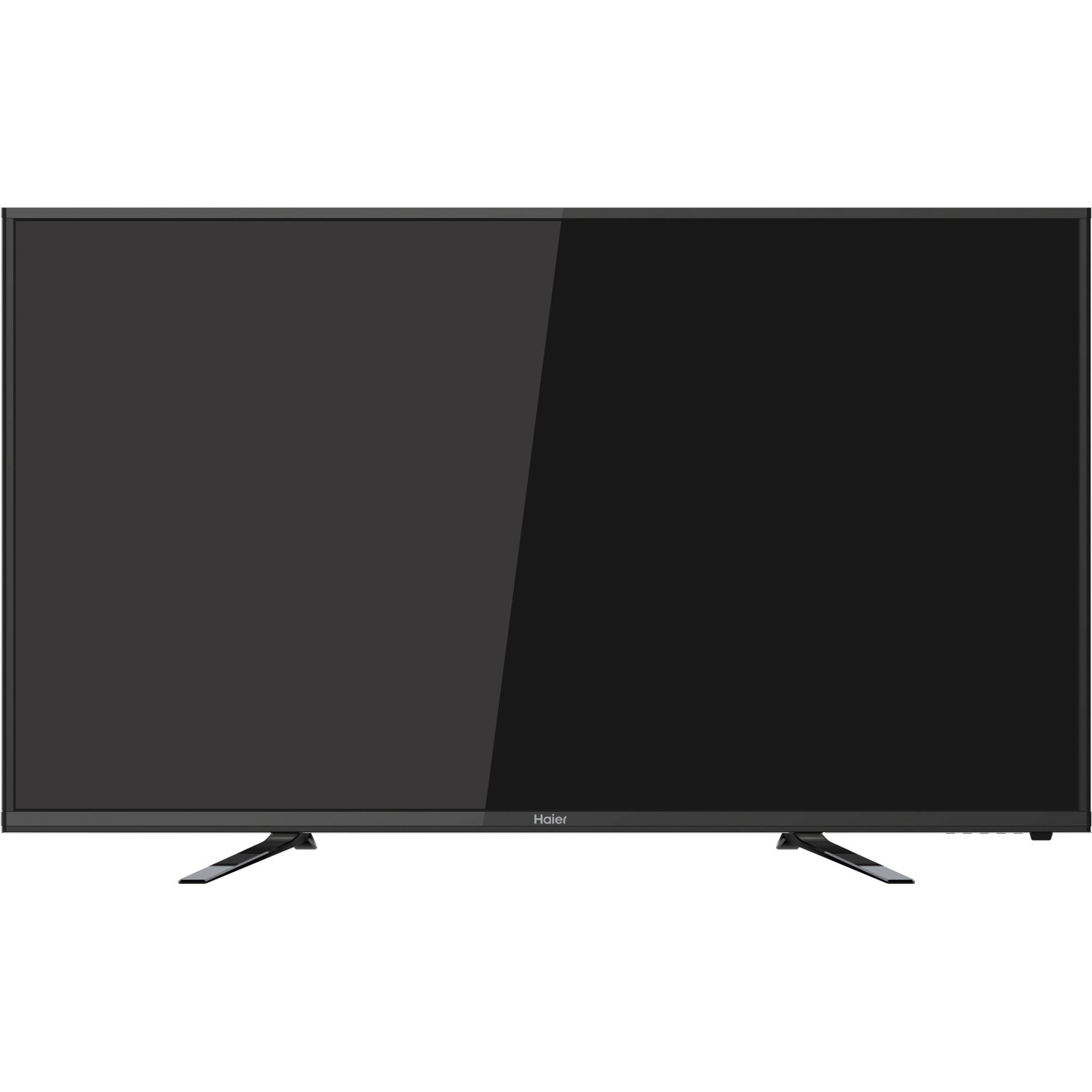
בילד: פראָנט view of the Haier 40E3500 40-inch LED HDTV, showcasing its slim frame and display.
2. סעטאַפּ
2.1 אויספּאַקן און אינהאַלט
נעמט פֿאָרזיכטיק אַרויס דעם טעלעוויזאָר פֿון זײַן פּאַקעט. מאַכט זיכער אַז אַלע קאָמפּאָנענטן זענען פֿאַראַן:
- Haier 40E3500 Television Unit
- טעלעוויזיע שטייט
- ווייַט קאָנטראָל (מיט באַטעריז)
- מאַכט שנור
- באַניצער מאַנואַל (דעם דאָקומענט)
2.2 אַטאַטשינג די שטיין
Place the TV screen face down on a soft, clean surface to prevent scratches. Align the stand with the mounting holes on the bottom of the television. Secure the stand using the provided screws. Ensure the stand is firmly attached before placing the TV upright.
2.3 וואַנט מאָונטינג (אָפּציאָנאַל)
If wall mounting, consult a professional installer. Note that this TV model may use smaller mounting screws than some other TV sets of similar size. Ensure compatible mounting hardware is used.
2.4 קאַנעקטינג מאַכט
Connect the power cord to the TV's power input, then plug the other end into a standard AC outlet.
2.5 קאַנעקטינג פונדרויסנדיק דעוויסעס
Your Haier 40E3500 HDTV offers multiple connectivity options:
- HDMI פּאָרטן (x3): For high-definition audio and video sources such as Blu-ray players, game consoles, and cable/satellite boxes. One HDMI port is MHL (Mobile High-Definition Link) enabled, allowing connection of compatible smartphones, tablets, or streaming sticks.
- יו-עס-בי פּאָרט (x1): פֿאַר פֿאַרבינדן USB סטאָרידזש דעוויסעס צו שפּילן מעדיע files.
- קאָמפּאָנענט ווידעא אַרייַנשרייַב: For connecting devices using component video cables.
- קאָמפּאָזיט ווידעאָ אַרייַנגאַנג: For connecting devices using composite video cables.
- RF אַרייַנשרייַב: פֿאַר פֿאַרבינדן אַן אַנטענע אָדער קאַבל טעלעוויזיע פֿיד.
Ensure the TV is powered off before connecting or disconnecting any devices.
3. אַפּערייטינג ינסטרוקטיאָנס
3.1 ערשטע סעטאַפּ וויזאַרד
ביים ערשטן מאָל אנצינדן, וועט דער טעלעוויזיע אייך פירן דורך אן ערשטן סעטאַפּ פּראָצעס. דאָס נעמט טיפּיש אַרײַן:
- שפּראַך סעלעקציע
- Time zone and clock settings
- Channel scan (for antenna/cable connections)
3.2 יקערדיק פאַנגקשאַנז
- מאַכט אויף / אַוועק: דריק דעם פּאַוער קנעפּל אויף דער ווײַטקאָנטראָל אָדער אויף דער טעלעוויזיע.
- באַנד קאָנטראָל: ניצט די וואָלומען אַרויף/אַראָפּ קנעפּלעך אויף דער ווײַטקאָנטראָל.
- קאַנאַל סעלעקציע: Use the Channel Up/Down buttons or the number pad on the remote.
- אַרייַנשרייַב סעלעקציע: Press the 'Input' or 'Source' button on the remote to cycle through available input sources (HDMI 1, HDMI 2, HDMI 3, USB, Component, Composite, TV).
3.3 בילד סעטטינגס
Access the Picture menu to adjust settings such as Brightness, Contrast, Color, Tint, and Sharpness. Pre-set picture modes (e.g., Standard, Dynamic, Movie) are available for quick adjustments.
3.4 געזונט סעטטינגס
Access the Sound menu to adjust settings such as Bass, Treble, and Balance. The TV features two dedicated sound chambers designed to produce enhanced sound quality with improved mid-range response and richer overall sound texture.
3.5 MHL Functionality
Connect MHL-compatible devices (smartphones, tablets, Roku Streaming Stick) to the designated HDMI/MHL port using an MHL cable. This allows you to display content from your mobile device directly on the TV screen and often charges the device simultaneously.
4. וישאַלט
4.1 רייניקן דעם עקראַן
ווישט אָפּ דעם עקראַן מיט אַ ווייכן, לינט-פֿרײַעם שטאָף. פֿאַר שווערע פֿלעקן, ווישט אַ ביסלampווישט דעם שטאָף מיט וואַסער אָדער אַ ספּעציאַליזירטן עקראַן רייניגער. שפּריצט נישט פליסיקייט גלייך אויפן עקראַן.
4.2 אַלגעמיינע קער
- פֿאַרמײַדט אויסשטעלן דעם טעלעוויזאָר צו דירעקטער זון אָדער עקסטרעמע טעמפּעראַטורן.
- Keep the TV away from sources of moisture.
- פאַרזיכערן געהעריק ווענאַליישאַן אַרום די טעלעוויזיע צו פאַרמייַדן אָוווערכיטינג.
- נעמט ארויס דעם טעלעוויזאר פון דער עלעקטרישער אויסשטעל בעת בליץ-שטורעמס אדער ווען עס בלייבט אומאכט פאר לאנגע צייטן.
5. טראָובלעשאָאָטינג
איידער איר קאָנטאַקטירט קונה שטיצע, פּרוּווט די פאלגענדע לייזונגען פֿאַר געוויינטלעכע פּראָבלעמען:
- קיין מאַכט: זיכער מאַכן אַז די מאַכט שנור איז זיכער אַריינגעשטעקט אין ביידע די טעלעוויזיע און די וואַנט אַוטלעט. פּרוּווט אַן אַנדער אַוטלעט.
- קיין בילד, אבער קלאנג: Check the input source selection. Ensure the connected device is powered on and functioning correctly.
- קיין קלאַנג, אָבער בילד: Check the volume level and mute setting. Ensure external audio devices are connected correctly.
- רימאָוט קאָנטראָל נישט ארבעטן: טוישט די באַטעריעס. מאַכט זיכער אַז עס זענען נישטאָ קיין שטערונגען צווישן דעם ווײַטקאָנטראָל און דעם טעלעוויזיע'ס IR סענסאָר.
- נעבעך געזונט קוואַליטעט: While the TV has dedicated sound chambers, some users may prefer external audio solutions. Adjust sound settings in the menu.
- HDMI Input Issues: If an HDMI input is not functioning, try connecting the device to a different HDMI port. Ensure the HDMI cable is not damaged.
6. ספּעסאַפאַקיישאַנז
| מאָדעל נומער | 40E3500 |
| פאַרשטעלן גרייס | 40 אינטשעס |
| ווייַז טעכנאָלאָגיע | געפירט |
| האַכלאָטע | 1080p (פול HD) |
| דערפרישן קורס | 60 הז |
| פּראָדוקט דימענשאַנז (L x W x H) | 8.3 X 35.6 X 21.8 אינטשעס |
| פּונקט וואָג | 14.84 פונט |
| קאַנעקטיוויטי טעכנאָלאָגיע | HDMI (x3, one MHL enabled), USB (x1) |
| קאָליר | שוואַרץ |
7. וואָראַנטי און שטיצן
For warranty information, please refer to the warranty card included with your product or visit the official Haier webזייטל. האַלט אייער קויף קוויטל ווי אַ באַווייַז פון קויפן פֿאַר וואָראַנטי קליימז.
For technical support or service inquiries, please contact Haier customer service. Contact details can typically be found on the manufacturer's webפּלאַץ אָדער אין די פּראָדוקט פּאַקקאַגינג.