1. הקדמה
The Motorola RLN6554A Wireless Remote Speaker Microphone (RSM) provides convenient and secure communication for mission-critical users. Designed for use with Motorola APX series radios, this wireless accessory offers enhanced security, quick pairing, and fast Push-To-Talk (PTT) capabilities. Its robust design ensures reliable performance in demanding environments, allowing users to operate without the hindrance of wires.
Key features include large, recessed PTT and emergency buttons to prevent accidental activation, easy quick-touch pairing with voice prompts, and a user-removable battery (PMNN4461) for extended multi-shift usage. The RSM also features volume control, an audio jack for earpieces, a 360-degree rotatable clip, and a task light for low-light conditions.
2. וואָס איז אין דער קעסטל
Verify that all items are present upon unpacking your Motorola RLN6554A Wireless Remote Speaker Microphone package:
- Motorola RLN6554A Wireless Remote Speaker Microphone
- Rechargeable Battery (PMNN4461)
- Dual Unit Charger (PMLN6714)
- מאַכט אַדאַפּטער פֿאַר טשאַרדזשער
- סוויוואַל קליפּ
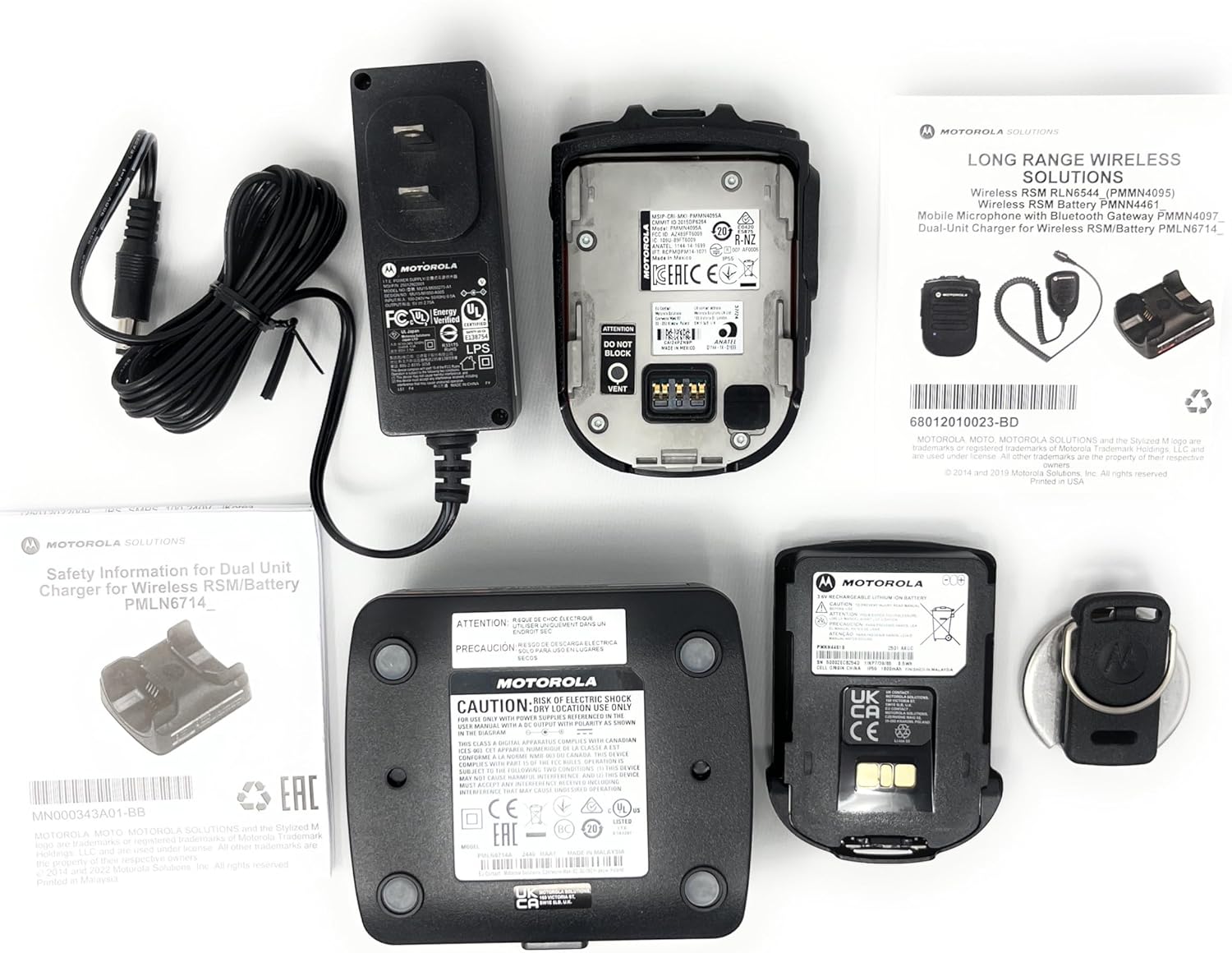
Image 1: Package contents of the RLN6554A Wireless Remote Speaker Microphone. This includes the RSM unit, a dual-unit charger, a power adapter, and a rechargeable battery.
3. סעטאַפּ
3.1. באַטאַרייע ייַנמאָנטירונג
- Ensure the RSM is powered off.
- Locate the battery compartment on the back of the RSM.
- Align the battery (PMNN4461) with the compartment contacts.
- דזשענטלי שטופּן די באַטאַרייע אין פּלאַץ ביז עס קליקס סיקיורלי.
- Close the battery compartment cover, if applicable, ensuring it is latched.
3.2. טשאַרדזשינג די באַטערי
Before first use, fully charge the battery. The dual unit charger (PMLN6714) is designed for this purpose.
- Connect the power adapter to the dual unit charger and plug it into a power outlet.
- Place the RSM with the installed battery into one of the charger pockets.
- Observe the charging indicator light on the charger. It typically glows red during charging and green when fully charged.
- A full charge may take several hours.

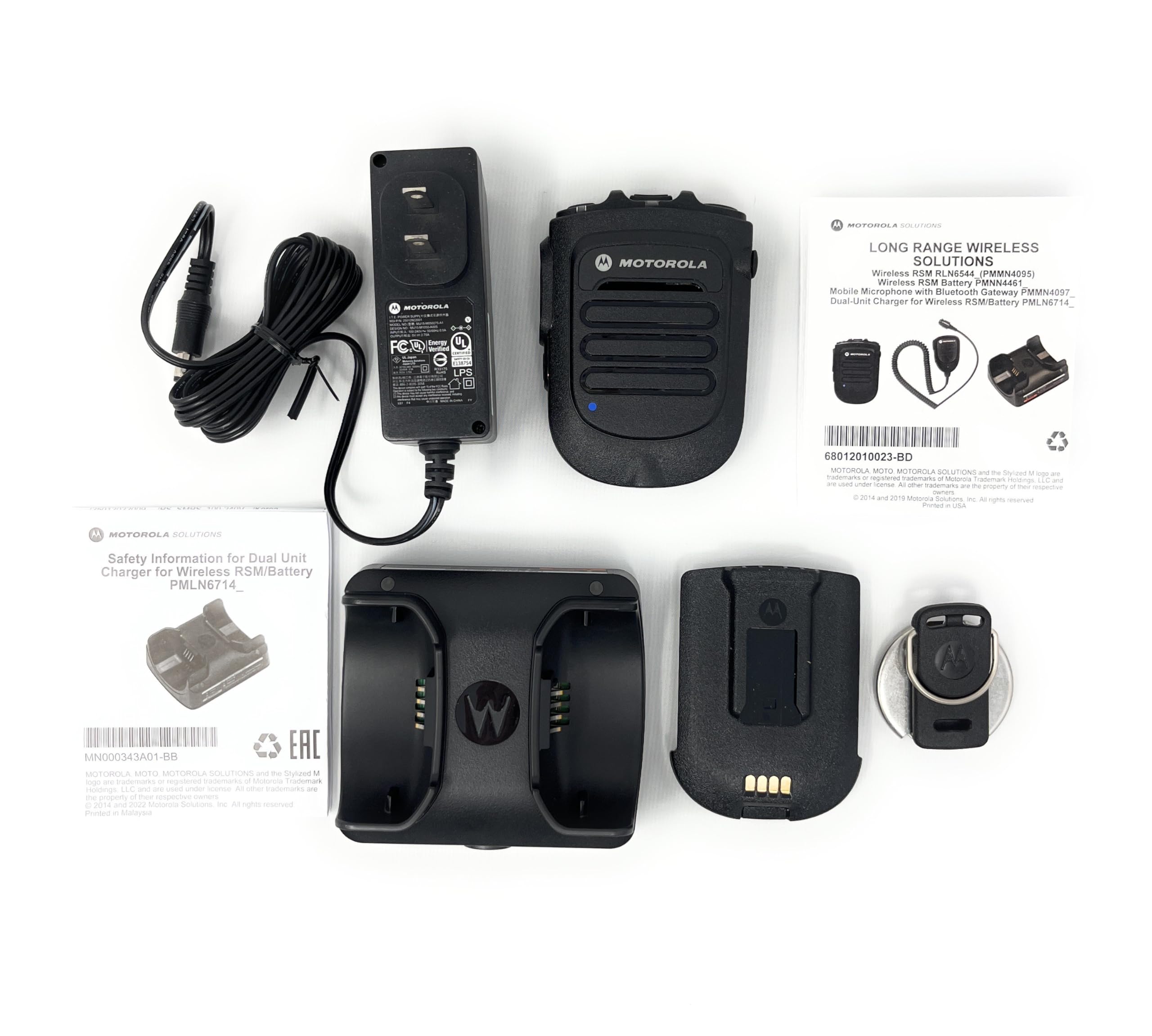
בילד 2: דערציען view of the RLN6554A RSM, illustrating the battery compartment and contacts for charging.
3.3. Pairing with Your Radio
The RLN6554A uses Bluetooth for wireless communication. Ensure your Motorola APX series radio has Bluetooth enabled before attempting to pair.
- Enable Bluetooth on Radio: Access your APX radio's menu and ensure Bluetooth is turned on. Refer to your radio's user manual for specific instructions.
- Power On RSM: Press and hold the power button on the RSM until it powers on.
- אָנהייבן פּאָרינג: The RSM supports quick-touch pairing. Bring the RSM close to your radio (typically within a few inches). The RSM will provide voice prompts confirming pairing actions.
- באַשטעטיקן פּערינג: Your radio may display a prompt to confirm the connection. Accept the pairing request. The RSM will indicate successful pairing, often with a voice prompt or LED indicator change.
- טעסט קשר: Perform a radio check to ensure audio transmission and reception are functioning correctly through the RSM.
4. אַפּערייטינג ינסטרוקטיאָנס
4.1. פּוש-צו-רעדן (פּטט) קנעפּל
- To transmit, press and hold the large, recessed PTT button located on the side of the RSM.
- רעדן קלאר אין די מיקראָפאָן.
- מעלדונג די PTT קנעפּל צו הערן.
4.2. באַנד קאָנטראָל
The RSM features dedicated volume control buttons. Use these to adjust the speaker volume of the RSM independently of the radio's main volume.
- דרוק די באַנד אַרויף button to increase the audio output.
- דרוק די באַנד אַראָפּ button to decrease the audio output.
4.3. עמערגענסי קנעפּל
The recessed emergency button is designed to prevent accidental activation. Consult your radio's programming and your organization's protocols for the specific function of this button.
- To activate the emergency function, press and hold the emergency button for the duration specified by your radio's programming.
4.4. Task Light
The integrated task light assists in reading documents or identifying objects in low-light conditions.
- Locate the task light button on the RSM.
- Press the button to turn the task light on or off.
4.5. אויערשטיק פֿאַרבינדונג
The RSM includes an audio jack for connecting compatible earpieces (e.g., RLN4941, AARLN4885) for private listening.
- Insert the earpiece's 3.5mm connector into the audio jack on the RSM.
- Audio will automatically route to the earpiece when connected.
5. וישאַלט
5.1. רייניקונג
- Wipe the exterior of the RSM with a soft, damp שטאָף.
- ניצט נישט קיין שטרענגע כעמיקאלן, סאָלווענטן אדער אַברייסיוו רייניגער.
- Ensure the RSM is completely dry before use or charging.
5.2. באַטערי קער
- Use only genuine Motorola PMNN4461 batteries and the provided dual unit charger.
- ויסמיידן יקספּאָוזינג די באַטאַרייע צו עקסטרעם טעמפּעראַטורעס.
- If the RSM will not be used for an extended period, remove the battery and store it in a cool, dry place.
- טוישט די באַטאַרייע ווען איר אַרבעטס־צייט פאַרקירצט זיך באַדייטנד.
6. טראָובלעשאָאָטינג
| פּראָבלעם | מעגלעך סיבה | לייזונג |
|---|---|---|
| RSM does not power on. | די באַטעריע איז אויסגעשעפּט אָדער נישט ריכטיק אינסטאַלירט. | לאָדט די באַטאַרייע. מאַכט זיכער אַז די באַטאַרייע איז ריכטיק אַרײַנגעזעצט אין דעם אָפּטייל. |
| Cannot pair RSM with radio. | Bluetooth is off on the radio; RSM is out of range; previous pairing conflict. | Ensure radio Bluetooth is enabled. Bring RSM closer to the radio. Try unpairing and re-pairing both devices. |
| קיין אַודיאָ פֿון RSM רעדנער. | Volume is too low; earpiece is connected; RSM is not paired. | Increase RSM volume. Disconnect earpiece if not needed. Verify RSM is paired with the radio. |
| די אַודיאָ איז פֿאַרדרייט אָדער ינטערמיטאַנט. | אַרויס פון בלוטוט ראַנגע; שטערונג; נידעריקע באַטאַרייע. | Move closer to the radio. Avoid sources of strong electromagnetic interference. Charge the battery. |
| Task light not working. | נידעריגע באַטעריע; נישט ריכטיק צו אַרבעטן. | Charge the battery. If the issue persists, contact support. |
7. ספּעסאַפאַקיישאַנז
| מאָדעל נאָמען | RLN6554A |
| סאָרט | מאָטאָראָלאַ |
| קאַנעקטיוויטי טעכנאָלאָגיע | בלועטאָאָטה |
| מיקראָפאָן פאָרם פאַקטאָר | כאַנדכעלד |
| פּאָליאַר מוסטער | אָמנידירעקטיאָנאַל |
| נומער פון טשאַנאַלז | 1 |
| מאַכט מקור | באַטאַרייע פּאַוערד |
| באַטערי טיפּ | Lithium Ion (PMNN4461) |
| מאַטעריאַל | מעטאַל, פּלאַסטיק |
| פּונקט וואָג | 1.3 פונט (אומגעפער 0.59 ק"ג) |
| פּעקל דימענשאַנז | 9.65 X 8.35 X 3.19 אינטשעס |
| סיגנאַל-צו-נויז ראַטיאָ | 80 דב |
| ספּעציעלע שטריך | Clip, Task Light |
| קאַמפּאַטאַבאַל דעוויסעס | Motorola APX 1000, 3000, 4000, 6000, 7000 Series Radios |
8. קאַמפּאַטאַבילאַטי
The Motorola RLN6554A Wireless Remote Speaker Microphone is designed for seamless integration with the following Motorola APX series radios:
- APX 1000 Series
- APX 3000 Series
- APX 4000 Series
- APX 6000 Series
- APX 7000 Series
It is also compatible with earpieces such as the RLN4941 and AARLN4885, which can be connected via the integrated audio jack.
בילד 3: עקס.ample of Motorola APX series radios, which are compatible with the RLN6554A Wireless Remote Speaker Microphone.
9. וואָראַנטי און שטיצן
פֿאַר וואָראַנטי אינפֿאָרמאַציע און טעכנישע שטיצע, ביטע זען די באַאַמטער מאָטאָראָלאַ סאַלושאַנז וועבזייטל website or contact your authorized Motorola dealer. Keep your purchase receipt as proof of purchase for warranty claims.
Online resources and contact information can typically be found at the מאָטאָראָלאַ סאַלושאַנז webפּלאַץ.