1. הקדמה
The Betron DC950 in-ear headphones are designed to provide a high-fidelity audio experience with deep bass. Featuring an ergonomic design for comfort and passive noise isolation, these wired earphones are suitable for various audio content and activities. This manual provides essential information for setup, operation, maintenance, and troubleshooting to ensure optimal performance and longevity of your headphones.

Image: Betron DC950 in-ear headphones, showcasing their sleek black and silver design with red accents on the cable.
2. פּעקל אינהאַלט
ביטע באַשטעטיקן אַז אַלע זאכן וואָס זענען ליסטעד אונטן זענען אַרייַנגערעכנט אין דיין פּעקל:
- בעטראָן דק 950 ירפאָונז
- Extra Ear Cushions (various sizes)
- פּראַטעקטיוו קאַסע
- באַניצער מאַנואַל (דעם דאָקומענט)
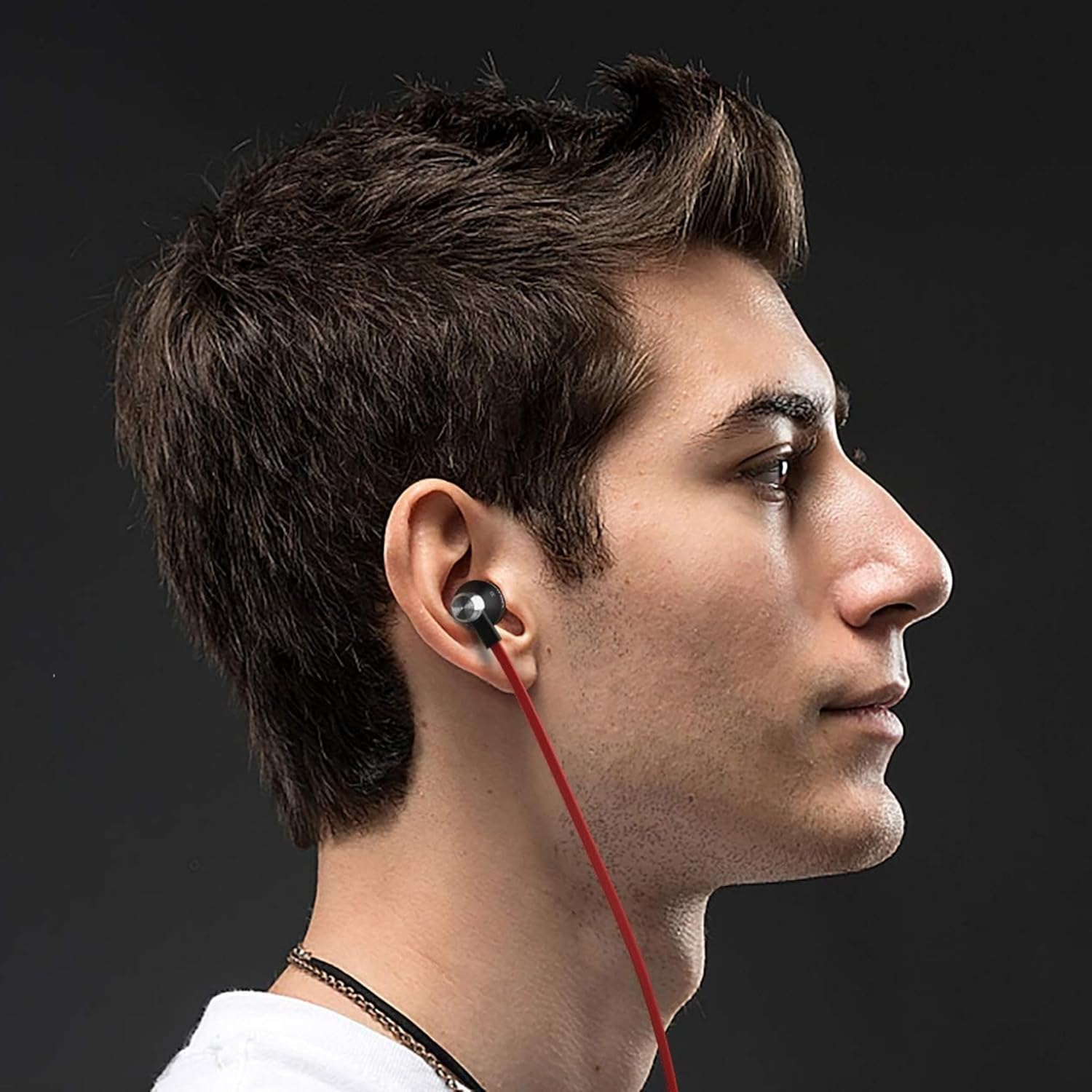
Image: Contents of the Betron DC950 package, including the earphones, multiple sets of ear cushions, a cable clip, and a black drawstring pouch.
3. סעטאַפּ
3.1 Choosing the Right Ear Cushions
For optimal sound quality and comfort, select the ear cushions that best fit your ears. The package includes multiple sizes (Small, Medium, Large) to ensure a secure and comfortable fit. A proper seal is crucial for effective passive noise isolation and deep bass response.
- Experiment with different sizes to find the best fit.
- The earphone should sit snugly in your ear canal without causing discomfort.

בילד: א נאָענטע בילד view of the Betron DC950 earbuds, highlighting the ergonomic design and the ear cushions.
3.2 פֿאַרבינדן זיך צו דיין מיטל
The Betron DC950 earphones feature a universal 3.5mm audio jack for broad compatibility. Simply plug the 3.5mm connector into the headphone port of your audio device.
- Compatible devices include smartphones, tablets, laptops, and gaming consoles.
- Ensure the connector is fully inserted into the port.
- Some newer devices may require a separate 3.5mm adapter (not included).

Image: The L-shaped gold-plated 3.5mm audio jack of the Betron DC950 headphones, designed for durability and compatibility.
4. אַפּערייטינג ינסטרוקטיאָנס
4.1 גרונטלעכע אַודיאָ ווידערשפּיל
Once connected, your Betron DC950 earphones will play audio directly from your device. Adjust the volume using your device's controls. These earphones are designed for audio listening and do not include an inline microphone or control buttons.
4.2 Passive Noise Isolation
The ergonomic design and proper fit of the ear cushions provide passive noise isolation, effectively reducing ambient noise. This allows for a clearer and more immersive listening experience without the need for active noise cancellation technology.
Video: An official Betron video demonstrating the features of the DC950 earphones, including their bass-driven sound and stylish metal housing.
5. וישאַלט
Proper care will extend the life and performance of your Betron DC950 earphones.
- רייניקונג: Gently wipe the earphones and ear cushions with a soft, dry cloth. Do not use harsh chemicals or abrasive materials.
- קאַבלע זאָרגן: The 1.2-meter flat cable is designed to be tangle-free. Avoid excessive pulling or sharp bends to prevent internal damage.
- סטאָרידזש: Use the included protective case for storage and transport to prevent damage from impacts or tangling with other items.
- שווייספּרוף פּלאַן: While sweatproof, avoid submerging the earphones in water. Wipe off sweat after use, especially during intense activities.

Image: Betron DC950 earphones neatly stored inside their protective carrying case, emphasizing portability and protection.
6. טראָובלעשאָאָטינג
If you encounter issues with your Betron DC950 earphones, refer to the following common solutions:
| פּראָבלעם | מעגלעך סיבה | לייזונג |
|---|---|---|
| ניט געזונט אָדער נידעריק באַנד | Loose connection, device volume too low, incorrect audio output selected on device. | Ensure the 3.5mm jack is fully inserted. Increase device volume. Check device audio settings. |
| שלעכטע קלאַנג קוואַליטעט (למשל, מאַנגל פון באַס) | Improper fit of ear cushions, ear cushions are dirty or damaged. | Adjust ear cushions for a secure seal. Try different sized ear cushions. Clean or replace ear cushions if necessary. |
| אויערפאָונז פאַלן לייכט אַרויס | אומרעכטע אויער קישן גרייס. | Try a larger size of ear cushions to achieve a more secure fit. |
7. ספּעסאַפאַקיישאַנז
Detailed technical specifications for the Betron DC950 in-ear headphones:
- מאָדעל נאָמען: DC950
- קאַנעקטיוויטי טעכנאָלאָגיע: ווייערד
- כעדפאָונז דזשאַק: 3.5 מם דזשאַק
- אַודיאָ דרייווער טיפּ: דינאַמיש דרייווער
- אַודיאָ דרייווער גרייס: 11.5 מילאַמיטערז
- אָפטקייַט ענטפער: 20Hz - 20kHz (implied from 20000 Hz spec)
- סענסיטיוויטי: 112 דב
- ימפּעדאַנסע: 16 אָהמס
- ראַש קאָנטראָל: קלאַנג איזאָלאַציע (פּאַסיוו)
- קאַבלע שטריך: טאַנגלע פֿרייַ
- מאַטעריאַל: אַלומינום
- נומער וואָג: 16 גראַמז (0.564 אונסעס)
- וואַסער קעגנשטעל מדרגה: וואַסער קעגנשטעליק (שווייספּרוף)
- פּראָדוקט דימענשאַנז: 0.79 X 0.79 X 0.79 אינטשעס
- קאָליר: שוואַרץ
8. וואָראַנטי און שטיצן
The Betron DC950 earphones come with a 12-חודש וואָראַנטי against manufacturing defects. For warranty claims or technical support, please refer to the contact information provided with your purchase documentation or visit the official Betron webפּלאַץ.
ביטע באַהאַלטן אייער קויפן-באַווייַז פֿאַר גאַראַנטיע צוועקן.


