הקדמה
This manual provides detailed instructions for the setup, operation, and maintenance of your Ozeri WeightMaster 400 lbs Digital Scale. Please read this manual thoroughly before use to ensure proper function and to maximize the benefits of its features.

Image: The Ozeri WeightMaster Digital Scale, displaying a weight measurement and a green indicator for weight loss.
זיכערקייַט אינפֿאָרמאַציע
- Place the scale on a hard, flat surface for accurate readings. Avoid carpets or uneven floors.
- ניצט נישט די וואָג אויף נאַסע אָדער גליטשיקע ייבערפלאַכן.
- דו זאלסט נישט שפּרינגען אויף די וואָג.
- האַלט די וואָג אַוועק פון וואַסער און עקסטרעמע טעמפּעראַטורן.
- This scale is designed for household use only.
- Do not attempt to disassemble or repair the scale yourself. Contact customer support if issues arise.
פּעקל אינהאַלט
באַשטעטיקן אַז אַלע זאכן זענען פאַראַן אין פּעקל:
- Ozeri WeightMaster Digital Scale (Model ZB21)
- 3 אַאַאַ באַטעריז
- ינסטרוקטיאָן מאַנואַל (דעם דאָקומענט)
סעטאַפּ
1. באַטאַרייע ייַנמאָנטירונג
- געפינען די באַטאַרייע אָפּטייל אויף די אַנדערסייד פון די וואָג.
- עפענען די באַטאַרייע אָפּטייל דעקן.
- אַרײַנשטעלן די 3 AAA באַטעריעס, און זיכער מאַכן אַז די פּאָלאַריטעט איז ריכטיק (+/-).
- פאַרמאַכן די באַטאַרייע אָפּטייל דעקן סיקיורלי.
2. Initial User Profile סעטאַפּ
The scale supports up to 5 unique user profiles. Follow these steps to set up your profile:
- Press the "SET" button located on the scale's display. The user number (U1-U5) will flash.
- Use the Up/Down arrow buttons to select your desired user number (e.g., U1 for User 1).
- Press "SET" to confirm.
- The height setting will flash. Use the Up/Down arrows to adjust your height. Press "SET" to confirm.
- The age setting will flash. Use the Up/Down arrows to adjust your age. Press "SET" to confirm.
- The gender setting will flash. Use the Up/Down arrows to select male or female. Press "SET" to confirm.
- The scale will display "0.0 lb" and is ready for use.
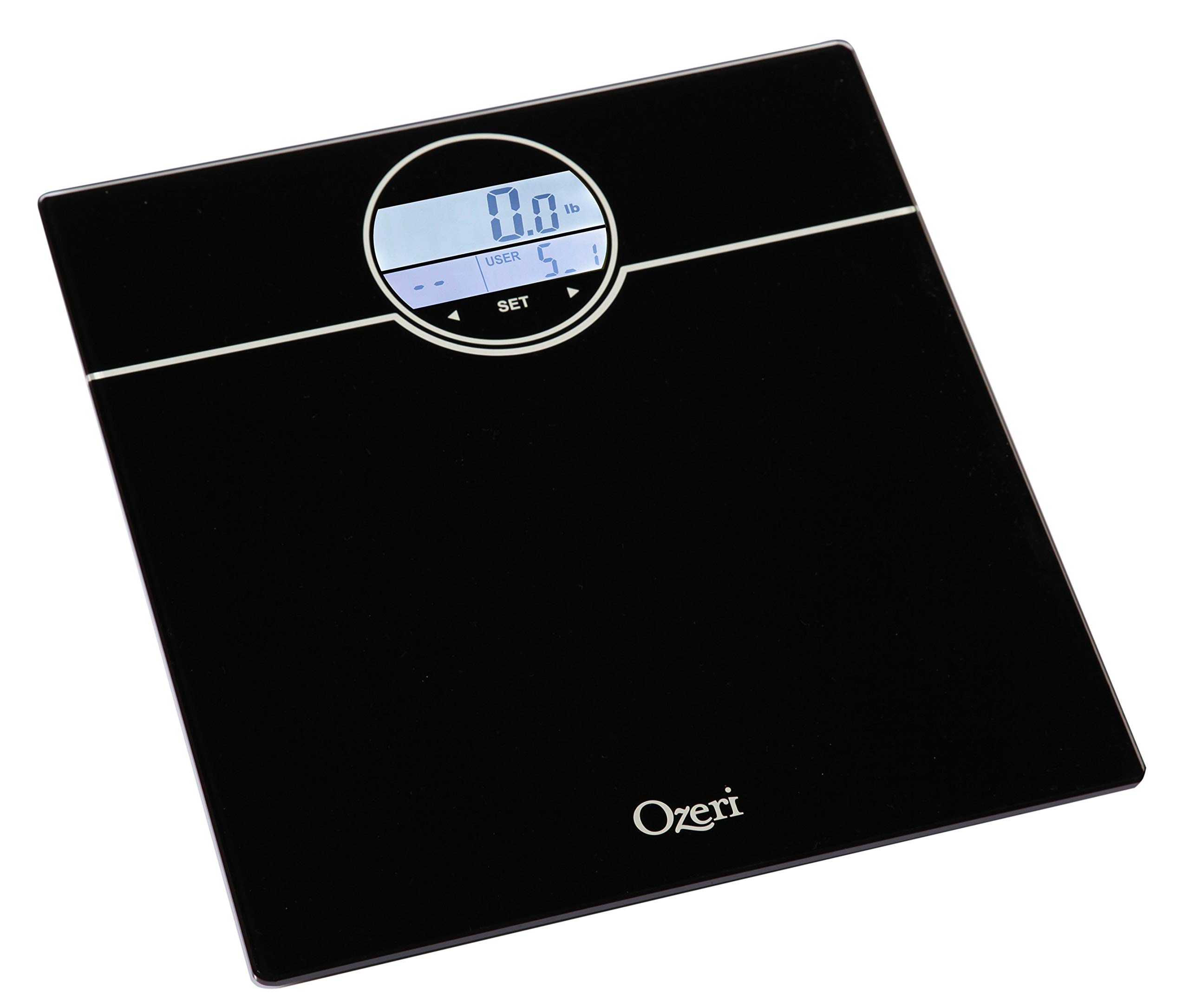
Image: The scale's display during the user profile setup process, showing the user selection and initial weight reading.
אַפּערייטינג ינסטראַקשאַנז
Weighing Yourself
- שטעלן די וואָג אויף אַ שווער, פלאַך ייבערפלאַך.
- Step onto the scale with bare feet. The scale will automatically turn on and detect your user profile.
- Stand still until your weight is displayed.
- The scale will then display your BMI (Body Mass Index).
- Following BMI, the scale will show your net weight change from your last weigh-in (L1), the average of your last 3 weigh-ins (L3), and the average of your last 7 weigh-ins (L7).
- The display will illuminate GREEN for weight loss and RED for weight gain.
- The scale will automatically power off after a few seconds.
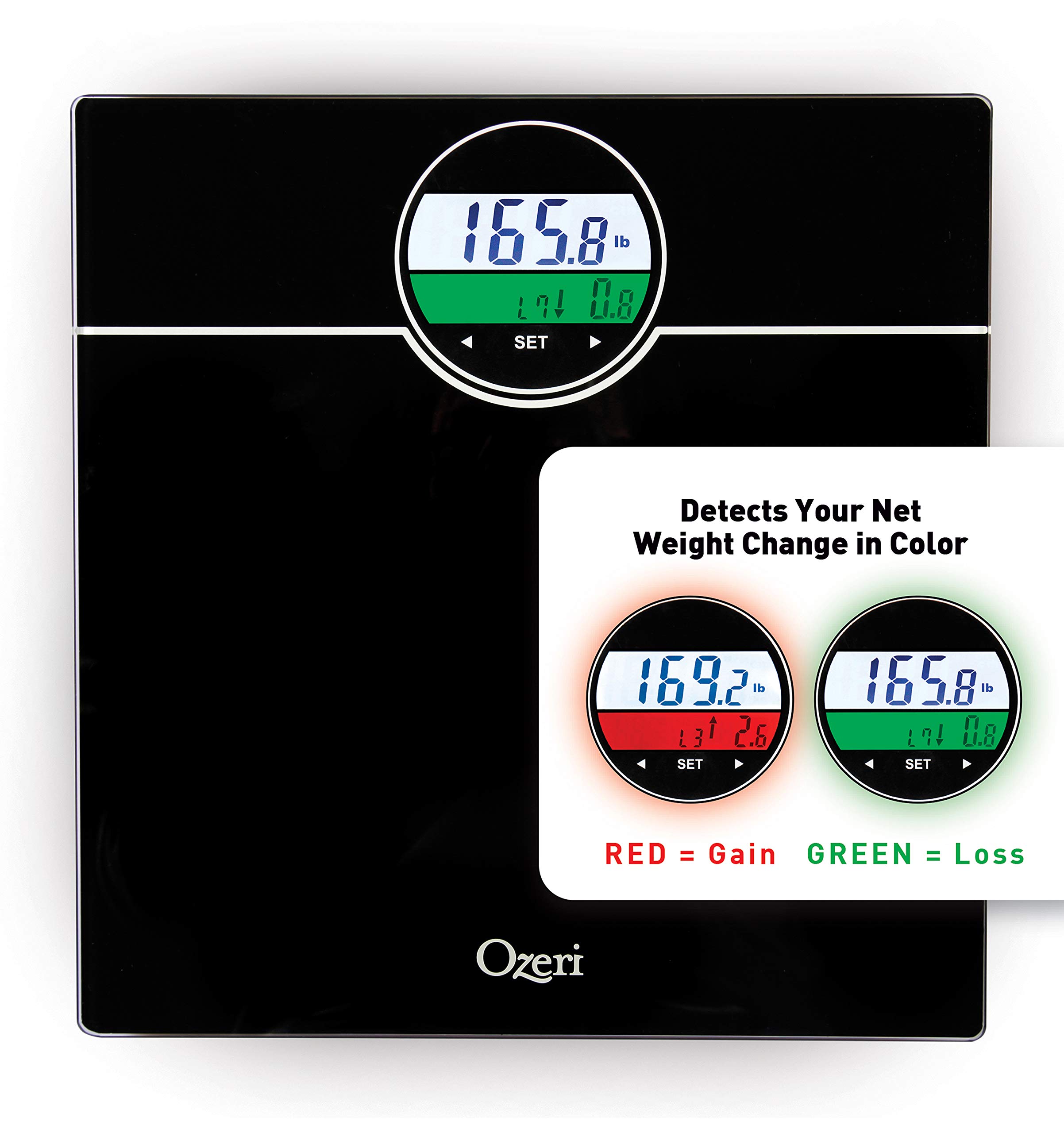
Image: The scale's display showing weight and color-coded weight change detection. Green indicates weight loss, red indicates weight gain.
פֿעיִקייטן
- BMI Measurement: Calculates your Body Mass Index based on your height and weight.
- Weight Change Detection: Displays net weight change from your last weigh-in (L1), the average of your last 3 weigh-ins (L3), and the average of your last 7 weigh-ins (L7).
- Color Alert Technology: The display illuminates GREEN for weight loss and RED for weight gain, providing visual feedback.
- Auto Recognition Technology: Automatically identifies up to 5 unique users based on their weight.
- StepOn Technology: Automatically turns on when you step on the scale.
- אַוטאָ מאַכט-אַוועק: קאַנסערנז די באַטאַרייע לעבן דורך אויטאָמאַטיש אויסגעדרייט אַוועק נאָך אַ צייט פון ינאַקטיוויטי.
- הויך קאַפּאַציטעט: Weighs up to 400 lbs.
וישאַלט
- ריין די וואָג מיט אַדamp טוך און מילדן וואַשפּולווער. ניצט נישט קיין שרײַבנדיקע רייניגערס און טונקט נישט אײַן די וואָג אין וואַסער.
- האַלט די וואָג אין אַ טרוקן אָרט ביי צימער טעמפּעראַטור.
- טוישט די באַטעריעס ווען דער נידעריקע באַטעריע אינדיקאַטאָר דערשיינט אויפן עקראַן.
טראָובלעשאָאָטינג
| פּראָבלעם | לייזונג |
|---|---|
| "לאָ" געוויזן | באַטעריעס זענען נידעריק. פאַרבייטן מיט נייַע AAA באַטעריעס. |
| "ערר" ווערט געוויזן | Overload. The maximum weight capacity (400 lbs) has been exceeded. Step off the scale immediately. |
| ומפּינקטלעך רידינגז |
|
| וואָג טוט נישט קער אויף |
|
ספּעסאַפאַקיישאַנז
- מאָדעל: ZB21
- קאַפּאַציטעט: 400 לבס (180 קג)
- וניץ: פונט (לב), קילאָגראַמס (קג)
- ווייַז: LCD with Color Alert Technology
- מאַכט: 3 X AAA באַטעריז (אַרייַנגערעכנט)
- דימענסיעס: 12.2 X 11.8 X 0.9 אינטשעס (31 X 30 X 2.3 סענטימעטער)
- מאַטעריאַל: Impact-resistant tempered glass
- ספּעציעלע פֿעיִקייטן: BMI, Weight Change Detection (L1, L3, L7), Auto Recognition (up to 5 users), StepOn Technology, Auto Power-Off
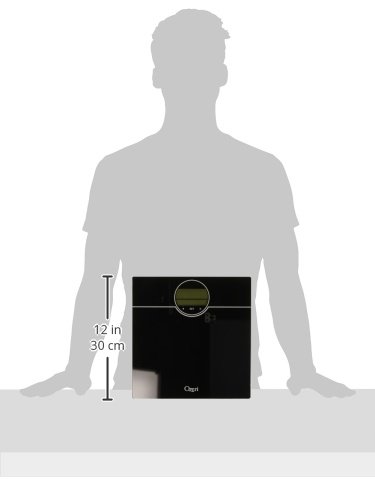
Image: A visual representation of the scale's dimensions, indicating its compact size.
וואָראַנטי און שטיצן
Ozeri products are backed by a warranty. For specific warranty details, product support, or to contact customer service, please refer to the official Ozeri webוועבזייטל אדער די קאָנטאַקט אינפֿאָרמאַציע וואָס איז צוגעשטעלט געוואָרן מיט אייערע קויף דאָקומענטאַציע.
פֿאַר ווייטערדיקע הילף, ביטע באַזוכט די Ozeri Store on Amazon.


