הקדמה
The Prime TNOREM02 is an outdoor remote control system designed to provide convenient wireless operation for two grounded electrical devices. It includes a receiver unit with two 3-prong grounded outlets and a wireless transmitter (remote control) for switching connected devices on and off from a distance. This manual provides essential information for the safe and effective use of your Prime TNOREM02.
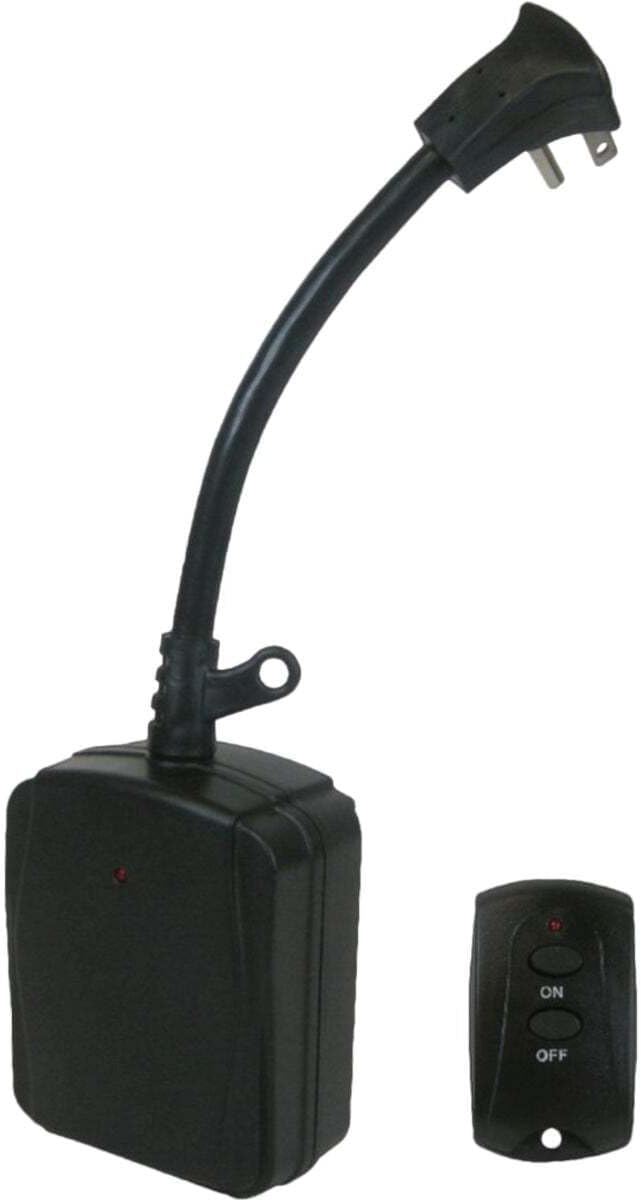
Image: The Prime TNOREM02 outdoor remote control system, showing the receiver unit with its power cord and the compact wireless transmitter.
זיכערקייַט אינפֿאָרמאַציע
ביטע ליינט און פארשטייט אלע זיכערהייט אינסטרוקציעס איידער איר ניצט דעם פראדוקט. נישט נאכפאלגן די אינסטרוקציעס קען רעזולטירן אין עלעקטרישע שאק, פייער, אדער ערנסטע שאדן.
- בלויז דרויסנדיק נוצן: This product is designed for outdoor use. Ensure all connections are protected from direct exposure to water.
- גראָונדינג: The receiver unit features two 3-prong grounded outlets and a grounded plug. Always connect to a properly grounded outdoor receptacle.
- עלעקטריקאַל שאַץ: נישט איבערשטייגן די מאקסימום עלעקטרישע ראַנג פון 15 Amps, 1875 Watts, 125 Volts, or 1/3 Horsepower. Overloading can cause overheating and fire.
- וואַסער שוץ: While designed for outdoor use, avoid submerging the unit in water. Ensure the outlets are facing downwards when installed to prevent water accumulation.
- שנור מאַנאַגעמענט: Route cords to prevent tripping hazards and protect them from damage.
- פאָרלייג 65 ווארענונג: דער פּראָדוקט קען אַנטהאַלטן קעמיקאַלז באקאנט צו די שטאַט פון קאַליפאָרניאַ צו פאַרשאַפן ראַק און געבורט חסרונות אָדער אנדערע רעפּראָדוקטיווע שאָדן. וואַשן הענט נאָך האַנדלינג.
- באַטערי זיכערקייַט: The remote control uses a CR2032 3V button-cell battery. Keep batteries out of reach of children. If swallowed, seek immediate medical attention.
פּעקל אינהאַלט
באַשטעטיקן אַז אַלע זאכן זענען פאַראַן אין פּעקל:
- 1 x Prime TNOREM02 2-Outlet Outdoor Remote Control Receiver
- 1 x Wireless Transmitter (Remote Control)
- 1 x CR2032 3V Button-Cell Battery (pre-installed in transmitter)
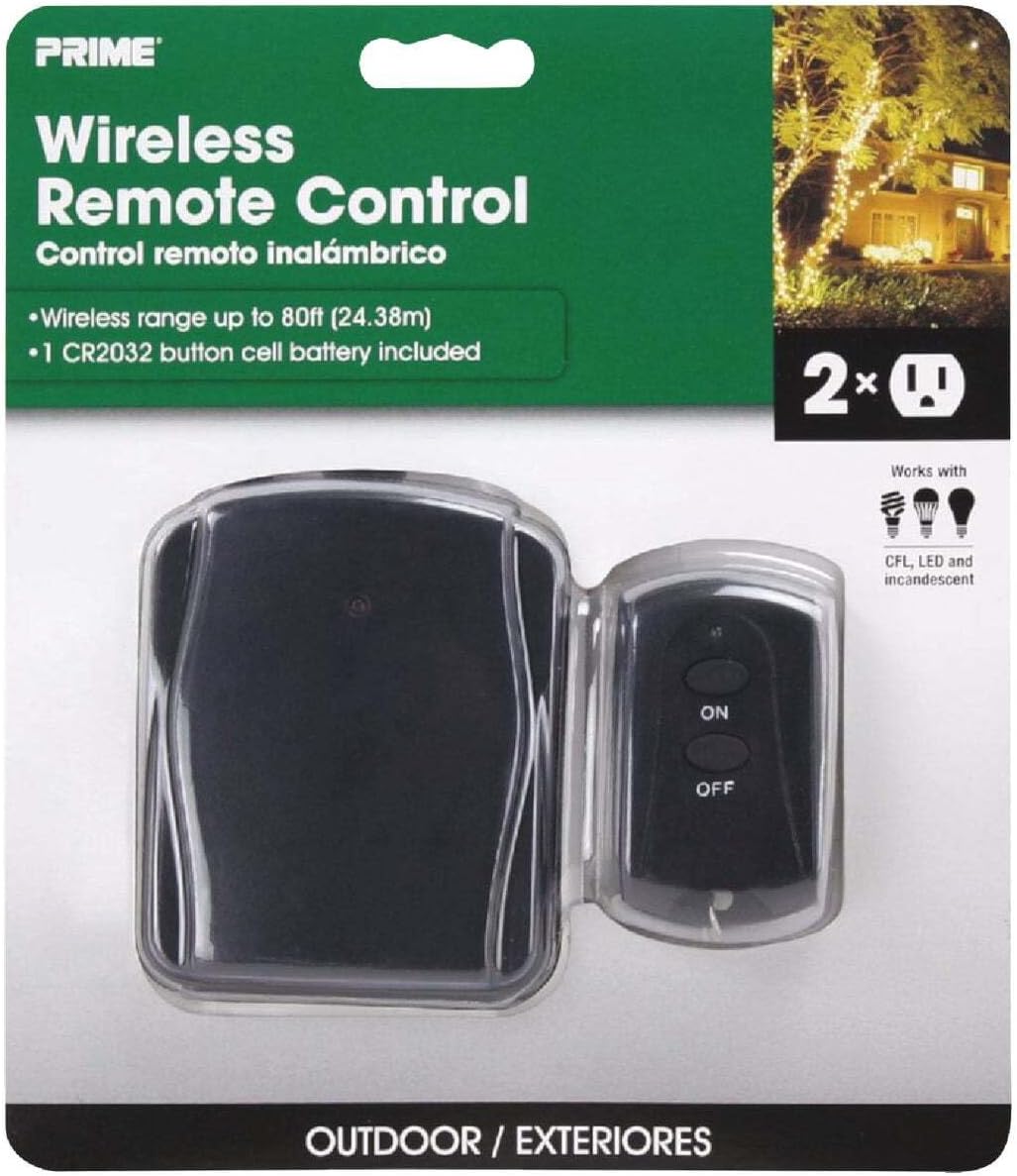
Image: The Prime TNOREM02 product packaging, showing the receiver and remote control clearly visible through the clear plastic.
פּראָדוקט פֿעיִקייטן
- Dual Grounded Outlets: Two 3-prong grounded outlets for connecting multiple devices.
- ווירעלעסס אָפּעראַציע: Control devices from up to 80 feet away using the included transmitter.
- דרויסנדיק רייטאַד: Durable construction suitable for outdoor environments.
- "Reversed" Ground-Pin: Patented design allows for use with right-angle and larger transformer plugs without blocking the second outlet.
- Simple On/Off Control: Easy-to-use 2-button remote for instant power control.
- באַטערי אַרייַנגערעכנט: Transmitter comes with a replaceable CR2032 3V button-cell battery.

בילד: א נאָענטע בילד view of the Prime TNOREM02 receiver unit, highlighting the two 3-prong grounded outlets.
סעטאַפּ
- אויסקלייַבן אָרט: Choose a suitable outdoor location for the receiver unit. Ensure it is protected from direct heavy rain and positioned where its outlets face downwards.
- אריינשטעקן ריסיווער: Connect the receiver unit's grounded plug into a standard 3-prong outdoor electrical outlet.
- פאַרבינדן דיווייסאַז: Plug the devices you wish to control into the two grounded outlets on the receiver unit. Ensure the total wattagדי מאַכט פון פֿאַרבונדענע דעוויסעס טוט נישט יקסיד 1875 וואטס.
- Prepare Transmitter: The CR2032 3V button-cell battery is pre-installed in the wireless transmitter. If the remote does not respond, check the battery.

Image: The Prime TNOREM02 receiver unit installed outdoors, connected to two green extension cords, with a hand holding the remote control to operate connected lights.
אַפּערייטינג ינסטראַקשאַנז
Using the Prime TNOREM02 is straightforward:
- צו קער אויף: דרוק די ON button on the wireless transmitter. The indicator light on the receiver unit should illuminate, and connected devices will receive power.
- צו קער אַוועק: דרוק די OFF button on the wireless transmitter. The indicator light on the receiver unit should turn off, and connected devices will lose power.
- קייט: The wireless transmitter has an operating range of up to 80 feet. Obstructions such as walls or dense foliage may reduce this range.
וישאַלט
The Prime TNOREM02 requires minimal maintenance. The primary maintenance task is replacing the battery in the wireless transmitter.
Replacing the Transmitter Battery:
- Locate the battery compartment on the back of the wireless transmitter.
- Using a small screwdriver or coin, carefully open the battery compartment cover.
- Remove the old CR2032 3V button-cell battery.
- Insert a new CR2032 3V button-cell battery with the positive (+) side facing up.
- פאַרבייַטן די באַטאַרייע אָפּטייל דעקן סיקיורלי.
- Test the remote control to ensure it is functioning correctly.
Periodically inspect the receiver unit and its cords for any signs of damage, wear, or corrosion. Discontinue use if any damage is observed.
טראָובלעשאָאָטינג
| פּראָבלעם | מעגלעך סיבה | לייזונג |
|---|---|---|
| Devices do not turn ON/OFF. |
|
|
| Reduced wireless range. |
|
|
| Unit stopped working after a period of use. |
|
|
ספּעסאַפאַקיישאַנז
| שטריך | דעטאַל |
|---|---|
| מאָדעל נומער | TNOREM02 |
| סאָרט | פּריים |
| נומער פון אַוטלעץ | 2 (3-שטעקן געערדעט) |
| דראָט טיפּ | SJTW 14/3 Gauge |
| צאַפּן טיפּ | Right Angle, Grounded |
| באַניץ | דרויסנדיק |
| מאקס וואטס | 1875 וואטס |
| מאַקס Amps | 15 Amps |
| מאַקס וואלטס | 125 וואלטס |
| Max Horsepower | קסנומקס / קסנומקס הפּ |
| ווירעלעסס ראַנגע | אַרויף צו 80 פֿיס |
| טראַנסמיטער באַטערי | CR2032 3V Button-Cell |
| פּראָדוקט דימענשאַנז | 8 X 6.2 X 2.1 אינטשעס (בעערעך) |
| פּונקט וואָג | 0.01 ounces (for remote control) |
| קאַנעקטיוויטי טעכנאָלאָגיע | בלועטאָאָטה |
| סערטיפיקאַטיאָנס | Not explicitly detailed, but designed for outdoor electrical use. |
וואָראַנטי און שטיצן
Specific warranty information for the Prime TNOREM02 is not provided in the available product details. For warranty claims or technical support, please contact Prime customer service directly. Retain your proof of purchase for any warranty inquiries.
For further assistance, refer to the official Prime webזייטל אדער קאנטאקט זייערע קאסטומער שטיצע קאנאלן.


