1. הקדמה
This manual provides essential information for the safe and effective use of your Canon EOS Rebel T5 Digital SLR Camera Kit. The Canon EOS Rebel T5 is designed for capturing high-quality still images and Full HD video, featuring an 18.0 Megapixel CMOS sensor and a DIGIC 4 image processor. Its intuitive design makes it suitable for both beginners and experienced photographers.
2. וואָס איז אין דער קעסטל
Your Canon EOS Rebel T5 kit typically includes the following components:
- Canon EOS Rebel T5 Camera Body
- Canon EF-S 18-55mm f/3.5-5.6 IS II Standard Zoom Lens
- באַטערי פּאַק
- באַטערי טשאַרדזשער
- Interface Cable (USB)
- ברייטע רימען
- EOS Digital Solution Disk (Software)
- ינסטראַקשאַנז מאַנואַל

Figure 2.1: Typical contents of the Canon EOS Rebel T5 kit.
3. סעטאַפּ
3.1 אנשטעלן די לינז
- אַראָפּנעמען דעם גוף דעקל פֿון דער קאַמעראַ און דעם הינטערשטן לענס דעקל פֿון דער לענס.
- גלייכט אויס דעם רויטן אינדעקס מארק אויף דער לענס מיטן רויטן אינדעקס מארק אויף דער קאמערא קערפער.
- דריי די לינז זייגערווייז ביז זי קליקט אריין אין פלאץ.
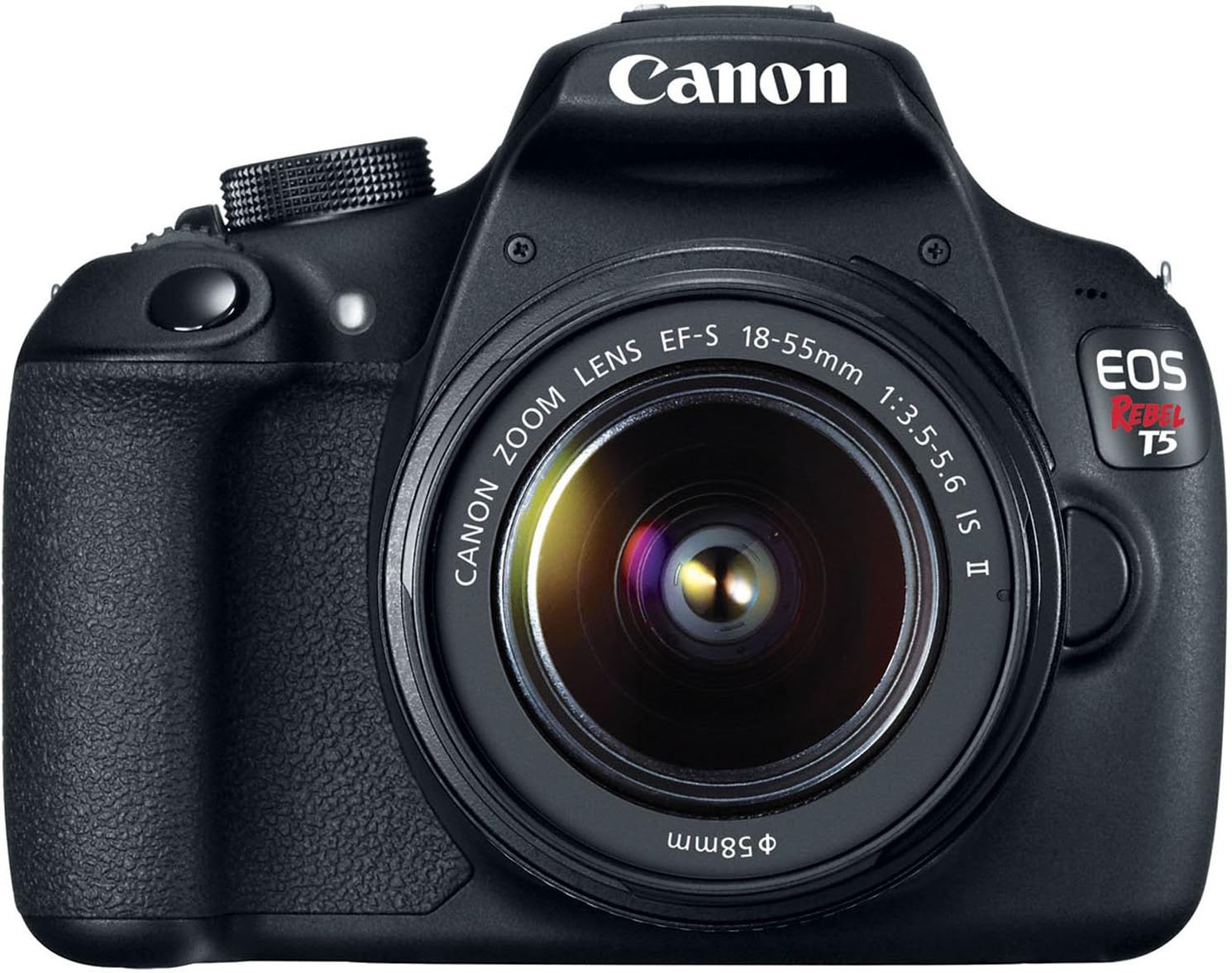
פיגורע 3.1: פראָנט view of the Canon EOS Rebel T5 with the EF-S 18-55mm lens.
3.2 ינסערטינג די באַטערי
- עפֿנט דעם דעקל פֿונעם באַטעריע־אָפּטייל אויף דער אונטערשטער זײַט פֿון דער קאַמעראַ.
- Insert the charged battery pack with the electrical contacts facing inward, ensuring it clicks into place.
- נאָענט די דעקן פון די באַטאַרייע אָפּטייל.
3.3 אריינשטעלן אן SD קארטל
An SD card is required to store photos and videos. The SD card is not included with the kit and must be purchased separately. Open the SD card slot cover on the side of the camera and insert the SD card until it clicks. Ensure the card is inserted correctly to avoid damage.
Video 3.1: This video provides a visual guide on unboxing and basic setup, including attaching the lens and inserting the battery into the Canon EOS Rebel T5 Digital Camera.
4. אַפּערייטינג ינסטרוקטיאָנס
4.1 מאַכט אויף / אַוועק
To power on the camera, rotate the power switch to the 'ON' position. To power off, rotate it to 'OFF'.
4.2 מאָדע דיאַל
דער מאָדע דיאַל אויף שפּיץ פון דער קאַמעראַ אַלאַוז איר צו סעלעקטירן פאַרשידענע שיסערייַ מאָדעס:
- גרונטלעכע זאָנע מאָדעס: Fully automatic modes for simple point-and-shoot operation (e.g., Scene Intelligent Auto, Flash Off, Creative Auto, Portrait, Landscape, Close-up, Sports, Night Portrait).
- קרעאַטיווע זאָנע מאָדעס: Provide more control over settings (e.g., Program AE (P), Shutter-priority AE (Tv), Aperture-priority AE (Av), Manual Exposure (M)).
- Movie Shooting Mode: פֿאַר רעקאָרדינג פֿול HD ווידעאָס.

פיגורע 4.1: דערציען view of the Canon EOS Rebel T5, highlighting the LCD and control layout.
4.3 נעמען בילדער
- אויסקלייבן אייער געוואונטשענע שאָסן מאָדע ניצנדיק דעם מאָד דיאַל.
- קוק דורך די viewfinder or use the LCD screen for Live View שיסעריי.
- Press the shutter button halfway to activate the 9-point autofocus system and achieve focus.
- דריקן די לאָדן קנעפּל גאָר צו נעמען די בילד.
4.4 רעקאָרדינג ווידיאס
Switch the mode dial to the movie shooting mode. Press the Live View shooting/Movie shooting button to start and stop recording. The camera supports Full HD video recording.
4.5 ניצן דעם איינגעבויטן בליץ
In low-light conditions or when backlighting is present, the built-in flash can be used. In Basic Zone modes, the flash may pop up automatically. In Creative Zone modes, you can manually raise the flash by pressing the flash button.
Video 4.1: This video offers an honest review of the Canon T5, demonstrating various features and operational aspects of the camera.
5. וישאַלט
5.1 לינז זאָרג
- Always keep the lens cap on when not in use to protect the front element.
- Use a lens brush or blower to remove dust, then gently wipe with a microfiber lens cloth. Avoid touching the lens surface with your fingers.
- For stubborn smudges, use a small amount of lens cleaning solution on a clean cloth.
5.2 Camera Body Care
- ווישט דעם קאַמעראַ קערפּער מיט אַ ווייכן, טרוקענעם שטאָף.
- Avoid exposing the camera to extreme temperatures, humidity, or dust.
- ניצט נישט אָרגאַנישע סאָלווענטן אדער שטאַרקע רייניקונגסמיטלען.
5.3 באַטערי קער
- לאָדט די באַטאַרייע גאָר אויף איידער דער ערשטער באַנוץ און ווען דער באַטאַרייע אינדיקאַטאָר איז נידעריק.
- סטאָר באַטעריז אין אַ קיל, טרוקן אָרט ווען ניט אין נוצן.
- אַרויסנעמען די באַטאַרייע פֿון דער קאַמעראַ אויב זי וועט נישט געניצט ווערן פֿאַר אַ לענגערע צײַט.
6. טראָובלעשאָאָטינג
- "No card in camera" message: Ensure an SD card is inserted correctly and is not full or damaged.
- Autofocus is slow: In very low light or with subjects lacking contrast, autofocus may be slower. Try using the built-in flash or switching to manual focus.
- קאַמעראַ טוט זיך נישט אָן: קוק אויב די באַטאַרייע איז טשאַרדזשינג און ינסערטאַד ריכטיק.
- בילדער זענען פארשוואומען: Ensure the lens is clean, the camera is stable (use a tripod if necessary), and the correct focus mode is selected.
7. ספּעסאַפאַקיישאַנז
| סענסאָר טיפּ | קמאָס |
| פאָטאָ סענסאָר האַכלאָטע | 18 מפּ |
| ווידעא האַכלאָטע | FHD 1080 פּ |
| לענס | EF-S 18-55mm f/3.5-5.6 IS II standard zoom lens |
| אַוטאָ פאָקוס פּאָינץ | 9-פונט AF סיסטעם |
| קעסיידערדיק שאָאָטינג ספּיד | 3 FPS |
| פאַרשטעלן גרייס | 3 אינטשעס |
| געשטיצט File פֿאָרמאַט | JPEG, רוי |
| קאַנעקטיוויטי טעכנאָלאָגיע | דראָטיק, וויירלעס (Wi-Fi) |
| פּונקט וואָג | 1 פונט |
8. וואָראַנטי און שטיצן
8.1 וואָראַנטי אינפֿאָרמאַציע
This Canon EOS Rebel T5 camera kit comes with a 90-day limited warranty. Please retain your proof of purchase for any warranty claims.
8.2 קונה שטיצן
For further assistance, technical support, or service inquiries, please refer to the official Canon support website or contact their customer service department. Detailed contact information can typically be found in the included warranty card or on the manufacturer's webפּלאַץ.


