הקדמה
This manual provides essential instructions for setting up, operating, and maintaining your Alcatel 392G Big Easy Flip Phone. Designed for simplicity, this Tracfone device features large, easy-to-read keys and a clear display, making communication straightforward.
Key features include a 2 MP camera, Bluetooth connectivity, FM radio, and mobile web access. Please read this manual thoroughly to ensure proper use and to maximize the functionality of your phone.
סעטאַפּ
1. Unboxing and Included Items
ביים עפענען דעם פעקל, זיכער מאכן אז די פאלגנדע זאכן זענען אריינגערעכנט:
- Alcatel 392G Big Easy Flip Phone
- באַטערי
- טשאַרדזשער
- אַקטאַוויישאַן קאַרד
- סערוויס גייד
2. באַטאַרייע ייַנמאָנטירונג
Carefully remove the back cover of the phone. Align the battery contacts with the terminals inside the battery compartment and gently press the battery into place. Ensure it is securely seated. Replace the back cover.
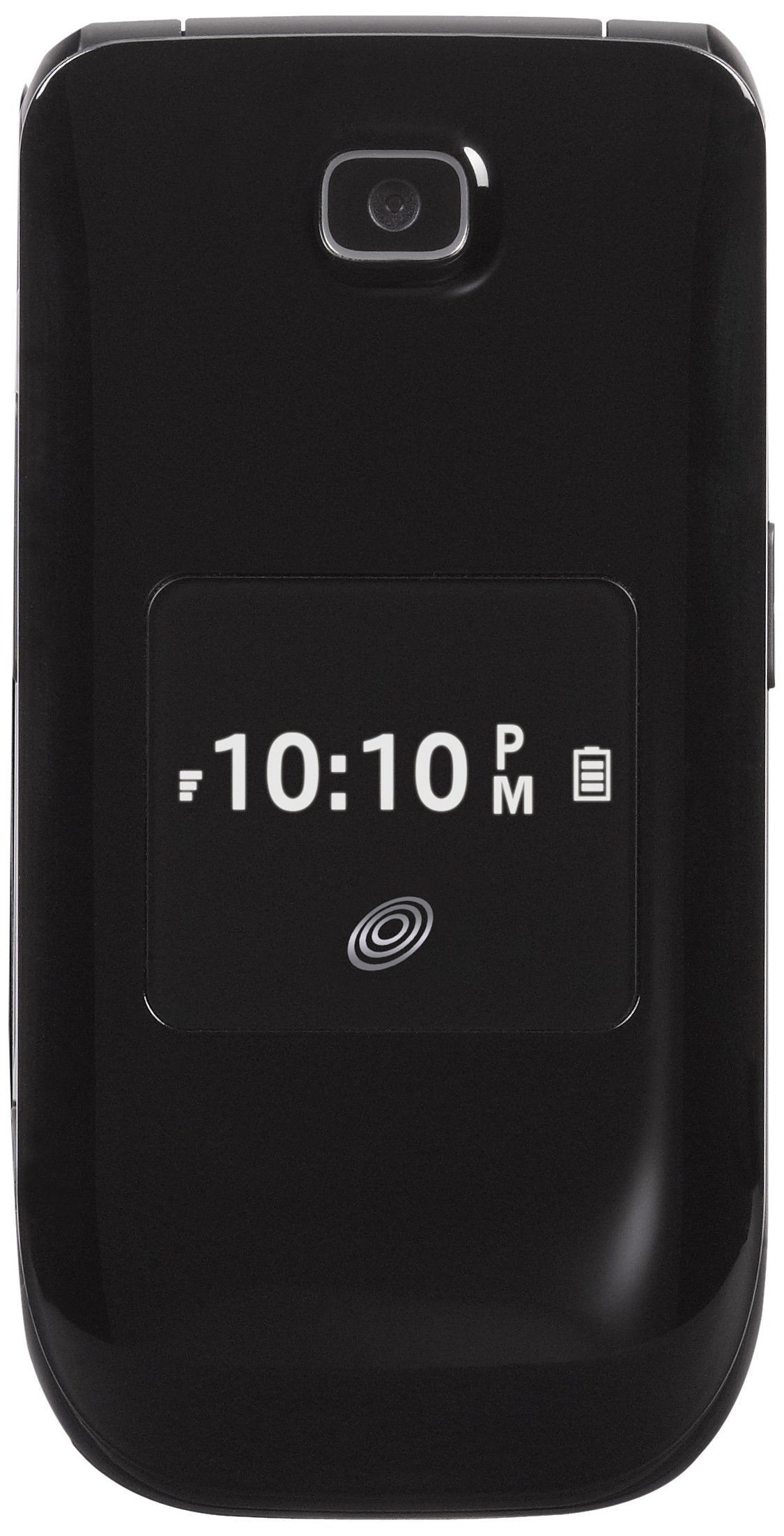
Image: The Alcatel 392G Big Easy Flip Phone in an open position, showing the main display, keypad, and navigation buttons. The screen displays "Home", "10 Minutes", "60 Service Days", "11:19 AM", "May 20 Mon", "Menu", and "Web".
3. טשאַרדזשינג די טעלעפאָן
Before first use, fully charge the phone's battery. Connect the charger to the charging port on the phone and plug it into a power outlet. The charging indicator will show the charging status. A full charge typically takes approximately 3 hours.
4. Phone Activation
To activate your Tracfone service, follow the instructions provided on the Activation Card included in your package. This typically involves calling Tracfone customer service or visiting their webפּלאַץ.
5. מיקראָסד קאַרטל אינסטאַלאַציע (אָפּציאָנעל)
The phone supports a microSD card up to 32GB (not included) for additional storage. Locate the microSD card slot, usually near the battery compartment, and insert the card gently until it clicks into place.
אפערירן דעם טעלעפאָן
1. מאַכט אויף / אויסגעלאשן
- צו אנצינדן: דריק און האלט די סוף / מאַכט key until the screen lights up.
- צו אויסלעשן: דריק און האלט די סוף / מאַכט key, then confirm power off on the screen.
2. מאַכן און ענטפֿערן רופן
- To make a call: Enter the phone number using the keypad and press the שיקן שליסל.
- To answer a call: Open the flip or press the שיקן שליסל ווען דער טעלעפאָן רינגס.
- To end a call: Close the flip or press the סוף / מאַכט שליסל.
3. Text and Picture Messaging
Navigate to the Messaging menu to compose and send text (SMS) or picture (MMS) messages. The large lighted keys facilitate easy typing.
4. קאַמעראַ פאַנגקשאַנאַליטי
The phone is equipped with a 2 MP camera. Access the camera from the main menu to take photos. Images can be stored on the phone's internal memory or an installed microSD card.
5. בלועטאָאָטה קאַנעקטיוויטי
To pair with a Bluetooth device (e.g., headset, car kit):
- גיין צו מעניו > סעטטינגס > בלועטאָאָטה.
- אַקטיווירן בלוטוט On.
- אויסקלייַבן זוכן פֿאַר נייַ מיטל and choose your device from the list.
- Enter the passkey if prompted.
6. FM ראַדיאָ און MP3 שפּילער
- עפעם ראַדיאָ: Access the FM Radio application from the menu. A wired headset (not included) may be required to act as an antenna.
- Mp3 שפּילער: The phone includes an MP3 player. Music files can be stored on a microSD card. A USB cable (not included) is required to transfer music from a computer.
7. טעלעפאָנבאָאָק
Store up to 1,000 entries in the phonebook. Navigate to the Contacts or Phonebook menu to add, edit, or delete entries.
8. אַקסעסאַביליטי פֿעיִקייטן
The Alcatel 392G is Hearing Aid Compatible (HAC) with a rating of M3/T4, designed to reduce interference with hearing aids.
וישאַלט
1. רייניקן דיין טעלעפאָן
ניצט אַ ווייכע, לינט-פֿרייע שטאָף צו רייניקן דעם טעלעפֿאָן'ס עקראַן און קערפּער. פֿאַרמייַדט ניצן שטרענגע כעמיקאַלן אָדער אַברייסיוו מאַטעריאַלן, וואָס קענען שאַטן די ייבערפלאַך.
2. באַטערי קער
- ויסמיידן יקספּאָוזינג די באַטאַרייע צו עקסטרעם טעמפּעראַטורעס.
- דו זאלסט נישט פּאַנגקשער אָדער דיסאַסעמבאַל די באַטאַרייע.
- If the phone will not be used for an extended period, store it with a partial charge.

בילד: א זייט פראפעסיאנאלfile view of the Alcatel 392G Big Easy Flip Phone, highlighting its compact, folded design and the textured surface for better grip.
טראָובלעשאָאָטינג
פּראָסט ישוז און סאַלושאַנז
- טעלעפאָן טוט זיך נישט אָן:
Ensure the battery is correctly installed and fully charged. Try removing and reinserting the battery, then attempt to power on again.
- Poor call quality or low volume:
Check the volume settings during a call. Ensure you are in an area with good network coverage. If issues persist, contact Tracfone customer service.
- באַטערי נישט טשאַרדזשינג:
Verify that the charger is properly connected to both the phone and the power outlet. Try using a different outlet. Ensure you are using the correct battery type for the phone; some users have reported receiving incorrect batteries initially.
- Cannot send/receive messages:
Check your service plan and network coverage. Ensure message center settings are correct (these are usually configured automatically by the carrier).
- Phone freezes or becomes unresponsive:
Remove the battery, wait a few seconds, and then reinsert it and power on the phone. This performs a soft reset.
For further assistance with service-related issues, please contact Tracfone customer support. For hardware malfunctions, refer to the warranty information.
ספּעסאַפאַקיישאַנז
| מאָדעל נאָמען | Big Easy Flip (392G) |
| סאָרט | אַלקאַטעל |
| פאָרם פאַקטאָר | פליפּ טעלעפאָנירן |
| דימענסיעס (L X W X H) | 4.09 X 2.05 X 0.68 אינטשעס |
| פּונקט וואָג | 3.67 אונסעס |
| ווייַז | 2.4 אינטשעס TFT LCD |
| אַפּאַראַט | 2 מפּ |
| זכּרון סטאָרידזש קאַפּאַסיטי | Supports microSD up to 32 GB |
| ווירעלעסס טעטשנאָלאָגיעס | Bluetooth 2.1, Cellular (2G), Wi-Fi |
| אָפּערייטינג סיסטעם | Other (Feature Phone OS) |
| באַטערי טיפּ | 1 ליטהיום יאָן באַטאַרייע (פארלאנגט) |
| רעדן צייט | Up to 3 hours (228 minutes) |
| סטאַנדביי צייט | Up to 10 days (264 minutes with data) |
| ספּעציעלע פֿעיִקייטן | MP3 Player, FM Radio, Large Lighted Keys, External Caller ID, HAC (M3/T4) |
| ווירעלעסס קאַריער | טראַפאָנע |
וואָראַנטי אינפֿאָרמאַציע
Your Alcatel 392G Big Easy Flip Phone is covered by a limited manufacturer's warranty. Please refer to the Service Guide included in your product package for specific terms, conditions, and duration of the warranty. Keep your proof of purchase for warranty claims.
שטיצן
For technical support, service inquiries, or additional tutorials, please contact Tracfone customer service or visit their official webפּלאַץ.
- Tracfone Customer Service: Refer to your Service Guide or the Tracfone webפּלאַץ פֿאַר קאָנטאַקט דעטאַילס.
- אָנליין רעסורסן: Visit the Tracfone website for FAQs, troubleshooting guides, and video tutorials specific to your device.


