1. הקדמה
This manual provides instructions for the proper use and care of your Belkin Right-Angled Aux/Auxiliary Cable. This cable is designed to connect audio devices with a 3.5mm jack, such as smartphones, MP3 players, and portable speakers, to car stereos, home stereo systems, or other compatible audio inputs. Its right-angle connector and flat design enhance durability and ease of use.
2. פּראָדוקט פֿעיִקייטן
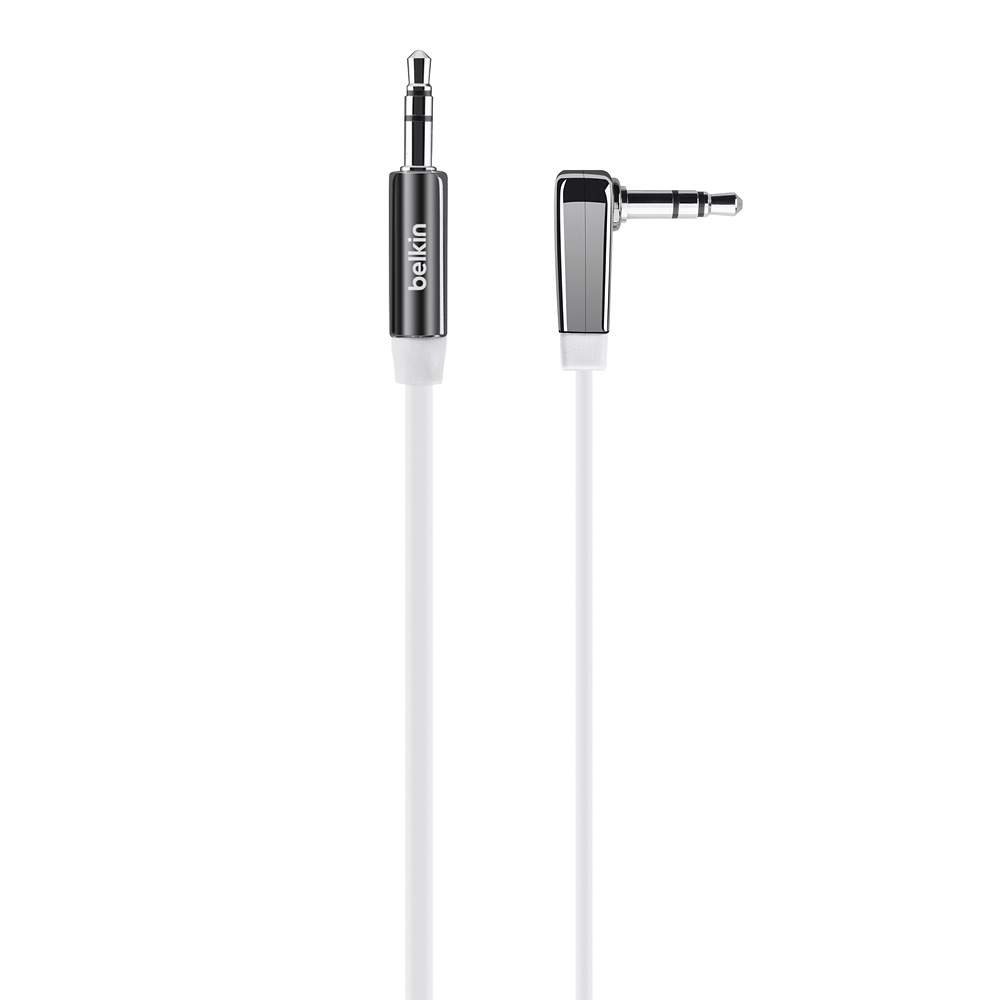
פיגורע 1: Belkin Right-Angled Aux/Auxiliary Cable. This image shows the black, flat cable with its right-angled 3.5mm connector on one end and a straight 3.5mm connector on the other.
- Right-Angle 3.5mm Plug: Reduces stress on the cable and device port, allowing for a flush connection.
- פלאַך פּלאַן: Prevents tangles and makes storage easier.
- Chrome-Finished Plugs and Nickel-Plated Contacts: Ensures reliable connection and optimal audio signal transfer.
- לענג: 6 feet (approximately 1.8 meters) for flexible placement of connected devices.
- וניווערסאַל קאַמפּאַטאַבילאַטי: Works with any device featuring a standard 3.5mm audio jack.
3. סעטאַפּ און קאַנעקשאַן
Connecting your Belkin Aux/Auxiliary Cable is a straightforward process. Ensure both devices you intend to connect are powered off before making connections, if possible, to prevent any potential audio pops or damage.
- אידענטיפיצירן אַודיאָ פּאָרץ: Locate the 3.5mm audio output jack on your source device (e.g., smartphone, tablet, MP3 player) and the 3.5mm audio input jack on your receiving device (e.g., car stereo, home speaker, sound card). These are typically labeled "AUX OUT," "HEADPHONE," or "LINE IN," "AUX IN" respectively.
- Connect Right-Angle End: Insert the right-angled 3.5mm connector of the cable into the audio output jack of your source device. The right-angle design is particularly useful for devices in tight spaces or where a straight connector might be prone to damage.
- Connect Straight End: Insert the straight 3.5mm connector of the cable into the audio input jack of your receiving device.
- זיכער קשר: Ensure both connectors are fully inserted into their respective ports for a secure and stable audio connection.
4. אָפּעראַציע
Once the cable is connected, follow these steps to begin audio playback:
- מאַכט אויף דיווייסאַז: Turn on both your audio source device and your receiving audio device.
- אויסקלייַבן אַרייַנשרייַב: On your receiving audio device (e.g., car stereo, home stereo), select the correct audio input source. This is usually labeled "AUX," "LINE IN," or similar. Refer to your receiving device's manual if you are unsure.
- אָנהייב פּלייַבאַק: Begin playing audio from your source device (e.g., music, podcast, audiobook).
- סטרויערן באַנד: Adjust the volume on both your source device and your receiving device to a comfortable listening level. It is often recommended to set the source device's volume to about 75-80% and control the main volume from the receiving device.
5. וישאַלט און קער
To ensure the longevity and optimal performance of your Belkin Aux/Auxiliary Cable, follow these maintenance guidelines:
- ויסמיידן עקסטרעם בענדינג: While the flat design helps prevent tangles, avoid sharp or excessive bends, especially near the connectors, as this can damage internal wiring.
- סטאָר רעכט: When not in use, coil the cable loosely. The flat design makes it easy to store without tangling.
- האַלטן ריין: Periodically wipe the cable with a soft, dry cloth. If connectors appear dirty, gently clean them with a cotton swab lightly dampבאדעקט מיט איזאָפּראָפּיל אַלקאָהאָל, און זיכער מאַכן אַז זיי זענען גאָר טרוקן איידער נוצן.
- שעפּן מיט זאָרג: Always grasp the plug itself when inserting or removing the cable, rather than pulling on the cable wire.
- ינווייראַנמענאַל טנאָים: פֿאַרמײַדט אויסשטעלן דעם קאַבל צו עקסטרעמע טעמפּעראַטורן, דירעקטע זונשײַן פֿאַר פֿאַרלענגערטע פּעריאָדן, אָדער איבערגעטריבענע פֿײַכטקייט.
6. טראָובלעשאָאָטינג
If you experience issues with your Belkin Aux/Auxiliary Cable, refer to the following common problems and solutions:
| פּראָבלעם | מעגלעך סיבה | לייזונג |
|---|---|---|
| קיין געזונט |
|
|
| Poor Sound Quality (Static, Distortion) |
|
|
| Sound Only from One Channel |
|
|
7. ספּעסאַפאַקיישאַנז
| שטריך | דעטאַל |
|---|---|
| סאָרט | בעלקין |
| מאָדעל נומער | AV10128bt06 |
| קאַנעקטער טיפּ | 3.5 מם צו 3.5 מם |
| קאַמפּאַטאַבאַל דעוויסעס | Smartphone, Speaker, Car Stereo, Home Stereo |
| קאָליר | שוואַרץ |
| קאַנעקטער דזשענדער | זכר צו זכר |
| קאַבלע פאָרעם | פלאַך |
| קאַבלע לענג | 6 פֿיס (אומגעפער 1.8 מעטער) |
| פּונקט וואָג | 1.62 אונסעס (בעערעך 46 גראַמז) |
| פּראָדוקט דימענשאַנז | 1.07 x 4.04 x 6.13 אינטשעס (פּאַקאַדזשינג דימענסיעס) |
| דרינענדיק / דרויסנדיק באַניץ | דרינענדיק, דרויסנדיק |
8. וואָראַנטי און שטיצן
פֿאַר אינפֿאָרמאַציע וועגן פּראָדוקט וואָראַנטי, טעכנישע שטיצע, אָדער קונה סערוויס, ביטע באַזוכט די אָפֿיציעלע בעלקין וועבזייטל webזייטל אדער קאנטאקט זייער קאסטומער שטיצע גלייך. האלט אייער קויף קוויטל אלס באווייז פון קויפן פאר יעדע גאראנטיע טענות.
בעלקין אפיציעל Webפּלאַץ: www.belkin.com


