הקדמה
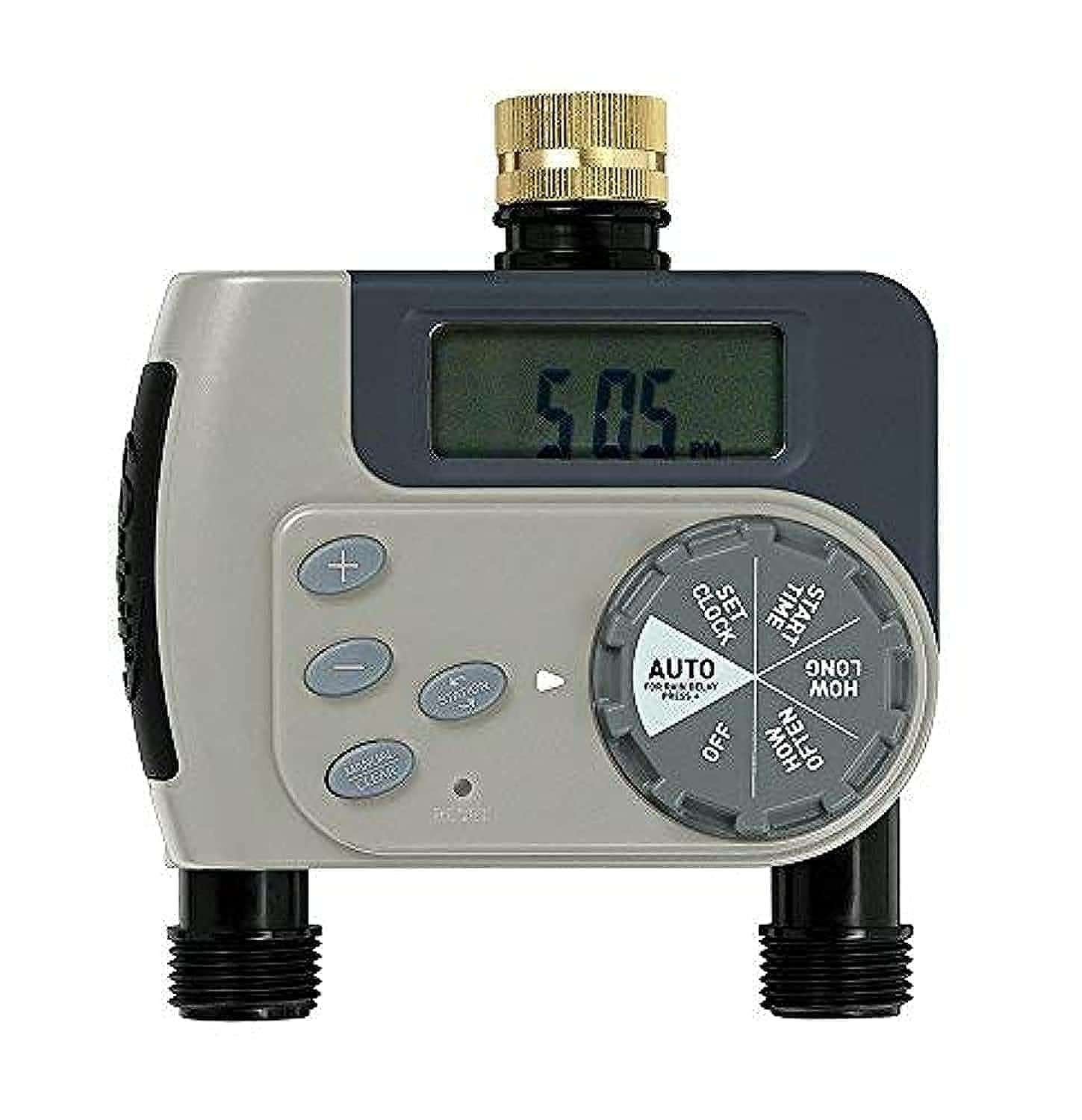
The Orbit 94148 Buddy II is a battery-operated watering timer designed to automate your garden irrigation system. This device connects to your outdoor faucet and allows you to program watering schedules for two independent outlets, providing flexibility for various watering needs such as micro-jets, drip systems, and garden sprinklers.
זיכערקייַט אינפֿאָרמאַציע
- בלויז פֿאַר דרויסנדיק נוצן.
- ניצן בלויז מיט קאַלט וואַסער.
- Do not submerge the timer in water.
- Protect from freezing temperatures to prevent damage.
פּעקל אינהאַלט
The Orbit 94148 Buddy II watering timer package includes:
- One Orbit 94148 Buddy II Two-Outlet Watering Timer.
- User Manual (this document).
באַמערקונג: AA batteries are required for operation and are not included in the package.
סעטאַפּ
Follow these steps to set up your Orbit 94148 Buddy II watering timer:
- ינסטאַלירן באַטעריז: Open the battery compartment and insert the required AA batteries (not included). Ensure correct polarity.
- פאַרבינדן צו קראַן: Securely attach the timer to your outdoor faucet. Hand-tighten only to prevent damage.
- פאַרבינדן כאָוזיז: Attach your garden hoses or irrigation lines to the two independent outlets on the timer.
אַפּערייטינג ינסטראַקשאַנז
The Orbit 94148 Buddy II offers both automatic programming and manual watering options.
אָטאַמאַטיק פּראָגראַממינג
To program the timer for automatic watering:
- שטעלן די איצטיקע צייט: Use the dial to set the current time of day.
- שטעלן אָנהייב צייט: Choose the desired time for watering to begin.
- שטעלן וואַסערונג געדויער: Select the length of each watering cycle, ranging from 1 to 240 minutes.
- שטעלן אָפטקייַט: Determine how often watering occurs. Options include every 6 hours, every 12 hours, or daily intervals from 1 to 7 days.
- Activate Auto Mode: Turn the dial to the "Auto" position to enable the programmed watering schedule.
Each of the two outlets can be programmed independently, allowing for different watering schedules for separate areas of your garden.
מאַנואַל וואָטערינג
To manually water without affecting your programmed schedule:
- Turn the dial to the "Manual" position.
- Select the desired watering duration.
- The water will flow for the selected duration and then automatically shut off.
- To stop manual watering early, turn the dial back to the "Off" or "Auto" position.
וישאַלט
Regular maintenance ensures optimal performance and longevity of your watering timer.
- באַטערי פאַרבייַט: When the battery indicator shows low power, replace the AA batteries promptly. Always use fresh batteries.
- רייניקונג: Periodically check the filter washer at the faucet connection for debris and clean if necessary to maintain proper water flow.
- ווינטעריזאַטיאָן: Before the first frost, disconnect the timer from the faucet, remove batteries, and store the unit indoors in a dry, protected area to prevent freeze damage.
טראָובלעשאָאָטינג
If you encounter issues with your watering timer, consider the following:
- קיין וואַסער לויפן:
- קוק צי דער קראַן איז גאָר אָפֿן.
- Ensure batteries are correctly installed and have sufficient power.
- Verify that the timer is set to "Auto" or a manual watering cycle is active.
- Inspect the filter washer for clogs.
- Timer Not Programming:
- Confirm batteries are fresh and properly inserted.
- Ensure the dial is firmly clicked into each setting position during programming.
- ליקינג:
- קאָנטראָלירן אַלע קאַנעקשאַנז פֿאַר טייטנאַס.
- Ensure rubber washers are properly seated at all connection points.
- Do not overtighten connections, as this can damage washers.
ספּעסאַפאַקיישאַנז
| מאָדעל נומער | 94148 |
| דימענסיעס (L X W X H) | 12 X 18.5 X 20 סענטימעטער |
| וואָג | 460 גראַמז |
| מאַכט מקור | אַאַ באַטעריז (ניט אַרייַנגערעכנט) |
| מאַטעריאַל | סמאָלע |
| נומער פון סעטטינגס | 10 |
| קאָליר | גרין |
| פאַבריקאַנט | Orbit Irrigation Products, Inc. |
וואָראַנטי און שטיצן
The Orbit 94148 Buddy II Battery-Operated Two-Outlet Watering Timer comes with a 2 יאָר וואָראַנטי פון די דאַטע פון קויפן. די וואָראַנטי קאָווערס חסרונות אין מאַטעריאַלס און ווערקמאַנשיפּ אונטער נאָרמאַל נוצן.
For warranty claims or technical support, please refer to the contact information provided on the product packaging or the official Orbit webפּלאַץ.


