1. הקדמה און איבערview
The AOC e1659Fwu is a 15.6-inch (15.6" viewable) LED-backlit portable monitor designed to expand your workspace. It features a 1366x768 resolution and is powered and receives signal via a single USB 3.0 cable, ensuring convenient plug-and-play functionality. Its ultra-slim and lightweight design enhances portability, making it suitable for various on-the-go applications.
Key features include a 60Hz refresh rate, 8ms response time, and 200 cd/m² brightness. The monitor is equipped with a removable base and a foldable flexi-stand, allowing for viewing in both landscape and portrait modes. An auto-pivot feature automatically adjusts the display orientation. It is compatible with Windows and Mac operating systems.

פיגורע 1: פראָנט view of the AOC e1659Fwu portable monitor.
2. סעטאַפּ
To set up your AOC e1659Fwu monitor, follow these steps:
- ופשליסן די מאָניטאָר: נעמט פֿאָרזיכטיק אַרויס דעם מאָניטאָר און אַלע אַקסעסאָריעס פֿון דער פּאַקאַדזשינג.
- צוטשעפּען די שטיין: The monitor includes a foldable flexi-stand. Position the monitor on a flat surface and adjust the stand to your desired viewing angle. The stand can be removed if you plan to wall-mount the monitor.
- פאַרבינדן צו דיין מיטל: Use the provided USB 3.0 cable to connect the monitor to your laptop or desktop computer. The monitor is powered and receives video signal through this single cable.
- דרייווער ינסטאַלירונג: For initial setup, it may be necessary to install drivers. A CD containing drivers and AOC software is included in the box. Insert the CD and follow the on-screen instructions. The installation process may take approximately 20 minutes.
- מאַכט אויף: Once connected, the monitor should power on automatically. If not, press the power button located on the side of the monitor.

פיגורע 2: דערציען view of the monitor with its integrated foldable stand.
אויפֿשטעלן טוטאָריאַל ווידעאָ
Video 1: An official AOC tutorial demonstrating the setup process for the e1659Fwu monitor.
3. אָפּערייטינג
The AOC e1659Fwu monitor offers flexible operating modes to enhance productivity.
ווייַז מאָדעס
- לאַנדשאַפט מאָדע: Ideal for presentations, spreadsheets, and general computing tasks.
- פּאָרטרעט מאָדע: Convenient for viewing instant messaging programs, sidebars, or long documents, providing an easy vertical view.
The monitor features an auto-pivot function that automatically adjusts the image orientation when switching between landscape and portrait modes, eliminating the need for manual settings adjustments.
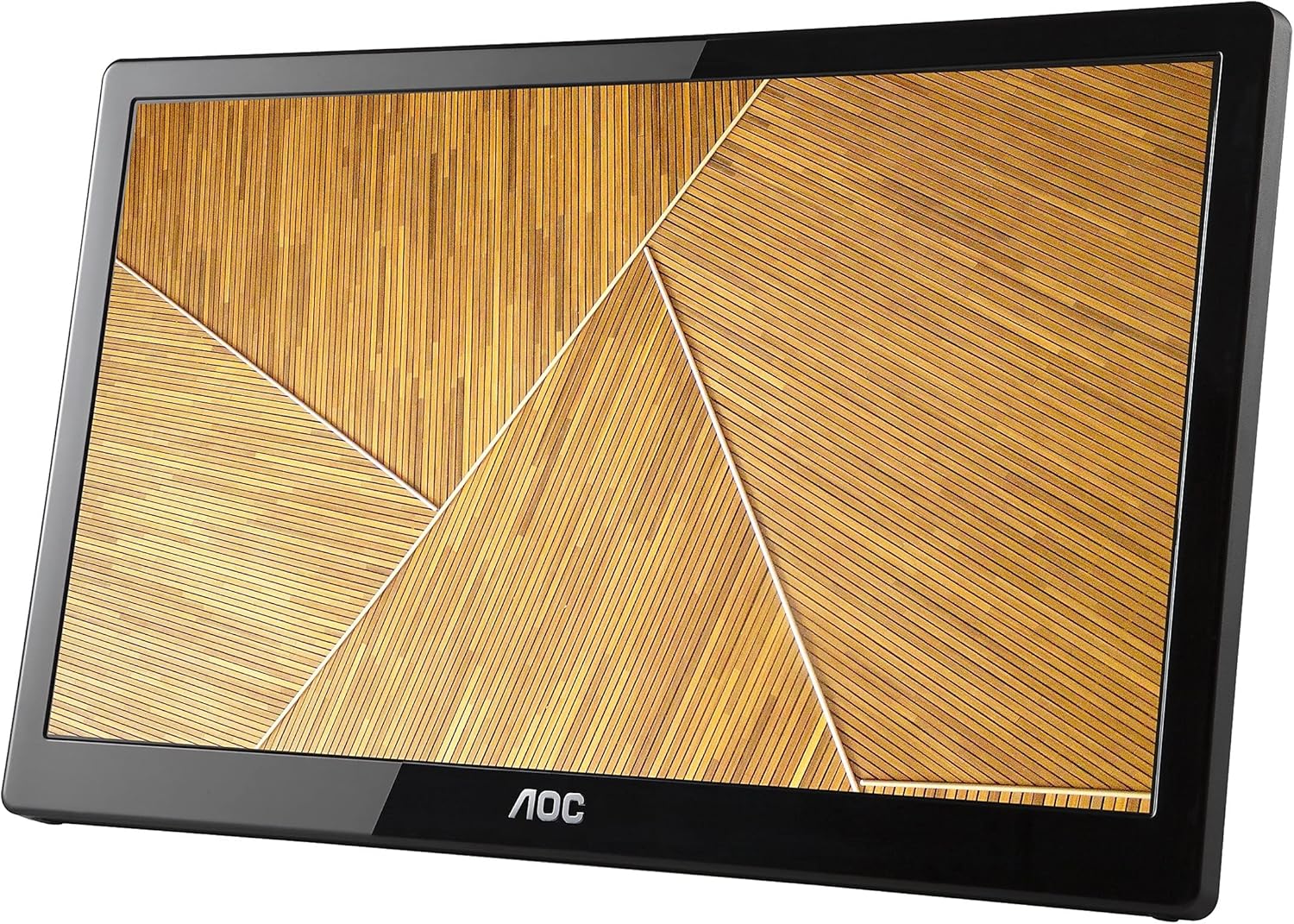
Figure 3: The monitor displayed in portrait orientation, suitable for vertical content.
ברייטנאַס קאָנטראָל
Adjust the brightness using the dedicated controls on the side of the monitor to suit your viewing environment. The monitor offers 200 cd/m² brightness for clear visibility.
Multi-Monitor Setup
Thanks to built-in DisplayLink technology, multiple AOC USB monitors can be simultaneously connected to a single laptop or desktop to function as a multi-monitor setup. Simply install the DisplayLink software on your PC or Mac to easily add external displays without additional hardware complications.
4. וישאַלט
To ensure the longevity and optimal performance of your AOC e1659Fwu monitor, follow these maintenance guidelines:
- רייניקונג די פאַרשטעלן: ווישט אָפּ דעם עקראַן מיט אַ ווייכן, לינט-פֿרײַעם שטאָף. פֿאַר שווערע פֿלעקן, ווישט לײַכט אָפּ.ampווישט דעם שטאָף מיט וואַסער אָדער אַ ספּעציעל געמאַכטע לייזונג פֿאַר רייניקונג פֿון עלעקטראָניק. פֿאַרמייַדט שווערע כעמיקאַלן אָדער אַברייסיוו מאַטעריאַלן.
- רייניקונג פון די Casing: ניצט אַ ווייכע, טרוקענע שטאָף צו רייניקן די מאָניטאָר'ס סיסטעם.asinג. ניצט נישט פליסיקע רייניגער גלייך אויף די קasing.
- סטאָרידזש: When not in use, especially during travel, store the monitor in its provided carrying case to protect it from dust, scratches, and minor impacts.
- ויסמיידן עקסטרעמע טנאָים: Do not expose the monitor to extreme temperatures, humidity, or direct sunlight for prolonged periods.
- שעפּן מיט זאָרג: Avoid dropping the monitor or subjecting it to strong vibrations. When connecting or disconnecting cables, do so gently to prevent damage to the ports.
5. טראָובלעשאָאָטינג
If you encounter issues with your AOC e1659Fwu monitor, refer to the following common troubleshooting tips:
- קיין אַרויסווייַז/שוואַרצער עקראַן:
- Ensure the USB 3.0 cable is securely connected to both the monitor and your computer.
- Verify that your computer's USB 3.0 port is functioning correctly.
- קוק אויב די מאָניטאָר איז פּאַוערד אויף.
- Confirm that the necessary drivers are installed. Reinstall if unsure.
- Image Flickering or Instability:
- Ensure the USB 3.0 cable is not damaged and is properly connected.
- Try connecting to a different USB 3.0 port on your computer.
- דערהייַנטיקן דיין קאָמפּיוטער ס גראַפיקס דרייווערס.
- Incorrect Resolution or Orientation:
- Adjust the display settings in your operating system (Windows Display Settings or Mac System Preferences).
- Ensure the auto-pivot feature is enabled if you want automatic orientation changes.
- קיין קלאַנג (אויב אָנווענדלעך):
- Check your computer's sound output settings to ensure the monitor is selected as the playback device.
- Adjust the volume controls on the monitor and your computer.
If problems persist, consult the full user manual on the included CD or contact AOC customer support.
6. ספּעסאַפאַקיישאַנז
| שטריך | באַשרייַבונג |
|---|---|
| שטייענדיק פאַרשטעלן אַרויסווייַזן גרייס | 16 אינטשעס |
| פאַרשטעלן האַכלאָטע | 1366x768 |
| מאַקסימום סקרין האַכלאָטע | 1366 X 768 |
| נומער פון וסב 3.0 פּאָרץ | 1 |
| סאָרט | AOC |
| סעריע | AOC Portable Monitor |
| נומער מאָדעל נומער | E1659FWU |
| פּונקט וואָג | 2.4 פונט |
| פּראָדוקט דימענשאַנז | 8.63 X 14.56 X 0.87 אינטשעס |
| נומער דימענשאַנז לקסווקסה | 8.63 X 14.56 X 0.87 אינטשעס |
| קאָליר | שוואַרץ |
| נומער פון פּראַסעסערז | 1 |
| Voltage | 5 וואלטס |
| פאַבריקאַנט | AOC |
| ASIN | B00CMKOVMO |
| איז דיסקאַנטיניוד דורך פאַבריקאַנט | ניין |
| ערשטער דאַטע בנימצא | יולי 18, 2013 |
| פאַרשטעלן גרייס | 16 אינטשעס |
| האַכלאָטע | XGA Wide |
| אַספּעקט פאַרהעלטעניש | 16:9 |
| באַשרייַבונג פון דער אויבערפלאַך פון דעם עקראַן | גלאָסי |
7. וואָס איז אין דער קעסטל
The AOC e1659Fwu monitor package includes the following items:
- 15.6" מאָניטאָר
- וסב 3.0 קאַבלע
- קעריינג פאַל
- CD (Drivers, AOC Software, User’s Manual, Warranty)
8. וואָראַנטי און שטיצן
The AOC e1659Fwu monitor comes with a warranty. Details regarding the warranty period and terms can be found on the warranty card included in the product packaging or within the User's Manual on the provided CD.
For technical support, troubleshooting assistance, or warranty claims, please refer to the contact information provided in your User's Manual or visit the official AOC Monitors webפּלאַץ.


