הקדמה
א דאנק פארן קויפןasing the Coby CSMP91 2.1 Slim Soundbar. This soundbar is designed to enhance your audio experience with a powerful 2.1 channel system, including a built-in subwoofer, and convenient Bluetooth connectivity. It is ideal for use with 32-37 inch televisions and offers flexible placement options. Please read this manual carefully before operating the device to ensure proper use and to maximize its performance.
זיכערקייַט אינפֿאָרמאַציע
- דו זאלסט נישט ויסשטעלן דעם אַפּפּליאַנסע צו רעגן אָדער נעץ.
- בלאָקירט נישט קיין ווענטילאַציע עפענונגען. אינסטאַלירט לויט די אינסטרוקציעס פונעם פאַבריקאַנט.
- דו זאלסט נישט ינסטאַלירן לעבן קיין היץ קוואלן אַזאַ ווי ראַדיאַטאָרס, היץ רעדזשיסטערז, סטאָוווז אָדער אנדערע אַפּאַראַט (אַרייַנגערעכנט ampליפיערס) וואָס פּראָדוצירן היץ.
- באַשיצן די מאַכט שנור פון אַ גיין אָדער קניפּ פון די מאַכט שנור, דער הויפּט אין פּלאַגז, קאַנוויניאַנס קאַנטיינערז און די פונט ווו זיי אַרויסגאַנג פון די אַפּפּליאַנסע.
- נאָר נוצן אַטאַטשמאַנץ / אַקסעסעריז ספּעסיפיעד דורך דער פאַבריקאַנט.
- אָפּשטויסן דעם אַפּפּליאַנסע בעשאַס בליץ סטאָרמז אָדער ווען אַניוזד פֿאַר לאַנג פּיריאַדז.
- קאָנטאַקט אַלע קוואַלאַפייד סערוויס פּערסאַנעל. סערוויסינג איז פארלאנגט אויב די אַפּאַראַט איז דאַמידזשד אין קיין וועג.
פּראָדוקט איבערview
פראָנט View
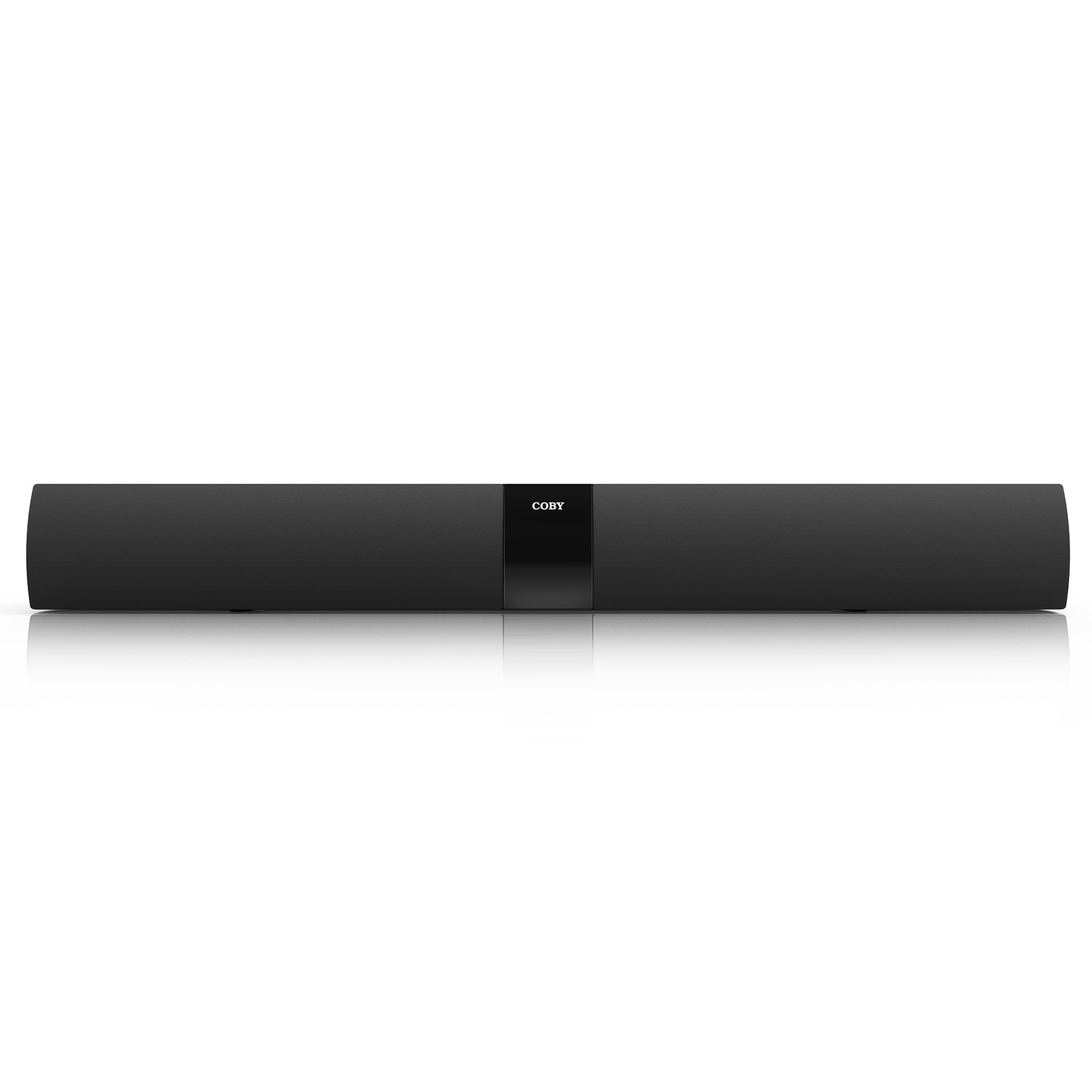
פיגורע 1: פראָנט view of the Coby CSMP91 Soundbar, showcasing its slim design and speaker grille.
Top פּאַנעל קאָנטראָלס

פיגורע 2: Top panel of the soundbar showing the power, function, volume up/down, and EQ buttons for easy access.
דערציען פּאַנעל קאַנעקשאַנז

פיגורע 3: Rear panel of the soundbar, featuring various input ports for audio connections and the power input.
זייַט View (לינקס)

פיגורע 4: לינקס זייַט view of the Coby CSMP91 Soundbar, highlighting its curved profile.
זייַט View (רעכט)

פיגורע 5: רעכט זייַט view of the Coby CSMP91 Soundbar, showing the sleek design.
דנאָ View

פיגורע 6: דנאָ view of the Coby CSMP91 Soundbar, illustrating the integrated feet for tabletop placement.
סעטאַפּ
פּלייסמאַנט אָפּציעס
The CSMP91 soundbar offers versatile placement to suit your home entertainment setup:
- טאַבלעטאָפּ אָרט: Place the soundbar on a flat, stable surface directly in front of your television. Ensure it does not obstruct the TV's remote sensor.
- וואנט-מאָונטינג: The soundbar can be mounted on a wall below your television. Use appropriate wall-mounting hardware (not included) and ensure the wall can support the weight of the soundbar. Refer to the mounting holes on the rear panel (Figure 3) for proper alignment.
קאַנעקטינג צו מאַכט
- Ensure the soundbar is turned off.
- פֿאַרבינדט דעם מאַכט אַדאַפּטער צום DC IN פּאָרט אויף דער הינטערשטער זײַט פֿון דער סאַונדבאַר.
- שטעקט אריין דעם מאַכט אַדאַפּטער אין אַ נאָרמאַלן AC וואַנט ווענטיל.
אַודיאָ קאַנעקשאַנז
Connect your audio source (TV, DVD player, etc.) to the soundbar using one of the following methods:
- אָפּטיש אַרייַנשרייַב: For digital audio, connect an optical cable (not included) from your TV's optical output to the OPTICAL IN port on the soundbar.
- Line In (3.5mm AUX): For analog audio, connect a 3.5mm audio cable (not included) from your audio source's headphone jack or audio output to the LINE IN port on the soundbar.
אַפּערייטינג ינסטראַקשאַנז
מאַכט אויף / אַוועק
דרוק די מאַכט button on the top panel (Figure 2) or the remote control to turn the soundbar on or off.
סעלעקטינג אַרייַנשרייַב מקור
דרוק די פונקציע button on the top panel (Figure 2) or the remote control repeatedly to cycle through the available input sources: Bluetooth, Optical, and Line In. The LED display will indicate the currently selected input.
אַדזשאַסטינג באַנד
דרוק די VOL+ or וואָל- buttons on the top panel (Figure 2) or the remote control to increase or decrease the volume level.
בלועטאָאָטה פּערינג
- Turn on the soundbar and select the Bluetooth input mode using the פונקציע button. The LED display will show 'BT' and flash, indicating it is in pairing mode.
- אַקטיווירן בלועטוט אויף אייער סמאַרטפאָון, טאַבלעט, אָדער אַנדערע בלועטוט-ענייבאַלד מיטל.
- זוכן פֿאַר available devices and select 'CSMP91' from the list.
- If prompted for a password, enter '0000'.
- Once paired, the LED display will stop flashing and remain solid 'BT'. You can now play audio wirelessly through the soundbar.
גלייכמאַכער (EQ) סעטטינגס
דרוק די EQ button on the top panel (Figure 2) or the remote control to cycle through preset equalizer modes, optimizing the sound for different content types (e.g., Music, Movie, News).
וישאַלט
כדי צו זיכער מאַכן די לאַנגלעבעניש און אָפּטימאַלע פאָרשטעלונג פון דיין סאָונדבאַר, נאָכפאָלגן די וישאַלט גיידליינז:
- רייניקונג: Use a soft, dry cloth to wipe the exterior surfaces of the soundbar. Do not use liquid cleaners, abrasive cleaners, or solvents, as these may damage the finish.
- ווענטילאַטיאָן: פאַרזיכערן אַז די ווענטאַליישאַן אָופּאַנינגז זענען נישט אפגעשטעלט צו פאַרמייַדן אָוווערכיטינג.
- סטאָרידזש: אויב איר לייגט אַוועק די סאַונדבאַר פֿאַר אַ לענגערע צייט, נעמט עס אַרויס פֿון דער עלעקטרישער אַוטלעט און לייגט עס אַוועק אין אַ קיל, טרוקן אָרט.
טראָובלעשאָאָטינג
| פּראָבלעם | מעגלעך סיבה | לייזונג |
|---|---|---|
| קיין מאַכט | עלעקטרישע שנור נישט פארבונדן; עלעקטרישע ווענטיל נישט אקטיוו. | זיכער מאַכן אַז דער עלעקטרישער שנור איז גוט איינגעשלאָסן. פּרוביר די אַוטלעט מיט אַן אַנדער מיטל. |
| קיין געזונט | Incorrect input source selected; Volume too low; Audio cable not connected properly. | Press FUNCTION to select the correct input. Increase volume. Check audio cable connections. |
| בלועטאָאָטה פּערינג פיילז | Soundbar not in pairing mode; Device too far; Incorrect password. | Ensure soundbar is in BT mode and flashing. Move device closer. Enter '0000' if prompted. |
| ווייַט קאָנטראָל נישט ארבעטן | באַטעריעס אויסגעשעפּט; שטערונג צווישן ווײַטקאָנטראָל און סאַונדבאַר. | Replace AAA batteries (2 required). Remove any obstructions. Ensure line of sight. |
| Low volume via optical connection | Output level from source device is low. | Adjust the optical output settings on your TV or source device. Some devices have fixed optical output levels. |
ספּעסאַפאַקיישאַנז
| שטריך | דעטאַל |
|---|---|
| מאָדעל נאָמען | Coby CSMP91 |
| קלאַנג קאַנאַל קאָנפיגוראַציע | 2.1 (with built-in subwoofer) |
| ווירעלעסס טעכנאָלאָגיע | בלועטאָאָטה |
| קאַנעקטיוויטי טעכנאָלאָגיע | Bluetooth, Optical, Line In (3.5mm) |
| רעזולטאַט וואָסtage | 60 וואטס |
| ימפּידאַנס | 8 אָהמס |
| פּראָדוקט דימענשאַנז | 32.3 X 3.4 X 3.9 אינטשעס |
| פּונקט וואָג | 6.2 פונט |
| מאַכט מקור | קאָרדעד עלעקטריק |
| ווייַט באַטעריז | 2 AAA באַטעריז (אַרייַנגערעכנט) |
| מאַונטינג טיפּ | Tabletop, Wall-mountable |
וואָראַנטי און שטיצן
For warranty information and technical support, please refer to the documentation included with your purchase or visit the official Coby webזייטל. האַלט דיין קויפן באַווייַז פֿאַר קיין וואָראַנטי קליימז.


