1. הקדמה
This manual provides instructions for the setup, operation, and maintenance of your ViewSonic VX2770SMH-LED 27-inch IPS 1080p Frameless LED Monitor. This monitor features a sleek design, Full HD 1920x1080 resolution, and an IPS panel for wide viewing angles and accurate color reproduction. It includes HDMI, DVI, and VGA inputs, along with integrated speakers.
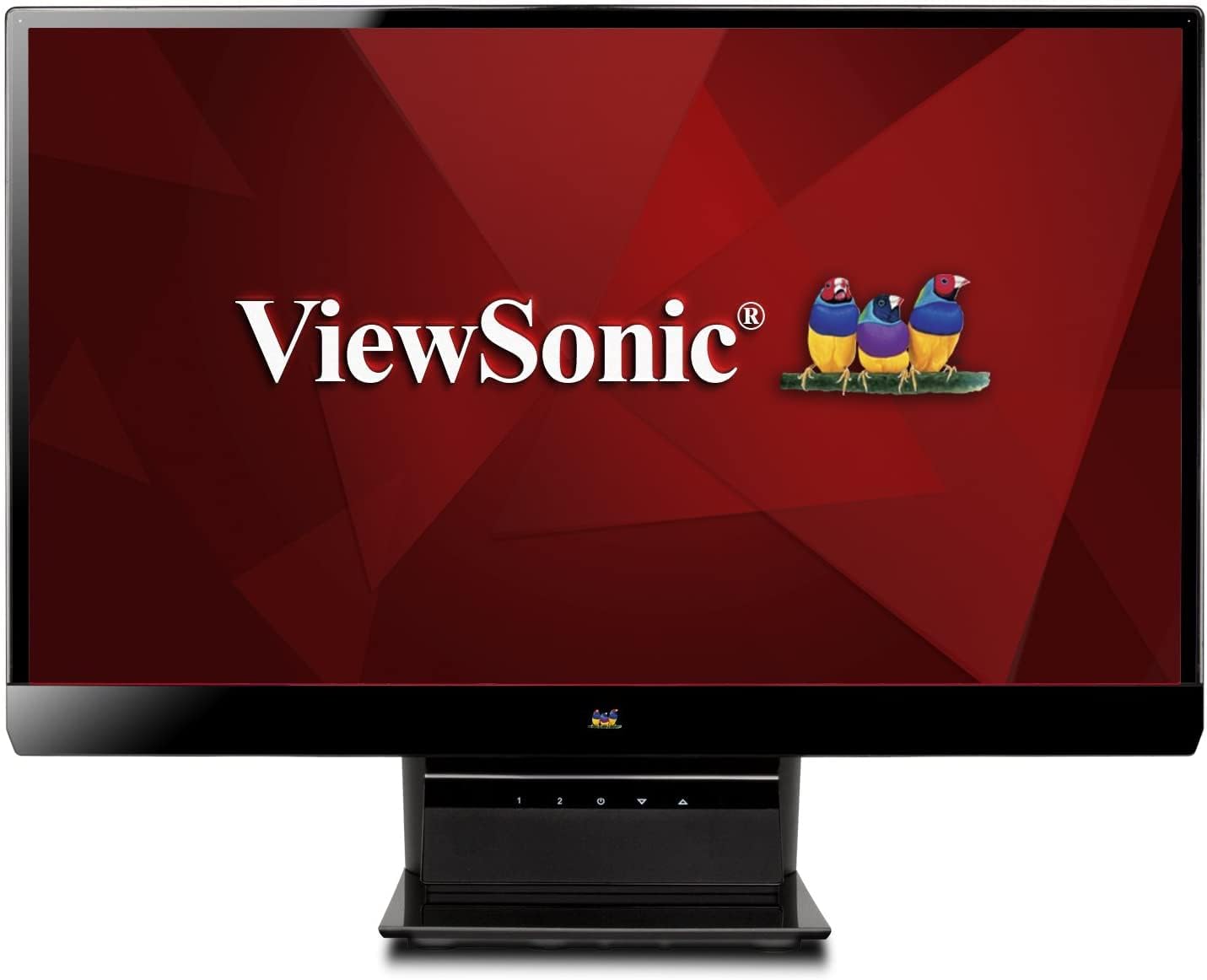
פיגורע 1: ViewSonic VX2770SMH-LED 27-inch monitor displaying a tropical beach scene.
2. פּעקל אינהאַלט
באַשטעטיקט אַז אַלע זאכן זענען פאַראַן אין אייער פּראָדוקט פּאַקעט:
- VX2770Smh-LED display
- מאַכט קאַבלע
- אַק / דק אַדאַפּטער
- ווגאַ קאַבלע
- הדמי קאַבלע
- שנעל אָנהייב גייד
- Viewסאָניק וויזערד קאָמפּאַקטדיסק
3. סעטאַפּ
גיי די סטעפּס צו באַשטעטיקן דיין מאָניטאָר:
- אַסעמבאַל די שטיין: Carefully attach the monitor panel to the stand base according to the Quick Start Guide. Ensure it is securely fastened.
- פאַרבינדן מאַכט: Connect the AC/DC adapter to the monitor's power input, then plug the power cable into the adapter and a power outlet.
- קאָננעקט ווידעא קאַבלע: Connect one end of the appropriate video cable (HDMI, DVI, or VGA) to the corresponding port on the back of the monitor and the other end to your computer's video output port.
- מאַכט אויף: דרוק די מאַכט קנעפּל אויף די מאָניטאָר צו קער עס אויף.

פיגורע 2: דערציען view of the monitor, illustrating the stand attachment area and overall design.
4. אַפּערייטינג די מאָניטאָר
The monitor features capacitive control buttons located on the stand for easy access to settings and power functions.

פיגורע 3: פראָנט view of the monitor, showing the control buttons on the stand.
מאַכט אויף / אַוועק
Press the power button (usually indicated by a power symbol) to turn the monitor on or off.
אויף-סקרין ווייַז (אָסד) מעניו
Use the control buttons to navigate the OSD menu. This menu allows you to adjust various display settings such as brightness, contrast, color temperature, input source, and more. Refer to the digital manual on the ViewSonic Wizard CD for detailed OSD navigation.
5. קאַנעקטיוויטי
די ViewSonic VX2770SMH-LED monitor offers multiple input options for versatile connectivity:
- הדמי: פֿאַר הויך-דעפֿיניציע דיגיטאַל ווידעא און אַודיאָ.
- DVI-D: For digital video input.
- ווגאַ: פֿאַר אַנאַלאָג ווידעאָ אַרייַנגאַנג.
The monitor also features integrated speakers with SRS Premium Sound for audio output.

פיגורע 4: נאָענט-אַרויף view of the HDMI, DVI, and VGA input ports on the monitor's rear panel.
Video 1: Official product video demonstrating the features and design of the ViewSonic VX2770SMH-LED monitor, including its frameless design, IPS panel technology, connectivity options, and energy efficiency.
6. ווייַז פֿעיִקייטן
- IPS פּאַנעל טעכנאָלאָגיע: Provides consistent and accurate colors with wide 178/178-degree viewing angles, ensuring clear images from nearly any perspective.
- גאַנץ הד 1080 פּ האַכלאָטע: Delivers sharp and detailed images (1920x1080) for an enhanced viewינג דערפאַרונג.
- פראַמעלעסס פּלאַן: The ultra-thin bezel creates a seamless visual experience, ideal for multi-monitor setups.
- MEGA Dynamic Contrast Ratio: A 30,000,000:1 dynamic contrast ratio enhances image depth and detail.
- LED באַקלייט: Energy-efficient LED backlighting contributes to lower power consumption.
- עקאָ-מאָדע: Further reduces power consumption and extends the monitor's lifespan.
- sRGB Color Correction: Ensures accurate color reproduction for various applications.
7. וישאַלט
כדי צו זיכער מאַכן די לאַנגלעבעניש און אָפּטימאַלע פאָרשטעלונג פון דיין מאָניטאָר, נאָכפאָלגן די וישאַלט גיידליינז:
- רייניקונג די פאַרשטעלן: ווישט אָפּ דעם עקראַן מיט אַ ווייכן, לינט-פֿרײַעם שטאָף. פֿאַר שווערע פֿלעקן, ווישט לײַכט.ampווישט דעם שטאָף מיט וואַסער אָדער אַ מילדן, נישט-אַבראַוויזיוון עקראַן רייניגער. פֿאַרמייַדט צו שפּריצן פליסיק גלייך אויף דעם עקראַן.
- רייניקונג פון די Casing: ניצט אַ ווייכע, טרוקענע שטאָף צו רייניקן די מאָניטאָר'ס סיסטעם.asing.
- ווענטילאַטיאָן: זיכערט זיך אז די מאָניטאָר'ס ווענטילאַציע עפענונגען זענען נישט פארשטאפט צו פארמיידן איבערהיצונג.
- מאַכט אַוועק ווען ניט אין נוצן: Turn off the monitor when not in use to save energy and prolong its life.
8. טראָובלעשאָאָטינג
אויב איר טרעפט פּראָבלעמען מיט אייער מאָניטאָר, זעט די פאלגענדע געוויינטלעכע טראָובלעשווטינג טריט:
- קיין מאַכט: Check if the power cable and AC/DC adapter are securely connected to the monitor and a working power outlet.
- קיין סיגנאַל: Verify that the video cable is correctly connected to both the monitor and your computer. Ensure the correct input source is selected via the OSD menu.
- בילד פראבלעמען (פארשוואומען, פארדרייט, אומרעכטע פארבן): Adjust the display settings through the OSD menu. Ensure your computer's display resolution is set to the monitor's native resolution (1920x1080).
- קיין קול: Check the audio cable connection (if using VGA) or ensure HDMI audio is selected. Adjust the volume settings on both the monitor and your computer.
For more detailed troubleshooting, consult the digital manual on the Viewסאָניק וויזערד קאָמפּאַקטדיסק.
9. ספּעסאַפאַקיישאַנז
| שטריך | באַשרייַבונג |
|---|---|
| שטייענדיק פאַרשטעלן אַרויסווייַזן גרייס | 27 אינטשעס |
| פאַרשטעלן האַכלאָטע | 1920x1080 |
| מאַקסימום סקרין האַכלאָטע | 1920 X 1080 |
| סעריע | Viewsonic VX2770SMH-LED |
| נומער מאָדעל נומער | VX2770SMH-LED |
| פּונקט וואָג | 11 פונט |
| פּראָדוקט דימענשאַנז | 7.6 X 24.5 X 18.1 אינטשעס |
| קאָליר | שוואַרץ |
| פאַרשטעלן גרייס | 27 אינטשעס |
| האַכלאָטע | FHD 1080 פּ |
| אַספּעקט פאַרהעלטעניש | 1.78:1 |
| באַשרייַבונג פון דער אויבערפלאַך פון דעם עקראַן | גלאָסי |

פיגור 5: מאָניטאָר דימענסיעס פֿאַר פּלאַנירונג דיין אַרבעטספּלאַץ.
10. וואָראַנטי און שטיצן
דאס ViewSonic monitor is covered by a 3 יאָר לימיטעד וואָראַנטי. For warranty claims or technical support, please refer to the contact information provided in your Quick Start Guide or visit the official ViewSonic support webפּלאַץ.


