1. וויכטיק סאַפעטי אינסטרוקציעס
Please read these safety instructions carefully before operating your monitor. Keep this manual for future reference.
- שטעלט נישט דעם מאָניטאָר אויף אַן אומסטאַבילן וואָגן, שטאַנד אָדער טיש.
- דו זאלסט נישט פאַרשפּאַרן ווענטאַליישאַן אָופּאַנינגז.
- דו זאלסט נישט נוצן לעבן וואַסער.
- ריין בלויז מיט אַ טרוקן שטאָף.
- נעמט ארויס דעם מאָניטאָר בעת בליץ-שטורעמס אדער ווען ער ווערט נישט גענוצט פאר לאַנגע פּעריאָדן.
- אָפּשיקן אַלע סערוויסעס צו קוואַלאַפייד סערוויס פּערסאַנעל.
2. פּעקל אינהאַלט
באַשטעטיקן אַז אַלע זאכן זענען פאַראַן אין דיין פּעקל:
- AOC E2060 Monitor
- מאַכט קאַבלע
- ווגאַ קאַבלע
- באַניצער מאַנואַל (דעם דאָקומענט)
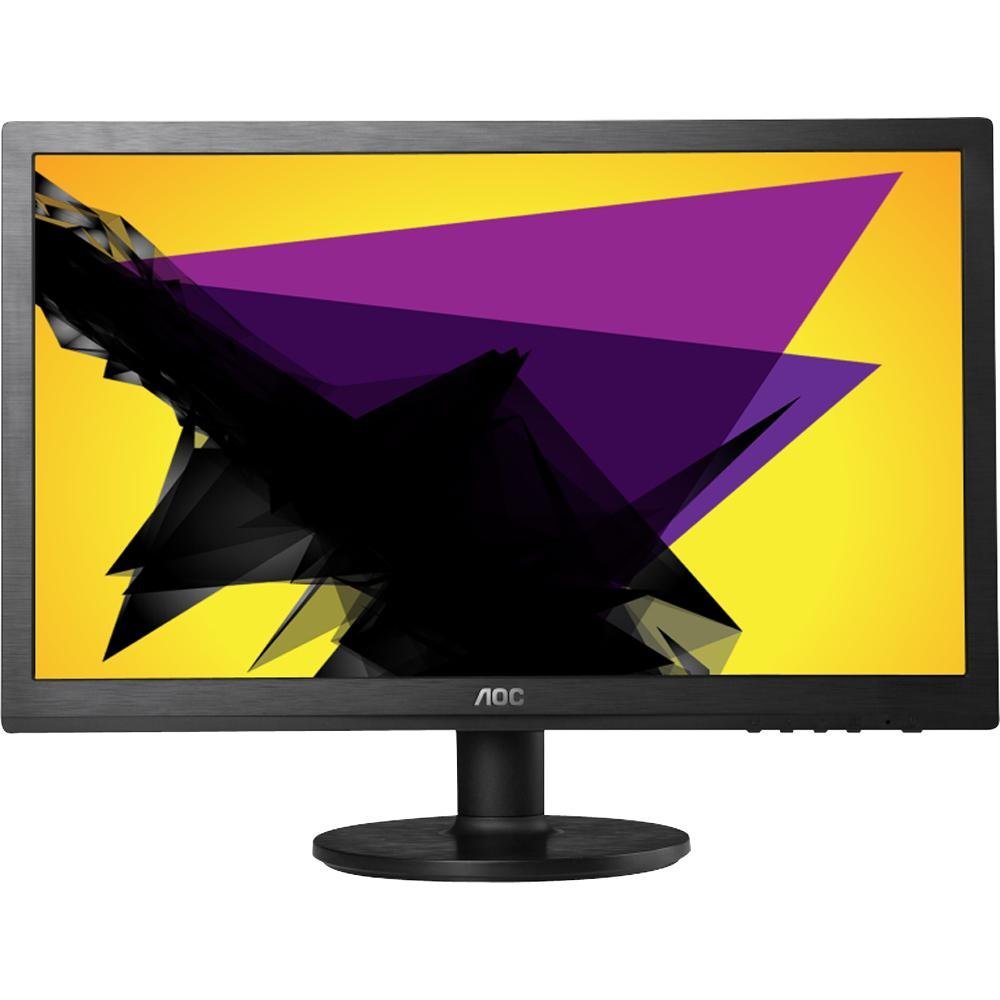
Image: The AOC E2060 20-inch LED Backlit Computer Monitor, showcasinג זײַן דין בעזעל און שטאַנד.
3. סעטאַפּ
3.1 צוזאַמענשטעלן דעם שטאַנד
- נעמט פֿאָרזיכטיק אַרויס דעם מאָניטאָר פֿון זײַן פּאַקעט, לייגנדיק אים מיטן פּנים אַראָפּ אויף אַ ווייכער, ריינער ייבערפֿלאַך כּדי צו פֿאַרמײַדן קראַצן.
- באַפעסטיקט דעם שטאַנד באַזע צום שטאַנד האַלדז, און מאַכט זיכער אַז עס קליקט זיכער אין פּלאַץ אָדער איז באַפעסטיקט מיט די צוגעשטעלטע שרויף.
- Connect the assembled stand to the back of the monitor until it locks securely.
3.2 קאַנעקטינג קאַבלעס
זיכער מאַכן אַז אייער קאָמפּיוטער און מאָניטאָר זענען אויסגעלאָשן איידער איר מאַכט קיין קאַנעקשאַנז.
- מאַכט קשר: Connect one end of the power cable to the monitor's power input and the other end to a grounded electrical outlet.
- ווידעא קאנעקשאן (VGA): Connect the VGA cable from your computer's VGA output port to the VGA input port on the monitor. Tighten the screws on the VGA connector to secure the connection.
4. אַפּערייטינג די מאָניטאָר
4.1 מאַכט אויף / אַוועק
דריק דעם מאַכט קנעפּל וואָס געפינט זיך אויף דער פראָנט אָדער אונטערשטער בעזעל פון דעם מאָניטאָר צו עס אנצינדן אָדער אויסלעשן. די מאַכט אינדיקאַטאָר ליכט וועט זיך אָנצינדן ווען דער מאָניטאָר איז אנגעצינדן.
4.2 אויף-סקרין ווייַז (אָסד) מעניו
The OSD menu allows you to adjust various monitor settings. Use the buttons on the monitor's bezel to navigate and select options.
- מעניו קנעפּל: דריק צו עפענען דעם OSD מעניו.
- Up/Down or Left/Right Buttons: Use to navigate through menu options.
- אויסקלייבן/אריינטרייכן קנעפל: דריקן צו באַשטעטיקן אַן אויסוואַל אָדער אַרייַן אין אַ סובמעניו.
- אַרויסגאַנג קנעפּל: דריקן צו פארלאזן דעם איצטיקן מעניו אדער דעם OSD אינגאנצן.
4.3 Adjusting Picture Settings
אינעם OSD מעניו, קענט איר צופּאַסן סעטטינגס ווי:
- ברייטקייט: אַדזשאַסטירט די אַלגעמיינע לומינאַנס פון דעם עקראַן.
- קאַנטראַסט: אַדזשאַסטיד די חילוק צווישן ליכט און טונקל געביטן.
- קאָליר טעמפּעראַטור: Changes the color balance (e.g., Warm, Cool, sRGB).
- אַוטאָ סטרויערן: Optimizes the image automatically for analog (VGA) input.
5. וישאַלט
5.1 רייניקונג די מאָניטאָר
To ensure a long lifespan and optimal performance, clean your monitor regularly.
- שטענדיק ארויסנעמען דעם מאָניטאָר פֿון דער עלעקטרישער אַוטלעט איידער איר רייניגט.
- ניצן אַ ווייך, לינט-פֿרייַ שטאָף לייטלי דampאָפּגעווישט מיט וואַסער אָדער אַ מילד, נישט-אַברייסיוו פאַרשטעלן רייניגער.
- שפריצט נישט רייניגער גלייך אויפן עקראַן.
- פֿאַרמײַדט די נוצן פֿון בענזין, פֿאַרדינער, אַמאָניאַק-באַזירטע רייניגער, אָדער אַברייסיוו מאַטעריאַלן.
5.2 סטאָרידזש
If storing the monitor for an extended period, ensure it is powered off, unplugged, and stored in a cool, dry place away from direct sunlight and extreme temperatures. Use original packaging if available.
6. טראָובלעשאָאָטינג
אויב איר טרעפט פּראָבלעמען מיט אייער מאָניטאָר, זעט די פאלגענדע געוויינטלעכע פּראָבלעמען און לייזונגען:
- קיין מאַכט: Ensure the power cable is securely connected to both the monitor and the electrical outlet. Check if the power outlet is functional.
- No Signal/Blank Screen: Verify that the video cable (VGA) is correctly connected to both the monitor and the computer. Ensure the computer is powered on and not in sleep mode. Try restarting the computer.
- Image is Fuzzy/Distorted: For VGA connections, use the 'Auto Adjust' function in the OSD menu. Ensure the display resolution on your computer is set to the monitor's native resolution (1600x900).
- קאלירן זענען נישט ריכטיג: Adjust color settings in the OSD menu, or reset to factory defaults. Check your computer's display settings.
- קנעפּלעך ניט ריספּאַנדינג: Unplug the monitor's power cable, wait 30 seconds, then plug it back in and try again.
If the problem persists after trying these steps, please contact AOC customer support.
7. ספּעסאַפאַקיישאַנז
| שטריך | באַשרייַבונג |
|---|---|
| סאָרט | AOC |
| מאָדעל נאָמען | E2060 |
| פאַרשטעלן גרייס | 20 אינטשעס |
| פאַרשטעלן האַכלאָטע | 1600 X 900 בילדצעלן |
| ווייַז טעכנאָלאָגיע | געפירט באַקלייט |
| קאַנעקטיוויטי טעכנאָלאָגיע | VGA |
| קאָליר | שוואַרץ |
| פּונקט וואָג | 0.28 g (approx. 0.01 Ounces) |
| נומער מאָדעל נומער | e2060Sn |
| UPC | 685417047789 |
8. וואָראַנטי און שטיצן
For warranty information and technical support, please refer to the warranty card included with your product or visit the official AOC website. You can typically find support resources, FAQs, and contact information for your region there.
Please have your monitor's model number (E2060) and serial number ready when contacting support.


