הקדמה
The Plantronics M25 Bluetooth headset is designed for convenient wireless communication and audio playback. It features an extended battery life with DeepSleep mode, ensuring readiness when needed. The headset provides whispered alerts for battery status and connection information, and allows for listening to music, internet radio, or navigation directions while managing calls.
פּעקל אינהאַלט
באַשטעטיקן אַז אַלע זאכן זענען פאַראַן אין דיין פּעקל:
- Plantronics M25 בלועטאָאָטה העאַדסעט
- AC Charger (100-240v)
- Clip-on Earloop
סעטאַפּ
1. טשאַרדזשינג די העאַדסעט
Before first use, fully charge the headset. Connect the AC charger to the headset's charging port. The indicator light will change to show charging status and turn off or change color when fully charged. A full charge can provide up to 5 months of readiness in DeepSleep mode.
2. פּערינג מיט אַ מיטל
To pair your Plantronics M25 headset with a Bluetooth-enabled device (e.g., smartphone, tablet):
- זיכער מאַכן אַז די כעדסעט איז אויפגעלאָדן און אויסגעלאָשן.
- Press and hold the Call button on the headset until the indicator light flashes red and blue, indicating pairing mode.
- אויף אייער דעווייס, אַקטיווירט בלועטוט און זוכט פֿאַר נײַע דעווייסעס.
- Select "Plantronics M25" from the list of available devices.
- אויב געבעטן פֿאַר אַ פּאַראָל, אַרייַן "0000" (פיר נולן).
- Once paired, the headset's indicator light will stop flashing and a voice prompt will confirm the connection.
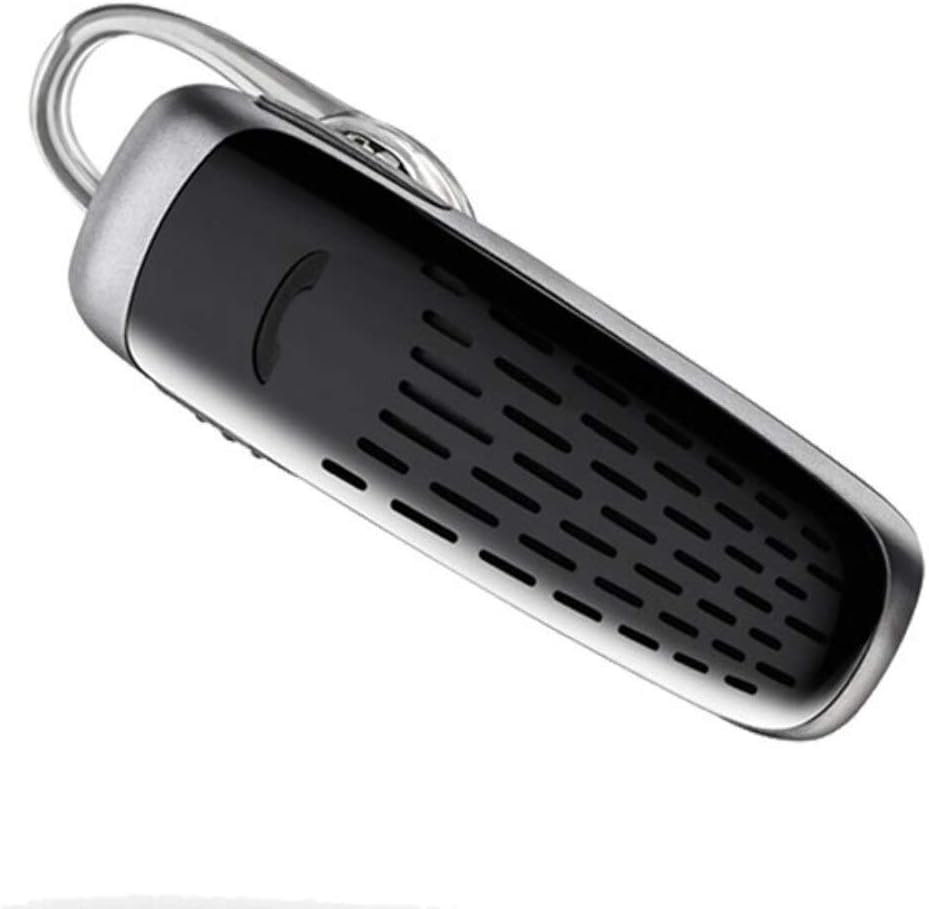
Image: The Plantronics M25 Bluetooth Headset, a compact black and silver device with an earloop, shown from an angled perspective. The call button is visible on the side.
אַפּערייטינג ינסטראַקשאַנז
מאַכט אויף / אַוועק
- מאַכט אויף: דריק און האלט דעם פּאַוער קנעפּל ביז די אינדיקאַטאָר ליכט בלינקט בלוי.
- מאַכט אַוועק: Press and hold the Power button until the indicator light flashes red.
מאַכן און באַקומען קאַללס
- ענטפער רופן: דרוק דעם רופן קנעפּל.
- סוף רופן: דרוק דעם רופן קנעפּל.
- אָפּוואַרפן רופן: דריקן און האַלטן די רופן קנעפּל פֿאַר 2 סעקונדעס.
- ריאַל די לעצטע נומער: דריקט צוויי מאָל דעם רוף קנעפּל.
אַודיאָ פּלייַבאַקק
The headset supports streaming audio from your device, including music, podcasts, and GPS directions.
- שפּיל / פּויזע: Press the Call button during audio playback.
דעעפּלעאַסע מאָדע
The headset enters DeepSleep power-saving mode if it is disconnected from your phone for over 90 minutes. To wake it up when it's back in range (within 33 feet), simply tap the Call button.
וישאַלט
- רייניקונג: ניצט אַ ווייכע, טרוקענע שטאָף צו רייניקן די כעדסעט. ניצט נישט פליסיקע רייניגער אדער אַעראָזאָלן.
- סטאָרידזש: האַלט די כעדסעט אין אַ קיל, טרוקן אָרט אַוועק פון עקסטרעמע טעמפּעראַטורן.
- באַטערי זאָרגן: To preserve battery life, avoid fully discharging the battery frequently. Charge the headset regularly, even if not in use.
- וואַסער קעגנשטעל: דעם מיטל איז ניט וואַסער קעגנשטעליקפֿאַרמײַדן אויסשטעלונג צו וואַסער אָדער איבעריקע פֿײַכטקייט.
טראָובלעשאָאָטינג
| פּראָבלעם | לייזונג |
|---|---|
| כעדסעט גייט נישט אן. | Ensure the headset is charged. Connect it to the AC charger and allow it to charge for at least 30 minutes before attempting to power on. |
| Cannot pair the headset with my device. |
|
| No audio or low audio volume. |
|
| Headset frequently disconnects. |
|
ספּעסאַפאַקיישאַנז
| שטריך | דעטאַל |
|---|---|
| מאָדעל נאָמען | פּלאַנטראָניקס מ25 |
| קאַנעקטיוויטי טעכנאָלאָגיע | בלועטאָאָטה |
| ווירעלעסס קאָמוניקאַציע טעכנאָלאָגיע | בלועטאָאָטה |
| קאַמפּאַטאַבאַל דעוויסעס | סמאַרטפאָונז, לאַפּטאַפּס, דעסקטאַפּס, טאַבלעטן, קלוגע רעדנערס, טעלעוויזיעס |
| קאָנטראָל טיפּ | רופן קאָנטראָל |
| פּונקט וואָג | 0.3 אונסעס (אומגעפער 8.5 גראַם) |
| וואַסער קעגנשטעל מדרגה | ניט וואַסער קעגנשטעליק |
| אָפטקייַט ראַנגע | 20 הז צו 20,000 הז |
| Battery Life (DeepSleep) | אַרויף צו 150 טעג |
| בלועטאָאָטה קייט | ביז 10 מעטער (33 פֿיס) |
| אויער פּלייסמאַנט | אין אויער |
| פאָרם פאַקטאָר | One Ear |
| ראַש קאָנטראָל | אַקטיוו ראַש קאַנסאַליישאַן |
| פּראָדוקט דימענשאַנז | 1.85 X 0.59 X 0.35 אינטשעס |
| קאָליר | שוואַרץ |
| פאַבריקאַנט | פּלאַנטראָניקס |
וואָראַנטי און שטיצן
וואָראַנטי אינפֿאָרמאַציע: Please note that this product is sold with No Warranty or Return as per the provided information. Users are advised to verify product condition upon receipt.
For further assistance or inquiries, please refer to the official POLY support channels or visit their website. Contact information may be available on the product packaging or the manufacturer's official webפּלאַץ.
Disclaimer: Product specifications and features are subject to change without notice. Always refer to the latest information provided by the manufacturer.