1. וויכטיק סאַפעטי אינפֿאָרמאַציע
Read this user manual carefully before using the appliance and save it for future reference. Always follow basic safety precautions when using electrical appliances to reduce the risk of fire, electric shock, and/or injury to persons.
- דו זאלסט נישט ייַנטונקען די מיטל אין וואַסער אָדער קיין אנדערע פליסיק.
- פאַרזיכערן די וואָלtagE אנגעוויזן אויף די אַפּפּליאַנסע קאָראַספּאַנדז צו דיין היגע מיינז וואָלtagE איידער קאַנעקטינג.
- האַלטן די אַפּפּליאַנסע אויס פון דערגרייכן פון קינדער.
- ניצט נישט דעם אפּאַראַט אויב דער שטעקער, דער הויפּט שנור, אדער דער אפּאַראַט אַליין איז געשעדיגט.
- נאָר נוצן די אַפּפּליאַנסע פֿאַר זייַן בדעה הויזגעזינד ציל.
2. פּראָדוקט איבערview
Familiarize yourself with the components of your Philips Senseo HD7870/10 Twist Coffee Pad Machine.

פיגורע 1: איבערview of the Senseo HD7870/10 machine with accessories.
- וואַסער רעזערוווואַר: Detachable tank for water. Capacity for 6 cups.
- קאַווע שפּריץ: Height-adjustable to accommodate various cup sizes.
- Pad Holder: For single or double coffee pads.
- דריפּן טאַץ: זאַמלט איבעריקע פליסיקייט און איז אַראָפּנעמבאַר פֿאַר רייניקונג.
- טאָוטשסקרעען ווייַז: For operation and status indicators.
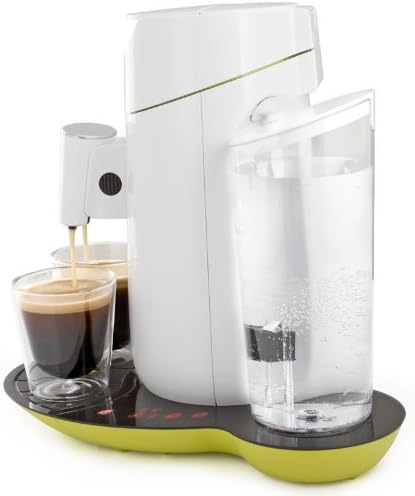
פיגורע 2: זייַט view highlighting the water reservoir.

Figure 3: Detail of the touchscreen control panel with power, 1-cup, 2-cup, and descaling indicators.
3. סעטאַפּ
3.1 ערשטע באַנוץ און אויסשווענקען
- אַראָפּנעמען אַלע פּאַקקאַגינג מאַטעריאַלס.
- Clean the water reservoir, pad holders, and drip tray with warm water and a mild detergent. Rinse thoroughly.
- פֿילט דעם וואַסער רעזערוואַר מיט פֿריש קאַלט וואַסער ביזן מאַקס אינדיקאַציע.
- Place the water reservoir back onto the appliance.
- Place a pad holder (without a coffee pad) and close the lid.
- שטעלן אַ שיסל אונטער די ספּאַוס.
- Press the power button to turn on the machine. The 1-cup and 2-cup buttons will flash.
- Press the 2-cup button to start the rinsing cycle. Repeat this process once or twice until the water reservoir is empty.
3.2 אָנפֿילן דעם וואַסער רעזערוואַר
- אַראָפּנעמען דעם וואַסער רעזערוואַר פֿון דעם אַפּאַראַט.
- פֿילט עס מיט פֿריש, קאַלט וואַסער פֿון קראַן ביזן מאַקס לעוועל.
- Place the water reservoir back onto the appliance, ensuring it is seated correctly.
4. אַפּערייטינג די קאַווע מאַשין
4.1 ברוינג קאַווע
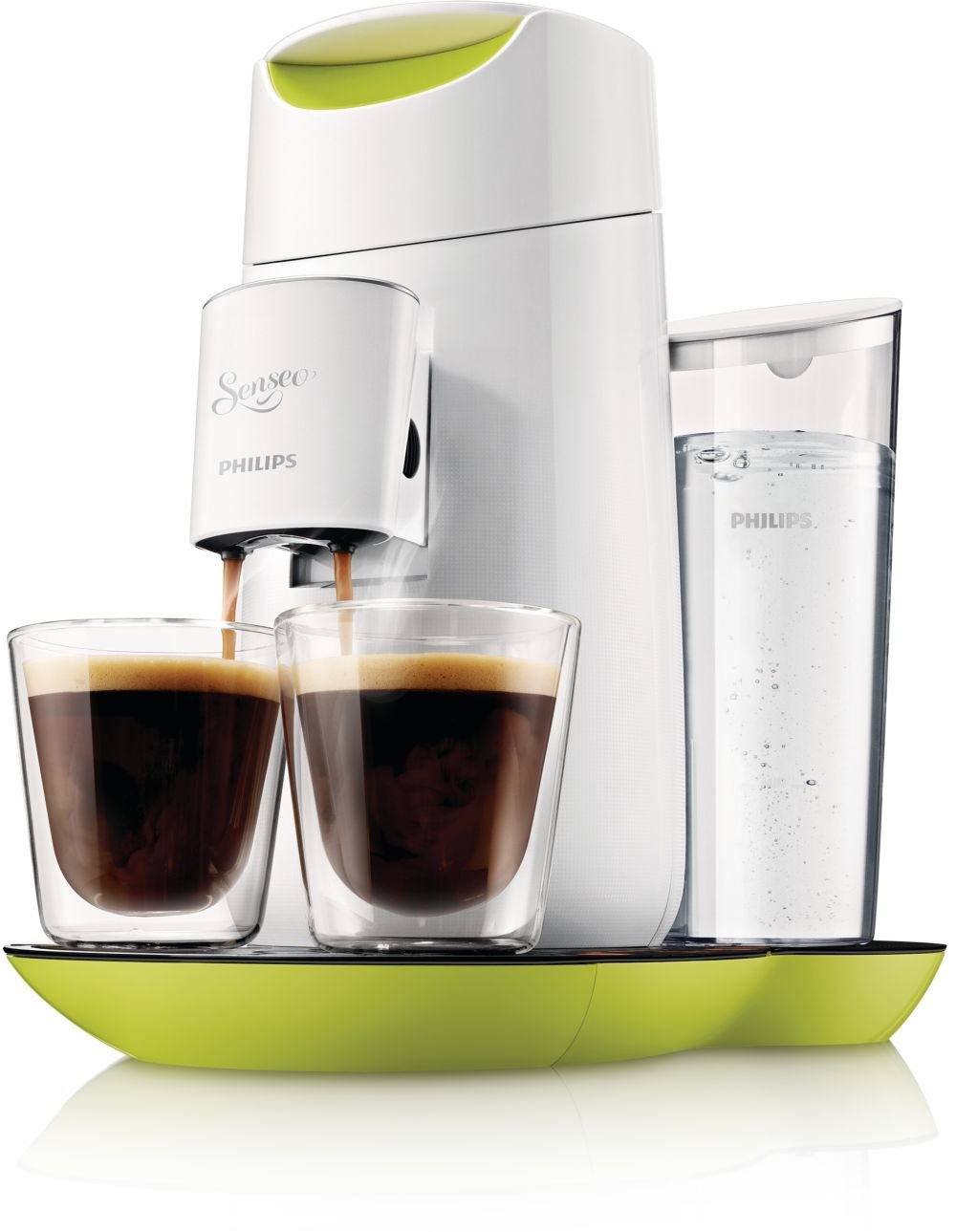
Figure 4: The machine brewing two cups of coffee simultaneously.
- זיכער מאַכן אַז דער וואַסער רעזערוואַר איז אָנגעפילט.
- Open the lid and place one or two Senseo coffee pads into the appropriate pad holder. Use the 1-cup pad holder for one pad and the 2-cup pad holder for two pads.
- נאָענט די דעקל פעסט.
- Place one or two cups under the coffee spout. Adjust the spout height if necessary.
- Press the power button. The 1-cup and 2-cup buttons will light up steadily when the machine is ready.
- דרוק די 1-בעכער קנעפּל for a single cup of coffee or the 2-בעכער קנעפּל for two cups. The machine will start brewing.
- The machine will automatically stop when the coffee is ready.

פיגורע 5: שפּיץ view of the machine, illustrating the pad placement area.
4.2 אַדזשאַסטירן קאַווע שטאַרקייט
The Senseo HD7870/10 allows you to adjust the coffee strength:
- After pressing the power button, the 1-cup and 2-cup buttons will light up.
- To select a stronger coffee, press the desired cup button (1 or 2) twice quickly. The button will flash faster to indicate stronger brew selection.
- For a regular coffee, press the desired cup button once.
4.3 אָטאַמאַטיק סטאַנדביי
The machine automatically switches to standby mode after 15 minutes of inactivity to save energy. To reactivate, press the power button.
5. וישאַלט
5.1 רייניקונג
- שטענדיק אָפּשטויסן די אַפּפּליאַנסע איידער רייניקונג.
- ווישן די יקסטיריער פון די מאַשין מיט אַדamp שטאָף. דו זאלסט נישט נוצן אַברייסיוו רייניקונג אגענטן.
- The water reservoir, pad holders, and drip tray can be cleaned with warm water and a mild detergent or in the dishwasher.
- Clean the coffee spout regularly to prevent blockages.
5.2 דעסקאַלינג
The Senseo HD7870/10 features a descaling indicator (CALC light on the touchscreen). When this light illuminates, it is time to descale your machine. Regular descaling ensures optimal coffee quality and extends the lifespan of your appliance.
Follow the descaling instructions provided in the full manual or on the Philips support website. Typically, this involves using a Senseo descaling agent and running several rinsing cycles.
6. טראָובלעשאָאָטינג
If you encounter issues with your Senseo machine, refer to the following common problems and solutions:
| פּראָבלעם | מעגלעך סיבה | לייזונג |
|---|---|---|
| קיין קאַווע ווערט נישט אויסגעטיילט. | Water reservoir is empty. Lid is not closed properly. Appliance is clogged. | Fill the water reservoir. Close the lid firmly until it clicks. Descale the appliance. |
| קאַווע איז אויך שוואַך. | Incorrect coffee strength selected. | Ensure you press the cup button twice for stronger coffee. Use fresh coffee pads. |
| די קאַלק ליכט איז אָן. | די מאַשין דאַרף דיסקאַלינג. | Perform a descaling cycle as per the instructions in Section 5.2. |
| מאַשין טוט נישט קער אויף. | Not plugged in. Power outage. | Check power connection. Verify power supply. |
If the problem persists, please contact Philips Consumer Care.
7. ספּעסאַפאַקיישאַנז
| שטריך | דעטאַל |
|---|---|
| סאָרט | פיליפּס |
| מאָדעל נומער | HD7870/10 |
| קאָליר | לייַם געל |
| פּראָדוקט דימענשאַנז | 30.99 X 24.99 X 32 סענטימעטער |
| וואָג | 1.5 קג |
| וואַסער טאַנק קאַפּאַציטעט | 1 Liter (approx. 6 cups) |
| מאַכט / וואַטtage | 1450 וואטס |
| Voltage | 240 וואלטס |
| מאַטעריאַל | פּלאַסטיק |
| ספּעציעלע פֿעיִקייטן | Water filter, Touchscreen display, Descaling indicator, Adjustable coffee strength, Automatic standby after 15 minutes, Height-adjustable spout. |
8. וואָראַנטי און שטיצן
פֿאַר דעטאַלירטע וואָראַנטי אינפֿאָרמאַציע, ביטע זעט די וואָראַנטי קאַרטל וואָס איז אַרייַנגעשלאָסן מיט אייער פּראָדוקט אָדער באַזוכט די אָפֿיציעלע Philips וועבזייטל website. If you require assistance, have questions, or need to report a problem, please contact Philips Consumer Care through their official support channels.
איר קענט געפֿינען קאָנטאַקט אינפֿאָרמאַציע און אָפֿט געשטעלטע פֿראַגעס אויף דער פיליפּס שטיצע Webפּלאַץ.


