1. פּראָדוקט איבערview
The LG 32CS560 is a 32-inch LCD HDTV designed to deliver a Full HD 1080p viewing experience. This television features a 60Hz refresh rate and incorporates LG's Picture Wizard II for optimized picture quality, along with Smart Energy Saving features.
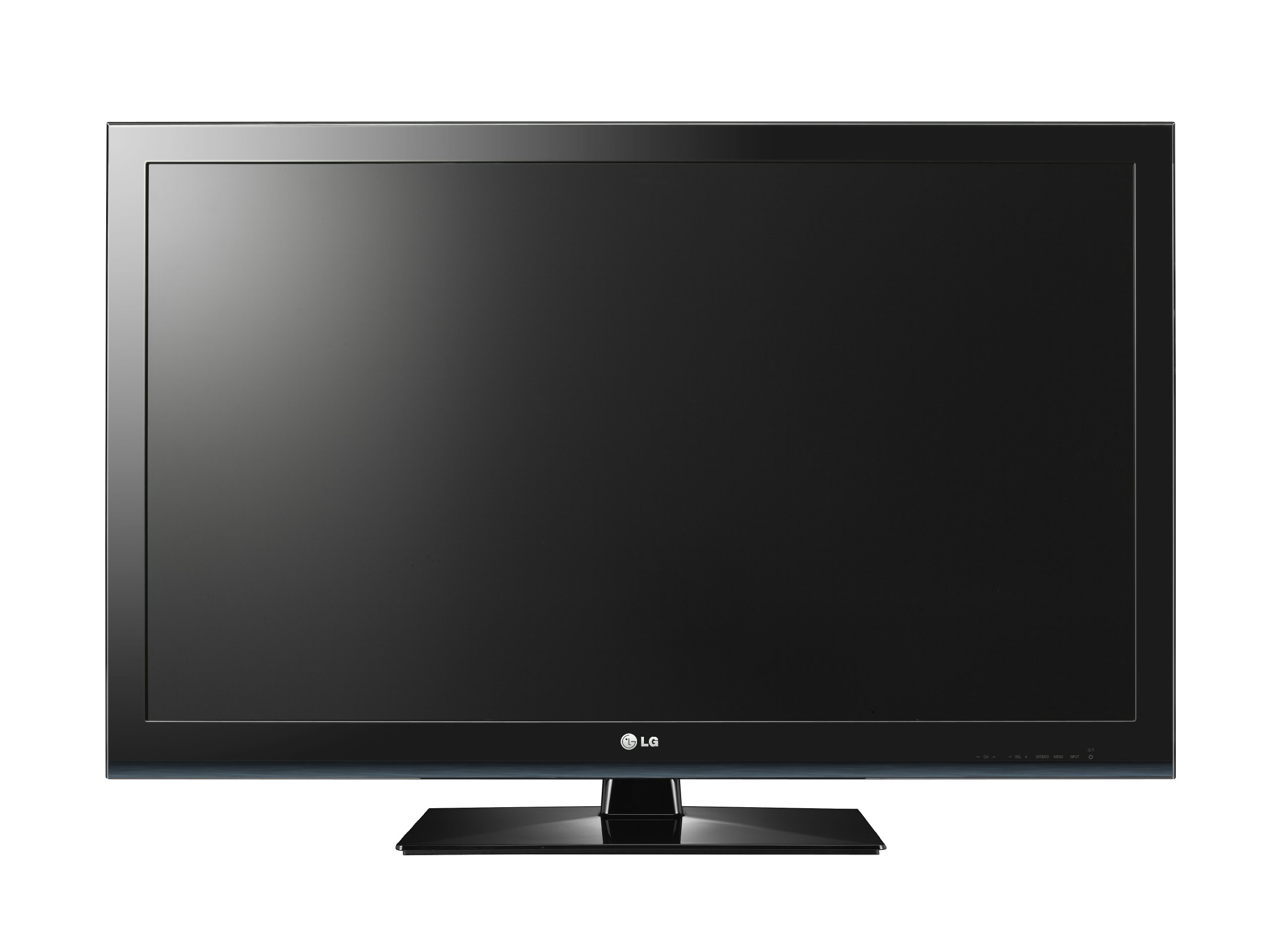
פיגורע 1: פראָנט view of the LG 32CS560 32-Inch LCD HDTV.
שליסל פֿעיִקייטן:
- 32-inch LCD display with Full HD 1080p resolution.
- 60Hz refresh rate for smooth motion.
- Picture Wizard II for easy self-calibration of picture quality elements such as black level, color, tint, sharpness, and backlight levels.
- Smart Energy Saving features to conserve energy.
- Connectivity options include HDMI and USB.
- Wall mountable with VESA 200 x 100 mm standard.
2. זיכערקייַט אינפֿאָרמאַציע
ביטע ליינט אלע זיכערהייט און אפערירן אינסטרוקציעס קערפול איידער איר ניצט דעם פראדוקט. האלט די אינסטרוקציעס פאר שפעטערדיגע רעפערענץ.
- מאַכט מקור: פֿאַרבינדט דעם טעלעוויזאָר נאָר צו דעם טיפּ שטראָם-מקור וואָס איז אָנגעגעבן אויף דער מאַרקירונג-עטיקעט.
- ווענטילאַטיאָן: בלאָקירט נישט די ווענטילאַציע עפענונגען. זאָרגט פֿאַר גענוג פּלאַץ אַרום דעם טעלעוויזאָר פֿאַר געהעריקן לופטפֿלוס.
- וואַסער און נעץ: Do not expose the TV to rain or moisture. Do not use near water.
- רייניקונג: נעמט ארויס דעם טעלעוויזאר פון דער וואנט-אויסשטעל איידער איר רייניגט. ניצט א ווייכן, טרוקענעם טוך. ניצט נישט קיין פליסיקע רייניגער אדער אייראזאל-רייניגער.
- אָרט: שטעלט דעם טעלעוויזאר אויף א סטאבילן, גלייכן אויבערפלאך. פארמיידט עס צו שטעלן אין דירעקטן זונשייַן אדער לעבן היץ-קוועלער.
- קינדער: Supervise children to prevent them from climbing on or playing with the TV. Secure the TV to prevent tipping if necessary.
3. סעטאַפּ
3.1 אַנפּאַקינג
Carefully remove the TV and all accessories from the packaging. Retain the packaging materials for future transport or service needs.
3.2 שטאַנד פֿאַרזאַמלונג (אָפּציאָנאַל)
If you intend to place the TV on a tabletop, assemble the included stand. Follow the instructions provided in the separate stand assembly guide. Ensure all screws are securely fastened. For added stability, a screw is provided to secure the TV to the desktop, preventing accidental tipping.
3.3 וואַנט מאָונטינג (אָפּציאָנאַל)
The LG 32CS560 supports VESA 200 x 100 mm wall mounts. Purchase a compatible wall mount kit separately. Follow the instructions provided with your wall mount kit for safe and secure installation. Professional installation is recommended for wall mounting.
3.4 קאַנעקטינג דעוויסעס
Connect your external devices to the TV using the appropriate ports. Ensure the TV is powered off before making any connections.
- הדמי: For high-definition video and audio from Blu-ray players, game consoles, or set-top boxes.
- וסב: פֿאַר פֿאַרבינדן USB סטאָרידזש דעוויסעס צו view פאָטאָס אָדער שפּילן מעדיע files.
- קאָמפּאָנענט ווידעא: For connecting older devices that use component (YPbPr) video and stereo audio cables.
- Coaxial (Antenna/Cable): פֿאַר פֿאַרבינדן אַן אַנטענע אָדער קאַבל טעלעוויזיע סיגנאַל.
3.5 ערשט מאַכט אויף
After connecting all desired devices, plug the TV's power cord into a wall outlet. Press the Power button on the TV or the remote control to turn on the TV. Follow the on-screen prompts for initial setup, including language selection and channel scanning.
4. אַפּערייטינג ינסטרוקטיאָנס
4.1 רימאָוט קאָנטראָל
The TV comes with a remote control for convenient operation. Insert two AAA batteries (not included) into the remote control, observing the correct polarity.
4.2 יקערדיק פאַנגקשאַנז
- מאַכט: טורנס די טעלעוויזיע אויף אָדער אַוועק.
- באַנד (+/-): אַדדזשוסץ די געזונט מדרגה.
- קאַנאַל (אַרויף/אַראָפּ): טוישט טעלעוויזיע קאַנאַלן.
- אַרייַנשרייַב: Selects the input source (HDMI, USB, Component, TV).
- מעניו: גייט אריין אין דעם הויפּט מעניו פֿון טעלעוויזיע פֿאַר סעטינגס אַדזשאַסטמאַנץ.
4.3 Picture Settings (Picture Wizard II)
LG's Picture Wizard II provides an easy way to calibrate your TV's picture settings. Access this feature through the TV's menu. On-screen reference points will guide you through adjusting key picture quality elements:
- שווארצע מדרגה: Adjusts the depth of black colors.
- קאָליר: Controls the intensity of colors.
- טינט: Adjusts the balance between red and green colors.
- שאַרפּקייט: Enhances the clarity of image edges.
- באַקלייט לעוועלס: Controls the brightness of the screen's backlight.
4.4 געזונט סעטטינגס
Adjust audio settings through the TV's menu. The TV includes features to enhance dialogue clarity, which can be particularly useful for movies and TV shows where background noise might otherwise obscure speech.
4.5 Smart Energy Saving
Activate the Smart Energy Saving features in the TV's menu to reduce power consumption. This can help lower electricity costs and contribute to environmental conservation.
5. וישאַלט
5.1 רייניקן דעם עקראַן
ווישט אָפּ דעם עקראַן מיט אַ ווייכן, טרוקענעם, לינט-פֿרײַעם שטאָף. פֿאַר שווערע פֿלעקן, ווישט אַ ביסלampen the cloth with water or a specialized screen cleaner designed for LCD displays. Do not spray liquid directly onto the screen.
5.2 רייניקונג פון די אויסערליכע זייט
Wipe the TV's exterior casing with a soft, dry cloth. Avoid using abrasive cleaners, waxes, or solvents as they can damage the finish.
5.3 אַלגעמיינע קער
- נעמט ארויס דעם טעלעוויזאר בעת בליץ-שטורעמס אדער ווען עס וועט בלייבן אומבאוואכט פאר לאנגע צייטן.
- Do not insert any objects into the TV's openings.
- ויסמיידן פּלייסינג שווער אַבדזשעקץ אויף שפּיץ פון די טעלעוויזיע.
6. טראָובלעשאָאָטינג
If you encounter issues with your TV, refer to the following common troubleshooting steps before contacting service personnel.
| פּראָבלעם | מעגלעך סיבה / לייזונג |
|---|---|
| קיין מאַכט | Ensure the power cord is securely plugged into both the TV and a working wall outlet. Check if the outlet has power. |
| קיין בילד נישט, אבער סאונד איז דא | Check the input source selection. Ensure the connected device is powered on and sending a signal. Adjust brightness/backlight settings. |
| קיין קלאַנג, אָבער בילד איז דאָ | Check the volume level and ensure the TV is not muted. Verify audio cable connections. Check external audio system settings if applicable. |
| ווייַט קאָנטראָל נישט ארבעטן | טוישן די באַטעריעס. זיכער מאַכן אַז עס זענען נישטאָ קיין שטערונגען צווישן דעם ווײַטקאָנטראָל און דעם טעלעוויזיע'ס IR סענסאָר. |
| נעבעך בילד קוואַליטעט | Check antenna/cable connections. Adjust picture settings using Picture Wizard II. Ensure the input source is providing a high-quality signal. |
7. ספּעסאַפאַקיישאַנז
| שטריך | דעטאַל |
|---|---|
| סאָרט | LG |
| מאָדעל נומער | קסנומקסקסקסנומקס |
| פאַרשטעלן גרייס | 32 אינטשעס |
| ווייַז טעכנאָלאָגיע | לקד |
| האַכלאָטע | 1080p (פול HD) |
| דערפרישן קורס | 60 הז |
| קאַנעקטיוויטי טעכנאָלאָגיע | HDMI, וסב |
| גאַנץ וסב פּאָרץ | 1 |
| פּראָדוקט דימענשאַנז (ד רענטגענ וו רענטגענ ה) | 10.4"ד רענטגענ 40.2"וו רענטגענ 27.5"ה |
| פּונקט וואָג | 20.3 פונט |
| מאַונטינג טיפּ | Wall Mount (VESA 200 x 100 mm) |
| קאָליר | שוואַרץ |
| מאָדעל יאָר | 2012 |
| טונער טיפּ | ATSC |
8. וואָראַנטי אינפֿאָרמאַציע
This LG 32CS560 LCD HDTV comes with a 1-יאָר פּאַרץ & לייבער וואָראַנטי. For detailed terms and conditions, please refer to the warranty card included with your product or visit the official LG webפּלאַץ.
9. קונה שטיצן
If you require further assistance or have questions not covered in this manual, please contact LG Customer Support. You can find contact information on the official LG webוועבזייטל אדער אין די דאקומענטאציע וואס איז צוגעשטעלט געווארן מיט אייער פראדוקט.
פֿאַר אָנליין רעסורסן, באַזוכט די LG קראָם אויף עמעזאָן.