1. הקדמה
א דאנק פארן קויפןasing the Onkyo C-7030 CD Player. This manual provides essential information for the proper setup, operation, and maintenance of your device. Please read it thoroughly before use to ensure optimal performance and longevity of your CD player.
2. פּראָדוקט איבערview
The Onkyo C-7030 is a high-quality CD player designed for music enthusiasts, featuring robust construction and advanced audio technology for excellent sound reproduction. It supports standard audio CDs and offers various connectivity options.
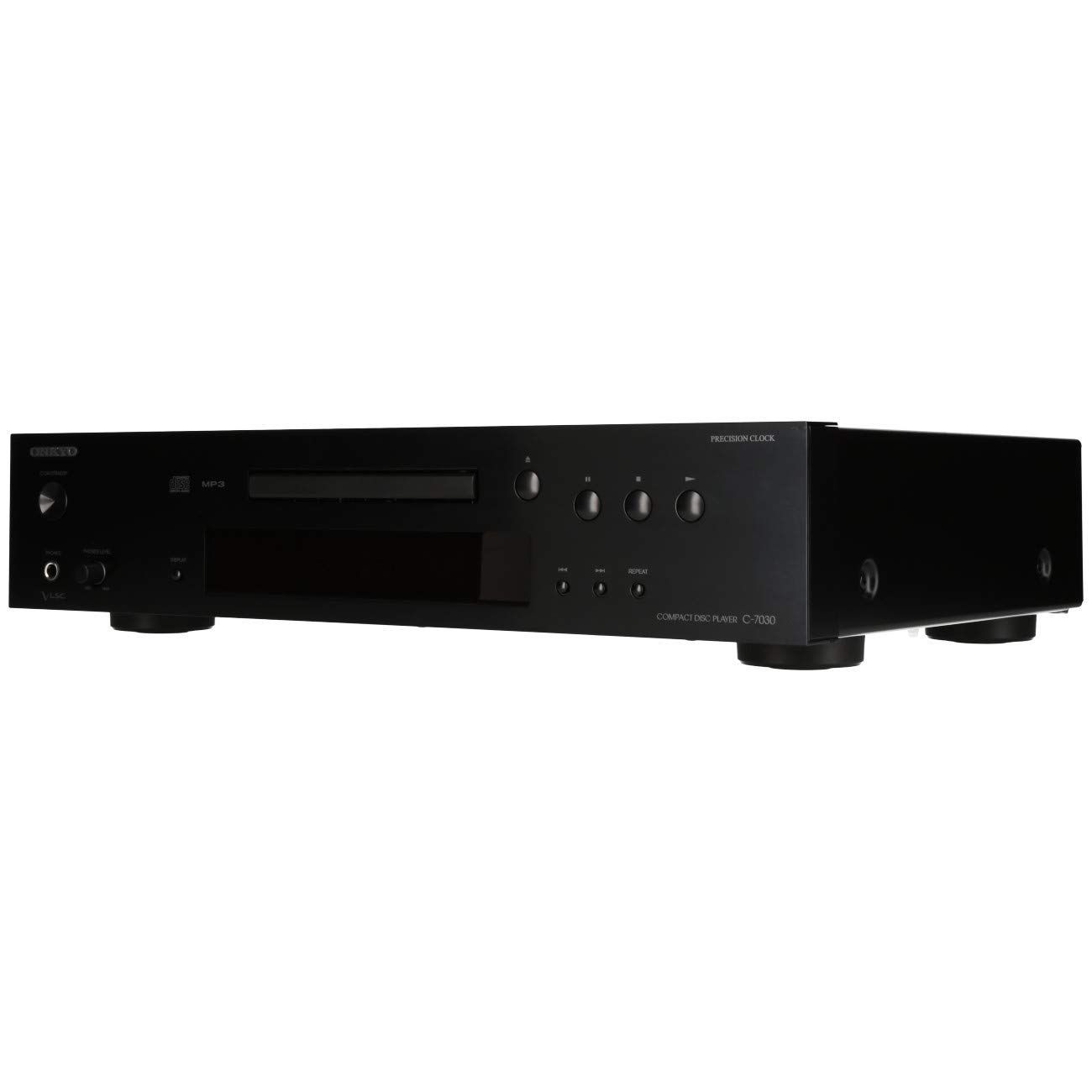
פיגורע 1: פראָנט view of the Onkyo C-7030 CD Player. This image shows the sleek black finish, disc tray, display, and control buttons.

פיגור 2: געווינקלטע פראָנט view of the Onkyo C-7030 CD Player, highlighting the power button, headphone jack, and volume control.

פיגורע 3: דערציען view of the Onkyo C-7030 CD Player, displaying the analog RCA, coaxial digital, and optical digital audio output ports, along with the remote control input.

Figure 4: The remote control for the Onkyo C-7030 CD Player, featuring various playback and function buttons.
3. סעטאַפּ
- אויספּאַקן: Carefully remove the CD player and all accessories from the packaging. Retain the packaging for future transport or storage.
- אָרט: Place the CD player on a stable, level surface away from direct sunlight, heat sources, and excessive dust or moisture. Ensure adequate ventilation around the unit.
- פֿאַרבינדונגען:
- אַודיאָ רעזולטאַט: פֿאַרבינדט דעם סי-די שפּילער צו אייער ampליפֿער אָדער ופנעמער ניצנדיק איינע פֿון די פֿאָלגנדיקע מעטאָדן:
- Analog (RCA): Use RCA cables (red for right, white for left) to connect the AUDIO OUTPUT ANALOG jacks on the CD player to the corresponding input jacks on your ampליפער.
- דיגיטאַל קאָאַקסיאַל: Use a digital coaxial cable to connect the COAXIAL DIGITAL AUDIO OUTPUT jack on the CD player to a coaxial digital input on your ampליפיער / ופנעמער.
- דיגיטאַל אָפּטיש: Use an optical digital cable to connect the OPTICAL DIGITAL AUDIO OUTPUT jack on the CD player to an optical digital input on your ampליפיער / ופנעמער.
- מאַכט: Connect the power cord to the AC inlet on the rear of the CD player, then plug it into a suitable wall outlet.
- ווייַט קאָנטראָל (אָפּטיאָנאַל): If using an Onkyo system with RI (Remote Interactive) compatibility, connect the RI cable from the CD player to your amplifier/receiver for integrated control.
- אַודיאָ רעזולטאַט: פֿאַרבינדט דעם סי-די שפּילער צו אייער ampליפֿער אָדער ופנעמער ניצנדיק איינע פֿון די פֿאָלגנדיקע מעטאָדן:
4. אַפּערייטינג ינסטרוקטיאָנס
- מאַכט אויף / אַוועק: דרוק די סטאַנדביי / אויף קנעפּל אויף דער פראָנט פּאַנעל אָדער די ווייַט קאָנטראָל צו דרייען די אַפּאַראַט אויף אָדער אויס.
- לאָודינג אַ קאָמפּאַקטדיסק: דרוק די עפענען / נאָענט button to open the disc tray. Place a CD with the label side up in the tray. Press עפענען / נאָענט ווידער צו פאַרמאַכן דעם טאַץ.
- פּלייבאַק: After loading a CD, the player will automatically begin playback. If not, press the שפּיל קנעפּל.
- פּויזע: דרוק די פּויזע button to temporarily stop playback. Press it again to resume.
- אָפּשטעל: דרוק די האַלטן קנעפּל צו אפשטעלן די ווידערשפּיל.
- האָפּקען טראַקס: ניצן די SKIP (▶▶| / |◀◀) קנעפּלעך צו נאַוויגירן צווישן לידער.
- שנעל פאָרויס / צוריק: האַלטן אַראָפּ די SKIP (▶▶| / |◀◀) buttons during playback to fast forward or rewind within a track.
- איבערחזרן פּלייַבאַק: דרוק די איבערחזרן button to cycle through repeat modes (e.g., repeat current track, repeat all tracks).
- צופֿעליקע ווידערשפּיל: דרוק די ראַנדאָם קנעפּל צו שפּילן לידער אין אַ צופֿעליקער סדר.
- ווייַז: דרוק די DISPLAY button to change the information shown on the front panel display (e.g., track number, elapsed time, remaining time).
- דיממער: ניצן די דיממער button to adjust the brightness of the front panel display.
באַמערקונג וועגן ווידעאָס: No official product videos specifically for the Onkyo C-7030 CD Player from a 'Seller' creator type were available in the provided data. The videos found were for different brands or models, and thus are not included to maintain relevance and accuracy for this specific instruction manual.
5. וישאַלט
- רייניקונג די אַפּאַראַט: Use a soft, dry cloth to wipe the exterior of the unit. For stubborn stains, dampen the cloth with a mild, non-abrasive cleaner. Avoid using harsh chemicals or abrasive materials.
- רייניקונג דיסקס: Wipe CDs with a soft, lint-free cloth from the center outwards. Do not use solvents or abrasive cleaners.
- דיסק טאַץ: Keep the disc tray clean and free of dust. Avoid placing heavy objects on the tray or forcing it open/closed.
- ווענטילאַטיאָן: זיכער מאַכן אַז די ווענטילאַציע עפענונגען אויף דער אַפּאַראַט זענען נישט פאַרשטאָפּט צו פאַרמייַדן איבערהיצונג.
6. טראָובלעשאָאָטינג
| פּראָבלעם | מעגלעך סיבה | לייזונג |
|---|---|---|
| קיין מאַכט | עלעקטרישע שנור נישט פארבונדן אדער אווענט נישט אקטיוו. | Check power cord connection. Try a different outlet. |
| קיין געזונט | Incorrect audio cable connection or wrong input selected on ampליפער. | Verify audio cable connections. Select the correct input on your amplifier. Check ampליפיער באַנד. |
| Disc not playing/Disc error | די דיסק איז שמוציק, קראַצט, אדער נישט ריכטיק אריינגעשטעלט. | Clean the disc. Try a different disc. Ensure the disc is inserted correctly with the label side up. |
| ווייַט קאָנטראָל נישט ארבעטן | Batteries are dead or remote is not aimed at the unit. | Replace batteries (2 AA required). Point the remote directly at the CD player's sensor. |
7. ספּעסאַפאַקיישאַנז
- פּראָדוקט דימענשאַנז: 17.13 X 12.05 X 3.98 אינטשעס
- נומער וואָג: 11.66 פונט
- פאַבריקאַנט: ONKYO
- מאָדעל נאָמען: C-7030
- קאַנעקטיוויטי טעכנאָלאָגיע: אַגזיליערי
- נומער פון דיסקס: 1
- באַטעריז: 2 AA באַטעריעס נויטיק (פֿאַר ווײַטקאָנטראָל)
- ערשטער דאַטע בנימצא: 7 אויגוסט 2012
8. וואָראַנטי און שטיצן
פֿאַר וואָראַנטי אינפֿאָרמאַציע און טעכנישע שטיצע, ביטע זעט די וואָראַנטי קאַרטל וואָס איז אַרייַנגערעכנט מיט אייער פּראָדוקט אָדער באַזוכט די אָפֿיציעלע Onkyo וועבזייטל. webזייטל. האַלט אייער קויף קוויטל ווי אַ באַווייַז פון קויפן פֿאַר וואָראַנטי קליימז.


