1. הקדמה
The SANYO VPC-CG20 is a compact, high-definition camcorder and 10-megapixel digital camera designed for capturing both video and still images. This device features Full HD 1080i video recording at 60 frames per second, a 10-megapixel still image sensor, and a 5x optical zoom lens. It includes a 2.7-inch wide LCD monitor for easy framing and playback, along with optical image stabilization for clearer footage and photos. This manual provides essential information for setting up, operating, and maintaining your VPC-CG20 camcorder.
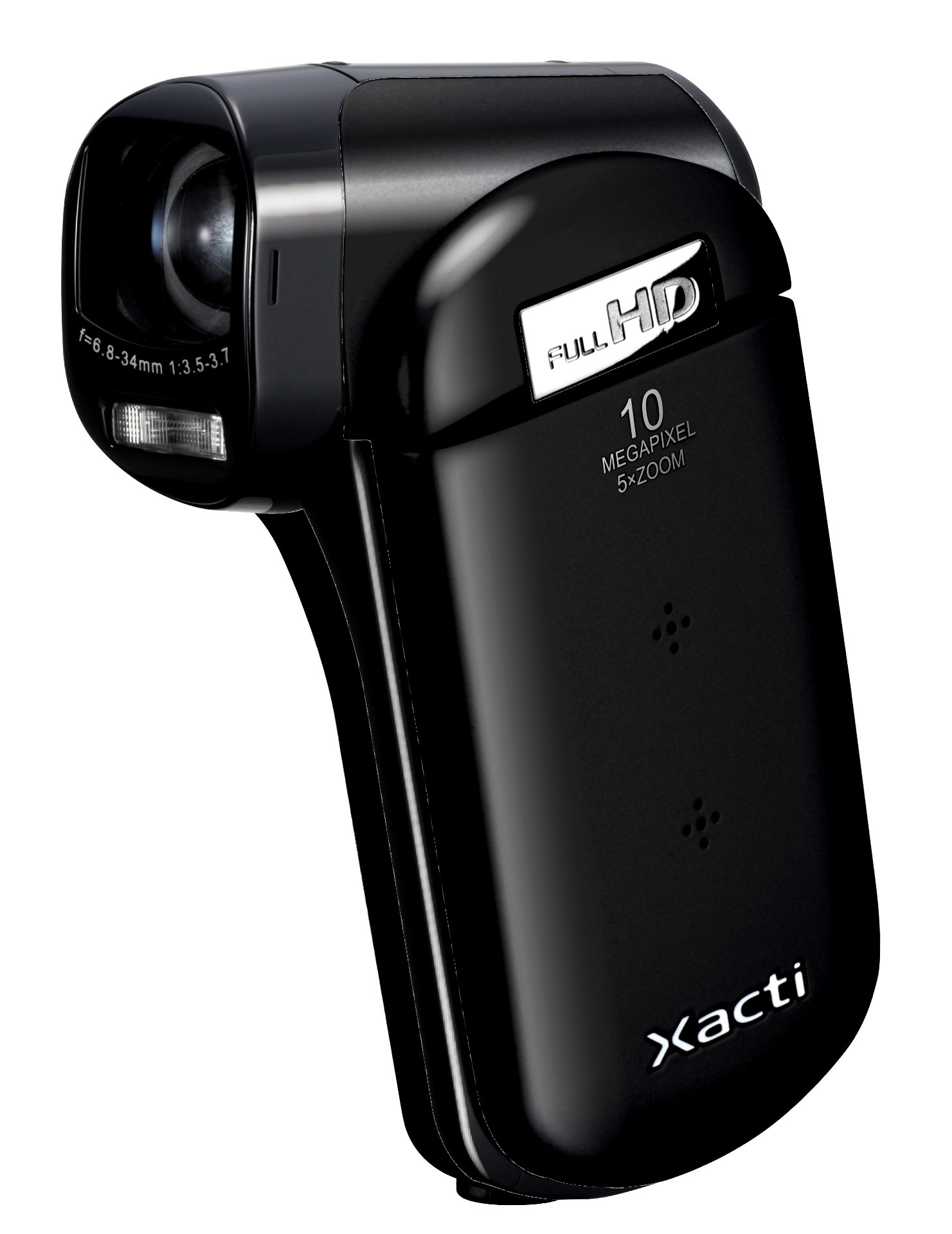
בילד 1.1: פראָנט view of the SANYO VPC-CG20 High Definition Camcorder.
2. פּעקל אינהאַלט
ביטע קאָנטראָלירט אַז אַלע די פאלגענדע זאכן זענען אַרייַנגערעכנט אין דיין פּראָדוקט פּעקל:
- SANYO VPC-CG20 Camcorder
- קריקאָנלאָדלעך באַטערי
- אַק אַדאַפּטער / טשאַרדזשער
- וסב קאַבלע
- אב קאַבלע
- האַנטגעלענק רימען
- באַניצער מאַנואַל (דעם דאָקומענט)
3. פּאַרץ און קאָנטראָלס
Familiarize yourself with the various parts and controls of your camcorder.
3.1. פראָנט View
The front of the camcorder features the lens, flash, and microphone.
3.2. דערציען View
The rear panel typically includes the record button and power indicator.
3.3. זייַט View (LCD Monitor Open)
When the 2.7-inch LCD monitor is open, you will find navigation buttons, menu access, and the zoom lever. The USB and AV ports are also located on the side, often beneath a protective cover.
3.4. דנאָ View
The bottom of the camcorder houses the battery compartment and the SD card slot.
4. סעטאַפּ
4.1. טשאַרדזשינג די באַטערי
- Insert the rechargeable battery into the camcorder's battery compartment, ensuring correct orientation.
- Connect the AC adapter to the camcorder's power input.
- Plug the AC adapter into a wall outlet. The charging indicator light will illuminate.
- Charge the battery until the indicator light changes or turns off, signaling a full charge.
4.2. Inserting an SD Memory Card
The VPC-CG20 uses SD memory cards for storage.
- Open the SD card slot cover, usually located on the bottom or side of the camcorder.
- Insert the SD card with the metal contacts facing the correct direction (refer to the diagram near the slot). Push until it clicks into place.
- פֿאַרמאַכט דעם דעקל פֿון דעם SD קאַרטל שפּאַלט זיכער.
באַמערקונג: Ensure the SD card is not locked (write-protected) before insertion.
5. אפערירן די קאַמעראַ
5.1. פּאָווערינג אויף / אויסגעלאשן
- To power on, open the LCD monitor. The camcorder will typically power on automatically.
- To power off, close the LCD monitor.
5.2. אויפנעמען ווידעא
The VPC-CG20 records Full HD 1080i video (1920 x 1080) at 60 frames per second in H.264/MPEG-4 format.
- Ensure the camcorder is in video recording mode (check the mode switch or menu).
- ראַם אייער שאָס ניצנדיק דעם 2.7-אינטש LCD מאָניטאָר.
- דרוק די רעקאָרד button to start recording. The record indicator will light up.
- דרוק די רעקאָרד קנעפּל ווידער צו האַלטן רעקאָרדינג.
5.3. גענומען פאָטאָס
The camcorder can capture 10-megapixel still images in JPEG format.
- Switch the camcorder to still image mode.
- Compose your shot on the LCD monitor.
- דרוק די לאָדן button halfway to focus, then press fully to take the picture.
5.4. Using Zoom
Use the zoom lever to adjust the 5x optical zoom. Push the lever towards 'T' for telephoto (zoom in) and 'W' for wide-angle (zoom out).
5.5. בילד סטאַביליזאַטיאָן
The VPC-CG20 features optical image stabilization to reduce blur from camera shake during both video recording and photo capture. This feature is typically active by default.
5.6. פּלייַבאַקק
- Switch the camcorder to playback mode.
- Use the navigation buttons to select the desired video or photo.
- דרוק די שפּיל קנעפּל צו view videos or display photos.
5.7. קאַנעקטינג צו אַ קאָמפּיוטער
צו אַריבערפירן files, connect the camcorder to your computer using the supplied USB cable. The camcorder will appear as a removable storage device, allowing you to copy files.
6. וישאַלט
6.1. רייניקן די קאַמעראַ
- ניצט אַ ווייכן, טרוקענעם שטאָף צו רייניקן דעם קאַמקאָרדער קערפּער.
- For the lens and LCD screen, use a specialized lens cleaning cloth and solution. Avoid abrasive materials.
- Do not use organic solvents such as alcohol or thinner.
6.2. סטאָרידזש
האַלט די קאַמעראַ אין אַ קיל, טרוקן אָרט אַוועק פון דירעקט זונשייַן און עקסטרעמע טעמפּעראַטורן. אַרויסנעמען די באַטאַרייע אויב איר האַלט עס אויף פֿאַר לענגערע צייטן.
7. טראָובלעשאָאָטינג
| פּראָבלעם | לייזונג |
|---|---|
| די קאַמעראַ גייט נישט אָן. | Ensure the battery is charged and correctly inserted. Try charging the battery. |
| קען נישט רעקאָרדירן ווידעא/נעמען פאָטאָס. | Check if an SD card is inserted and has sufficient free space. Ensure the SD card is not write-protected. |
| שלעכטע בילד/ווידעא קוואַליטעט. | Clean the lens. Ensure adequate lighting. Check shooting mode settings. |
| קאָמפּיוטער דערקענט נישט די קאַמעראַ. | Ensure the USB cable is securely connected. Try a different USB port or cable. Restart both camcorder and computer. |
8. ספּעסאַפאַקיישאַנז
| שטריך | דעטאַל |
|---|---|
| מאָדעל נאָמען | VPC-CG20 |
| ווידעא קאַפּטורע רעסאָלוטיאָן | 1080p (Full HD 1920 x 1080, 60i) |
| עפעקטיוו נאָך האַכלאָטע | 10 מפּ |
| אָפּטיש פארגרעסער | 5x |
| בילד סטאַביליזאַטיאָן | אָפּטיש |
| פאַרשטעלן גרייס | 2.7 אינטשעס |
| פלאַש זכּרון טיפּ | SD (SDHC compatible) |
| ווידעא קאַפּטורע פֿאָרמאַט | H.264, MPEG-4 |
| שטיצט בילד פֿאָרמאַטירונג | JPEG |
| קאַנעקטיוויטי טעכנאָלאָגיע | וסב |
| פאָקוס טיפּ | אַוטאָ פאָקוס |
| שיסערייַ מאָדעס | פּנים דעטעקשאַן |
| פּונקט וואָג | 0.35 פונט (בעערעך 159 גראַמז) |
9. וואָראַנטי און שטיצן
For information regarding the product warranty, please refer to the warranty card included in your original packaging or visit the official SANYO support website. For technical assistance, troubleshooting beyond this manual, or service inquiries, please contact SANYO customer support through their official channels.
ביטע האַלטן דיין דערווייַז פון קויפן פֿאַר וואָראַנטי קליימז.


