1. הקדמה
This manual provides comprehensive instructions for the setup, operation, and maintenance of your AOC 2436Vw 24-inch Widescreen HD Monitor. Please read this manual thoroughly before using the product to ensure proper functionality and to prevent damage.
The AOC 2436Vw monitor features a 24-inch (23.6-inch viewable) TFT LCD panel with a 1920 x 1080 resolution, a 5ms response time, and a 60,000:1 dynamic contrast ratio. It includes VGA and DVI-D inputs with HDCP support, touch-sensitive controls, and a USB pass-through connector for enhanced user convenience.

Figure 1.1: The AOC 2436Vw monitor showcasing its display capabilities with a colorful image.
2. פּעקל אינהאַלט
Carefully unpack the monitor and verify that all items listed below are present and in good condition. If any items are missing or damaged, contact your retailer.
- AOC 2436Vw 24-inch Widescreen HD Monitor
- מאָניטאָר שטיין באַזע
- Power Cable (AC 120/230 V)
- ווגאַ קאַבלע
- דווי קאַבלע
- וסב קאַבלע
- דרייווער קאָמפּאַקטדיסק
- שנעל אָנהייב גייד
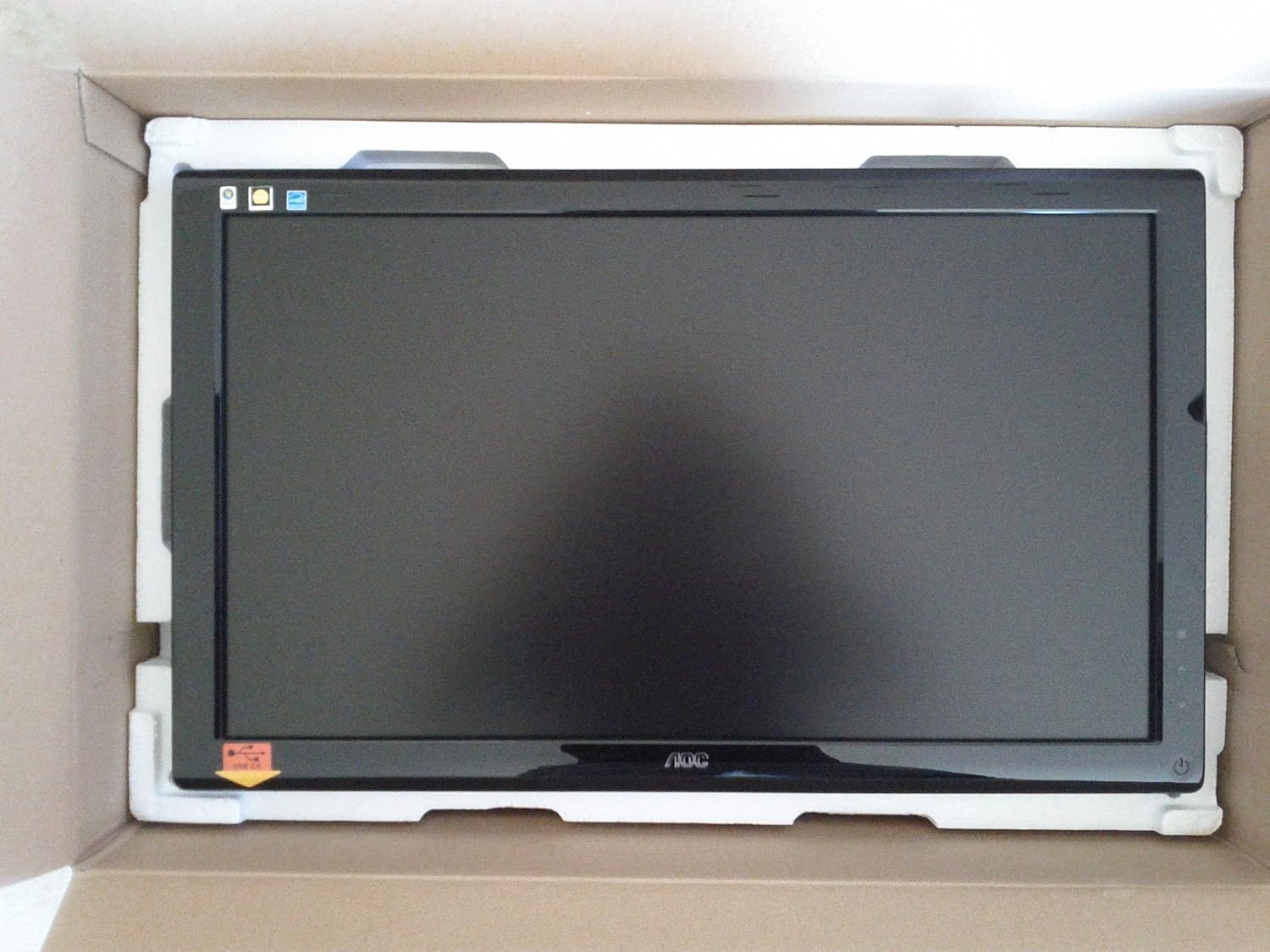
Figure 2.1: The AOC 2436Vw monitor securely packaged in its box, showing the screen protected by foam inserts.

Figure 2.2: Various accessories for the AOC 2436Vw monitor, including cables, stand base, and driver CD, neatly arranged in their packaging compartments.
3. סעטאַפּ אינסטרוקציעס
3.1 צוזאַמענשטעלן דעם מאָניטאָר שטאַנד
- נעמט פֿאָרזיכטיק אַרויס דעם מאָניטאָר פֿון זײַן פּאַקעט, לייגנדיק אים מיטן פּנים אַראָפּ אויף אַ ווייכער, ריינער ייבערפֿלאַך כּדי צו פֿאַרמײַדן קראַצן.
- Attach the stand base to the monitor neck. Ensure it clicks securely into place or is fastened with the provided screw, depending on the model's design.
- הייבט פארזיכטיק דעם צוזאמענגעשטעלטן מאָניטאָר און שטעלט אים אויף אַ סטאַבילער, גלאַטער ייבערפלאַך.
3.2 קאַנעקטינג קאַבלעס
זיכער מאַכן אַז אייער קאָמפּיוטער און מאָניטאָר זענען אויסגעלאָשן איידער איר מאַכט קיין קאַנעקשאַנז.
- מאַכט קשר: פֿאַרבינדט דעם מאַכט קאַבל צום מאָניטאָר'ס מאַכט אַרייַנגאַנג און דערנאָך צו אַ געערדטער עלעקטרישער ווענטיל.
- ווידעא קשר:
- DVI-D: Connect one end of the DVI cable to the DVI-D port on the monitor and the other end to the DVI-D port on your computer's graphics card. This is recommended for optimal digital signal quality.
- ווגאַ: Alternatively, connect one end of the VGA cable to the VGA port on the monitor and the other end to the VGA port on your computer's graphics card.
- USB דורכפאָר: Connect the USB cable from the monitor's upstream USB port to an available USB port on your computer. This enables the monitor's built-in USB pass-through functionality.
3.3 Initial Power On and Driver Installation
- Power on your computer, then power on the monitor by pressing the power button located on the bezel.
- The monitor should automatically detect the input signal. If not, use the OSD menu to select the correct input source (DVI or VGA).
- דרייווער ינסטאַלירונג: For optimal performance and access to all features, it is recommended to install the monitor drivers.
- Insert the provided driver CD into your computer's optical drive and follow the on-screen instructions.
- Alternatively, visit the official AOC website and download the latest drivers for the 2436Vw model.
4. אַפּערייטינג די מאָניטאָר
4.1 Controls and On-Screen Display (OSD) Menu
The AOC 2436Vw features touch-sensitive controls located on the lower right side of the bezel. These controls allow you to navigate the OSD menu and adjust various display settings.
To access the OSD menu, press the Menu button (usually indicated by an icon or a specific touch area). Use the navigation buttons (up/down, left/right, or similar) to browse through options and the Select/Enter button to confirm choices.
4.2 געוויינטלעכע OSD סעטטינגס
- ברייטנאַס / קאַנטראַסט: Adjust the overall luminance and difference between light and dark areas of the display.
- קאָליר סעטטינגס: Modify color temperature, gamma, and individual RGB levels to achieve desired color accuracy.
- אַרייַנשרייַב אויסקלייַבן: Manually switch between DVI and VGA input sources.
- בילד מאָדעס: Select from predefined display modes (e.g., Standard, Text, Internet, Game, Movie) optimized for different content types. The monitor also features a Dynamic Contrast Ratio (DCR) setting that automatically adjusts brightness based on screen content.
- i-Menu Software: The monitor includes AOC's proprietary i-Menu software, which allows you to adjust OSD settings using your mouse and keyboard from within the operating system. Install this software from the driver CD or AOC webפּלאַץ.
5. וישאַלט
5.1 רייניקונג די מאָניטאָר
- שטענדיק אויסלעשן דעם מאָניטאָר און אַרויסציען דעם עלעקטרישן שנור איידער איר רייניגט.
- ניצן אַ ווייך, לינט-פֿרייַ שטאָף לייטלי דampאָפּגעווישט מיט וואַסער אָדער אַ מילד, נישט-אַברייסיוו פאַרשטעלן רייניגער.
- Do not spray cleaner directly onto the screen or bezel. Apply it to the cloth first.
- Avoid using benzene, thinner, ammonia-based cleaners, or abrasive materials, as these can damage the display surface.
5.2 אַלגעמיינע קער
- ויסמיידן פּלייסינג די מאָניטאָר אין דירעקט זונשייַן אָדער לעבן היץ קוואלן.
- זיכער מאַכן אַז עס איז גענוג ווענטילאַציע אַרום דעם מאָניטאָר.
- דו זאלסט נישט פאַרשפּאַרן די ווענטאַליישאַן אָופּאַנינגז.
- Protect the monitor from excessive dust and moisture.
- The monitor is VESA 100mm wall mount compliant. If mounting, ensure proper installation according to VESA standards.
- A Kensington Security Slot is built in to help protect your computer display from theft.
6. טראָובלעשאָאָטינג
אויב איר טרעפט פּראָבלעמען מיט אייער מאָניטאָר, זעט די פאלגענדע געוויינטלעכע פּראָבלעמען און לייזונגען:
| פּראָבלעם | מעגלעך סיבה / לייזונג |
|---|---|
| קיין בילד אויף פאַרשטעלן |
|
| בילד איז פארשוואומען אדער פארדרייט |
|
| פארבן זעען אויס פאַלש אָדער אויסגעוואַשן |
|
| ריר קאָנטראָלס זענען אַנריספּאַנסיוו |
|
7. טעכניש ספּעסאַפאַקיישאַנז
| שטריך | באַשרייַבונג |
|---|---|
| סאָרט | AOC |
| מאָדעל נומער | 2436VW |
| פאַרשטעלן גרייס | 24 אינטשעס (23.6") Viewקענען) |
| טאַפליע טיפּ | טפט לקד |
| האַכלאָטע | 1920 x 1080 (FHD 1080p) |
| אַספּעקט פאַרהעלטעניש | 16:9 |
| ענטפער צייט | 5ms |
| ברייטנאַס (טיפּיש) | 300 סי / מ² |
| קאַנטראַסט פאַרהעלטעניש (דינאַמיש) | 60,000:1 |
| קאָלאָרס סופּפּאָרטעד | > 16 מיליאָן |
| אַנאַלאָג אַרייַנשרייַב | RGB D-Sub (VGA) |
| דיגיטאַל ינפּוט | DVI with HDCP |
| וסב פּאָרץ | וסב פאָרן דורך |
| געבויט-אין ספּיקערז | ניין |
| מאַכט צושטעלן | AC 120/230 V (50/60 הז) |
| Power Consumption (Operational) | 49 וואטס |
| דימענשאַנז (WxDxH) | 22.91 X 2.56 X 16.73 אינטשעס (582.1 X 65.9 X 425.5 מם) |
| וואָג | 12.1 לבס (5.5 קג) |
| VESA בארג קאַמפּאַטאַבילאַטי | 100 מם |
| סערטיפיקאַטיאָנס | ENERGY STAR Compliant, EPEAT Rated |
8. וואָראַנטי און שטיצן
8.1 וואָראַנטי אינפֿאָרמאַציע
Please note that this product is sold "as is" and does not include a manufacturer's warranty. For specific details regarding your purchase, please refer to the terms and conditions provided by your retailer at the time of purchase.
8.2 קונה שטיצן
For further assistance, technical support, or to download the latest drivers and software, please visit the official AOC website or contact AOC customer service through their provided channels.


