1. הקדמה
This manual provides essential instructions for the proper setup, operation, and maintenance of your Minolta 4000AF Flash unit. Designed for use with Minolta Maxxum 5000, 7000, and 9000 series cameras, this flash enhances your photographic capabilities by providing controlled illumination.
Please read this manual thoroughly before using the flash to ensure optimal performance and safety.
2. סעטאַפּ
2.1 באַטאַרייע ייַנמאָנטירונג
The Minolta 4000AF Flash requires four AA-size batteries. Use alkaline or rechargeable NiMH batteries for best performance. Ensure correct polarity when inserting batteries.

בילד: נאָענט-אַרויף view of the Minolta 4000AF flash unit's hot shoe mount and battery contacts. This image shows the metal contacts where the flash connects to the camera and the internal contacts for battery power. Ensure these contacts are clean and free from corrosion for reliable operation.
- Open the battery compartment cover, typically located on the side or bottom of the flash unit.
- Insert four AA batteries, matching the positive (+) and negative (-) terminals as indicated inside the compartment.
- פאַרמאַכן די באַטאַרייע אָפּטייל דעקן סיקיורלי.
ווארענונג: Always inspect battery compartments for corrosion or damage, especially with older units. Leaking batteries can severely damage the flash. Remove batteries when the flash is not in use for extended periods.
2.2 מאָנטירן דעם בליץ צו אייער קאַמעראַ
The 4000AF Flash uses a hot shoe mount for secure attachment and electronic communication with your Minolta Maxxum camera.
- זיכער מאַכן אַז ביידע די קאַמעראַ און בליץ זענען אויסגעלאָשן.
- Slide the flash unit's mounting foot into the camera's hot shoe slot.
- Secure the flash by tightening the locking wheel or lever on the flash unit, if present.
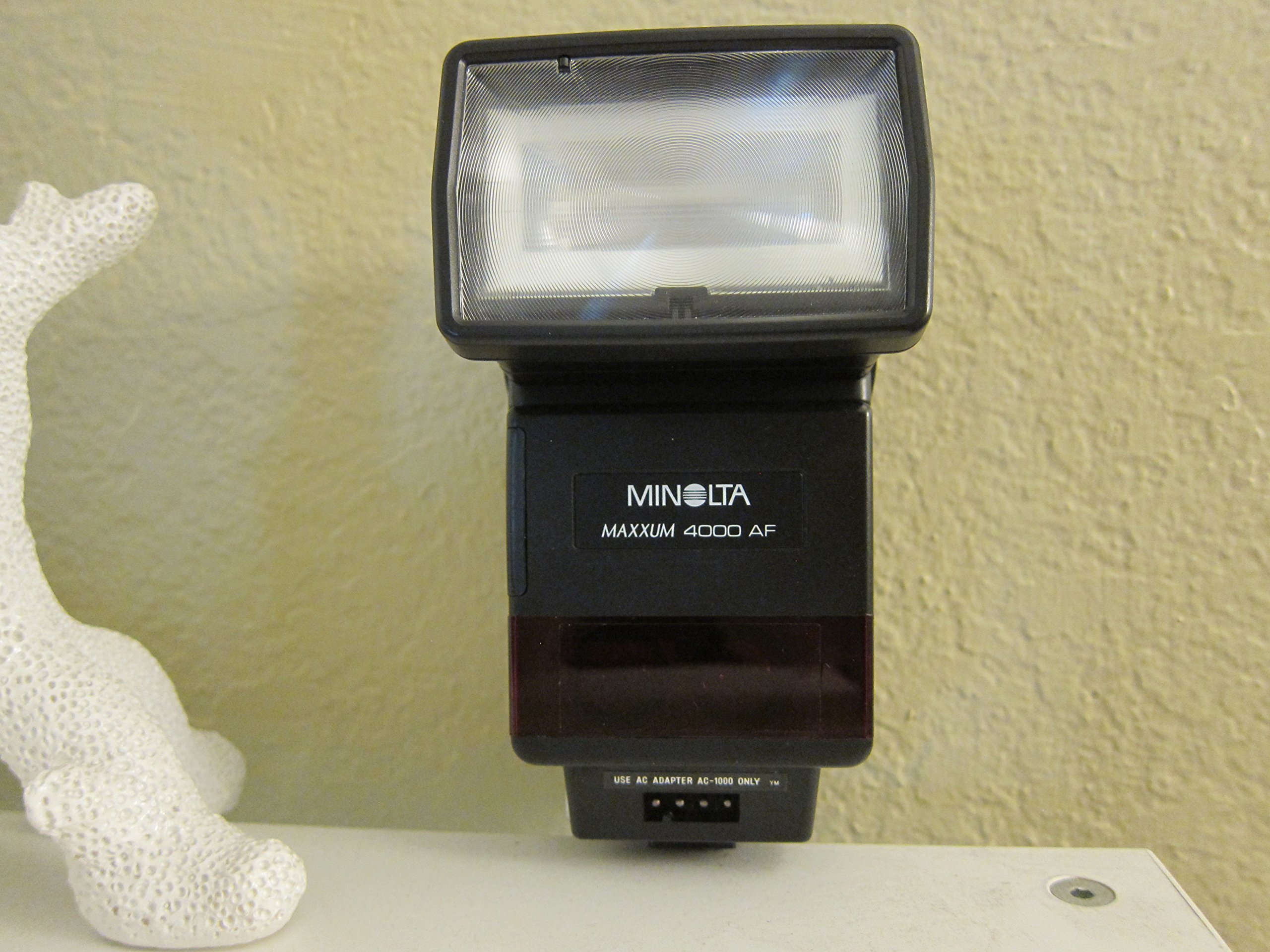
בילד: פראָנט view of the Minolta Maxxum 4000AF flash unit. The Minolta logo and "MAXXUM 4000 AF" text are visible on the front panel. This image displays the overall design of the flash unit, ready for attachment to a compatible camera's hot shoe.
3. אפערירן דעם בליץ
3.1 פּאַוערינג אויף / אַוועק
Locate the OFF-ON switch on the control panel of the flash unit. Slide it to the 'ON' position to power on the flash. Slide it to 'OFF' when not in use to conserve battery life.
3.2 קאָנטראָל פּאַנעל איבערview

בילד: דערציען view of the Minolta 4000AF flash unit, showing the control panel. Buttons for LIGHT, ZOOM, TTL/M, LEVEL, and TEST are visible, along with the OFF-ON switch and an LCD display. This panel allows users to adjust flash settings and modes.
- ליכט: Activates the panel backlight for visibility in low light.
- זאָאָם: Adjusts the flash head's zoom position to match the lens focal length.
- TTL/M: Toggles between Through-The-Lens (TTL) automatic flash mode and Manual (M) flash mode.
- LEVEL: Adjusts flash output level in manual mode or compensation in TTL mode.
- טעסט: Fires a test flash to check operation and light output.
- OFF-ON: מאַכט קנעפּל פֿאַר די אַפּאַראַט.
3.3 פלאַש מאָדעס
- TTL (דורך-די-לינז) מאָדע: The flash automatically determines the correct light output based on the camera's metering system. This is the recommended mode for most general photography.
- מאַנועל (M) מאָדע: Allows the user to manually set the flash output level. This mode offers greater creative control but requires more experience.
3.4 Sync Speed
The Minolta 4000AF Flash supports a maximum flash sync speed of 1/250th of a second. Refer to your camera's manual for specific sync speed limitations and settings.
3.5 ווירעלעסס קאָמוניקאַציע
This flash unit utilizes Optical Pulse technology for wireless communication, allowing it to be used off-camera as a slave unit with compatible Minolta systems.
4. וישאַלט
- רייניקונג: Use a soft, dry cloth to clean the exterior of the flash unit. For stubborn dirt, slightly dampווייקט דעם שטאָף מיט וואַסער. פֿאַרמייַדט ניצן סאָלווענטן אָדער אַברייסיוו רייניגער.
- קאָנטאַקט: Periodically inspect and gently clean the hot shoe contacts on both the flash and camera with a clean, dry cloth to ensure reliable electrical connection.
- סטאָרידזש: When not in use for extended periods, remove the batteries to prevent leakage and store the flash in a cool, dry place away from direct sunlight and extreme temperatures.
5. טראָובלעשאָאָטינג
- בליץ ברענט נישט:
- קוק צי דער בליץ איז אנגעצונדן.
- ענשור אַז באַטעריז זענען ריכטיק אינסטאַלירן און האָבן גענוג אָפּצאָל.
- Verify the flash is securely mounted to the camera's hot shoe.
- Check camera settings to ensure flash is enabled.
- אומרעכטע עקספּאָזיציע:
- In TTL mode, ensure the subject is within the flash's effective range.
- In Manual mode, adjust the flash output level (LEVEL button).
- Check camera's ISO and aperture settings.
- Flash head not zooming:
- Ensure the ZOOM button is functioning.
- קוק נאָך יעדע פיזישע שטערונג.
6. ספּעסאַפאַקיישאַנז
| סאָרט | מינאָלטאַ |
| מאָדעל נומער | 8820-617 (Minolta 4000AF) |
| מאַונטינג טיפּ | הייס שוך בארג |
| קאַמפּאַטאַבאַל מאַונטינגז | Minolta, Sony Alpha |
| פלאַש סינק ספּיד | 1/250 רגע |
| ווירעלעסס קאָמוניקאַציע טעכנאָלאָגיע | Optical Pulse |
| פּונקט וואָג | 1.25 פונט |
| פּעקל דימענשאַנז | 9.1 X 7 X 3.1 אינטשעס |
| ערשטער דאַטע בנימצא | 18 פעברואר 2006 |
7. וואָראַנטי און שטיצן
For warranty information and customer support, please refer to the documentation provided at the time of purchase or contact your retailer. As this is an older model, direct manufacturer support may be limited. Online photography forums and communities can also be valuable resources for troubleshooting and usage tips.


