הקדמה
The Dyson DC14 All-Floors Cyclone Upright Vacuum Cleaner is engineered to provide powerful, continuous suction across all floor types. Featuring Dyson's patented Root Cyclone technology, this vacuum is designed to capture microscopic dust and allergens, making it suitable for allergy sufferers. This manual provides essential information for the safe and effective use, assembly, operation, and maintenance of your Dyson DC14 vacuum cleaner.
וויכטיק סאַפעטי אינפֿאָרמאַציע
Before operating your Dyson DC14 vacuum cleaner, please read all instructions carefully. Failure to follow these instructions may result in electric shock, fire, or serious injury.
- שטענדיק ארויסנעמען דעם וואקיום קלינער פון דער עלעקטרישער ווענטיל איידער איר רייניגט אדער פירט אויס קיין שום אויפהאלטונג.
- דו זאלסט נישט נוצן די וואַקוום קלינער ינ דרויסן אָדער אויף נאַס סערפאַסיז.
- לאָזט נישט דעם וואַקוום קלינער ווערן גענוצט ווי אַ שפּילצייַג. גרויסע ופמערקזאַמקייט איז נייטיק ווען גענוצט דורך אָדער לעבן קינדער.
- ניצט נאָר ווי באַשריבן אין דעם מאַנואַל. ניצט נאָר די אַטאַטשמאַנץ רעקאָמענדירט דורך דעם פאַבריקאַנט.
- דו זאלסט נישט נוצן מיט אַ דאַמידזשד שנור אָדער צאַפּן. אויב די אַפּפּליאַנסע איז נישט ארבעטן ווי עס זאָל, איז געפאלן, דאַמידזשד, לינקס ינ דרויסן אָדער געפאלן אין וואַסער, צוריקקומען עס צו אַ סערוויס צענטער.
- דו זאלסט נישט ציען אָדער פירן דורך שנור, נוצן שנור ווי אַ שעפּן, נאָענט אַ טיר אויף שנור, אָדער ציען שנור אַרום שאַרף עדזשאַז אָדער עקן. דו זאלסט נישט לויפן די מיטל איבער די שנור. האַלטן שנור אַוועק פון העאַטעד סערפאַסיז.
- צי ניט אָפּשטויסן דורך פּולינג די שנור. צו ויסמעקן, אָנכאַפּן די צאַפּן, נישט די שנור.
- דו זאלסט נישט שעפּן צאַפּן אָדער וואַקוום קלינער מיט נאַס הענט.
- דו זאלסט נישט שטעלן קיין כייפעץ אין אָופּאַנינגז. דו זאלסט נישט נוצן מיט קיין עפן אפגעשטעלט; האַלטן פריי פון שטויב, לינט, האָר און אַלץ וואָס קען רעדוצירן לופט לויפן.
- האַלטן האָר, פרייַ קליידער, פינגער און אַלע טיילן פון גוף אַוועק פון אָופּאַנינגז און מאָווינג טיילן.
- דו זאלסט נישט קלייַבן עפּעס וואָס ברענט אָדער סמאָוקינג, אַזאַ ווי סיגאַרעטטעס, שוועבעלעך אָדער הייס אַש.
- דו זאלסט נישט נוצן צו כאַפּן ברענעוודיק אָדער ברעמאַבאַל ליקווידס, אַזאַ ווי גאַזאָלין, אָדער נוצן אין געביטן ווו זיי קען זיין פאָרשטעלן.
- נישט אויפנעמען גיפטיקע מאטעריאלן, ווי כלור בליטש, אמאניע, אדער דרעין רייניגער.
- דו זאלסט נישט נוצן אָן שטויב בין און פילטערס אין פּלאַץ.
פּעקל אינהאַלט
Your Dyson DC14 All-Floors vacuum cleaner package includes the following components:
- Dyson DC14 All-Floors Upright Vacuum Cleaner main unit
- Motorized brushbar (integrated)
- Quick-draw Telescope reach wand
- Edge-cleaning whiskers (integrated)
- Wide channel floor head
- Hygienic 5/7-gallon dust bin
- Lifetime HEPA filter (pre-installed)
- Combination tool (brush and crevice tool)
- טרעפּ געצייַג
פֿאַרזאַמלונג און סעטאַפּ
The Dyson DC14 is designed for quick and easy assembly. Follow these steps to set up your vacuum cleaner:
- אויספּאַקן: Carefully remove all components from the packaging. Ensure all parts listed in the 'Package Contents' section are present.
- שעפּן אַטאַטשמאַנט: שטעקט אריין דעם הענטל אין הויפט קערפער פונעם וואקיום ביז עס קליקט זיכער אין פלאץ.
- שנור ווינדינג: Wind the power cord counter-clockwise around the cord hooks located on the back of the vacuum.
- געצייַג סטאָרידזש: Attach the combination tool and stair tool to their designated storage clips on the vacuum's body for easy access during cleaning.
- פילטער טשעק: Ensure the lifetime HEPA filter and dust bin are correctly installed before first use.
אַפּערייטינג ינסטראַקשאַנז
Your Dyson DC14 is an all-floors upright vacuum cleaner, designed for efficient cleaning on various surfaces.
מאַכט אויף און אַוועק
- צאַפּן די מאַכט שנור אין אַ פּאַסיק עלעקטריקאַל ווענטיל.
- Press the red power button, usually located near the base, to turn the vacuum on.
- דריק נאכאמאל דעם פאוער קנעפל צו אויסלעשן דעם וואקיום.
Adjusting for Floor Types
The DC14 features easy-to-change settings for different floor types:
- To switch between carpet and bare floor modes, turn the knob located on the cleaner head. This adjusts the brushbar for optimal performance on each surface.
- For delicate hard floors, you may choose to turn off the brushbar if available, or use the bare floor setting.
Using the Quick-draw Telescope Reach Wand and Tools
The Quick-draw Telescope reach wand and accompanying tools allow for versatile cleaning beyond floor surfaces:
- Engaging the Wand: Simply pull the wand upwards from its stored position. It extends to provide an extended reach for high areas or tight spaces.
- אַטאַטשינג מכשירים: The flexible hose can be easily detached from the main unit. Connect the desired tool (combination tool or stair tool) to the end of the hose or directly to the wand.
- רייניקונג: Use the combination tool for dusting and crevice cleaning. The stair tool is designed for effective cleaning of stairs and upholstery.
- Returning the Wand: Once finished, retract the wand and reattach the hose to its storage position on the vacuum.
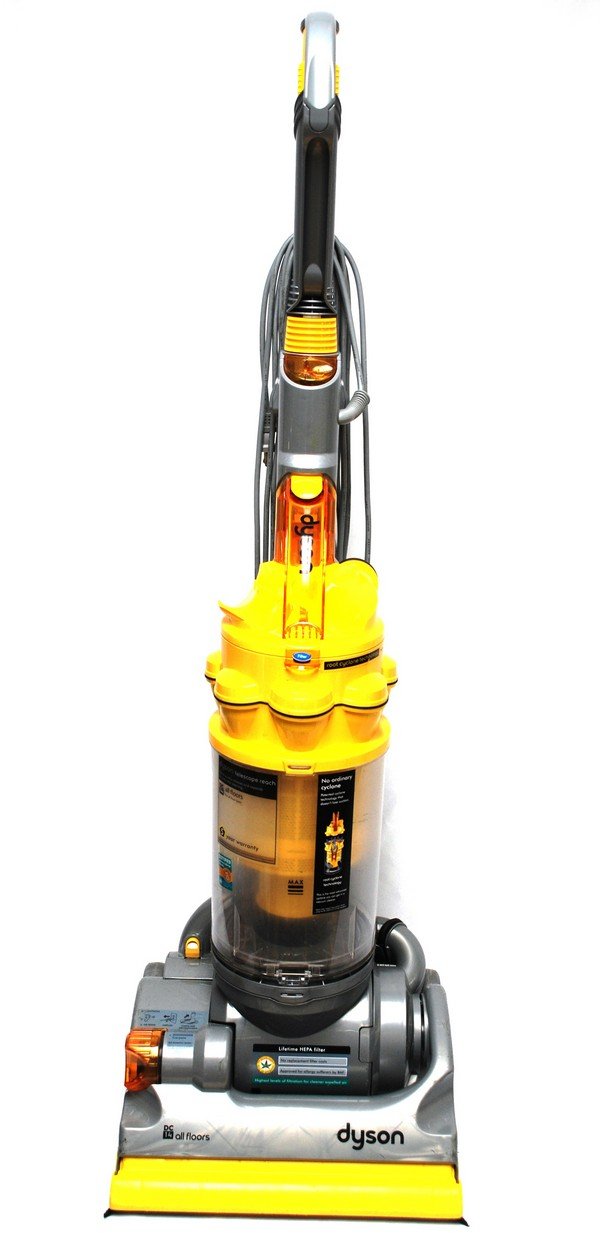
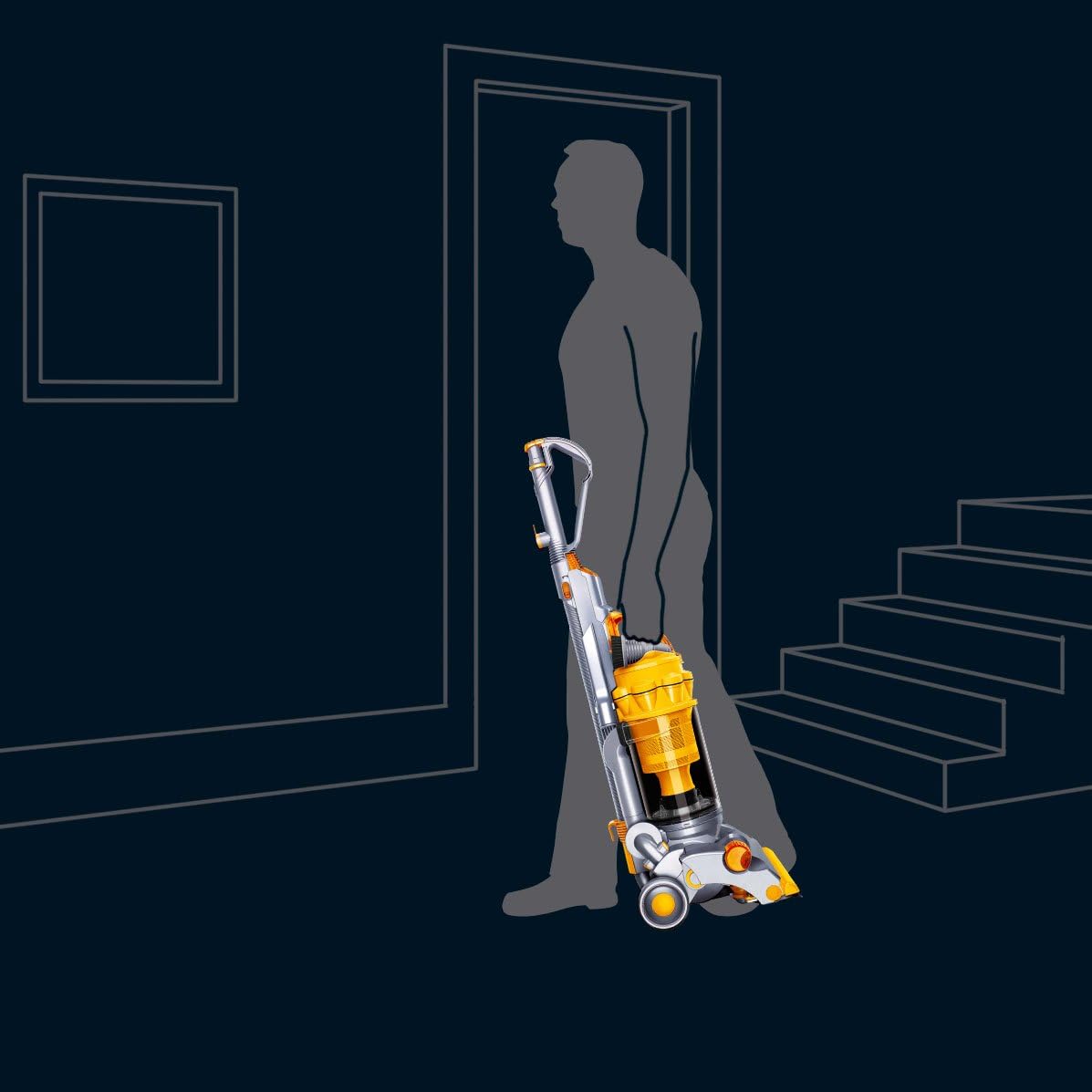
Image: A person carrying the Dyson DC14 vacuum cleaner, demonstrating its portability for moving between rooms or up stairs.
וישאַלט
Regular maintenance ensures optimal performance and longevity of your Dyson DC14 vacuum cleaner.
עמפּטיינג די שטויב בין
The transparent dust bin has a 'MAX' mark, indicating when it needs to be emptied. Do not overfill the bin.
- Remove Bin: Press the 'cyclone release' button to detach the dust bin from the main unit.
- שטעלע: Hold the dust bin over a trash can or bag.
- ליידיק: Press the button on the bottom of the bin to open the flap, allowing dirt and dust to fall out. Close the flap securely after emptying.
- ווידער צובינדן: Reinsert the dust bin into the vacuum cleaner until it clicks into place.
בילד: נאָענט-אַרויף view of the Dyson DC14's dust bin and filter area, highlighting the transparent design and filter location.
Cleaning the Dust Bin and Cyclone
- Occasionally, remove lint and debris from the clear dust bin with a cloth or brush.
- Clean the cyclone assembly every other week. Use a used toothbrush to remove lint and debris that may clog the cyclone's small holes. A small portable vacuum with a crevice or brush attachment can be used to clean the cyclone's interior.
Washing the HEPA Filter
The Dyson DC14 features a lifetime HEPA filter that requires periodic washing:
- Wash the filter every six months with cold water.
- Ensure the filter is completely dry before reinserting it into the vacuum cleaner. Allow at least 24 hours for air drying.
טראָובלעשאָאָטינג
If you encounter issues with your Dyson DC14, refer to the following common troubleshooting tips:
- קיין מאַכט: Check if the power cord is securely plugged into the outlet. Ensure the outlet is functional by testing it with another appliance.
- פארלוסט פון זויגונג: Empty the dust bin if it's full. Check for blockages in the hose, wand, or cleaner head. Clean the cyclone assembly and wash the HEPA filter as per maintenance instructions.
- Brushbar Not Rotating: Ensure the vacuum is in the correct setting for carpet. Check the brushbar for tangled hair or debris that might be preventing rotation. Unplug the vacuum before clearing any obstructions.
- ומגעוויינטלעך ראַש: A loud noise, particularly on thick carpets, can sometimes occur with this model. Check for any foreign objects caught in the brushbar or air pathways. If the noise persists and is accompanied by reduced performance, contact customer support.
- שטויב אַנטלויפֿן: Ensure the dust bin is properly closed and securely attached. Check that the HEPA filter is correctly installed and not damaged.
ספּעסאַפאַקיישאַנז
| סאָרט | דייסאָן |
| מאָדעל נאָמען | DC14 אַלע פלאָרז |
| פילטער טיפּ | HEPA פילטער |
| קאַפּאַציטעט | 7 גאלאנען |
| קאָליר | Steel/Yellow |
| פּראָדוקט דימענשאַנז | 43 X 15 X 8 אינטשעס |
| פּונקט וואָג | 24.2 פונט |
| קאָנטראָללער טיפּ | דרוק קנעפּל |
| וואַקוום זאַמלונג טעכנאָלאָגיע | סיקלאָניק טעכנאָלאָגיע |
| דרינענדיק / דרויסנדיק באַניץ | דרינענדיק |
| באַטעריז פארלאנגט | ניין |
וואָראַנטי און שטיצן
Your Dyson DC14 All-Floors Cyclone Upright Vacuum Cleaner is covered by a comprehensive 5-year warranty from the date of purchase. This warranty covers parts and labor for any manufacturing defects or malfunctions under normal use.
Warranty Claims and Support
- If your vacuum cleaner requires repair, please contact Dyson customer support.
- Dyson will first attempt to resolve issues over the phone.
- If a repair is necessary, Dyson will arrange for your vacuum to be collected and repaired at no additional cost.
- האַלט אייער קויפן באַווייַז פֿאַר וואָראַנטי וואַלידאַציע.
For further assistance or to register your product, please visit the official Dyson webזייטל אדער קאנטאקט זייער קאסטומער סערוויס הילף-ליניע.


