
1. הקדמה
Thank you for choosing the MERACH UltraWalk W60 Walking Pad Treadmill. This manual provides essential information for the safe assembly, operation, and maintenance of your new fitness equipment. Please read it thoroughly before first use and retain it for future reference. The UltraWalk W60 is designed to provide a convenient and effective walking and light jogging experience with features like auto incline, Bluetooth connectivity, and a compact design.
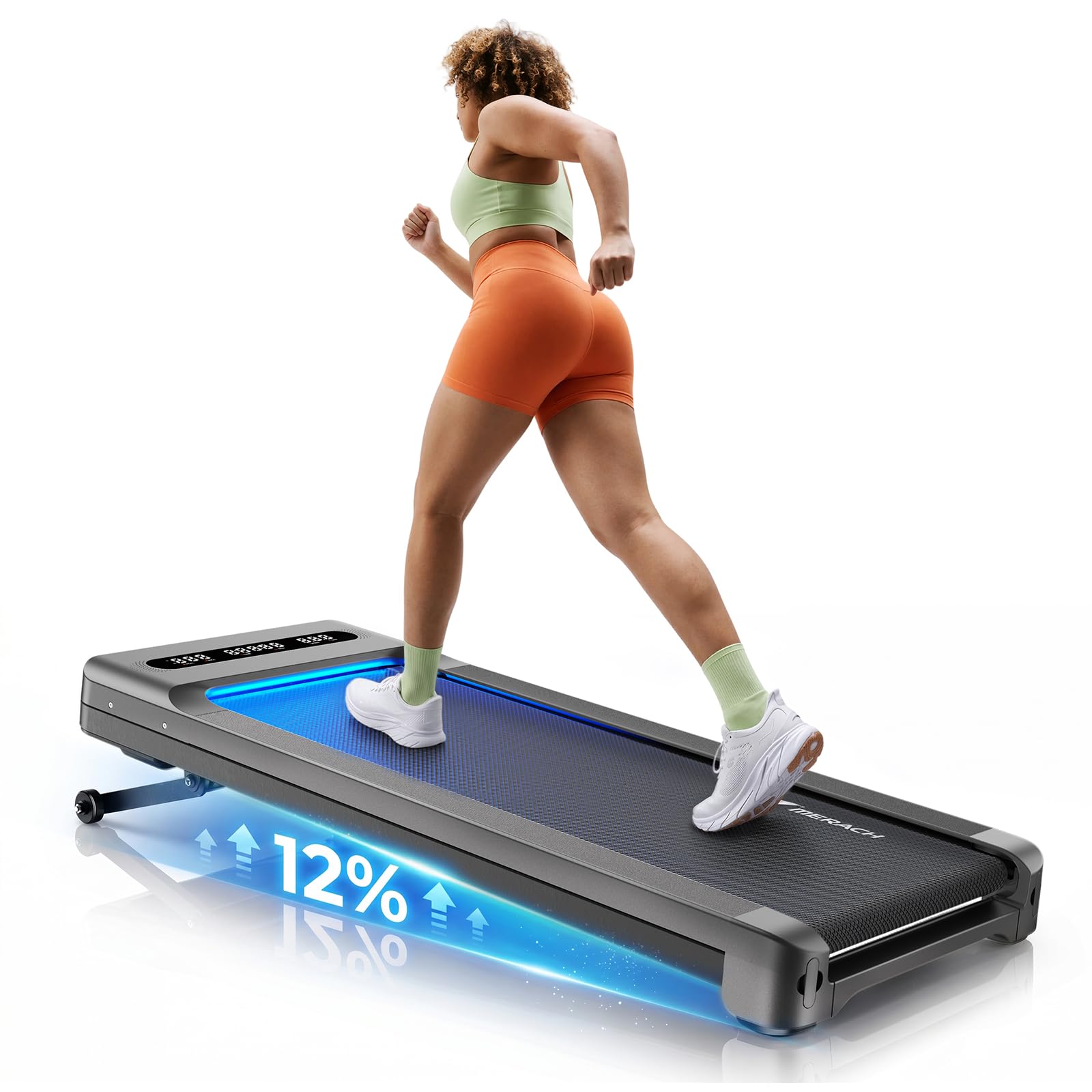
Image: The MERACH UltraWalk W60 Walking Pad Treadmill in Dark Gray.
2. וויכטיק סאַפעטי אינפֿאָרמאַציע
Before using the MERACH UltraWalk W60, please review the following safety precautions to prevent injury or damage to the equipment.
- באַראַט זיך מיט אייער דאָקטער איידער איר הייבט אָן קיין נייע געניטונג פּראָגראַם.
- Place the walking pad on a flat, stable surface with adequate clearance around it (at least 2 feet on all sides).
- האַלטן קינדער און פּעץ אַוועק פון די ויסריכט בעשאַס אָפּעראַציע.
- Ensure the power cord is not pinched or damaged. Do not use if the cord is damaged.
- טראָגט פּאַסיקע אַטלעטישע שיך.
- Do not step on or off the walking belt while it is in motion.
- Use the safety key/clip (if included) at all times.
- Do not attempt to service the walking pad yourself. Contact customer support for assistance.
- Maximum user weight capacity is 400 lbs. Do not exceed this limit.
- Unplug the walking pad when not in use or before cleaning/maintenance.
3. פּעקל אינהאַלט
באַשטעטיקן אַז אַלע קאָמפּאָנענטן זענען פאַראַן אין דער פּאַקעט:
- MERACH UltraWalk W60 Walking Pad Treadmill
- ווייַט קאָנטראָל
- מאַכט שנור
- באַניצער מאַנואַל (דעם דאָקומענט)
- לובריקאַנט (אויב אַרייַנגערעכנט)

Image: The remote control and easy-roll wheels for the MERACH UltraWalk W60, highlighting portability and control.
4. סעטאַפּ גייד
The MERACH UltraWalk W60 is designed for minimal assembly. Follow these steps to prepare your walking pad for use.
- אויספּאַקן: Carefully remove the walking pad from its packaging. Place it on a flat, stable surface.
- אָרט: Ensure there is at least 2 feet of clear space behind and to the sides of the walking pad for safe operation.
- מאַכט קשר: Plug the power cord into the walking pad's power port and then into a grounded electrical outlet.
- ווייַט קאָנטראָל: The remote control is pre-paired. If not, refer to the troubleshooting section or the quick start guide for pairing instructions. The remote can be magnetically docked to the walking pad for convenient storage.
- אַפּ קשר:
- Download the MERACH App from the Apple App Store or Google Play Store.
- געבן בלועטאָאָטה אויף דיין רירעוודיק מיטל.
- Open the MERACH App and follow the on-screen instructions to connect to your UltraWalk W60.
Image: Close-up of the magnetic remote dock and easy-roll wheels for convenient setup and storage.
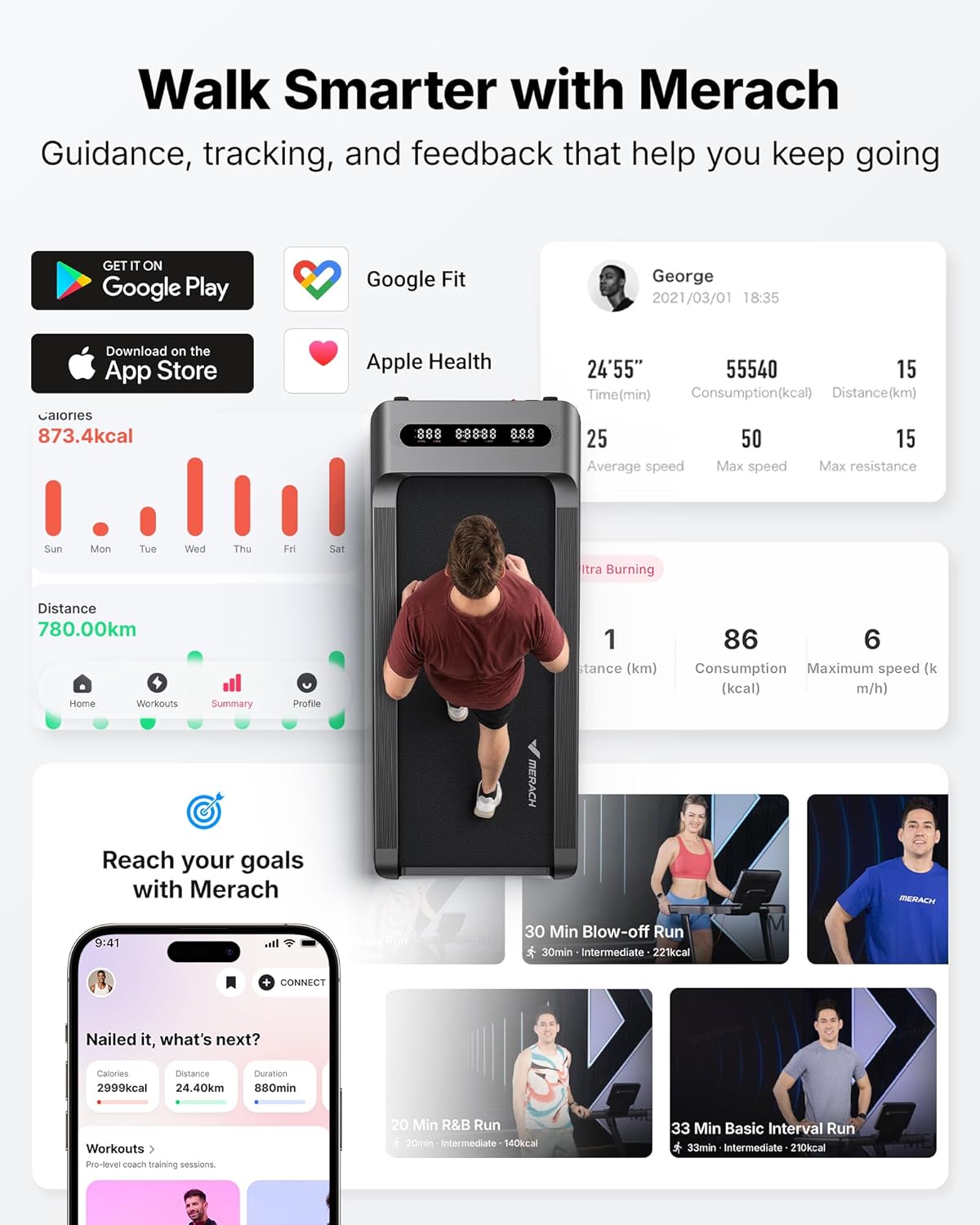
Image: The MERACH App interface, demonstrating workout tracking and smart control features.
5. אַפּערייטינג ינסטרוקטיאָנס
Familiarize yourself with the controls and features of your UltraWalk W60.
5.1 יקערדיק אָפּעראַציע
- מאַכט אויף / אַוועק: Press the power button on the remote control or the walking pad to turn it on or off.
- אָנהייב / האַלטן: Press the Start/Stop button on the remote or app to begin or end a workout.
- גיכקייט אַדזשאַסטמאַנט: Use the '+' and '-' buttons on the remote or the app to adjust the walking speed. The speed range is typically 0.6 to 4.0 MPH.
- Auto Incline: The UltraWalk W60 features 12 levels of auto incline. Use the incline buttons on the remote or app to adjust the incline percentagE (אַרויף צו 12%).
- ווייַז: The integrated LED display shows time, speed, distance, calories, steps, and incline level.

Image: A user demonstrating walking on the MERACH UltraWalk W60 with the 12% auto incline feature engaged.
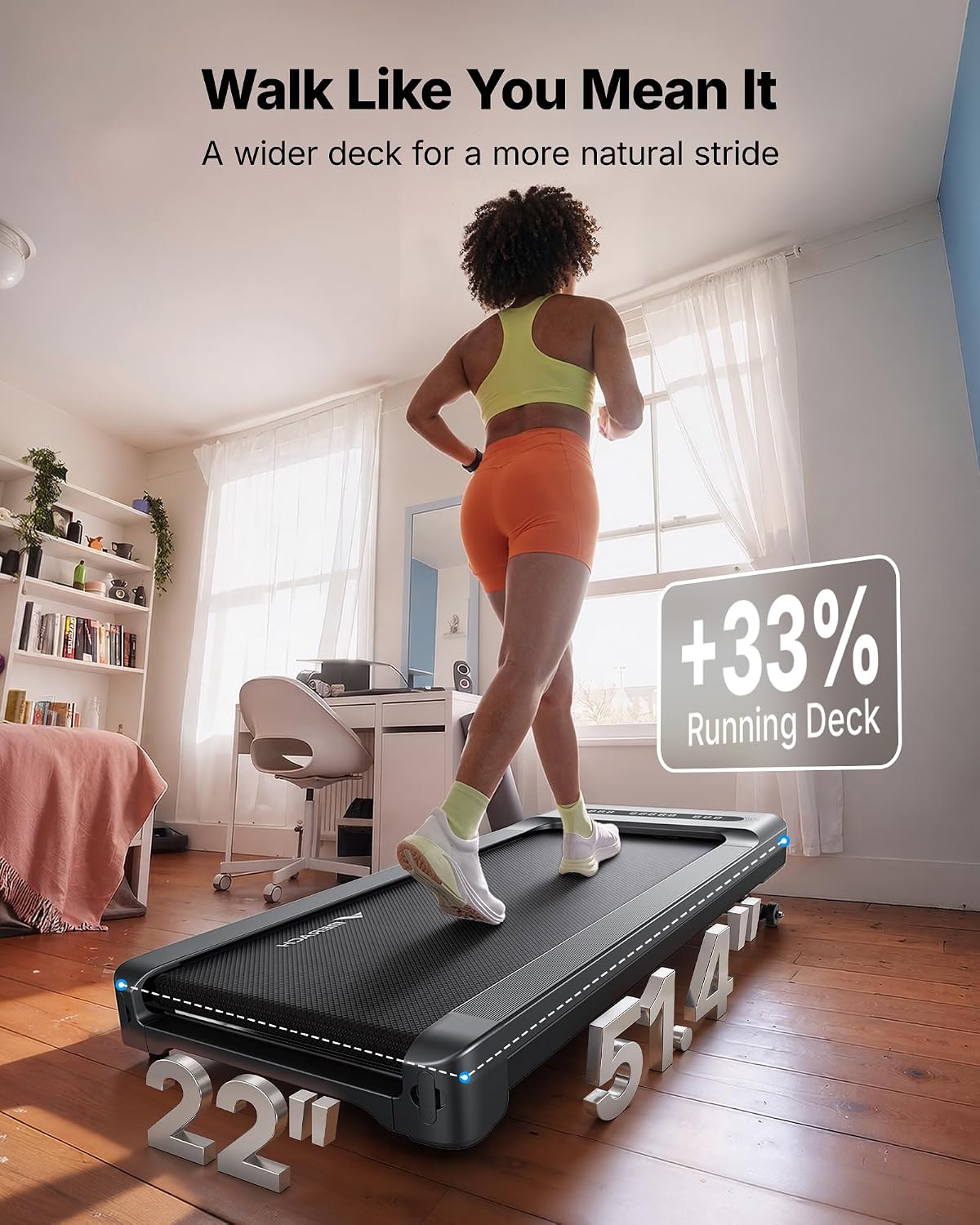
Image: A user walking on the MERACH UltraWalk W60, illustrating the spacious 16.5" x 41.3" walking deck.
5.2 סמאַרט פֿעיִקייטן
- MERACH App Control: Use the app to control speed, incline, track real-time data, access training modes, and sync with Apple Health and Google Fit. The app also features pause memory.
- בלועטאָאָטה ספּיקער: Connect your mobile device via Bluetooth to the walking pad's integrated speaker to enjoy music during your workout.
- RGB לייטינג: The walking pad features RGB lighting for an enhanced user experience.
- קינד שלאָס: For safety, the walking pad includes a child lock function. Refer to the app or quick start guide for activation/deactivation.

Image: A user enjoying a workout on the MERACH UltraWalk W60 with the RGB lighting and Bluetooth speaker features active.
5.3 אפיציעלע פּראָדוקט ווידעאָ
Video: An official MERACH video showcasing the UltraWalk W60 Plus, highlighting its robust build and features. This video demonstrates the product's design and functionality.
6. וישאַלט
Regular maintenance ensures the longevity and optimal performance of your MERACH UltraWalk W60.
- רייניקונג: ווישט אַראָפּ דעם גיין-פּלאַט מיט אַדamp טוך נאך יעדן באַניץ. פֿאַרמייַדן ניצן אַברייסיוו רייניגער אָדער סאָלווענטן.
- שמירן: The walking belt may require lubrication periodically. Refer to the quick start guide or contact customer support for specific instructions and recommended lubricant.
- גאַרטל אַדזשאַסטמאַנט: If the walking belt starts to slip or move off-center, it may need adjustment. Consult the quick start guide or customer support for detailed steps.
- סטאָרידזש: When not in use, the UltraWalk W60 can be stored flat or upright to save space. Use the integrated wheels for easy movement.
Image: Demonstrates the compact storage options for the MERACH UltraWalk W60, showing it stored both flat under furniture and upright.
7. טראָובלעשאָאָטינג
If you encounter issues with your MERACH UltraWalk W60, try the following solutions.
| פּראָבלעם | מעגלעך סיבה | לייזונג |
|---|---|---|
| דער גיין-פּאַד גייט נישט אָן. | Power cord not connected, outlet issue, power switch off. | Ensure power cord is securely plugged in. Check the wall outlet. Verify the power switch on the unit is on. |
| דער גאַרטל גליטשט זיך אָדער האַלט זיך אָן. | גאַרטל צו לויז, נישט גענוג לובריקאַציע. | Adjust the walking belt tension (refer to manual for specific steps). Apply lubricant if needed. |
| די ווײַטקאָנטראָל רעאַגירט נישט. | Low battery, remote not paired. | Replace remote control batteries. Re-pair the remote control (refer to quick start guide). |
| App cannot connect to walking pad. | Bluetooth off, app issue, walking pad not powered on. | Ensure Bluetooth is enabled on your device. Restart the app and walking pad. |
For issues not listed here, please contact MERACH customer support.
8. ספּעסאַפאַקיישאַנז
Key technical specifications for the MERACH UltraWalk W60 Walking Pad Treadmill:
| שטריך | דעטאַל |
|---|---|
| סאָרט | מערך |
| מאָדעל נאָמען | MR-T27 (UltraWalk W60) |
| פּראָדוקט דימענשאַנז (ד רענטגענ וו רענטגענ ה) | 51.4"ד רענטגענ 22"וו רענטגענ 6.5"ה |
| מאַטעריאַל | אַללוי סטיל |
| מאַקסימום גיכקייַט | 4 מייל פּער שעה |
| מאַקסימום כאָרספּאַוער | 3.5 HP (Peak) / 1.25 CHP |
| מאַקסימום ינקליין פּראָצענטtage | 12% (Auto Incline) |
| מאַקסימום וואָג רעקאָממענדאַטיאָן | 400 פונט |
| קאַנעקטיוויטי טעכנאָלאָגיע | Bluetooth, App |
| ווייַז טיפּ | געפירט |
| אַרייַנגערעכנט קאַמפּאָונאַנץ | ווייַט קאָנטראָל |
| Noise Level (Average) | 53.6 דב |

Image: Technical comparison highlighting the MERACH UltraWalk W60's brushless motor, lifespan, power, and quiet operation against other models.

Image: Visual representation of the MERACH UltraWalk W60's robust 67.7 lbs steel frame and 400 lbs capacity, compared to lighter alternatives.
9. גאַראַנטיע און קונה שטיצע
MERACH provides a 3 יאָר וואָראַנטי for the UltraWalk W60 Walking Pad Treadmill. This warranty covers manufacturing defects and ensures a reliable ownership experience.
For any questions, assistance with setup, troubleshooting, or replacement needs, please contact MERACH customer support. Our service team is dedicated to providing responsive and helpful support.
Contact information can typically be found on the MERACH official webזייטל אדער דורך אייער קויפן פּלאַטפאָרמע.