
1. הקדמה
This manual provides detailed instructions for the safe and effective use of your DIGIERA DGW100BL 5K Digital Camera. Please read this manual thoroughly before operating the camera and retain it for future reference.
The DIGIERA DGW100BL is a versatile digital camera designed for high-quality photography and videography, featuring 5K video recording, 80MP photo resolution, a 3.0-inch IPS LCD flip screen, and advanced autofocus capabilities.
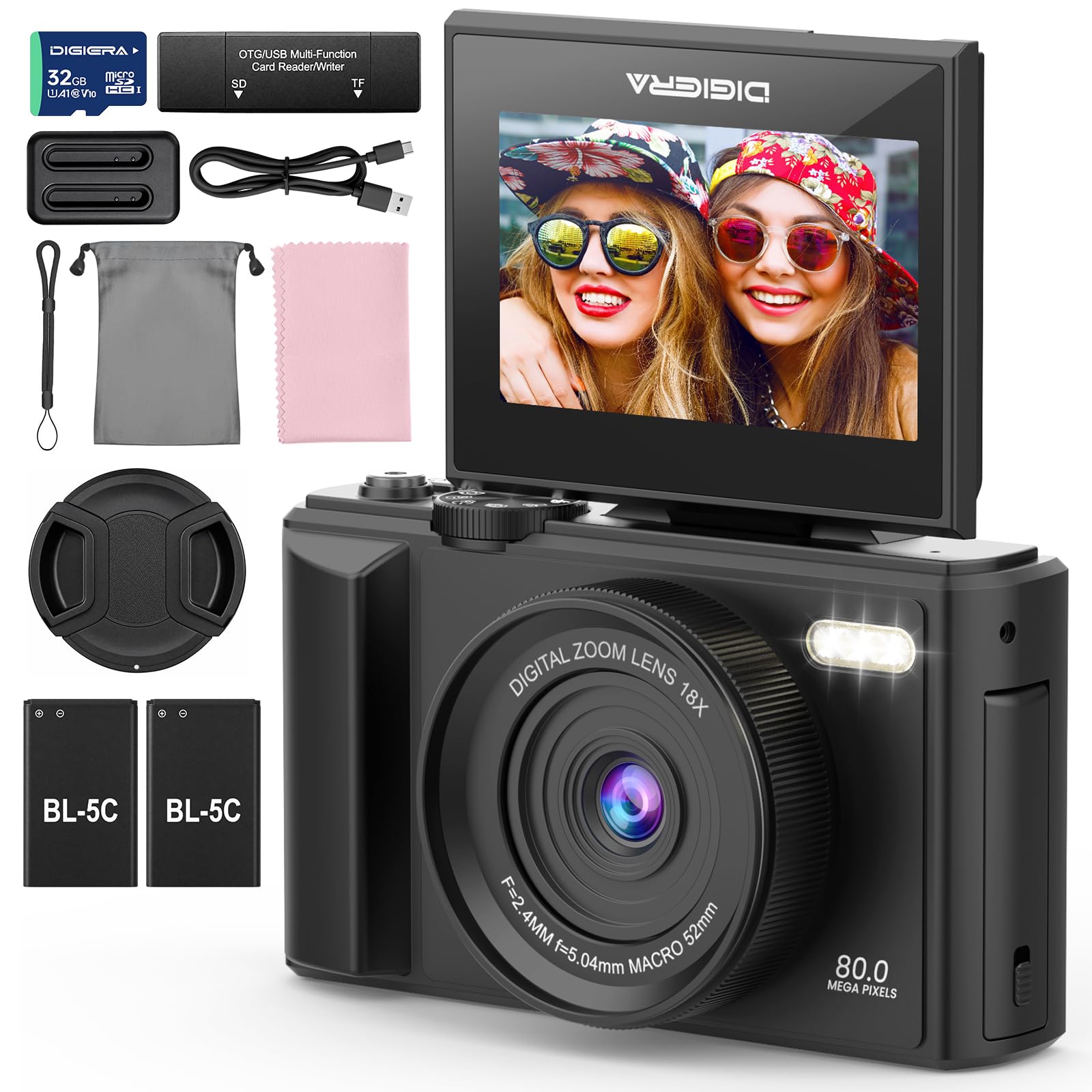
Image 1.1: The DIGIERA DGW100BL 5K Digital Camera.
2. פּעקל אינהאַלט
באַשטעטיקן אַז אַלע זאכן זענען פאַראַן אין דיין פּעקל:
- DIGIERA DGW100BL Camera Body
- 2 x Detachable Rechargeable Lithium-ion Batteries
- באַטערי טשאַרדזשער
- 32 גיגאבייט סד קאָרט
- וסב קאַבלע
- באַניצער מאַנואַל
- האַנטגעלענק רימען
3. סעטאַפּ
3.1. באַטאַרייע ייַנמאָנטירונג און טשאַרדזשינג
- עפֿנט דעם דעקל פֿון דער באַטעריע־אָפּטיילונג, וואָס געפֿינט זיך אויף דער אונטערשטער זײַט פֿון דער קאַמעראַ.
- Insert a rechargeable lithium-ion battery, ensuring the contacts align correctly. Close the cover.
- To charge the battery, insert it into the provided external charger. Connect the charger to a power source using the USB cable. The indicator light on the charger will show charging status.
- A fully charged battery provides approximately 80 minutes of 4K video recording.
3.2. סד קאַרד ינסטאַללאַטיאָן
- געפינט דעם SD קאַרטל שפּאַלט, טיפּיש אויף דער זייט אָדער אונטערשטער טייל פון דער קאַמעראַ.
- Insert the included 32GB SD card with the metal contacts facing the correct direction (refer to the diagram near the slot). Push until it clicks into place.
- צו אַרויסנעמען, שטופּן די SD קאַרטל לײַכט אַרײַן ביז זי שפּרינגט אַרויס.
3.3. פּאָווערינג אויף / אויסגעלאשן
- צו אנצינדן, דריק און האלט דעם פּאַוער קנעפּל ביז דער עקראַן באַלויכטנט זיך.
- To power off, press and hold the Power button again until the screen shuts down.
3.4. ערשט סעטטינגס
Upon first power-on, you may be prompted to set the date, time, and language. Use the navigation buttons to select and confirm your preferences.
4. אַפּערייטינג די קאַמעראַ
4.1. Basic Photography and Video Recording
The camera supports 80MP still images and 5K video recording.

Image 4.1: Demonstrating 5K video and 80MP photo capabilities.
- באַשטימען מאָדעס: Use the mode dial or menu options to switch between photo, video, and playback modes.
- גענומען פאָטאָס: In photo mode, frame your shot and press the Shutter button halfway to focus, then fully to capture the image.
- רעקאָרדינג ווידיאס: In video mode, press the Record button to start and stop recording.
- Snapshot While Recording: You can capture still photos during video recording by pressing the Shutter button.
4.2. פאָקוס מאָדעס
The camera offers flexible focusing options:
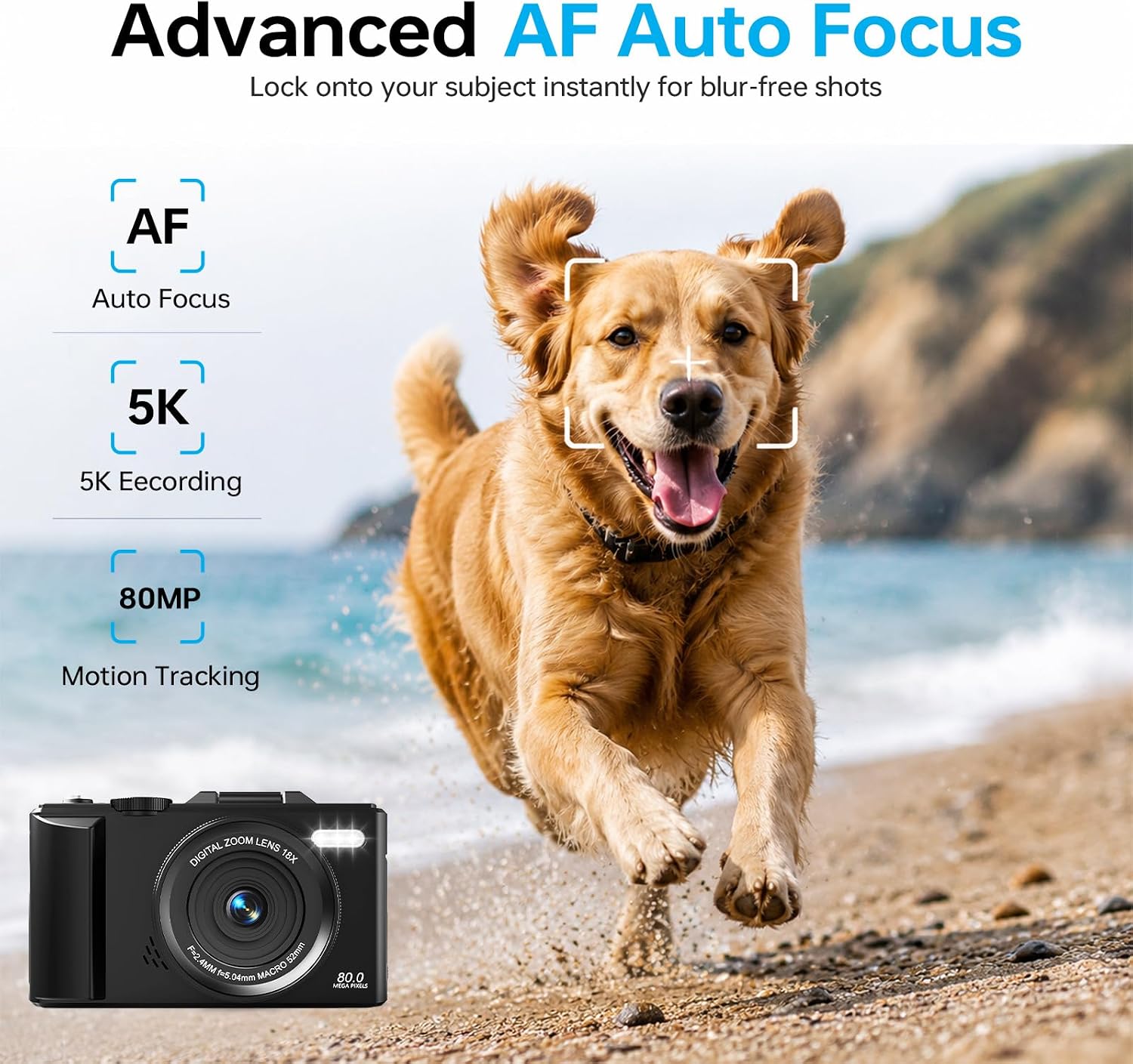
Image 4.2: Advanced Autofocus for sharp images.
- אויטאָפאָקוס (AF): The camera automatically detects and focuses on subjects. This is ideal for most situations, including moving subjects.
- פאַרפעסטיקט פאָקוס: Maintains a fixed focus distance, suitable for specific scenarios where manual adjustment is not desired.
- מאַנועל פאָקוס (MF): Allows you to manually adjust the focus for precise control.
4.3. Using the Flip Screen and Digital Zoom

Image 4.3: The 180° flip screen for easy selfies and vlogging.
- פליפּ פאַרשטעלן: The 3.0-inch IPS LCD screen can be flipped 180 degrees, making it convenient for self-portraits, vlogging, and monitoring your shots from various angles.
- 18X דיגיטאַל פארגרעסער: Use the zoom controls (usually 'W' for wide and 'T' for telephoto) to digitally zoom in or out on your subject. Note that digital zoom may reduce image quality compared to optical zoom.
4.4. Anti-Shake Technology
The built-in anti-shake technology helps to stabilize your footage and photos, reducing blur caused by camera movement, especially useful during handheld shooting or when using digital zoom.
4.5. ספּעציעלע פֿעיִקייטן
- צייט שטרעקע: Capture sequences of images over time to create time-lapse videos. Access this feature through the camera's menu. For extended sessions, consider connecting a power bank.
- סלאָו-מאָטיאָן: Record videos at a higher frame rate to play back in slow motion.
- קרעאַטיווע פילטערס: Apply various artistic filters and effects directly to your photos and videos.

בילד 4.4: עקס.amples of built-in creative filters.
4.6. Wi-Fi Connectivity and App Control

Image 4.5: Wi-Fi transfer for instant sharing.
The camera features built-in Wi-Fi for seamless transfer of photos and videos to your smartphone via a dedicated mobile app. This also enables remote control for convenient selfies and group shots.
- Download the official DIGIERA camera app from your device's app store.
- Enable Wi-Fi on your camera and connect your smartphone to the camera's Wi-Fi network.
- Use the app to browse, transfer, and share your media, or to control the camera remotely.
4.7. External Lens Support

Image 4.6: The camera supports external 52mm wide-angle lenses (sold separately).
The camera supports external 52mm wide-angle lenses (not included) to expand your field of view, ideal for capturing landscapes or group photos.
5. וישאַלט
5.1. רייניקונג די קאַמעראַ
- לענס: ניצט אַ ווייכע, לינט-פֿרייע שטאָף אָדער אַ לינז באַרשט צו פֿאָרזיכטיק אַראָפּנעמען שטויב. פֿאַר פֿלעקן, ניצט אַ ספּעציאַליזירטע לינז רייניקונג לייזונג וואָס ווערט אויפֿגעטראָגן אויף אַ שטאָף, נישט גלייך אויף דער לינז.
- פאַרשטעלן: Wipe the LCD screen with a soft, dry microfiber cloth. Avoid harsh chemicals.
- גוף: Use a dry, soft cloth to clean the camera body. Do not use water or cleaning solvents.
5.2. באַטערי קער
- סטאָר באַטעריז אין אַ קיל, טרוקן אָרט ווען ניט אין נוצן.
- פֿאַרמײַדט אָפֿט פֿולשטענדיק אויסצולאָדן באַטעריעס כּדי צו פֿאַרלענגערן זייער לעבן.
- שטעלט נישט אויס באַטעריעס צו עקסטרעמע טעמפּעראַטורן.
5.3. סטאָרידזש
When storing the camera for extended periods, remove the battery and SD card. Store the camera in a protective case in a dry, dust-free environment.
6. טראָובלעשאָאָטינג
אויב איר טרעפט פּראָבלעמען מיט אייער קאַמעראַ, זעט די פאלגענדע געוויינטלעכע פּראָבלעמען און לייזונגען:
| פּראָבלעם | מעגלעך סיבה | לייזונג |
|---|---|---|
| די קאַמעראַ גייט נישט אָן. | די באַטעריע איז אויסגעשעפּט אָדער נישט ריכטיק אַרײַנגעשטעלט. | זיכער מאַכן אַז די באַטאַרייע איז גאָר אויפגעלאָדן און ריכטיק אַרײַנגעשטעלט. פּרוּווט אַן אַנדער אויפגעלאָדעטע באַטאַרייע. |
| קען נישט נעמען בילדער/רעקארדירן ווידיאס. | SD card is full, locked, or not inserted. | Check SD card status. Ensure it is unlocked, has sufficient space, and is inserted correctly. Format the SD card if necessary (this will erase all data). |
| בילדער זענען בלערי. | פאַלשער פאָקוס, קאַמעראַ שאָקלען, אָדער שמוציק לינז. | Check focus mode. Ensure anti-shake is enabled. Clean the lens. Hold the camera steady. |
| Wi-Fi פֿאַרבינדונג פּראָבלעמען. | Incorrect Wi-Fi settings or app issues. | Ensure Wi-Fi is enabled on both camera and phone. Reconnect to the camera's Wi-Fi network. Restart the camera and the app. |
| קורץ באַטאַרייע לעבן. | Frequent use of power-intensive features or old battery. | Reduce screen brightness, limit continuous recording. Ensure batteries are fully charged. Consider replacing old batteries. |
אויב די פראבלעם בלייבט נאך פרובירן די לייזונגען, ביטע קאנטאקטירט קאסטומער סופארט.
7. ספּעסאַפאַקיישאַנז
| שטריך | דעטאַל |
|---|---|
| מאָדעל נאָמען | DGW100BL |
| פאָטאָ סענסאָר טעכנאָלאָגיע | קמאָס |
| מאַקסימום Webקאַם בילד רעסאָלוטיאָן | 80 מפּ |
| ווידעא האַכלאָטע | 5K |
| דיגיטאַל פארגרעסער | 18X |
| פאַרשטעלן גרייס | 3.0 אינטשעס |
| ווייַז טיפּ | IPS LCD (Flip Screen) |
| בילד סטאַביליזאַטיאָן | Digital (Anti-Shake) |
| פאָקוס מאָדעס | Autofocus, Fixed Focus, Manual Focus |
| געשטיצט File פֿאָרמאַט | JPEG (Photos) |
| זכּרון סטאָרידזש קאַפּאַסיטי | 32 גיגאבייט (SD קאַרטל אַרייַנגערעכנט) |
| Compatible Flash Memory Type | מיקראָסד |
| קאַנעקטיוויטי טעכנאָלאָגיע | וסב, ווי-פי |
| באַטערי טיפּ | Detachable Rechargeable Lithium-ion |
| באַטערי דורכשניטלעך לעבן | Approx. 80 minutes (4K recording) |
| ספּעציעלע פֿעיִקייטן | Anti-Shake, Slow Motion, Wi-Fi Control, Time-Lapse, Snapshot While Recording, 5K Ultra-HD |
| פאַבריקאַנט | Shenzhen Kerun E-commerce Co.,Ltd |
8. וואָראַנטי אינפֿאָרמאַציע
This DIGIERA DGW100BL camera comes with a 1-יאָר מאַנופאַקטורער וואָראַנטי פֿון דעם קויפֿדאַטום. די וואָראַנטי דעקט פֿאַבריקאַציע חסרונות און אַרבעט אונטער נאָרמאַל נוצן. עס דעקט נישט שעדיקן געפֿירט דורך אומרעכט נוצן, אַקסאַדענטן, נישט-אָטעריזירטע מאָדיפֿיקאַציעס, אָדער נאַטירלעכע קאַטאַסטראָפֿעס.
ביטע האַלטן דיין דערווייַז פון קויפן פֿאַר וואָראַנטי קליימז.
9. קונה שטיצן
For technical assistance, troubleshooting not covered in this manual, or warranty inquiries, please contact DIGIERA customer support. We offer 4/7 after-sale support to assist you.
- בליצפּאָסט: Refer to your product packaging or the official DIGIERA webפּלאַץ פֿאַר קאָנטאַקט דעטאַילס.
- Webפּלאַץ: Visit the DIGIERA Store on Amazon