
DREO DR-KWF002
DREO RO Water Filter 112 Countertop System User Manual
Model: DR-KWF002
הקדמה
Thank you for choosing the DREO RO Water Filter 112 Countertop System. This manual provides important information regarding the setup, operation, maintenance, and troubleshooting of your new water purification system. Please read it thoroughly before use and retain it for future reference.
The DREO RO Water Filter 112 is designed to provide clean, healthy drinking water through a multi-stage reverse osmosis filtration process. It features a compact, installation-free design, real-time water quality monitoring, and an automatic refilling pitcher for convenience.
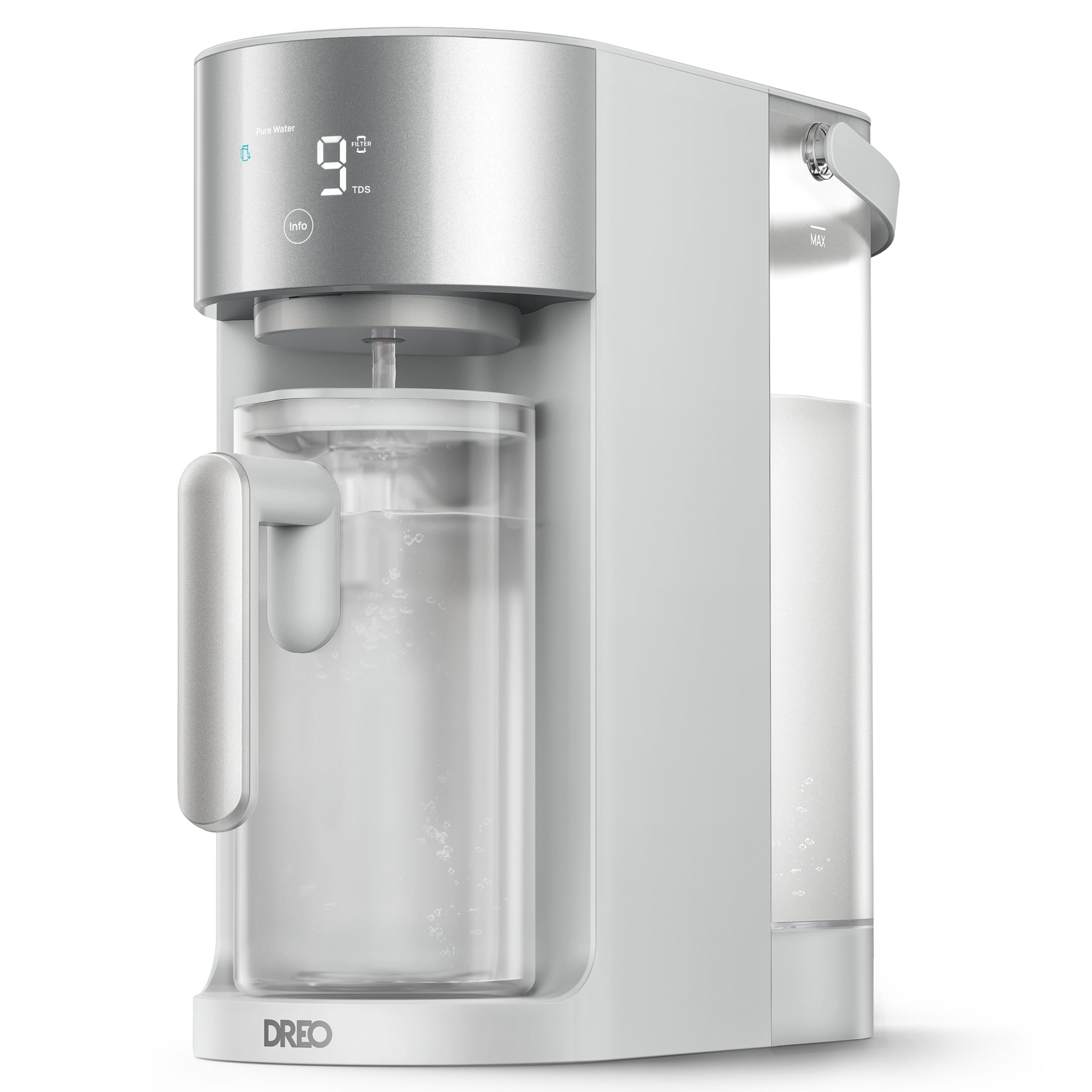
Image: The DREO RO Water Filter 112 countertop system in a kitchen setting, with a person enjoying a glass of purified water.
שליסל פֿעיִקייטן
- 7-in-1 RO Filtration System: Tested by SGS, meeting NSF/ANSI 58 Standards, the DREO 7-in-1 RO filter removes over 1000 impurities (up to 99.99%) in water including PFOA, PFOS, chlorine, fluoride, and more, providing clean, healthy water.
- Real-Time TDS & Filter Life Monitoring: Check raw water and pure water TDS in real time and receive timely filter change reminders for simple maintenance.
- Auto-Fill & Self-Cleaning: The DREO water pitcher features an auto-fill sensor for hands-free refills, while the self-cleaning system automatically flushes internal tubes for consistently pure water.
- Eco-Conscious & Cost-Saving: Advanced RO filtration delivers a 3:1 pure-to-drain ratio, reducing water waste. The filter lasts 6 to 12 months and replaces easily with a twist-to-install design.
- קאָמפּאַקט, פּלאַץ-שפּאָרנדיק פּלאַן: With a slim 14.51" L × 6.73" W × 13.35" H footprint, the DREO countertop reverse osmosis system fits easily in various spaces without plumbing or installation. The 3L tank plus 1.1L pitcher is ideal for daily use.
פּעקל אינהאַלט
- 1 × DREO RO Water Filter 112 Body
- 1 × RO Filter
- 1 × Autofill Water Pitcher
סעטאַפּ
Follow these steps to set up your DREO RO Water Filter 112 system:
- אויספּאַקן די סיסטעם: Carefully remove all components from the packaging. Ensure all items listed in the "Package Contents" section are present.
- שטעלט די איינהייט: Position the main unit on a flat, stable surface near a power outlet. Ensure there is adequate space around the unit for ventilation and easy access to the water tank.
- Install the RO Filter:
- עפֿנט דעם דעקל פֿונעם פֿילטער־אָפּטייל.
- Insert the RO filter into its designated slot. Rotate it clockwise until it locks into place.
- פֿאַרמאַכט דעם דעקל פֿון פֿילטער־אָפּטייל.

Image: Illustration showing how to insert and twist the RO filter into the unit.
- פּלאָמבירן די וואַסער טאַנק: אַרויסנעמען דעם רויע וואַסער טאַנק פֿון דער הינטערשטער זײַט פֿון דער אַפּאַראַט. פֿילט אים מיט קראַן וואַסער ביז דער מאַקס ליניע. שטעלט צוריק דעם טאַנק זיכער אַרײַן אין דער אַפּאַראַט.

Image: A person filling the removable raw water tank with tap water.
- פאַרבינדן מאַכט: Plug the power adapter into the unit and then into a wall outlet. The display will light up.
- Initial Flush (Before First Use): Before drinking, perform an initial flush to prepare the system.
- Place the empty autofill pitcher under the dispenser.
- Press the dispense button to fill the pitcher. Discard this first pitcher of water.
- Repeat this process 2-3 times to ensure the system is thoroughly flushed and the filter is primed.
Video: This video demonstrates the initial setup and flushing process for the DREO RO Water Filter 112, showing how to prepare the system for first use.
אַפּערייטינג ינסטראַקשאַנז
דיספּענסינג וואַסער
- זיכער מאַכן אַז דער רוי-וואַסער טאַנק איז אָנגעפילט.
- Place the autofill pitcher or a glass under the dispenser.
- Press the dispense button on the control panel. The system will automatically fill the pitcher to the appropriate level or dispense water into a glass until the button is released.
- The autofill pitcher features a sensor that detects when it is placed back into the unit, triggering an automatic refill if needed.

Image: A person placing the autofill pitcher into the DREO RO Water Filter 112 unit, demonstrating the automatic refill feature.
Understanding the Display and Controls
The control panel provides real-time information and allows for easy operation:
- Pure Water TDS: Displays the Total Dissolved Solids (TDS) level of the filtered water.
- Raw Water TDS: Displays the TDS level of the unfiltered tap water.
- פילטער לעבן ינדיקאַטאָר: Shows the remaining lifespan of the RO filter. A reminder will appear when it's time for replacement.
- אינפֿאָרמאַציע קנעפּל: Press this button to toggle between displaying pure water TDS, raw water TDS, and filter life.

Image: Close-up of the DREO RO Water Filter 112's display, showing the pure water TDS, raw water TDS, and the 'Info' button for checking filter status.
וישאַלט
פילטער פאַרבייַט
The RO filter typically lasts 6 to 12 months, depending on water quality and usage. The system will provide a reminder when replacement is needed.
- מאַכט אַוועק: אָפּשטויסן די אַפּפּליאַנסע פון די מאַכט ווענטיל.
- אַראָפּנעמען אַלטן פֿילטער: Open the filter compartment cover. Rotate the old filter counter-clockwise until it stops, then pull it out.
- אינסטאַלירן נײַעם פֿילטער: Insert a new RO filter into the slot. Rotate it clockwise until it locks into place. Close the cover.
- באַשטעטיק פילטער לעבן: Plug the unit back in. Press and hold the "Info" button for 5 seconds to reset the filter life indicator. Ensure the pitcher has been removed before resetting.
- אויסשווענקען נייעם פילטער: Perform an initial flush (as described in the Setup section) with the new filter to ensure optimal performance.
Video: This video demonstrates the process of replacing the water filter in the DREO RO Water Filter 112 system.
זיך-רייניקונג פֿונקציע
The DREO RO Water Filter 112 features an automatic self-cleaning system that flushes internal tubes to maintain water purity and prolong filter lifespan. This process occurs periodically and does not require user intervention.

Image: An internal diagram of the DREO RO Water Filter 112, highlighting the self-cleaning mechanism that flushes internal tubes.
Cleaning the Water Tanks and Pitcher
- Regularly clean the raw water tank and the autofill pitcher with mild soap and water. Rinse thoroughly.
- Do not use abrasive cleaners or harsh chemicals, as these can damage the materials.
- פאַרזיכערן אַז אַלע טיילן זענען גאָר טרוקן איידער ריאַסעמבאַלינג.
טראָובלעשאָאָטינג
| פּראָבלעם | מעגלעך סיבה | לייזונג |
|---|---|---|
| קיין וואַסער גיט נישט אויס. | Raw water tank is empty or not properly seated. Power cord is disconnected. | Fill the raw water tank and ensure it is correctly installed. Check power connection. |
| וואַסער שמעקט נישט געוויינטלעך. | New filter not flushed adequately. Filter needs replacement. | Perform initial flushing steps. Check filter life indicator and replace if necessary. |
| TDS readings are high for pure water. | Filter is nearing end of life or is expired. | Check filter life indicator and replace the RO filter. |
| Autofill pitcher does not refill. | Pitcher not correctly placed. Sensor obstruction. | Ensure the pitcher is fully seated in its position. Check for any debris obstructing the sensor. |
If you encounter issues not listed here or if the problem persists, please contact DREO customer support.
ספּעסאַפאַקיישאַנז
| שטריך | דעטאַל |
|---|---|
| סאָרט | DREO |
| מאָדעל נאָמען | DREO RO Water Filter 112 |
| מאָדעל נומער | ד״ר-KWF002 |
| פּראָדוקט דימענשאַנז (L x W x H) | 14.5" x 6.7" x 13.4" |
| מאַטעריאַל | אַקרילאָניטרילע בוטאַדיענע סטירענע |
| קאַפּאַציטעט | 3 Liters (Raw Water Tank) |
| רייניקונג אופֿן | פאַרקערט אָסמאָסיס |
| ספּעציעלע פֿעיִקייטן | Built-in TDS Meter, Change Filter Indicator, Touch Control, Self-Cleaning |
| Supported Water TDS Level Max | 1200 PPM |
| פּונקט וואָג | 9.5 פונט |
| אַרייַנגערעכנט קאַמפּאָונאַנץ | 1 × DREO RO Water Filter 112 Body; 1 × RO Filter; 1 × Autofill Water Pitcher |
וואָראַנטי און שטיצן
DREO products come with a manufacturer's warranty. For detailed warranty information, please refer to the warranty card included with your product or visit the official DREO webפּלאַץ.
For technical support, troubleshooting assistance, or to purchase replacement filters, please contact DREO customer service through their official webזייטל אדער די קאָנטאַקט אינפֿאָרמאַציע וואָס איז צוגעשטעלט אין אייער פּראָדוקט פּאַקאַדזשינג.
איר קענט אויך געפֿינען נאָך רעסורסן און אָפֿט געשטעלטע פֿראַגעס אויף דער DREO Store on Amazon.
Ask a question about this manual
Ask about setup, troubleshooting, compatibility, parts, safety, or missing instructions. Manuals+ will review the question and use this page’s manual context to help answer it.