
הקדמה
This manual provides detailed instructions for the installation, operation, and maintenance of your FTes RFKits 2-Wire WiFi Video Door Intercom. Please read this manual thoroughly before using the product to ensure proper function and safety. Keep this manual for future reference.
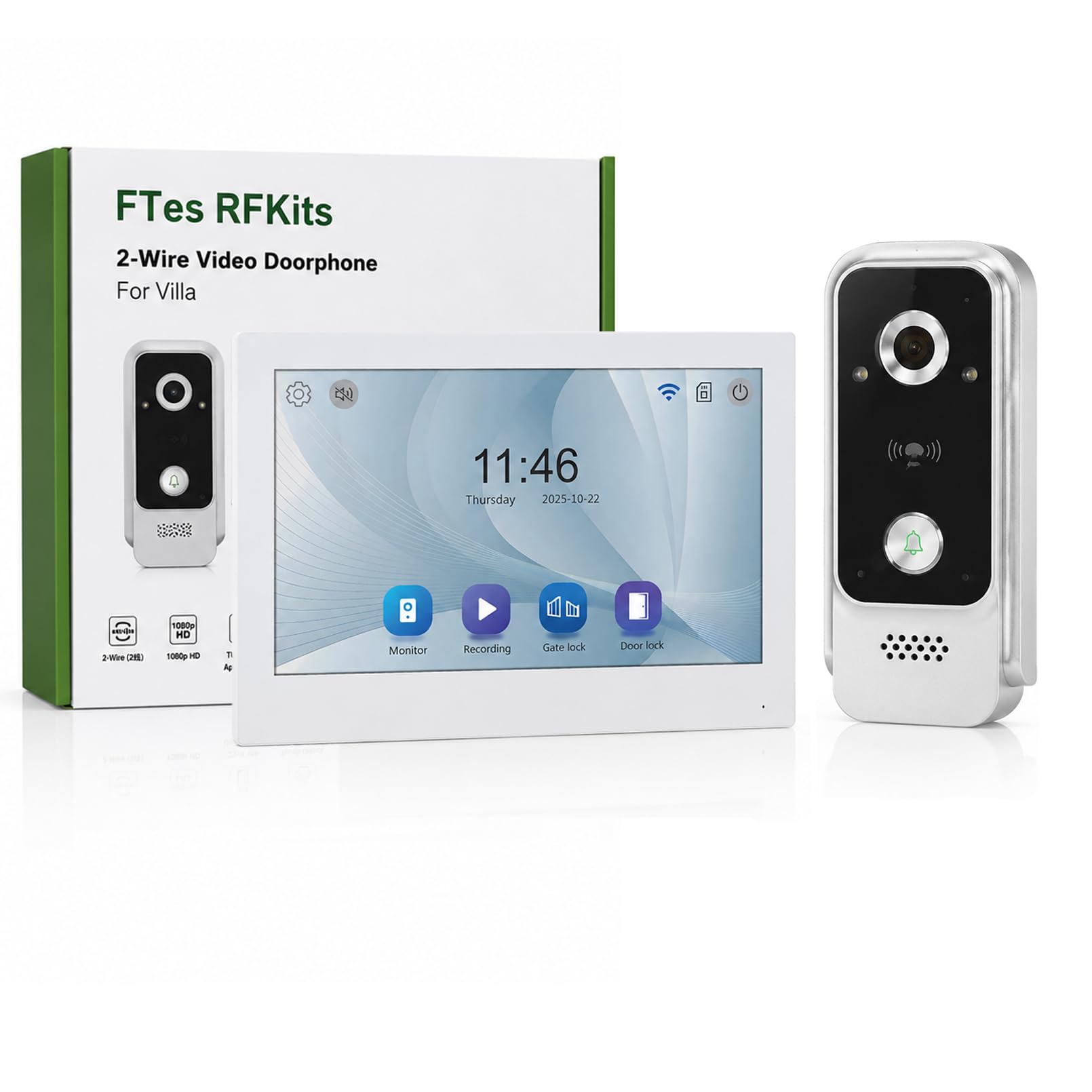
The FTes RFKits 2-Wire WiFi Video Door Intercom system features a 7-inch monitor with a 1080P camera, two-way audio, IP65 waterproof rating for the outdoor unit, and multiple unlocking methods including the Tuya App, RFID card, and NFC. It is designed to enhance home security and communication with visitors.
זיכערקייַט אינפֿאָרמאַציע
- זיכער מאַכן אַז אַלע מאַכט איז אָפּגעטיילט איידער ינסטאַלירונג אָדער וישאַלט.
- די אינסטאַלאַציע זאָל דורכגעפירט ווערן דורך אַ קוואַליפֿיצירטן פאַכמאַן אויב איר זענט נישט זיכער וועגן עלעקטרישע וויירינג.
- Do not expose the indoor monitor to water or high humidity.
- ניצן בלויז די צוגעשטעלט מאַכט אַדאַפּטער און אַקסעסעריז.
- Keep the outdoor unit's camera lens clean for optimal image quality.
- Avoid placing the outdoor unit in direct sunlight for prolonged periods to prevent overheating.
פּראָדוקט איבערview
The FTes RFKits Video Door Intercom system consists of an outdoor unit (doorbell camera) and an indoor unit (monitor).
שליסל פֿעיִקייטן:
- 7-inch IPS HD Touch Screen Monitor: פֿאַר קלאָר viewing and easy interaction.
- 1080P הד אַפּאַראַט: Provides clear video feed from the outdoor unit.
- צוויי-וועג אַודיאָ: Allows communication between the indoor monitor, outdoor unit, and the Tuya Smart App.
- טויאַ סמאַרט אַפּ אינטעגראַציע: Enables remote monitoring, calls, recording, and unlocking via smartphone.
- עטלעכע אַנלאַקינג מעטהאָדס: Supports unlocking via the indoor monitor, Tuya App, RFID cards, and NFC.
- IP65 Waterproof Outdoor Unit: דיזיינד פֿאַר דרויסנדיק נוצן אין פֿאַרשידענע וועטער באדינגונגען.
- Infrared LED Night Vision: Ensures clear visibility even in low-light conditions.
- באַוועגונג דעטעקשאַן: Automatically records video or takes snapshots when motion is detected.
- אָטאַמאַטיק רעקאָרדינג: Records when the doorbell is pressed.
- לאקאלע סטאָרידזש: Built-in 32GB TF card for storing video recordings and photos.
- 2-ווירע קאַנעקשאַן: Simplifies installation and provides a stable connection.
- Dual Door Lock Management: Capable of controlling two electronic door locks simultaneously.
סעטאַפּ און ינסטאַלירונג
1. וויירינג דיאַגראַמע
The system uses a 2-wire connection for communication and power between the outdoor unit and the indoor unit. A DC15V power adapter powers the indoor unit.
בילד: Wiring diagram for the FTes RFKits Video Door Intercom. The outdoor unit connects to the indoor unit via two wires. The indoor unit is powered by a DC15V adapter.
- Connect the two wires from the outdoor unit to the corresponding terminals on the indoor unit. Ensure correct polarity if indicated (though the diagram suggests non-polarity for the 2-wire connection).
- Connect the DC15V power adapter to the indoor unit.
- For electronic door locks, connect them to the designated terminals on the indoor unit as per the lock's instructions. The system supports managing two door locks.
2. מאָנטירן די איינהייטן
- דרויסנדיק אַפּאַראַט: Mount the outdoor unit at a height of approximately 1.5 meters (5 feet) from the ground, ensuring the camera has a clear view of the visitor's face. Avoid direct sunlight or strong light sources that could cause glare.
- דרינענדיק אַפּאַראַט: Mount the indoor monitor in a convenient location inside your home, away from direct heat sources or moisture.
3. Tuya Smart App Setup
- דאַונלאָוד די "Tuya Smart" אַפּ פֿון דיין סמאַרטפֿאָן'ס אַפּ סטאָר (iOS אָדער אַנדרויד).
- רעגיסטרירט זיך אדער לאגט זיך איין אין אייער טויאַ סמאַרט אקאונט.
- Follow the in-app instructions to add your video door intercom device. This typically involves putting the indoor unit into pairing mode and connecting it to your 2.4 GHz Wi-Fi network.
- Once connected, you can access the intercom functions remotely via the app.
אַפּערייטינג ינסטראַקשאַנז
1. Two-Way Intercom Communication
When a visitor presses the doorbell button on the outdoor unit, the indoor monitor will ring and display the visitor's image. You can also receive a notification on your Tuya Smart App.

בילד: Two-way intercom in action. A visitor at the door can communicate with the resident through the indoor monitor or the Tuya app on a smartphone.
- פֿון אינעווייניקסטן מאָניטאָר: Tap the "Answer" button on the 7-inch screen to initiate two-way audio communication.
- From Tuya Smart App: Open the notification or the app to view the live feed and speak with the visitor.
2. Multiple Unlocking Methods
The system offers several ways to unlock connected electronic doors.

בילד: Multiple unlocking methods available for the door intercom system, including tapping the indoor monitor, using an RFID card, unlocking via the Tuya app, and NFC unlocking.
- Tap to Unlock (Indoor Monitor): During a call or live view, tap the unlock icon on the indoor monitor screen.
- RFID Card Unlock (Outdoor Unit): Present a pre-programmed RFID card to the sensor on the outdoor unit.
- NFC Unlock (Outdoor Unit): Use an NFC-enabled device (e.g., smartphone with NFC) near the outdoor unit's sensor.
- טויאַ אַפּ עפענונג: From the Tuya Smart App, tap the unlock icon during a call or live view.
3. Automatic Recording and Motion Detection
The system automatically records events to the built-in 32GB TF card.

בילד: Automatic recording feature. When the doorbell is pressed, the system automatically records video or takes a photo.
- Bell Button Triggered Recording: When a visitor presses the doorbell, the system automatically records a video or takes a photo.
- רעקאָרדינג פון באַוועגונג דעטעקטיאָן: The outdoor unit's camera can detect motion in its field of view. When motion is detected, the system will automatically record a video or take a snapshot. You will receive a notification on the Tuya Smart App.

בילד: Motion detection in operation. The outdoor unit detects movement, triggers a mobile app notification, and the indoor unit records a snapshot.
4. Local Storage and Playback
All recordings are stored on the built-in 32GB TF card. You can review these recordings from the indoor monitor or via the Tuya Smart App.

בילד: Local storage and playback interface on the indoor monitor and smartphone app, showing call records and video playback options.
- אויף אינעווייניק מאָניטאָר: Navigate to the "Local Storage" or "Call Records" menu to view רעקאָרדעד ווידיאס און פאָטאָס.
- On Tuya Smart App: Access the device's settings in the app to view cloud or local storage recordings.
וישאַלט
- רייניקונג: ניצט אַ ווייכע, טרוקענע שטאָף צו רייניקן דעם אינעווייניקסטן מאָניטאָר עקראַן און די דרויסנדיקע אַפּאַראַט'ס קאַמעראַ לינז. ניצט נישט קיין שרײַבנדיקע רייניגער אָדער סאָלווענטן.
- Firmware דערהייַנטיקונגען: Periodically check the Tuya Smart App for available firmware updates for your device to ensure optimal performance and security.
- קאַבלע דורכקוק: Regularly inspect the wiring for any signs of damage or wear.
- TF קאַרטל פאַרוואַלטונג: The 32GB TF card will automatically overwrite older recordings when full. If you need to preserve specific recordings, back them up to another device.
טראָובלעשאָאָטינג
| פּראָבלעם | מעגלעך סיבה | לייזונג |
|---|---|---|
| קיין בילד אויף אינעווייניקסטן מאָניטאָר. | Power supply issue, loose wiring, outdoor unit malfunction. | Check power adapter connection. Verify 2-wire connection between units. Ensure outdoor unit is powered. |
| No audio during two-way communication. | Microphone/speaker issues, network connectivity problems (for app calls). | Check volume settings. Ensure stable Wi-Fi connection for app. Restart units. |
| קען נישט עפענען די טיר פון ווייטנס. | Incorrect wiring to electronic lock, lock malfunction, app connectivity issue. | Verify lock wiring. Test lock manually. Check Tuya App connection and permissions. |
| שלעכטע בילד קוואַליטעט אָדער נאַכט זעאונג. | שמוציקע קאַמעראַ לינזע, נישט גענוג באַלויכטונג, קאַמעראַ דורכפאַל. | Clean the outdoor unit's camera lens. Ensure there are no obstructions. |
| Tuya App cannot connect to the device. | Incorrect Wi-Fi password, 5GHz Wi-Fi network, device not in pairing mode, network interference. | Ensure you are using a 2.4 GHz Wi-Fi network. Re-enter Wi-Fi password. Follow app pairing instructions carefully. Move router closer if signal is weak. |
ספּעסאַפאַקיישאַנז
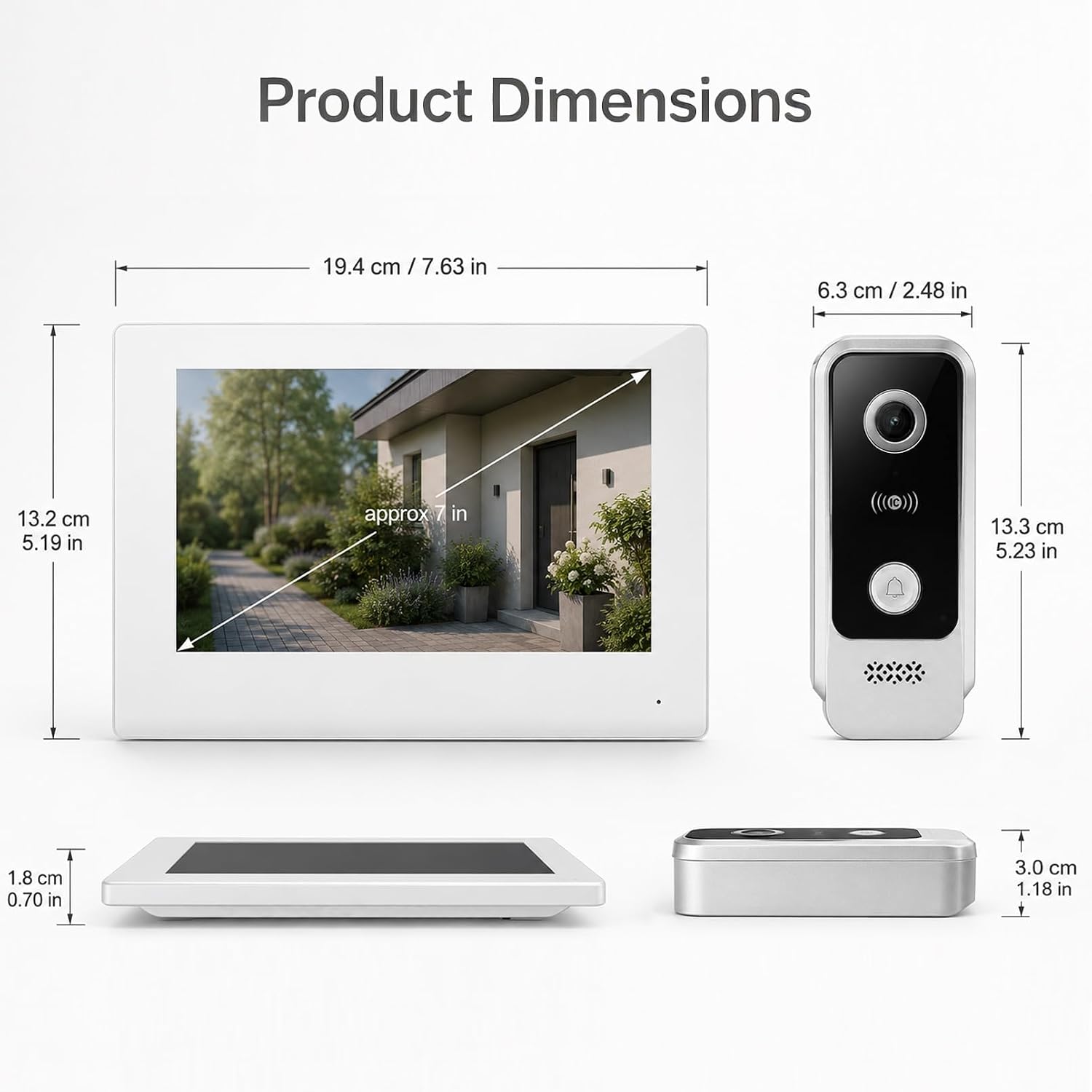
בילד: Product dimensions for both the indoor monitor and outdoor unit.
| שטריך | דעטאַל |
|---|---|
| מאָדעל נומער | V7024B2 |
| סאָרט | FTes RFKits |
| פאַרשטעלן גרייס | 7.0 אינטשעס |
| אַפּאַראַט האַכלאָטע | 1080 פּ הד |
| Viewינג אַנגלע | קסנומקס ° ברייט-ווינקל |
| נאַכט זעאונג | ינפרערעד געפירט |
| קאַנעקטיוויטי | 2-Wire (intercom), 2.4 GHz WiFi (App) |
| אַנלאַקינג מעטהאָדס | Monitor, Tuya App, RFID Card, NFC |
| סטאָרידזש | געבויט-אין 32GB TF קאָרט |
| דרויסנדיקע איינהייט IP שאַץ | IP65 וואָטערפּרוף |
| מאַכט צושטעלן | DC15V (via adapter) |
| Item Dimensions (Indoor Unit) | אומגעפער 19.4 x 13.2 x 1.8 ס״מ (7.63 x 5.19 x 0.70 אינטשעס) |
| Item Dimensions (Outdoor Unit) | אומגעפער 6.3 x 13.3 x 3.0 ס״מ (2.48 x 5.23 x 1.18 אינטשעס) |
| באַטעריז פארלאנגט | ניין |
וואָראַנטי און שטיצן
For warranty information and technical support, please refer to the documentation provided with your purchase or contact FTes RFKits customer service. Contact details can typically be found on the product packaging or the manufacturer's official webפּלאַץ.
Please have your model number (V7024B2) and purchase date ready when contacting support.