
1. פּראָדוקט איבערview
The Soundcore Liberty 5 Pro Max are advanced wireless earbuds designed for superior audio experiences, crystal-clear communication, and smart productivity features. They integrate cutting-edge AI technology for noise cancellation, voice recording, and personalized sound.
שליסל פֿעיִקייטן:
- Guinness World Records Certified Call Quality: The Liberty 5 Pro Max offers exceptional call performance, certified by Guinness World Records for its speech quality.
- AI Voice Recorder & Transcription: The smart charging case features an integrated microphone to record in-person meetings and interviews, providing AI-generated transcriptions and summaries. (Note: Does not record online meetings or calls.)
- Intuitive AMOLED Smart Case: A 1.78" AMOLED display on the charging case allows direct control over AI recording, ANC settings, and earbud configurations, with customizable wallpapers.
- קריסטאַל-קלאָר קאַללס: Equipped with 10 sensors and a Thus AI Chip, ensuring your voice is heard clearly in any environment, even in noisy conditions exceeding 100 dB.
- Instant Absolute Silence (ANC): Features 100% more effective Active Noise Cancellation than previous models, utilizing 8 sensors and a Thus AI Chip to process over 384K noise signals per second for immediate quiet.
- Personalized Audio with HearID 5.0: Tailor your sound experience with custom EQ and an AI audio optimizer, ensuring optimal sound quality.
- Lag-Free Voice Control: Access 20 integrated commands for music playback and volume adjustment with zero delay, thanks to offline processing.
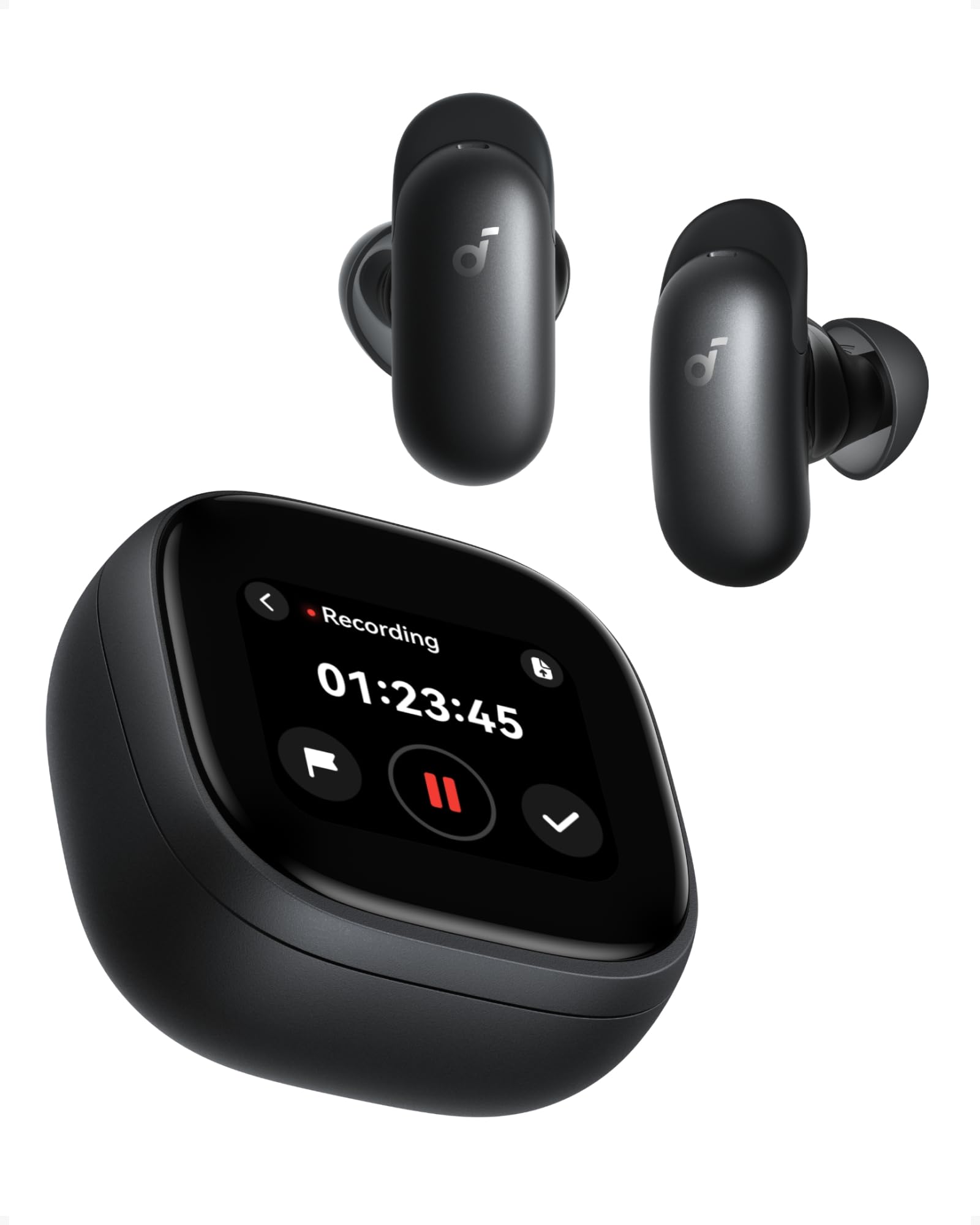
Image: Soundcore Liberty 5 Pro Max earbuds in their smart charging case.
2. פּעקל אינהאַלט
זייט זיכער אז אלע זאכן זענען פאראן אין דער קעסטל:
- Soundcore Liberty 5 Pro Max Earbuds
- סמאַרט טשאַרדזשינג קאַסע
- Ear Tips: XXS, XS, S, M, L (Medium pre-installed)
- Ear Wings: 0, 1, 2 (Size 1 pre-installed)
- וסב-C טשאַרדזשינג קאַבלע

Image: All components included in the Soundcore Liberty 5 Pro Max package.
3. אויפשטעלן און ערשטע באנוץ
3.1 אויפלאָדן די אויערקנעפּלעך און קעסטל
- שטעלן די עאַרבודז אין די טשאַרדזשינג פאַל.
- Connect the charging case to a power source using the provided USB-C cable. The LED indicators on the case will show charging status.
- For wireless charging, place the case on a compatible wireless charging pad.
- A full charge for the earbuds takes approximately 50 minutes. The case provides multiple charges for extended use.
3.2 צופּאַסן די אויערקנעפּלעך
For optimal sound quality and noise cancellation, it is crucial to choose the correct ear tips and ear wings that provide a secure and comfortable seal.
- Experiment with different sizes of ear tips (XXS, XS, S, M, L) and ear wings (0, 1, 2).
- Insert the earbuds into your ears and rotate them until they fit snugly and comfortably.
- Use the Soundcore app's "Tip Fit Test" feature to verify the seal.
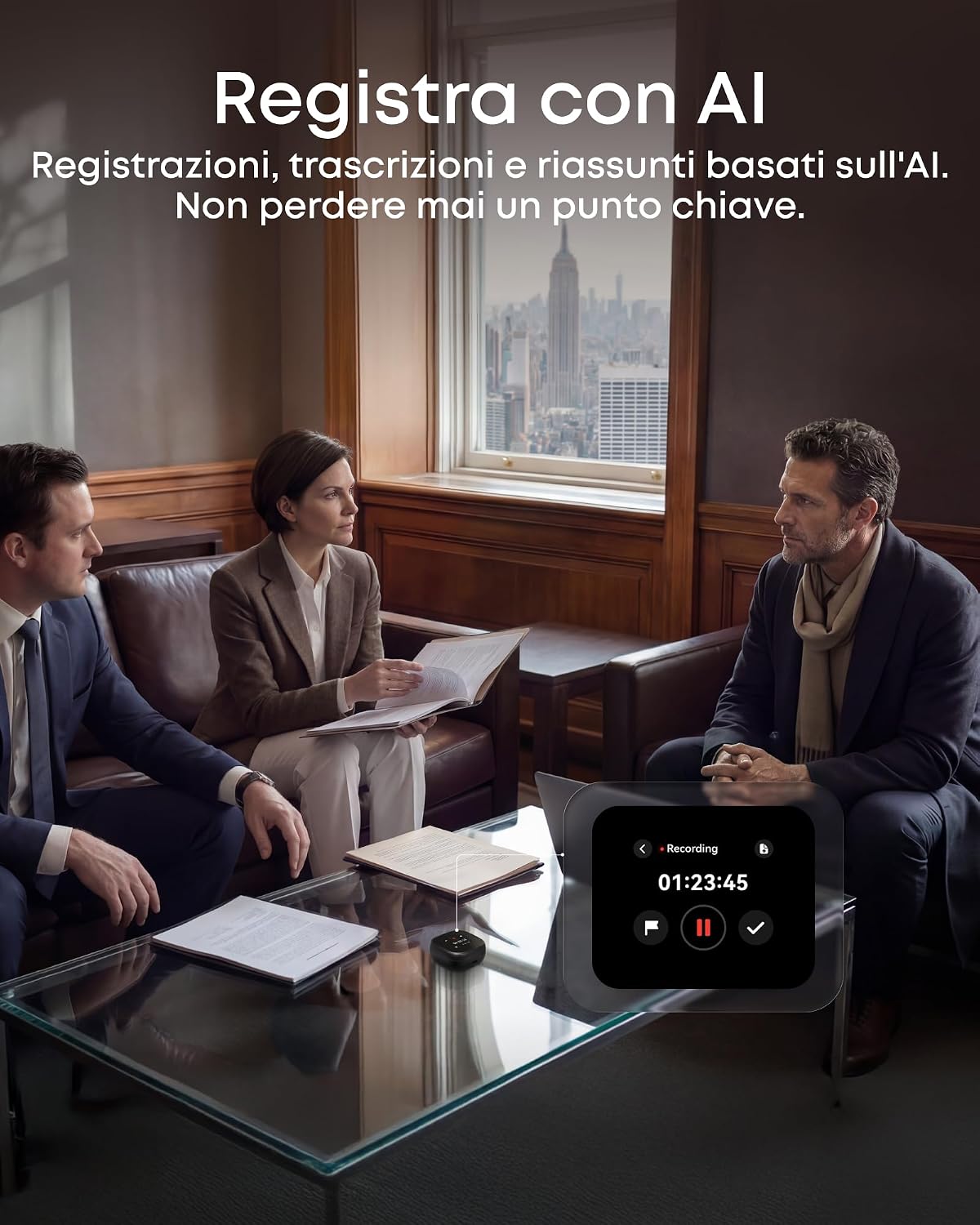
Image: Earbud correctly positioned in the ear for a secure fit.
3.3 פּאָרן מיט דיין מיטל
- Open the charging case. The earbuds will automatically enter Bluetooth pairing mode (LEDs will flash).
- On your device (smartphone, tablet, PC), go to Bluetooth settings and select "Soundcore Liberty 5 Pro Max" from the list of available devices.
- Once connected, the earbuds will automatically connect to the last paired device when removed from the case.
- The Liberty 5 Pro Max supports simultaneous connection to up to 3 devices. Manage connections via the Soundcore app or the smart case display.

Image: Illustration of connecting the earbuds to multiple devices simultaneously.
3.4 Soundcore App Installation
Download the Soundcore app from the App Store (iOS) or Google Play Store (Android) to unlock full features, customize settings, and manage your earbuds.
4. אַפּערייטינג ינסטרוקטיאָנס
4.1 Earbud Controls (Touch/Slide)
The earbuds feature touch and slide controls. Customize these controls via the Soundcore app.
- שפּיל / פּויזע: איין צאַפּן אויף יעדער עאַרבוד.
- ווייַטער שפּור: דריקט צוויי מאָל אויף די רעכטע אויערקנעפל.
- פֿריִערדיקע שפּור: Double tap left earbud.
- באַנד אַרויף: Slide up on right earbud.
- באַנד אַראָפּ: Slide down on left earbud.
- ענטפֿערן / סוף רופן: איין צאַפּן אויף יעדער עאַרבוד.
- אָפּוואַרפן רופן: דריקן און האַלטן יעדער עאַרבוד פֿאַר 2 סעקונדעס.
- טוישן ANC מאָדעס: Press and hold left earbud for 2 seconds (cycles through ANC, Transparency, Normal).
4.2 Smart Charging Case Display
The 1.78" AMOLED display on the charging case provides direct access to various functions:
- AI Voice Recorder: Start, pause, and stop recordings. View רעקאָרדינג צייט.
- ANC קאָנטראָל: Adjust Active Noise Cancellation modes (ANC, Transparency, Normal).
- Earbud Settings: Manage equalizer presets, customize controls, and perform firmware updates.
- באַטערי סטאַטוס: View battery levels for both earbuds and the charging case.
- Custom Wallpapers: Personalize the display background.

Image: Hand interacting with the smart charging case display, showing various control options.
4.3 אַקטיווע ראַש קאַנסאַליישאַן (ANC) און טראַנספּעראַנסי מאָדע
The Liberty 5 Pro Max offers advanced noise control:
- ANC מאָדע: רעדוצירט אַמביאַנט ראַש פֿאַר אַן אײַנטונקענדיקע הערן-ערפֿאַרונג. אידעאַל פֿאַר רייזע אָדער ראַשיקע סביבות.
- דורכזעיקייַט מאָדע: Allows you to hear your surroundings while listening to audio. Useful for awareness in urban areas or conversations.
- נאָרמאַל מאָדע: סטאַנדאַרד אַודיאָ ווידערשפּיל אָן אַקטיוו ראַש קאָנטראָל.

Image: A man on a boat, illustrating the effectiveness of instant absolute silence with ANC.
4.4 AI Voice Recorder
Utilize the AI Voice Recorder for in-person meetings and interviews:
- Access the recorder via the smart case display or the Soundcore app.
- Start recording. The integrated microphone in the case will capture audio.
- After recording, the system will transcribe and generate AI summaries.
- Manage recordings, transcriptions, and summaries through the Soundcore app or the "Ask Anka" web טויער.

Image: Individuals in a meeting, demonstrating the use of the AI voice recorder.
4.5 Personalized Audio Settings
The Soundcore app allows you to customize your audio experience:
- HearID 5.0: Perform a hearing test to create a personalized EQ profile tailored to your unique hearing.
- מנהג EQ: Manually adjust equalizer settings to your preference.
- AI Audio Optimizer: Enhances sound quality based on AI analysis.

Image: A woman relaxing, enjoying personalized audio settings.
5. וישאַלט
- רייניקונג: Regularly clean the earbuds, ear tips, and charging case with a soft, dry, lint-free cloth. Avoid using harsh chemicals.
- וואַסער קעגנשטעל: The earbuds have an IPX4 water resistance rating, meaning they are resistant to splashes and sweat. Do not submerge them in water. Ensure earbuds are dry before placing them back in the charging case.
- סטאָרידזש: סטאָר די עאַרבודז אין זייער טשאַרדזשינג פאַל ווען ניט אין נוצן צו באַשיצן זיי און האַלטן זיי טשאַרדזשינג.
6. טראָובלעשאָאָטינג
| אַרויסגעבן | לייזונג |
|---|---|
| עאַרבודס נישט פּערינג |
|
| ניט געזונט אָדער נידעריק באַנד |
|
| ANC נישט עפעקטיוו |
|
| טשאַרדזשינג ישוז |
|
7. ספּעסאַפאַקיישאַנז
| שטריך | דעטאַל |
|---|---|
| סאָרט | סאָונדקאָרע |
| מאָדעל נאָמען | Liberty 5 Pro Max |
| מאָדעל נומער | D1204 |
| קאָליר | שוואַרץ |
| פאָרם פאַקטאָר | אין אויער |
| ראַש קאָנטראָל | אַקטיוו ראַש קאַנסאַליישאַן (ANC) |
| ימפּידאַנס | 17 Ohm |
| אָפטקייַט ענטפער | 20 KHz |
| סענסיטיוויטי | 123 דב |
| קאַנעקטיוויטי טעכנאָלאָגיע | ווירעלעסס |
| ווירעלעסס טעכנאָלאָגיע | בלועטאָאָטה |
| בלועטאָאָטה ווערסיע | 6.1 |
| קאָנטראָל טיפּ | Touch and Slide Control |
| קאָנטראָל מעטאָד | אַפּ, קול |
| Casinג מאַטעריאַל | פּלאַסטיק |
| וואַסער קעגנשטעל מדרגה | IPX4 (שפריץ און שווייס קעגנשטעליק) |
| דורכשניטלעכע באַטאַרייע לעבן (אויערקנעפּלעך) | 12 שעה |
| באַטאַרייע אָפּצאָל צייט | 50 מינוט |
| ספּעציעלע פֿעיִקייטן | AI Note-Taker, AI Noise Cancellation, AMOLED Smart Case |
| קאַמפּאַטאַבאַל דעוויסעס | iPhone, Android, PC, Mac |
| GTIN (UPC) | 194644331047 |
8. וואָראַנטי און שטיצן
The Soundcore Liberty 5 Pro Max comes with a 24-חודש וואָראַנטי פֿון דעם קויף־דאַטום. ביטע באַהאַלטן אייער קויף־באַווייַז פֿאַר גאַראַנטיע־קליימז.
For technical support, troubleshooting assistance, or warranty inquiries, please visit the official Soundcore support webזייטל אדער קאנטאקט זייער קאסטומער סערוויס. איר קענט געפינען מער אינפארמאציע אויף די סאַונדקאָר קראָם אויף אַמאַזאָן or the Soundcore app.
9. וויכטיק סאַפעטי אינפֿאָרמאַציע
- צי ניט ויסשטעלן צו עקסטרעם טעמפּעראַטורעס.
- ויסמיידן דראַפּינג אָדער אונטערטעניק די מיטל צו שטאַרק ימפּאַקץ.
- האַלטן אויס פון דערגרייכן פון קינדער און פּעץ.
- דו זאלסט נישט דיסאַסעמבאַל אָדער פּרווון צו פאַרריכטן די מיטל זיך.
- ניצט נאָר אָריגינעלע אָדער סערטיפיצירטע טשאַרדזשינג קייבאַלז און אַדאַפּטערס.
- Avoid using earbuds at high volume for extended periods to prevent hearing damage.
10. ווידעא רעסורסן
קיין אפיציעלע פּראָדוקט ווידעאָ נישט URLs were provided in the product data. Please refer to the official Soundcore website or YouTube channel for video tutorials and demonstrations.