
1. הקדמה
Welcome to the OnePlus Nord CE6 Lite user manual. This guide provides essential information to help you get started with your new smartphone, understand its features, and ensure optimal performance. The OnePlus Nord CE6 Lite combines a powerful MediaTek Dimensity 7400 Apex Processor with a long-lasting 7000mAh battery and a smooth 144Hz display, designed for a seamless user experience.

Image: The OnePlus Nord CE6 Lite smartphone in Vivid Mint, showcasinג זײַן גלאַטן דיזײַן.
2. סעטאַפּ גייד
2.1. סים קאָרט ינסטאַלירונג
- געפינט די סים קארטל טאַץ אויף דער זייט פון אייער דעווייס.
- שטעקט אריין דעם סים אויסווארף געצייג אין דעם קליינעם לאך לעבן דעם טרעי און דריקט פעסט ביז דער טרעי קומט ארויס.
- Place your Nano SIM cards (supports Dual SIM) into the designated slots on the tray, ensuring the gold contacts face downwards.
- פֿאָרזיכטיק צוריקשטעלט די סים טאַץ אין דעם טעלעפאָן ביז עס קליקט אין פּלאַץ.
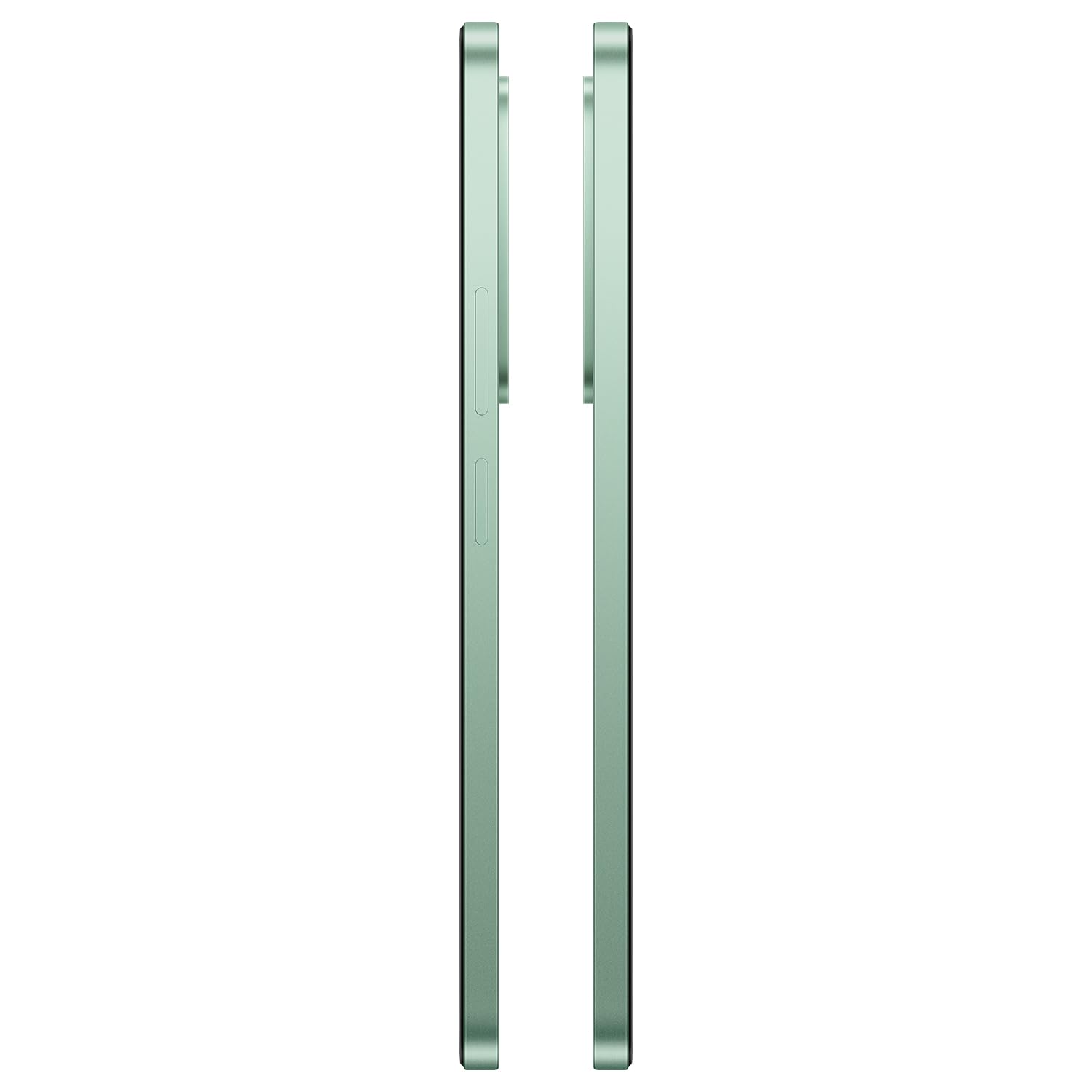
בילד: זייט view of the OnePlus Nord CE6 Lite, indicating the location of the SIM card tray.
2.2. ערשטע איינשאַלטונג און סעטאַפּ
- Press and hold the Power button until the OnePlus logo appears.
- פֿאָלגט די אינסטרוקציעס אויף דעם עקראַן צו אויסקלײַבן אײַער שפּראַך, זיך פֿאַרבינדן צו Wi-Fi, און אויפֿשטעלן אײַער Google חשבון.
- Configure security features such as fingerprint recognition and screen lock.
2.3. טשאַרדזשינג דיין מיטל
The OnePlus Nord CE6 Lite is equipped with a 7000mAh battery and supports 45W SUPERVOOC fast charging. Use the provided power adapter and USB Type-C cable for optimal charging speed.
- פֿאַרבינדט דעם USB טיפּ-C קאַבל צום טשאַרדזשינג פּאָרט אין דער אונטערשטער טייל פֿון אייער טעלעפֿאָן.
- צאַפּן די מאַכט אַדאַפּטער אין אַ וואַנט ווענטיל.
- A full charge takes approximately 97 minutes. A quick 10-minute charge can provide up to 7.5 hours of call time.

Image: The OnePlus Nord CE6 Lite charging with its 45W SUPERVOOC fast charger, highlighting the 7000mAh battery capacity.
3. אַפּערייטינג דיין מיטל
3.1. ווייַז פֿעיִקייטן
Experience fluid visuals on the 6.72-inch LCD display with a 144Hz refresh rate and 2400 x 1080 pixel resolution. The display offers up to 1000 nits peak brightness for clear viewing even in bright sunlight. Aqua Touch technology ensures precise control, even with wet or oily fingers.

Image: The OnePlus Nord CE6 Lite display highlighting its 144Hz refresh rate for smooth visuals.
3.2. פאָרשטעלונג און גיימינג
Powered by the MediaTek Dimensity 7400 Apex Processor and 8GB RAM, the Nord CE6 Lite delivers enhanced performance for multitasking and gaming. Enjoy up to 144 FPS support for compatible games and 90 FPS for top-rated shooters, ensuring a responsive and lag-free experience.

Image: Visual representation of the MediaTek Dimensity 7400 Apex Processor, 8GB RAM, and 256GB ROM.

Image: A user playing a game on the OnePlus Nord CE6 Lite, illustrating high FPS gaming performance.
3.3. קאַמעראַ יוז
Capture every moment with the versatile triple camera system: a 50MP main camera, an 8MP front camera, and a 2MP depth-assist camera. Record sharp and smooth videos in 4K at 30 FPS. Utilize features like 4K Motion Photos, AI Portrait Glow, and AI Eraser for enhanced photography.
- 50MP הויפּט קאַמעראַ: For high-resolution photos and detailed shots.
- 8MP פראָנט קאַמעראַ: פֿאַר קלאָרע סעלפֿיז און ווידעאָ קאָלס.
- 2MP Depth-Assist Camera: פֿאַרבעסערט פּאָרטרעט מאָדע פֿאַר פּראָפֿעסיאָנעל-אויסזעענדיקע באָקעה עפֿעקטן.
- 4K ווידעא רעקאָרדינג: Capture moments with superior clarity and motion.
- 4K Motion Photos: Bring still images to life with short video clips.
- קינסטלעכע אינטעליגענץ פֿעיִקייטן: Utilize AI Portrait Glow for improved portraits and AI Eraser to remove unwanted objects from photos.

Image: Diagram illustrating the 8MP front, 50MP main, and 2MP depth-assist cameras on the OnePlus Nord CE6 Lite.

Image: A scene captured with 4K 30 FPS video recording on the OnePlus Nord CE6 Lite.

Image: A comparison showing the effect of AI Portrait Glow on a photograph.
3.4. ווייכווארג און באַניצער צובינד
The OnePlus Nord CE6 Lite runs on OxygenOS 16, offering a smooth and intuitive user experience. It integrates Google Gemini, a personal AI assistant from Google, to help with various tasks from planning to learning.

Image: The OxygenOS 16 interface, showcasing its clean and user-friendly design.

בילד: אַן עקסample of Google Gemini in action on the OnePlus Nord CE6 Lite, assisting with a query.
3.5. אַודיאָ
Enhance your audio experience with the 300% Ultra Volume Mode, providing powerful sound that cuts through noise. The device features a Type-C headphone jack.

Image: The OnePlus Nord CE6 Lite illustrating the 300% Ultra Volume Mode for powerful audio output.
4. וישאַלט
4.1. מיטל האַלטבארקייט
The OnePlus Nord CE6 Lite is built with military-grade durability, designed to withstand real-world toughness and maintain its performance for up to 5 years.

Image: The OnePlus Nord CE6 Lite depicted in a rugged environment, symbolizing its military-grade durability.
4.2. Battery Health Management
The 7000mAh battery is designed for longevity, retaining up to 80% of its capacity even after 6 years of daily use. To maximize battery life, avoid extreme temperatures and use the official charger.

Image: Graphic indicating 6 years of battery health for the OnePlus Nord CE6 Lite.
4.3. קאָאָלינג סיסטעם
The device features a category-leading 5,300 mm² VC (Vapor Chamber) cooling system to effectively manage heat during intensive tasks like gaming or heavy multitasking, ensuring stable performance.

בילד: אינערלעך view of the OnePlus Nord CE6 Lite highlighting the 5300 mm² vapor chamber cooling system.
5. טראָובלעשאָאָטינג
If you encounter issues with your OnePlus Nord CE6 Lite, consider the following basic troubleshooting steps:
- ריסטאַרט דיווייס: א פשוטע ריסטאַרט קען פאררעכטן אסאך קליינע ווייכווארג פראבלעמען.
- טשעק קאַנעקשאַנז: זיכער מאַכן אַז Wi-Fi, בלועטוט, און סעליאַלער פֿאַרבינדונגען זענען אַקטיוו און סטאַביל.
- ווייכווארג דערהייַנטיקונגען: קאָנטראָלירט און אינסטאַלירט רעגולער סיסטעם דערהייַנטיקונגען צו זיכער מאַכן אָפּטימאַלע פאָרשטעלונג און זיכערהייט. גייט צו Settings > About device > OxygenOS version.
- קלאָר קאַש: אויב אַן אַפּ פירט זיך נישט גוט, פּרוּווט אויסרייניקן איר קאַש דורך Settings > Apps > [App Name] > Storage usage > Clear cache.
- פאַבריק באַשטעטיק: אלס א לעצטער מיטל, אויב פראבלעמען בלייבן, קענט איר באטראכטן א פאַבריק ריסעט. ווארענונג: דאָס וועט אויסמעקן אַלע דאַטן אויף דיין טעלעפאָן. מאַכט אַ באַקאַפּ פון וויכטיקע דאַטן איידער איר גייט ווייטער. גייט צו Settings > System settings > Backup and reset > Reset phone > Erase all data.
For more advanced troubleshooting or persistent issues, please contact OnePlus customer support.
6. ספּעסאַפאַקיישאַנז
| שטריך | דעטאַל |
|---|---|
| סאָרט | אָנעפּלוס |
| מאָדעל | Nord CE6 Lite |
| אָפּערייטינג סיסטעם | OxygenOS 16 |
| פּראַסעסער | MediaTek Dimensity 7400 Apex (2.6 GHz) |
| באַראַן | 8 גיגאבייט |
| סטאָרידזש קאַפּאַסיטי | 128 גיגאבייט |
| ווייַז גרייס | 6.72 אינטשעס |
| ווייַז האַכלאָטע | 2400 רענטגענ 1080 פּיקסעלס |
| דערפרישן קורס | 144 הז |
| הויפּט אַפּאַראַט | 50 מפּ |
| פראָנט אַפּאַראַט | 8 מפּ |
| ווידעא קאַפּטורע רעסאָלוטיאָן | 4K ביי 30 FPS |
| באַטאַרייע קאַפּאַציטעט | 7000 מאַה |
| טשאַרדזשינג | 45W סופּערוואָאָק שנעל טשאַרדזשינג |
| סים קאַרטל סלאָט צאָל | Dual SIM (Nano) |
| קאַנעקטיוויטי | 5G, Bluetooth, USB Type-C, Wi-Fi |
| ביאָמעטריק זיכערהייט | דערקענונג פון פינגערפּרינט |
| וואַסער קעגנשטעל מדרגה | וואַסער קעגנשטעליק |
| פּונקט וואָג | 208 גראַמז |
| נומער דימענשאַנז | 16.6 X 7.6 X 0.9 סענטימעטער |
7. וואָס איז אין דער קעסטל
Your OnePlus Nord CE6 Lite package includes the following items:
- OnePlus Nord CE6 Lite Smartphone
- מאַכט אַדאַפּטער (45W SUPERVOOC)
- וסב קאַבלע (טיפּ-C)
- טעלעפאָנירן קאַסע
- שנעל אָנהייב גייד
- סים טרייַ עדזשעקטאָר
8. וואָראַנטי און שטיצן
8.1. וואָראַנטי אינפֿאָרמאַציע
The OnePlus Nord CE6 Lite comes with a 1-year manufacturer's warranty. Please refer to the warranty card included in your package for detailed terms and conditions. Additional protection plans may be available for purchase separately.
8.2. קאָנטאַקט אינפֿאָרמאַציע פֿונעם פאַבריקאַנט
For support, service, or inquiries, please contact the manufacturer:
פאַבריקאַנט: DBG TECHNOLOGY (INDIA) PRIVATE LIMITED
אַדרעס: PLOT NO 10, SECTOR-5, HSIIDC INDUSTRIAL MODEL TOWNSHIP, BAWAL, REWARI, HARYANA -123501, India
You can also visit the official OnePlus support webפּלאַץ פֿאַר ווייַטער הילף.