
1. הקדמה
Thank you for choosing the WOOX MX0294 34-inch Ceiling Fan. This manual provides essential information for the safe installation, operation, and maintenance of your new ceiling fan. Please read these instructions thoroughly before installation and keep them for future reference.
2. זיכערקייַט אינסטרוקציעס
- Ensure the main power supply is disconnected before installation, maintenance, or cleaning.
- די אינסטאַלאַציע מוז דורכגעפירט ווערן דורך אַ קוואַליפֿיצירטן עלעקטריקער לויט די לאָקאַלע עלעקטרישע קאָודן.
- The mounting structure must be capable of supporting the weight of the fan (minimum 15 kg).
- Ensure all electrical connections are secure and comply with local regulations.
- שטעקט נישט אריין קיין אביעקטן אין די פען בליידז בשעת דער פען ארבעט.
- האַלט קינדער אַוועק פֿון דעם ווענטילאַטאָר בעתן באַנוץ.
- דער פאָכער איז דיזיינד בלויז פֿאַר דרינענדיק נוצן.
3. פּעקל אינהאַלט
ביטע קאָנטראָלירט אַז אַלע קאָמפּאָנענטן זענען פאַראַן און נישט געשעדיגט:
- סופיט פאָכער מאָטאָר האָוסינג
- Fan Blades (3 x ABS, maple leaf type)
- געפֿירט ליכט קיט
- ווייַט קאָנטראָל מיט וואנט בארג
- מאָונטינג קלאַמער און ייַזנוואַרג
- ינסטראַקשאַנז מאַנואַל
4. סעטאַפּ און ייַנמאָנטירונג
Follow these steps for proper installation of your WOOX MX0294 ceiling fan.
4.1 מאָונטינג די פאָכער
Secure the mounting bracket to a ceiling joist or a suitable support structure. Ensure the bracket is firmly attached and can support the fan's weight.
4.2 וויירינג קאַנעקשאַנז
Connect the electrical wires from the ceiling to the fan's wiring according to the provided wiring diagram. Ensure all connections are tight and insulated.
4.3 Attaching the Fan Body and Blades
Carefully lift the fan motor housing and attach it to the mounting bracket. Secure it with the provided screws. Then, attach the three ABS blades to the motor housing.
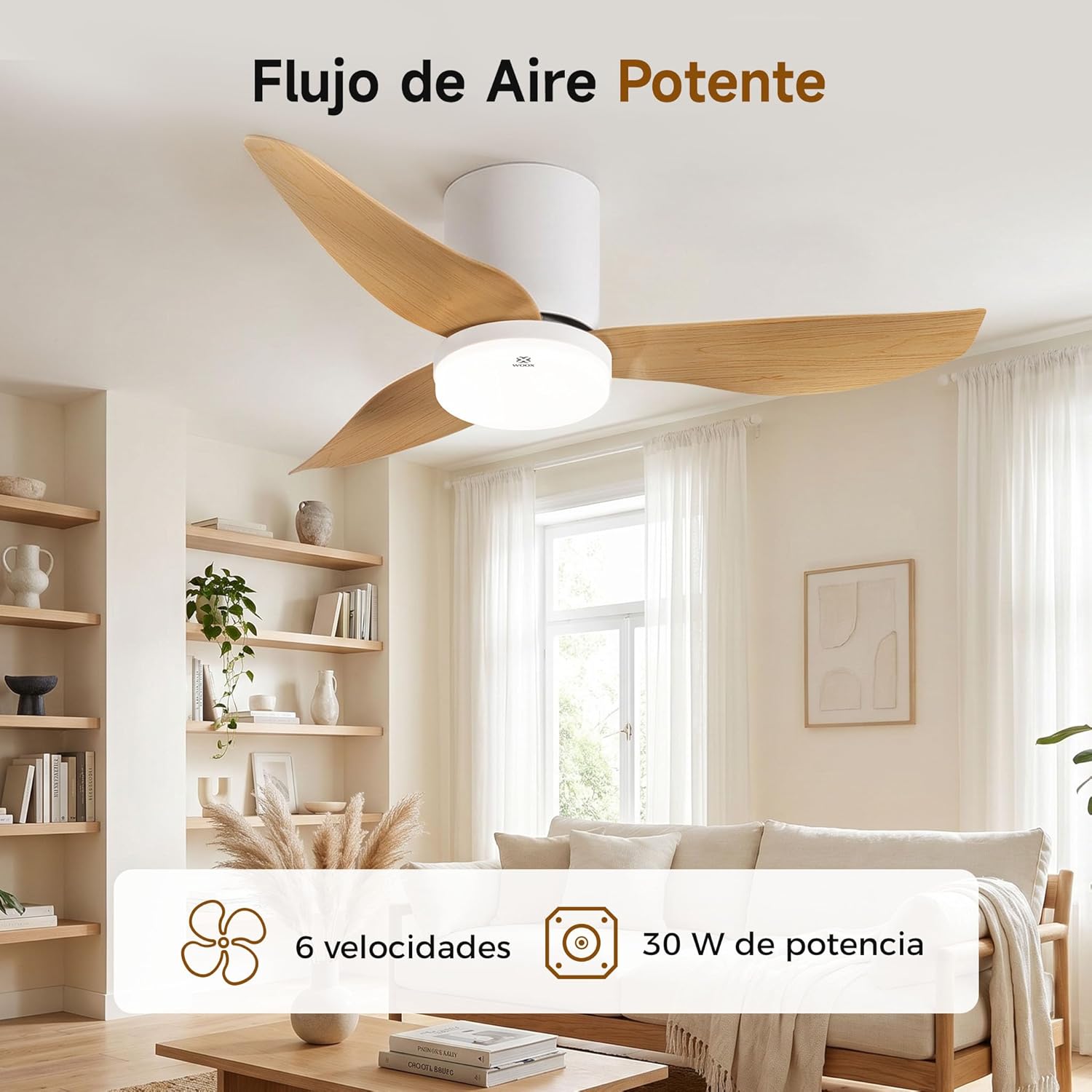
Image: The WOOX MX0294 ceiling fan installed, demonstrating powerful airflow. This image shows the fan's overall appearance and its ability to circulate air effectively.
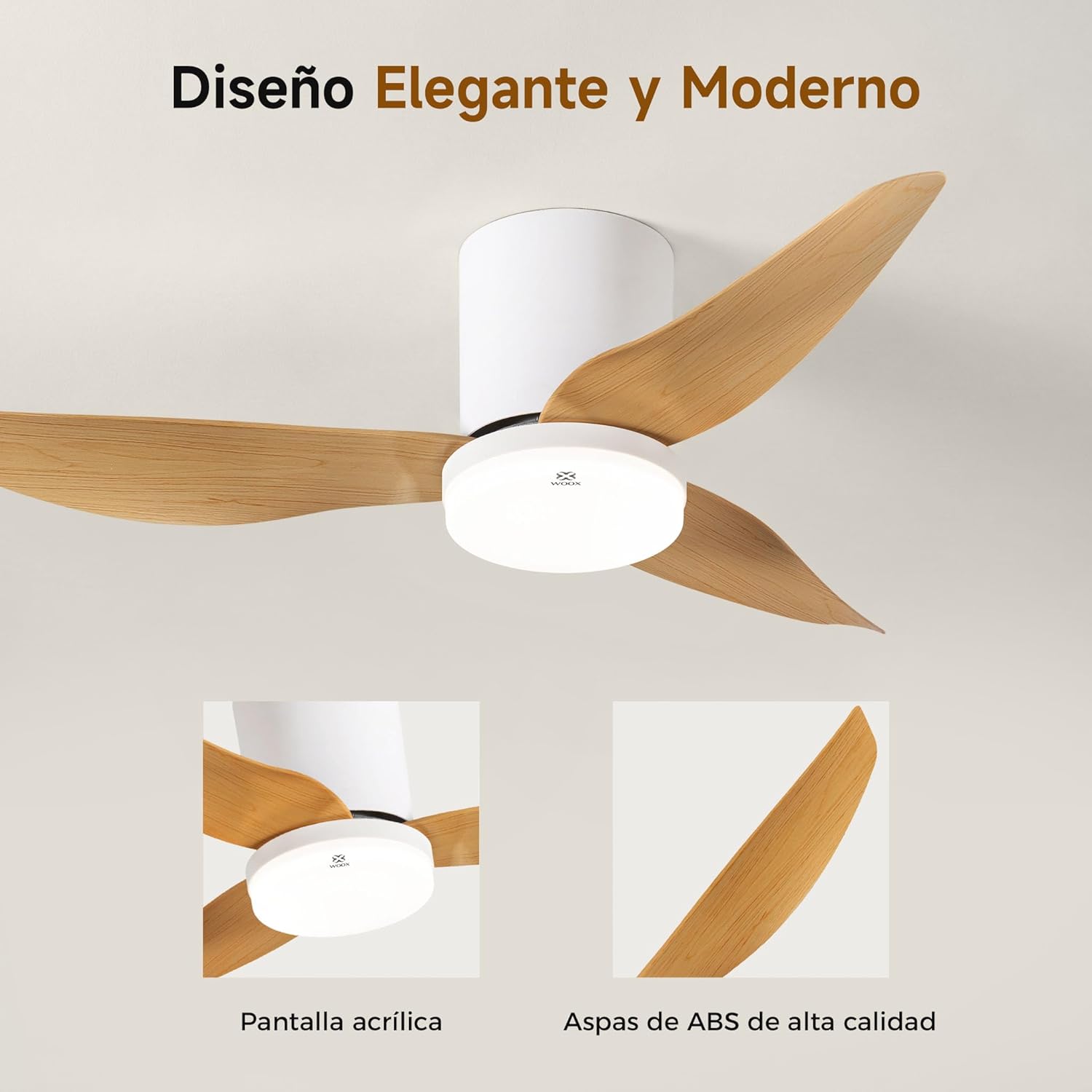
בילד: א דעטאַלירטע view of the WOOX MX0294 ceiling fan, highlighting its elegant and modern design. The image focuses on the acrylic light screen and the high-quality ABS blades.
4.4 Installing the LED Light Kit
Connect the LED light kit to the fan's electrical connections and secure it to the bottom of the fan housing.
5. אַפּערייטינג ינסטרוקטיאָנס
Your WOOX MX0294 ceiling fan is controlled by a smart remote control.
5.1 רימאָוט קאָנטראָל פאַנגקשאַנז

Image: The smart remote control for the WOOX MX0294 ceiling fan, showing buttons for fan speed, light control, timer, natural wind mode, and night light mode.
- מאַכט אויף / אַוועק: דריק דעם מאַכט קנעפּל צו דרייען דעם ווענטילאַטאָר און ליכט אָן אָדער אויס.
- פאַן גיכקייַט: Use the speed buttons (1-6) to adjust the fan's airflow. There are 6 adjustable speeds.
- ליכט אויף / אַוועק: Separate button to control the light.
- ליכט קאָליר טעמפּעראַטור: Cycle through 3 color temperatures: 6500K (Cool White), 4000K (Natural White), and 3000K (Warm White).
- ליכט דימינג: Adjust the brightness of the 15W LED light continuously from 0% to 100%.
- טיימער פֿונקציע: Set the fan to turn off automatically after 2 hours (2H) or 4 hours (4H).
- Inverse Function (Summer/Winter Mode): Change the direction of the fan blades to optimize air circulation for different seasons.
- נאַטירלעך ווינט מאָדע: סימולירט אַ נאַטירלעכע ווינטל דורך ווערייִרן ווענטילאַטאָר גיכקייטן.
- נאַכט ליכט מאָדע: Activates a low-intensity light setting for nighttime use.

Image: The WOOX MX0294 fan light demonstrating its three adjustable color temperatures: 6500K (Cool White), 4000K (Natural White), and 3000K (Warm White).

Image: The WOOX MX0294 fan light illustrating its 15W dimmable brightness feature, allowing continuous adjustment from 0% to 100%.

Image: The WOOX MX0294 fan demonstrating its year-round inverse function, showing downward airflow for cooling in summer and upward airflow for circulating warm air in winter.
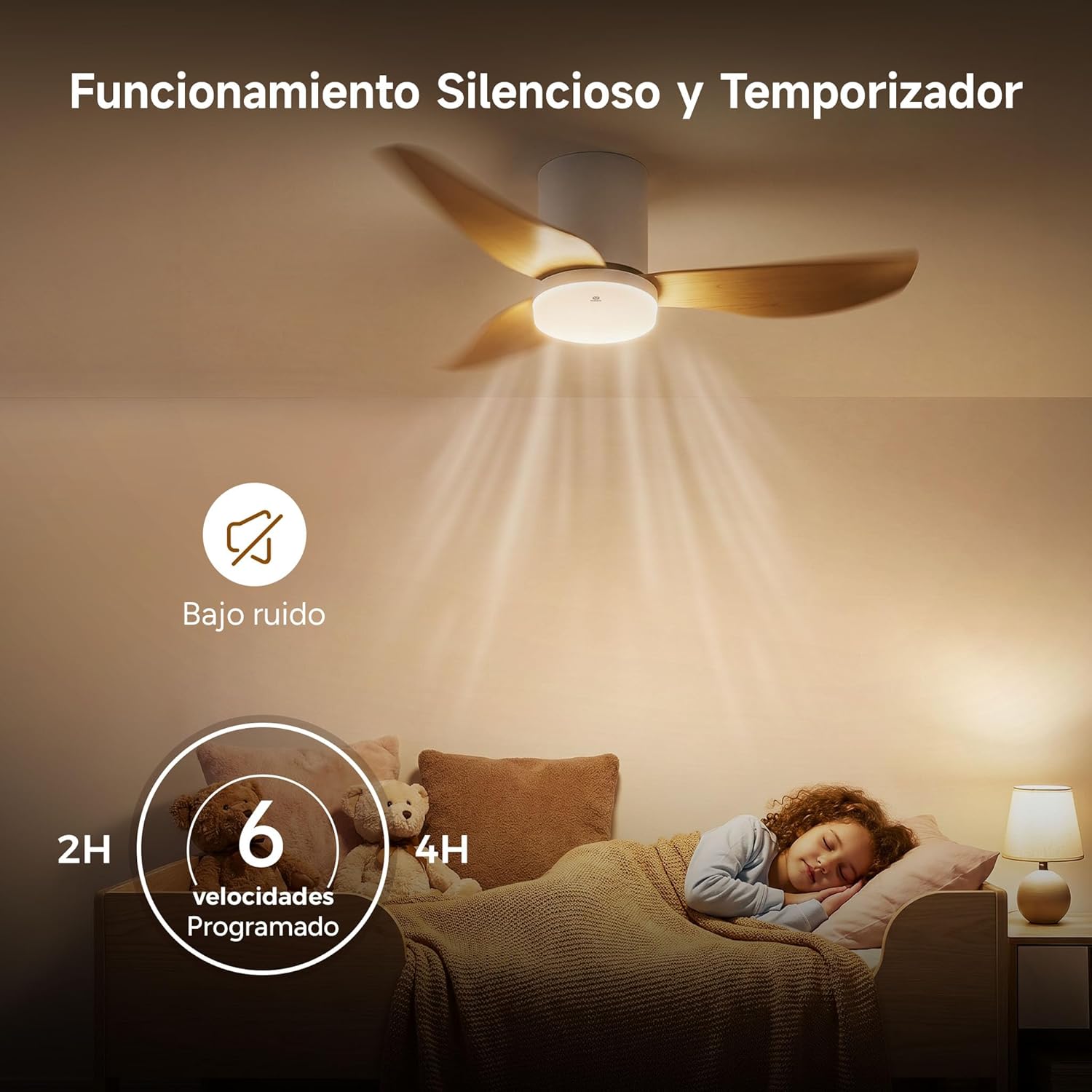
Image: The WOOX MX0294 fan highlighting its silent operation and programmable timer settings for 2 hours and 4 hours, ideal for undisturbed sleep.
6. וישאַלט
רעגולערע אויפהאלטונג גאראנטירט אפטימאלע פאָרשטעלונג און לענגלעבעדיקייט פון אייער סופיט ווענטילאַטאָר.
- רייניקונג: שטויב אָפּ די ווענטילאַטאָר בלעטער און מאָטאָר הויזינג רעגולער מיט אַ ווייכן, דamp שטאָף. דו זאלסט נישט נוצן אַברייסיוו קלינערז אָדער סאָלוואַנץ.
- טייטנינג: קאָנטראָלירט און פֿעסטשטעלט פּעריִאָדיש אַלע שרויפֿן אויף די ווענטילאַטאָר בליידז און מאַונטינג האַרדווער.
- שמירן: דער ווענטילאַטאָר מאָטאָר איז שטענדיק געשמירט און דאַרף נישט קיין נאָך-אוילונג.
7. טראָובלעשאָאָטינג
אויב איר טרעפט פּראָבלעמען מיט אייער ווענטילאַטאָר, זעט די פאלגענדע געוויינטלעכע פּראָבלעמען און לייזונגען:
- Fan Does Not Start:
- קוק אויב די מאַכט צושטעלן איז קאָננעקטעד.
- Ensure the remote control batteries are working.
- באַשטעטיקן אַז אַלע וויירינג קאַנעקשאַנז זענען זיכער.
- Fan Wobbly:
- Ensure all blade screws are tightened.
- Check that the mounting bracket is securely installed.
- ליכט אַרבעט נישט:
- Check light wiring connections.
- Ensure the light is turned on via the remote.
- רימאָוט קאָנטראָל ניט ריספּאַנדינג:
- פאַרבייַטן ווייַט קאָנטראָל באַטעריז.
- Ensure there are no obstructions between the remote and the fan receiver.
8. ספּעסאַפאַקיישאַנז
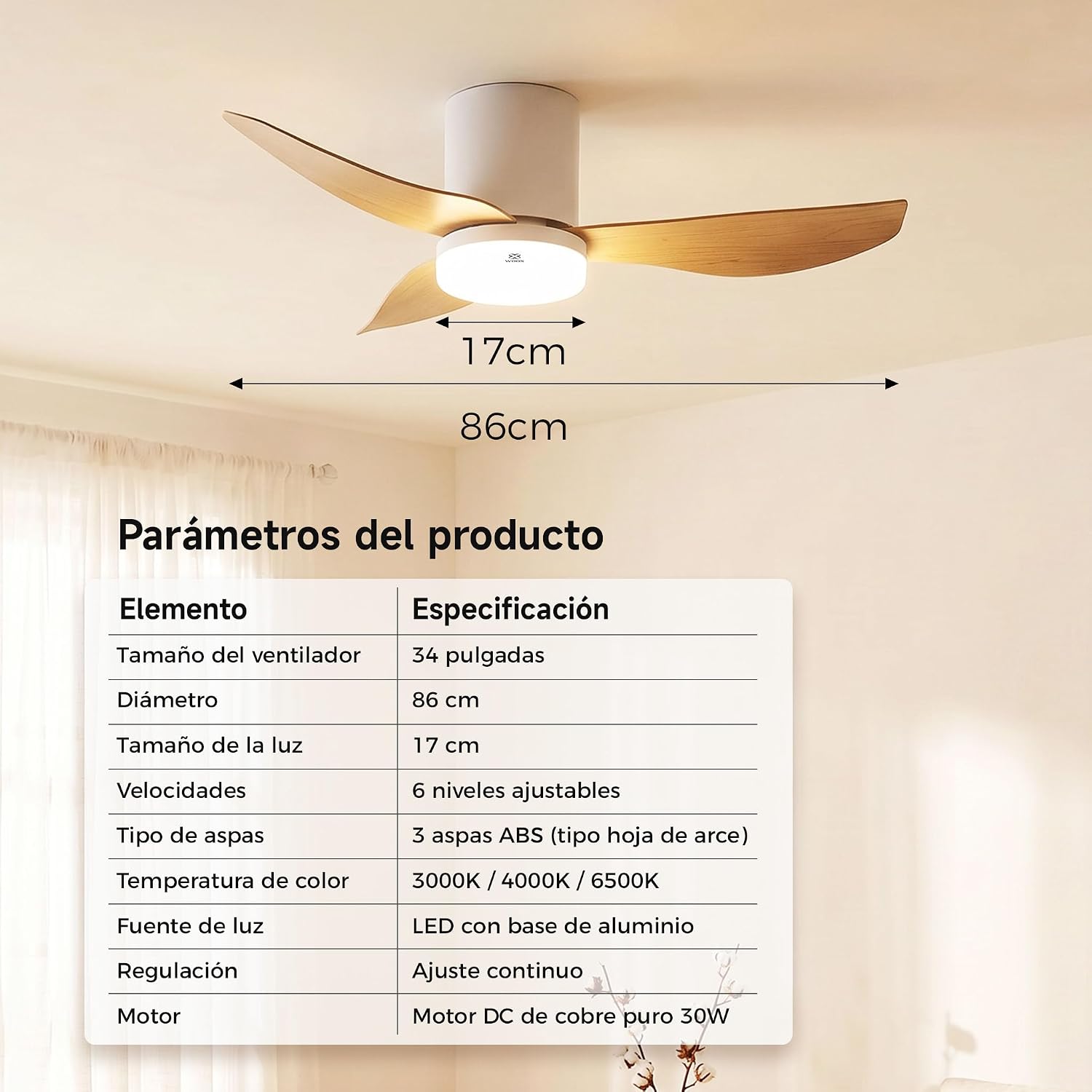
Image: A table detailing the product parameters of the WOOX MX0294 ceiling fan, including fan size, diameter, light size, speeds, blade type, color temperature, light source, dimming, and motor type.
| פּאַראַמעטער | באַשרייַבונג |
|---|---|
| פאָכער גרייס | 34 אינטשעס |
| דיאַמעטער | 86 סענטימעטער |
| ליכט גרייס | 17 סענטימעטער |
| ספּידז | 6 אַדזשאַסטאַבאַל לעוועלס |
| טיפּ פון בלעטער | 3 ABS blades (maple leaf type) |
| קאָליר טעמפּעראַטור | 3000 ק / 4000 ק / 6500 ק |
| ליכט מקור | LED with aluminum base (15W) |
| דימינג | Continuous adjustment |
| מאָטאָר | Pure copper DC 30W motor |
| פּראָדוקט דימענשאַנז (ד רענטגענ וו רענטגענ ה) | 40 x 40 x 114 ס״מ (פּאַקאַזש/אַלגעמיין) |
| קאָליר | ווייַס |
9. וואָראַנטי און שטיצן
WOOX products are designed for quality and reliability. This product comes with a standard manufacturer's warranty against defects in materials and workmanship. Please refer to your purchase documentation for specific warranty terms and duration.
For technical support, troubleshooting assistance, or warranty claims, please contact your retailer or the WOOX customer service department. Keep your proof of purchase for warranty validation.