
1. איבערview
This manual provides essential information for setting up, operating, maintaining, and troubleshooting your INSIGNIA 85-inch Class QF Series QLED 4K UHD Smart Fire TV. This television offers a high-quality viewing experience with 4K UltraHD resolution, Quantum Dot Technology for enhanced color, and Direct LED Backlight for uniform brightness. It integrates the Fire TV Smart OS, providing access to various streaming services and features like the Voice Remote with Alexa. The design features a metal bezel-less display for a modern aesthetic.
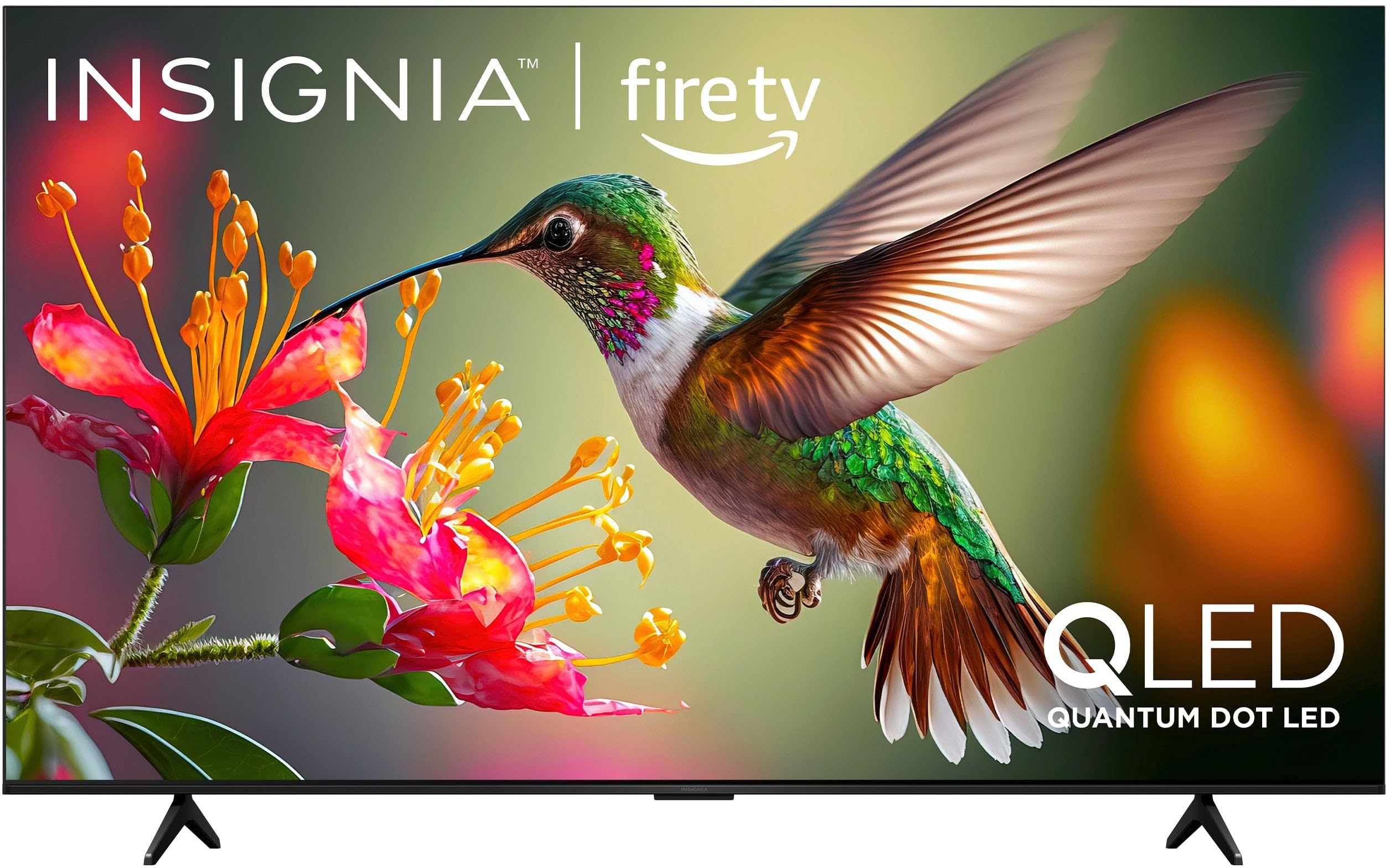
בילד 1.1: פראָנט view of the INSIGNIA 85-inch QF Series QLED 4K UHD Smart Fire TV.
2. וואָס איז אין דער קעסטל
באַשטעטיקן אַז אַלע קאָמפּאָנענטן זענען פאַראַן איידער איר גייט ווייטער מיט דער סעטאַפּ:
- INSIGNIA 85-inch QF Series QLED 4K UHD Smart Fire TV
- קול רימאָוט מיט Alexa
- ווײַט קאָנטראָל באַטעריעס (2 AAA)
- טעלעוויזיע שטייט
- שרויפן פֿאַר שטאַנד אינסטאַלאַציע
- שנעל סעטאַפּ גייד (דעם דאָקומענט)
3. סעטאַפּ
3.1. אינסטאַלירן דעם טעלעוויזיע שטאַנד
If you are not wall-mounting your TV, attach the included stand:
- לייגט פֿאָרזיכטיק דעם טעלעוויזאָר מיטן פּנים אַראָפּ אויף אַ ווייכער, ריינער ייבערפֿלאַך כּדי צו פֿאַרמייַדן שאָדן צום עקראַן.
- גלייכט אויס די שטאַנד־פיס מיט די שרויף־לעכער אויף דער אונטערשטער טייל פֿון דער טעלעוויזיע.
- באַפעסטיקט די שטאַנד־פיס מיט די צוגעשטעלטע שרויפן. מאַכט זיכער אַז זיי זענען פעסט אָנגעצויגן.
3.2. ערשטע איינשטראָם און נעץ פֿאַרבינדונג
- פֿאַרבינדט דעם עלעקטרישן שנור צום טעלעוויזיע און דערנאָך צו אַן עלעקטרישן ווענטיל.
- דריק דעם מאַכט קנעפּל אויף דער טעלעוויזיע אָדער די ווייַט קאָנטראָל צו אַנצינדן די טעלעוויזיע.
- Follow the on-screen instructions to select your language, connect to your Wi-Fi network, and sign in to your Amazon account.
3.3. ווײַט־פֿאַרבינדונג
Your Voice Remote with Alexa should pair automatically. If it does not, press and hold the היים button on the remote for 10 seconds until the LED indicator flashes blue, then release. The remote will attempt to pair.

Image 3.1: The Voice Remote with Alexa, used for controlling the TV and accessing smart features.
4. אַפּערייטינג ינסטרוקטיאָנס
4.1. Fire TV Smart OS Navigation
The Fire TV Smart OS provides a centralized hub for all your entertainment. Use the navigation buttons on your remote to browse:
- היים פאַרשטעלן: Access recommended content, recently used apps, and various streaming services.
- אַפּפּס: Download and manage your favorite streaming applications.
- לעבן טעלעוויזיע: Integrate live TV channels from supported services or an antenna.
- סעטטינגס: Adjust picture, sound, network, and device preferences.

Image 4.1: The Fire TV interface displaying a selection of streaming services and content.
4.2. Voice Remote with Alexa
Utilize the built-in Alexa voice assistant for hands-free control:
- דריקן און האַלטן די מיקראָפאָן קנעפּל אויף דיין ווייַט.
- Speak commands such as "Find action movies," "Launch Netflix," "Switch to HDMI 2," or "Show me the weather."
- Alexa can also control compatible smart home devices.
4.3. קאַנעקטינג פונדרויסנדיק דעוויסעס
Your TV is equipped with four HDMI inputs for connecting external devices:
- Connect gaming consoles, Blu-ray players, soundbars, or cable/satellite boxes to the HDMI ports.
- One HDMI port supports eARC for enhanced audio return channel functionality with compatible sound systems.
- To switch inputs, press the אַרייַנשרייַב button on your remote and select the desired source.

Image 4.2: Illustration of the TV's connectivity options, including HDMI ports.
4.4. בילד און קלאַנג פֿאַרבעסערונגען
This TV features advanced technologies for an immersive experience:
- קיועלעד (קוואַנטום דאָט עלעד): Delivers vibrant, lifelike colors and improved brightness.
- 4K אולטראהד רעזאלוציע: Provides four times the detail of Full HD TVs.
- Dolby Vision & Dolby Atmos: Supports advanced HDR for enhanced contrast and accurate colors, along with immersive spatial audio.

Image 4.3: Visual representation of Dolby Vision and Dolby Atmos features, highlighting cinematic picture and immersive sound.
5. וישאַלט
5.1. רייניקן דיין טעלעוויזיע
כדי צו אויפהאלטן דעם טעלעוויזאר'ס אויסזען און פאָרשטעלונג:
- שטענדיק אויסשטעקן דעם טעלעוויזאר איידער איר רייניגט.
- ניצט אַ ווייכן, טרוקענעם, לינט-פֿרייעם שטאָף צו זאַכט ווישן דעם עקראַן און קאַבינעט.
- פֿאַר שווערע פֿלעקן אויף דעם עקראַן, לייכט ווייכןampווישט דעם שטאָף מיט וואַסער אָדער אַ ספּעציאַליזירטן עקראַן רייניגער. שפּריצט קיינמאָל נישט פליסיקייט גלייך אויפן עקראַן.
- ויסמיידן ניצן אַברייסיוו קלינערז, וואַקסעס אָדער סאָלוואַנץ.
5.2. ווייכווארג דערהייַנטיקונגען
Your Fire TV automatically receives software updates to improve performance and add new features. Ensure your TV is connected to the internet to receive these updates. You can manually check for updates in the Settings menu.
6. טראָובלעשאָאָטינג
אויב איר טרעפט פּראָבלעמען מיט אייער טעלעוויזיע, באַזירט זיך אויף די פאלגענדע געוויינטלעכע לייזונגען:
| פּראָבלעם | לייזונג |
|---|---|
| קיין מאַכט | זיכער מאַכן אַז די עלעקטרישע קאַבל איז זיכער אַרײַנגעשטעקט אין ביידע דעם טעלעוויזיע און אַן אַרבעטנדיקן עלעקטרישן אַוטלעט. פּרוּווט אַן אַנדער אַוטלעט. |
| קיין בילד נישט, אבער סאונד איז דא | קאָנטראָלירט די אַרייַנגאַנג מקור. דריק די אַרייַנשרייַב button on the remote to cycle through inputs. Verify external devices are powered on and connected correctly. |
| רימאָוט נישט ריספּאַנדינג | Replace the AAA batteries in the remote. If the issue persists, re-pair the remote by holding the היים קנעפּל פֿאַר 10 סעקונדעס. |
| קענען ניט פאַרבינדן צו ווי-פי | Ensure your Wi-Fi router is on and within range. Restart your router and TV. Check Wi-Fi settings in the TV's menu to ensure the correct network and password are entered. |
| נעבעך בילד קוואַליטעט | Adjust picture settings (brightness, contrast, color) in the TV's menu. Ensure the content source is high-quality (e.g., 4K content for 4K resolution). |
| קיין געזונט | Check the volume level and ensure the TV is not muted. Verify external audio devices (soundbar, receiver) are connected and configured correctly. |
7. ספּעסאַפאַקיישאַנז
| שטריך | דעטאַל |
|---|---|
| מאָדעל נאָמען | NS85-UQFL27 |
| פאַרשטעלן גרייס | 84.6 inches (85-inch class) |
| ווייַז טעכנאָלאָגיע | QLED (קוואַנטום דאָט געפירט) |
| האַכלאָטע | 4K Ultra HD (3840 רענטגענ 2160) |
| דערפרישן קורס | 60 הז |
| אָפּערייטינג סיסטעם | פייער אָ.עס. |
| HDR שטיצן | Dolby Vision |
| אַודיאָ טעכנאָלאָגיע | Dolby Atmos |
| קאַנעקטיוויטי | ווי-פי |
| הדמי ינפּוץ | 4 (אריינגערעכנט 1 eARC) |
| ספּעציעלע פֿעיִקייטן | Voice Remote with Alexa, Apple Airplay |
| פּראָדוקט דימענשאַנז (ד רענטגענ וו רענטגענ ה) | 2.5"ד רענטגענ 74.4"וו רענטגענ 42.8"ה |
| Item Weight Without Stand | 64.6 פונט |
| אַרייַנגערעכנט קאַמפּאָונאַנץ | Remote Control, Remote Control Battery, Screws, Stand |
| UPC | 600603325472 |
8. וואָראַנטי & שטיצן
8.1. וואָראַנטי אינפֿאָרמאַציע
This INSIGNIA TV comes with a 1-יאָר וואָראַנטי. For specific terms and conditions, please refer to the warranty card included with your product or visit the official INSIGNIA support webפּלאַץ.
8.2. קונה שטיצן
If you require further assistance or encounter issues not covered in this manual, please contact INSIGNIA customer support. Contact information can typically be found on the manufacturer's webזייטל אדער אין אייער פּראָדוקט פּאַקאַדזשינג.