
1. הקדמה
Welcome to the user manual for your new TCL 65A400 Pro 65-inch 4K UHD MiniLED Smart TV. This guide provides essential information for setting up, operating, maintaining, and troubleshooting your television. Please read these instructions carefully to ensure proper use and to maximize your viewינג דערפאַרונג.
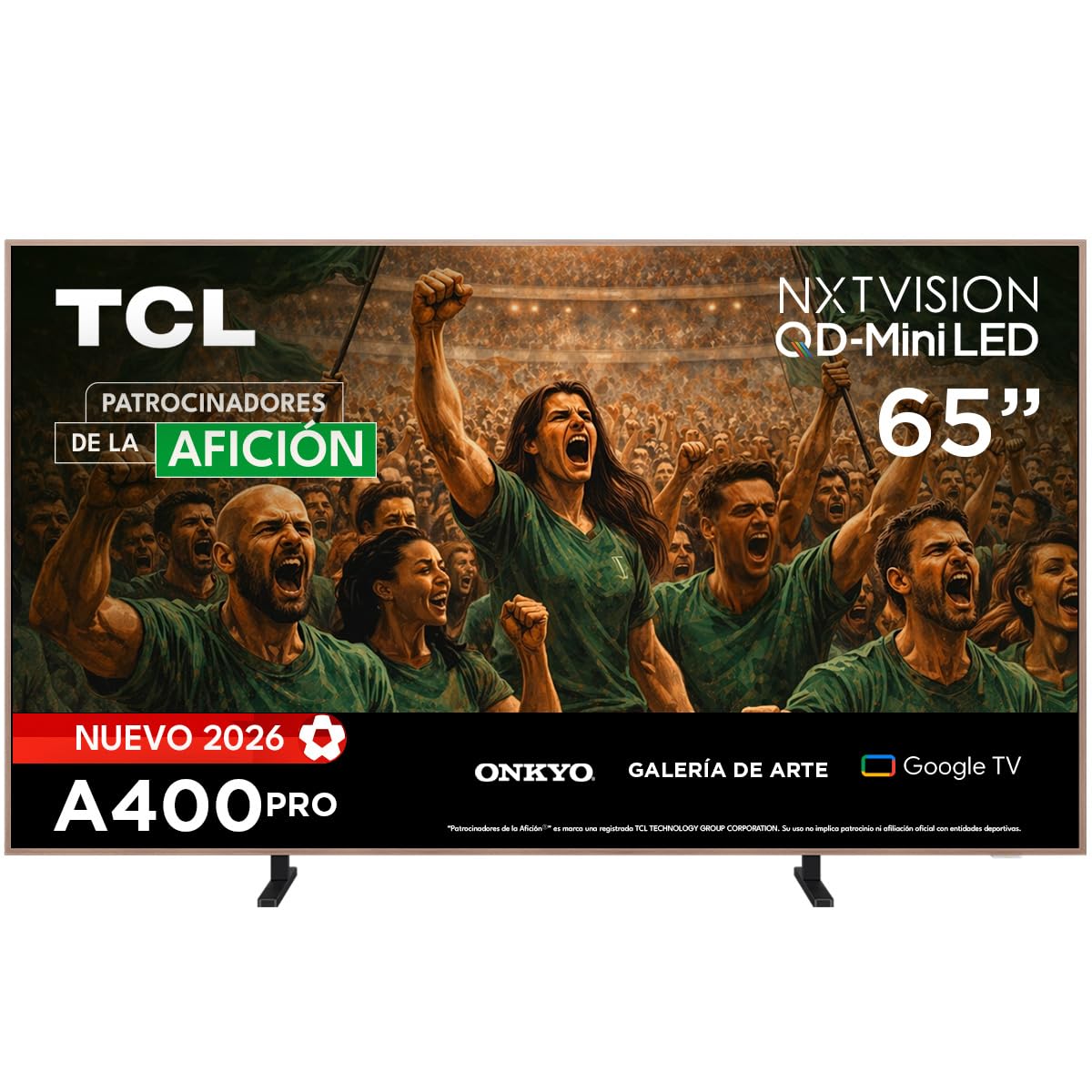
בילד: פראָנט view of the TCL 65A400 Pro 65-inch Smart TV.
2. וואָס איז אין דער קעסטל
איידער איר הייבט אן, ביטע טשעקט די אינהאַלט פון די פּאַקעט צו זיכער מאַכן אַז אַלע זאכן זענען דאָרט:
- TCL Smart TV with Google TV
- טיש שטיין
- מאַכט קאַבלע
- שנעל אָנהייב גייד
- ווייַט קאָנטראָל און באַטעריז

Image: Diagram showing the TV dimensions and a list of included accessories.
3. סעטאַפּ
3.1 גשמיות ינסטאַלירונג
Your TCL 65A400 Pro TV offers flexible installation options:
- טיש שטיין: Attach the included table stand according to the Quick Start Guide for placement on a flat surface.
- וואנט בארג: The TV supports flush wall mounting. Ensure you use a compatible VESA wall mount (sold separately) and follow its installation instructions carefully.
- Easel Bases: Optional easel-style bases are available for a unique display (sold separately).

Image: The ultra-thin design of the TV, suitable for flush wall mounting.
3.2 קאַנעקטינג דעוויסעס
פֿאַרבינדט אייערע עקסטערנע דעוויסעס צום טעלעוויזיע ניצנדיק די פֿאַראַן פּאָרטן:
- הדמי: Use one of the four HDMI ports for high-definition devices like Blu-ray players, game consoles, or cable boxes.
- וסב: Two USB ports are available for connecting USB storage devices to play media.
- מאַכט: פֿאַרבינדט דעם מאַכט קאַבל צום טעלעוויזיע און דערנאָך צו אַ מאַכט ווענטיל.
3.3 ערשטע איינשטראָם און נעץ סעטאַפּ
After connecting all devices and power, press the power button on the remote control. Follow the on-screen instructions to complete the initial setup, including connecting to your Wi-Fi network and logging into your Google account for Google TV features.
4. אַפּערייטינג דיין טעלעוויזיע
4.1 גוגל טיווי צובינד
Your TV runs on Google TV, providing a personalized experience with access to streaming services, apps, and content recommendations. Use the remote control to navigate the interface, search for content, and manage your smart home devices.

Image: The Google TV home screen displaying various streaming applications and content.
4.2 קונסט מאָדע
Transform your TV into a digital art display with Art Mode. Access a collection of famous paintings and photographs in stunning 4K UHD. This mode allows your screen to blend seamlessly into your home decor when not actively watching content.

Image: The TV in Art Mode, showcasing a painting in a gallery environment.
4.3 ווייַז פֿעיִקייטן
- קיו-די-מיני על-אי-די: Experience deep blacks and intense brightness with Quantum Dot and Mini LED technology, offering superior cinematic realism.
- 4K UHD האַכלאָטע: Enjoy incredibly detailed and sharp images.
- 144 Hz VRR: Variable Refresh Rate at 144 Hz provides smooth motion, especially beneficial for gaming.
- Matte Panel: The HVA Matte finish reduces glare from natural or artificial light, maintaining color fidelity and protecting your eyes.

Image: Illustration of QD-Mini LED technology enhancing picture precision, brightness, and contrast.
4.4 אַודיאָ סיסטעם
The integrated Onkyo audio system with Dolby Atmos delivers powerful and clear sound, creating an immersive audio experience for all your entertainment.
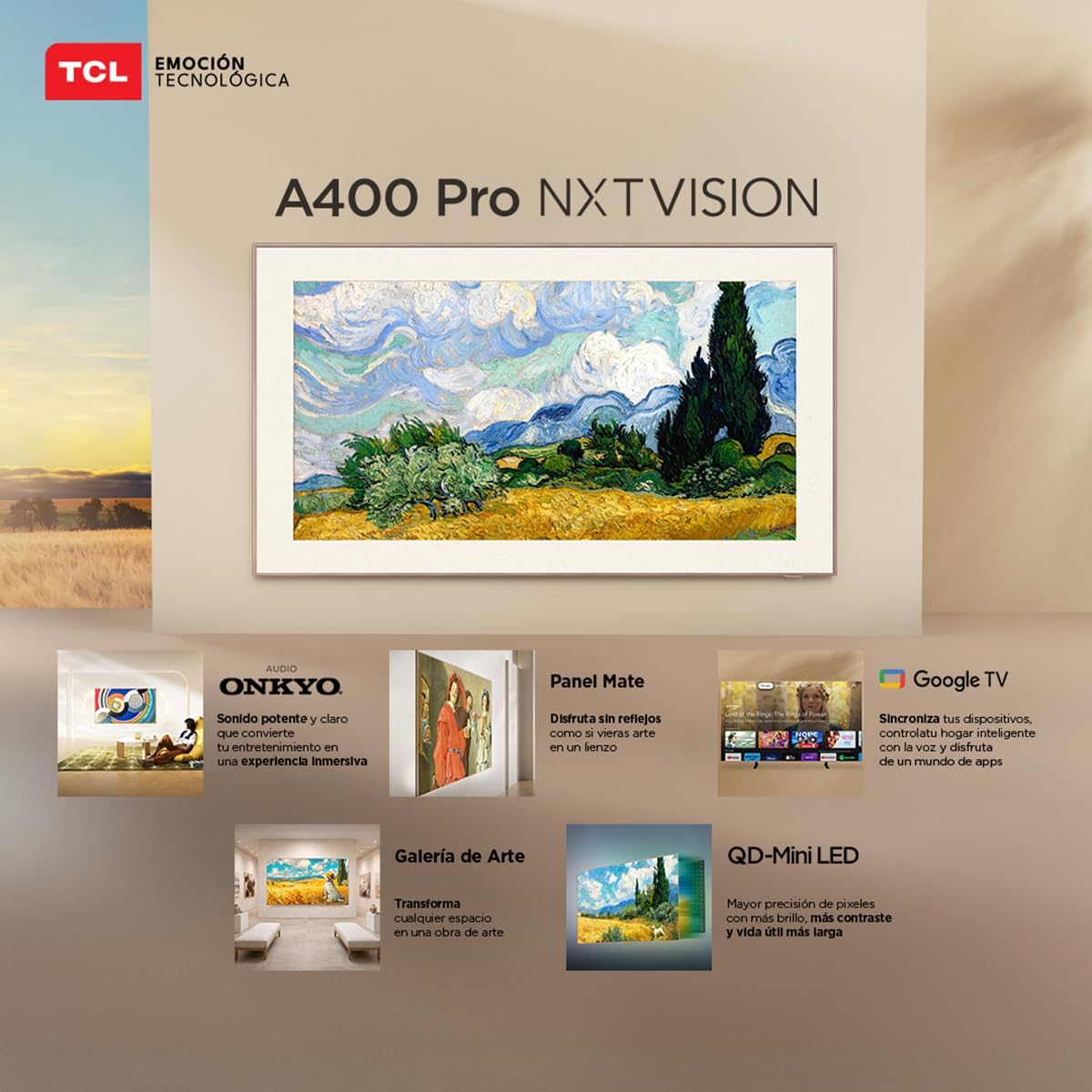
Image: A person enjoying immersive audio from the TV, highlighting the Onkyo sound system.
4.5 קאַנעקטיוויטי
די טעלעוויזיע שטיצט פארשידענע קאנעקטיוויטי אפציעס:
- ווי-פי: פֿאַרבינדט זיך צו אייער היים נעץ פֿאַר אינטערנעט צוטריט און סטרימינג.
- בלועטאָאָטה 5.4: Pair wireless headphones, soundbars, or other Bluetooth-enabled devices.
- Chromecast: Built-in Chromecast allows you to cast content from your mobile devices to the TV.
- Alexa קאַמפּאַטאַבילאַטי: Control your TV using voice commands through compatible Alexa devices.
5. וישאַלט
כדי צו זיכער מאַכן די לאַנגלעבעניש און אָפּטימאַלע פאָרשטעלונג פון דיין TCL טעלעוויזיע, נאָכפאָלגן די וישאַלט גיידליינז:
- רייניקונג די פאַרשטעלן: ווישט אָפּ דעם עקראַן מיט אַ ווייכן, טרוקענעם, לינט-פֿרײַעם שטאָף. פֿאַר שווערע פֿלעקן, ווישט אַ ביסלampווישט דעם שטאָף מיט וואַסער אָדער אַ ספּעציאַליזירטן עקראַן רייניגער. פֿאַרמייַדט שטרענגע כעמיקאַלן אָדער אַברייסיוו מאַטעריאַלן.
- רייניקונג די ראַם: ניצט אַ ווייכן, טרוקענעם שטאָף צו רייניקן דעם טעלעוויזיע ראַם.
- ווענטילאַטיאָן: זיכערט זיך אז די ווענטילאציע עפענונגען אויף דער הינטערשטער זייט פון דעם טעלעוויזאר זענען נישט פארשטאפט כדי צו פארמיידן איבערהיצונג.
- מאַכט שנור: Regularly check the power cord for any damage. If damaged, contact customer support for replacement.
6. טראָובלעשאָאָטינג
אויב איר טרעפט פּראָבלעמען מיט אייער טעלעוויזיע, זעט די פאלגענדע געוויינטלעכע פּראָבלעמען און לייזונגען:
| פּראָבלעם | מעגלעך לייזונג |
|---|---|
| קיין מאַכט | Ensure the power cable is securely connected to both the TV and a working power outlet. Check if the power outlet is functional. |
| קיין בילד נישט, אבער סאונד איז דא | Check the input source. Ensure the connected device is powered on and its video output is correctly configured. Try a different HDMI cable. |
| קיין קלאַנג, אָבער בילד איז דאָ | Check the TV's volume and mute settings. Ensure external audio devices (soundbar, receiver) are properly connected and powered on. Check audio output settings on the TV. |
| ווייַט קאָנטראָל איז נישט ארבעטן | טוישט די באַטעריעס אין דער ווײַטקאָנטראָל. מאַכט זיכער אַז עס זענען נישטאָ קיין שטערונגען צווישן דעם ווײַטקאָנטראָל און דעם טעלעוויזיע'ס IR סענסאָר. פאַרבינדט ווידער דעם ווײַטקאָנטראָל אויב עס איז אַ בלועטוט ווײַטקאָנטראָל. |
| Wi-Fi קאַנעקשאַן ישוז | Restart your router and modem. Go to the TV's network settings and try reconnecting to your Wi-Fi network. Ensure the Wi-Fi password is correct. |
אויב די פראבלעם בלייבט נאך פרובירן די לייזונגען, ביטע קאנטאקטירט TCL קאסטומער סופארט.
7. ספּעסאַפאַקיישאַנז
Key technical specifications for the TCL 65A400 Pro 65-inch Smart TV:
| שטריך | דעטאַל |
|---|---|
| פאַרשטעלן גרייס | 65 אינטשעס |
| ווייַז טעכנאָלאָגיע | 4K, Mini LED |
| האַכלאָטע | 4K UHD |
| דערפרישן קורס | 144 Hz (VRR) |
| הדר פֿאָרמאַטירונג סופּפּאָרט | Dolby Vision, HDR10+ |
| אָפּערייטינג סיסטעם | גוגל טעלעוויזיע |
| אַודיאָ רעזולטאַט מאָדע | אַרומרינגלען |
| Integrated Surround Sound Format | Dolby Atmos |
| HDMI פּאָרץ | 4 |
| וסב פּאָרץ | 2 |
| בלועטאָאָטה ווערסיע | 5.4 |
| קאַנעקטיוויטי טעכנאָלאָגיע | בלועטוט, HDMI, USB, Wi-Fi |
| ספּעציעלע פֿעיִקייטן | Chromecast, Art Mode |
| פּראָדוקט דימענשאַנז (דקסווקסה) | 4 X 145.2 X 83.3 סענטימעטער |
| וואָג (אָן שטיין) | 17.6 קילאָגראַמס |
| קאָליר | שוואַרץ |
| Screen Finish | מאַט |
| מאָדעל יאָר | 2026 |
| UPC | 840464047636 |
8. וואָראַנטי אינפֿאָרמאַציע
Your TCL 65A400 Pro Smart TV comes with a 2-יאָר לימיטעד וואָראַנטי from the date of purchase. This warranty covers manufacturing defects under normal use. Please retain your proof of purchase for warranty claims. For full terms and conditions, refer to the warranty card included with your product or visit the official TCL webפּלאַץ.
9. קונה שטיצן
For technical assistance, troubleshooting, or warranty inquiries, please contact TCL customer support:
- טעלעפֿאָן: 800 112 4656
- ווהאַצאַפּפּ: 55 7005 5159
- בליצפּאָסט: servicio.mx@tcl.com
- אַפּערייטינג שעה: Monday to Saturday, 8:00 a.m. to 8:00 p.m. (local time)

Image: TCL Technical Support contact details including phone, WhatsApp, and email.