
1. הקדמה
א דאנק פארן קויפןasing the TOPPING E50II Compact Desktop DAC. This device is designed to provide high-fidelity audio decoding for various digital sources. It features an AK4497S DAC chip, supports high-resolution audio formats up to PCM768kHz and DSD512, and offers versatile connectivity options including USB, optical, coaxial, RCA, and TRS balanced outputs. This manual provides essential information for proper setup, operation, and maintenance of your E50II.
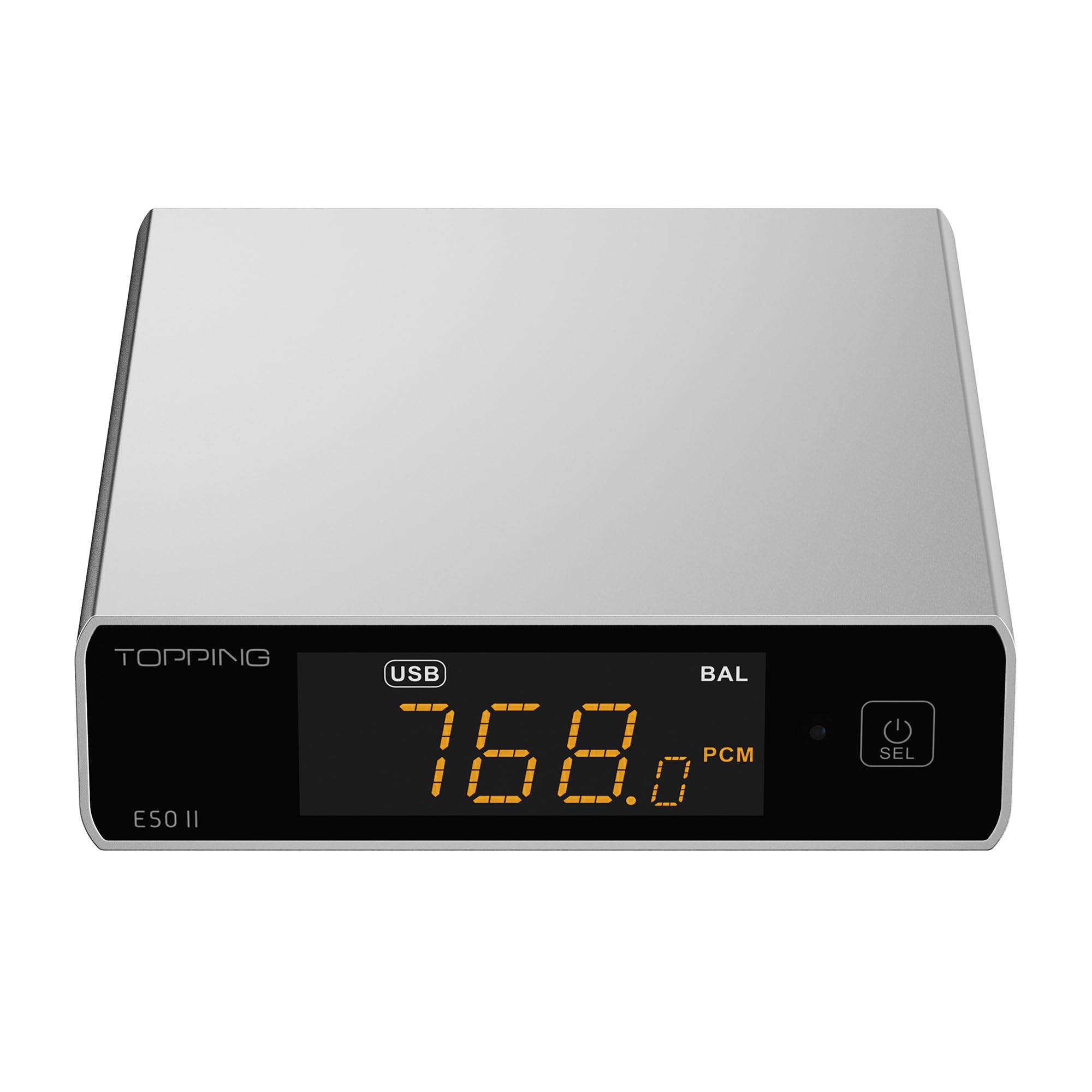
Image 1.1: The TOPPING E50II Compact Desktop DAC in silver finish.
2. זיכערקייַט אינפֿאָרמאַציע
- נעמט נישט אויס אדער מאדיפיצירט נישט דעם אפאראט. נישט-ערלויבטע מאדיפיקאציעס קענען בטל מאכן די גאראנטיע און שאפן זיכערהייט ריזיקעס.
- האַלט דעם אַפּאַראַט אַוועק פון וואַסער, נעץ און הויכע טעמפּעראַטורן.
- Use only the provided power adapter or a compatible 5V power supply.
- ענשור געהעריק ווענטאַליישאַן אַרום די מיטל צו פאַרמייַדן אָוווערכיטינג.
- ויסמיידן פּלייסינג שווער אַבדזשעקץ אויף די מיטל.
- טרענט אפ דעם עלעקטרישן קאבל בעת בליץ-שטורעמס אדער ווען עס ווערט נישט גענוצט פאר לענגערע צייטן.
3. פּעקל אינהאַלט
ביטע קאָנטראָלירט אַז אַלע זאכן זענען פאַראַן אין דעם פּעקל:
- TOPPING E50II Unit
- ווייַט קאָנטראָל
- וסב קאַבלע (טיפּ-א צו טיפּ-C)
- USB Power Cable (Type-A to Type-C)
- בלועטאָאָטה אַנטענע
- באַניצער מאַנואַל (דעם דאָקומענט)
- וואָראַנטי קאַרד

Image 3.1: Included accessories: remote control, USB cables, and Bluetooth antenna.
4. פּראָדוקט איבערview
4.1 פראָנט פּאַנעל

Image 4.1: Front panel of the E50II, showing the display and control button.
- ווייַז פאַרשטעלן: ווייזט איצטיקע איינגאבע, sample rate, volume, and other status information.
- מולטי-פונקציע קנעפּל: Press to power on/off, select input, or adjust settings.
4.2 דערציען פּאַנעל

Image 4.2: Rear panel of the E50II, illustrating various input and output ports.
- RCA Outputs (L/R): Unbalanced analog audio output.
- TRS Balanced Outputs (L/R): Balanced analog audio output.
- קאָאַקסיאַל אַרייַנשרייַב: דיגיטאַל אַודיאָ אַרייַנגאַנג.
- אָפּטיש אַרייַנשרייַב: דיגיטאַל אַודיאָ אַרייַנגאַנג.
- וסב- C אַרייַנשרייַב: For connecting to a computer or other digital source.
- USB-C מאַכט אַרייַנשרייַב: For connecting to a 5V power supply.
- Bluetooth Antenna Connector: For attaching the Bluetooth antenna.
5. סעטאַפּ
5.1 מאַכט קאַנעקשאַן
Connect the provided USB power cable to the E50II's "POWER" USB-C port and then to a 5V power adapter (not included) or a USB port on your computer. The E50II requires a stable 5V power supply for optimal performance.
5.2 אַודיאָ קאַנעקשאַנז
Choose the appropriate input and output connections based on your audio system:
- וסב ינפּוט: Connect the E50II's "USB" port to your computer or other USB audio source using the provided USB data cable.
- אָפּטיש/קאָאַקסיאַל אַרייַנגאַנג: Connect your digital audio source (e.g., CD player, TV) to the E50II's "OPTICAL" or "COAXIAL" input.
- RCA רעזולטאַט: Connect the E50II's "SE" RCA outputs to your amplifier or active speakers using RCA cables.
- TRS Balanced Output: Connect the E50II's "BAL" TRS outputs to your balanced amplifier or active speakers using 6.35mm TRS cables. The E50II supports simultaneous output from both RCA and TRS ports.

Image 5.1: Close-up of the balanced TRS and unbalanced RCA output connections.
5.3 Bluetooth Antenna Installation
Screw the provided Bluetooth antenna onto the antenna connector on the rear panel of the E50II.
5.4 Driver Installation (for Windows)
For Windows operating systems, a dedicated driver is required for USB audio playback up to PCM768kHz and DSD512. The driver can be downloaded from the official TOPPING website. Follow the on-screen instructions for installation. macOS and Linux typically do not require a separate driver.
6. אַפּערייטינג ינסטרוקטיאָנס
6.1 יקערדיק אָפּעראַציע

Image 6.1: A hand interacting with the multi-function button on the E50II's front panel.
- מאַכט אויף / אַוועק: דריק און האלט דעם מולטי-פונקציע קנעפּל פֿאַר 3 סעקונדעס צו אנצינדן אדער אויסלעשן.
- אַרייַנשרייַב סעלעקציע: Briefly press the multi-function button to cycle through available inputs (USB, Optical, Coaxial, Bluetooth).
- באַנד קאָנטראָל: Rotate the multi-function button to adjust the volume.
6.2 ניצן די רימאָוט קאָנטראָל
די אַרייַנגערעכנטע ווײַטקאָנטראָל גיט באַקוועמען צוטריט צו פֿאַרשידענע פֿונקציעס:
- מאַכט קנעפּל: טורנס די אַפּאַראַט אויף/אַוועק.
- אַרייַנשרייַב סעלעקציע קנעפּלעך: Dedicated buttons for USB, Optical, Coaxial, and Bluetooth inputs.
- באַנד אַרויף / אַראָפּ: אַדזשאַסץ דער רעזולטאַט באַנד.
- שטום: Mutes/unmutes the audio output.
- עק קנעפּל: Cycles through PEQ presets.
- פילטער קנעפּל: Cycles through digital filter modes.
- Gain Button: Switches between Low and High gain modes.
6.3 TOPPING Home App Control
The E50II is compatible with the "TOPPING Home" app, allowing control from your smartphone or tablet via Bluetooth. This app enables input switching, EQ settings, and volume adjustment remotely.

Image 6.2: Smartphone displaying the TOPPING Home app interface for controlling the E50II.
6.4 בלועטאָאָטה אָפּעראַציע
צו פאַרבינדן דורך בלועטאָאָטה:
- Switch the E50II input to Bluetooth mode. The display will show "BT".
- On your mobile device, search for "TOPPING E50II" in the Bluetooth settings and pair.
- Once connected, audio from your device will be streamed to the E50II. The E50II supports LDAC, aptX-Adaptive, aptX HD, aptX, AAC, and SBC codecs.
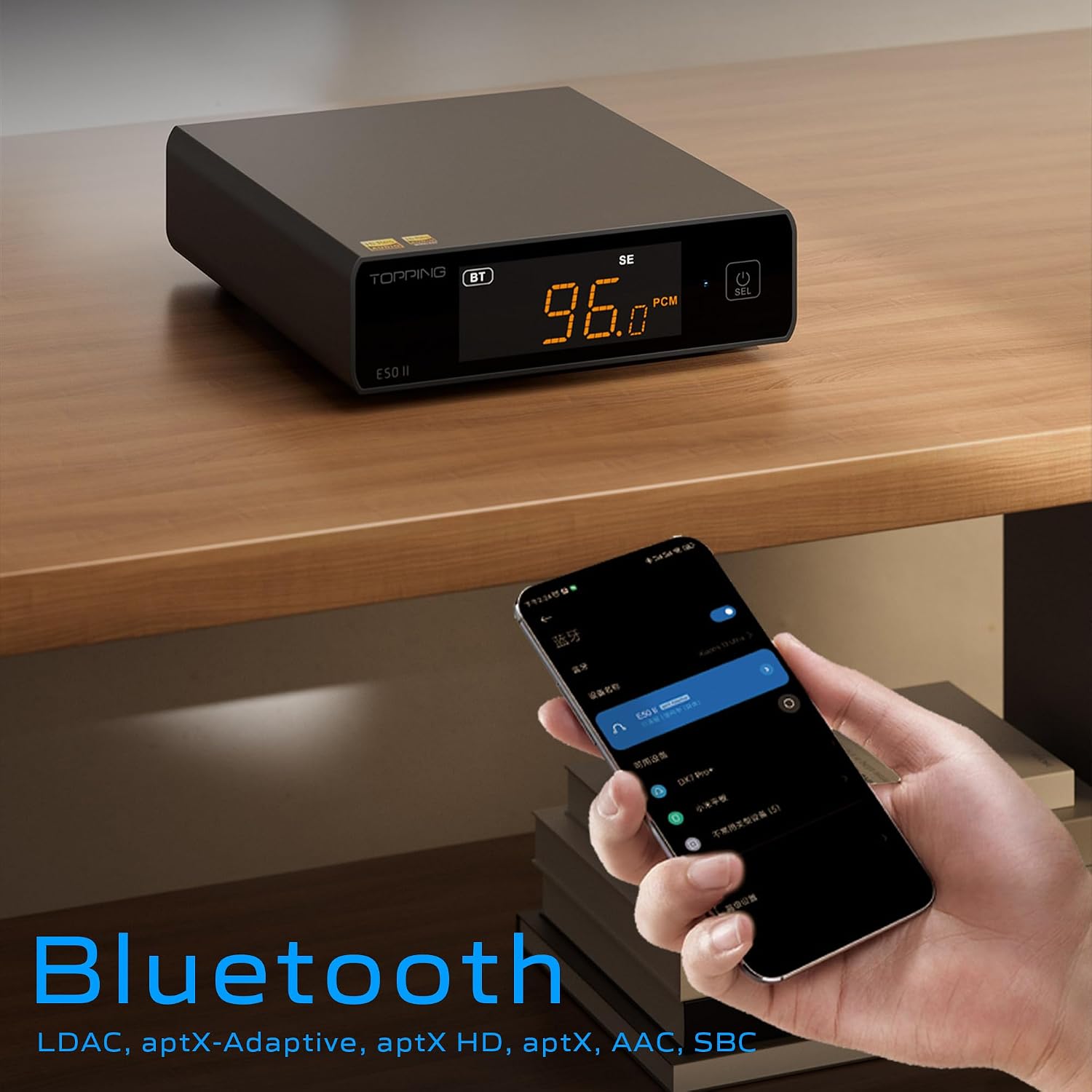
Image 6.3: A black E50II unit with a smartphone showing Bluetooth connection status.
6.5 PEQ (Parametric Equalizer) Function
The E50II features a 10-band Parametric Equalizer (PEQ) for precise sound customization. You can adjust frequency, gain, and bandwidth for each band. This function is accessible via the TOPPING Home app or dedicated PC software.

Image 6.4: Screenshot of the TOPPING TUNE FOR PC software interface, showing the 10-band PEQ settings.
6.6 פאַרamp פֿונקציע
The E50II can function as a preamplifier, allowing direct connection to a power amplifier or active speakers. In this mode, the volume can be controlled via the remote or the TOPPING Home app, providing precise output level control to prevent overload or under-driving of connected equipment.
7. וישאַלט
- רייניקט דעם אַפּאַראַט מיט אַ ווייכן, טרוקענעם שטאָף. ניצט נישט קיין פליסיקע רייניגער אָדער אַעראָזאָלן.
- האַלט די ווענטילאַציע עפענונגען ריין פון שטויב און שמוץ.
- סטאָר די מיטל אין אַ קיל, טרוקן אָרט ווען ניט אין נוצן.
8. טראָובלעשאָאָטינג
| פּראָבלעם | מעגלעך סיבה | לייזונג |
|---|---|---|
| קיין געזונט רעזולטאַט | Incorrect input/output selection, loose cables, muted volume. | Check input source, ensure cables are securely connected, unmute or increase volume. |
| די מיטל טוט נישט מאַכט אויף | Power cable not connected, faulty power adapter. | Ensure power cable is connected to a working 5V source. Try a different power adapter. |
| בלועטאָאָטה קשר ישוז | E50II not in Bluetooth mode, device not paired, interference. | Switch E50II to Bluetooth input. Re-pair the device. Ensure no strong interference sources nearby. |
| פאַרקרימט אַודיאָ | Input signal too high, incorrect gain setting, faulty cables. | Reduce source volume. Adjust E50II gain setting. Try different audio cables. |
| Windows USB driver not working | Incorrect driver installation, driver conflict. | Reinstall the latest driver from the TOPPING website. Check for other conflicting audio drivers. |
9. ספּעסאַפאַקיישאַנז
- סאָרט: טאַפּינג
- מאָדעל: E50II
- DAC שפּאָן: AK4497S
- USB צובינד: XMOS XU316
- Max USB Decoding: PCM 768kHz / DSD512
- Optical/Coaxial Decoding: אַרויף צו 192 כז
- בלועטאָאָטה קאָדעקס: LDAC, aptX-Adaptive, aptX HD, aptX, AAC, SBC
- אַודיאָ רעזולטאַט מאָדע: סטערעאָ
- רעזולטאַט ינטערפייסיז: RCA (unbalanced), 6.35mm TRS (balanced)
- אַרייַנשרייַב ינטערפייסיז: יו-עס-בי, אָפּטיש, קאָאַקסיאַל, בלועטוט
- פֿעיִקייטן: 10-band PEQ, Preamp function, TOPPING Home App control, Top Sync circuit for low jitter.
10. וואָראַנטי און שטיצן
The TOPPING E50II is covered by the manufacturer's or authorized agent's warranty regulations. Please refer to the warranty card included in your package for specific terms and conditions. For technical support, driver downloads, or service inquiries, please visit the official TOPPING webזייטל אדער קאָנטאַקט אייער לאקאלן אויטאָריזירטן הענדלער.
אפיציעלע צוגאב Webפּלאַץ: www.toppingaudio.com