
1. סעטאַפּ גייד
1.1 אויספּאַקן און פּאַקעט אינהאַלט
Carefully unpack your LG OLED77C6HUP TV. Ensure all components listed below are present. Retain the packaging materials for future transport or service needs.
- LG 77-אינטש קלאַס OLED evo AI 4K C6 סעריע סמאַרט טעלעוויזיע
- מאַגיש רימאָוט
- ווײַט קאָנטראָל באַטעריעס (2 AAA)
- מאַכט קאַבלע
- שטיין קאַמפּאָונאַנץ
- באַניצער מאַנואַל (דעם דאָקומענט)
- שנעל אָנהייב גייד

Image: LG OLED evo AI TV showing overall dimensions and included accessories.
1.2 שטיין ייַנמאָנטירונג
If you are not wall-mounting the TV, attach the included stand. Follow the instructions provided in the Quick Start Guide for secure assembly. The stand footprint is 20.5 inches wide.

בילד: דעטאַלירט view of the TV stand base.
1.3 וואנט מאָונטינג
For wall mounting, use a VESA compatible mount with a standard of 300 x 200 mm. Consult a professional for installation to ensure safety and proper mounting.

בילד: זייט פּראָfile of the LG OLED TV, illustrating its thin design suitable for wall mounting.
1.4 קאַנעקטינג פּעריפעראַלס
Connect your external devices to the TV's ports. The TV features 4 HDMI ports, 2 USB 2.0 ports, 1 USB 3.0 port, an Ethernet port, and an antenna input.
- הדמי: For Blu-ray players, gaming consoles, and set-top boxes.
- וסב: For external storage devices or compatible accessories.
- עטהערנעט (לאַן): פֿאַר אַ דראָטיקער אינטערנעט פֿאַרבינדונג.
- אַנטענע / קאַבלע: For over-the-air broadcasts or cable TV.

בילד: הינטערשטע view of the LG OLED TV highlighting the connectivity ports.
1.5 אינסטאַלאַציע פון באַטעריע פֿאַר ווײַטקאָנטראָל
Open the battery compartment on the back of the Magic Remote. Insert two AAA batteries, ensuring correct polarity (+/-). Close the compartment securely.
1.6 Initial Power On and webאָפּערירן סיסטעם סעטאַפּ
Connect the power cable to the TV and a wall outlet. Press the power button on the remote or TV. Follow the on-screen instructions to complete the initial setup of webOS, including network connection, channel scanning, and basic settings.
2. אַפּערייטינג דיין טעלעוויזיע
2.1 יקערדיק פאַנגקשאַנז
- מאַכט: דריק דעם מאַכט קנעפּל אויף דער ווײַטקאָנטראָל צו דרייען דעם טעלעוויזיע אָן אָדער אויס.
- באַנד: ניצן די באַנד אַרויף / אַראָפּ קנעפּלעך צו סטרויערן די געזונט מדרגה.
- קאַנאַל: Use the channel up/down buttons to change channels or navigate lists.
- אַרייַנשרייַב: Press the input button to select connected devices (HDMI, USB, etc.).
2.2 סמאַרט טעלעוויזיע פֿעיִטשערז (webOS)
אייער טעלעוויזיע לויפט אויף די webOS operating system, providing access to various streaming services and smart features. Use the Magic Remote to navigate the intuitive interface.

בילד: די webOS smart TV platform interface, showcasing available applications and content.
AI Hub for Personalization
The AI Hub, accessible via the AI button on your remote, offers personalized AI experiences including Multi AI Search, AI Concierge, AI Picture Wizard, AI Sound Wizard, AI Voice ID, and AI Chatbot.
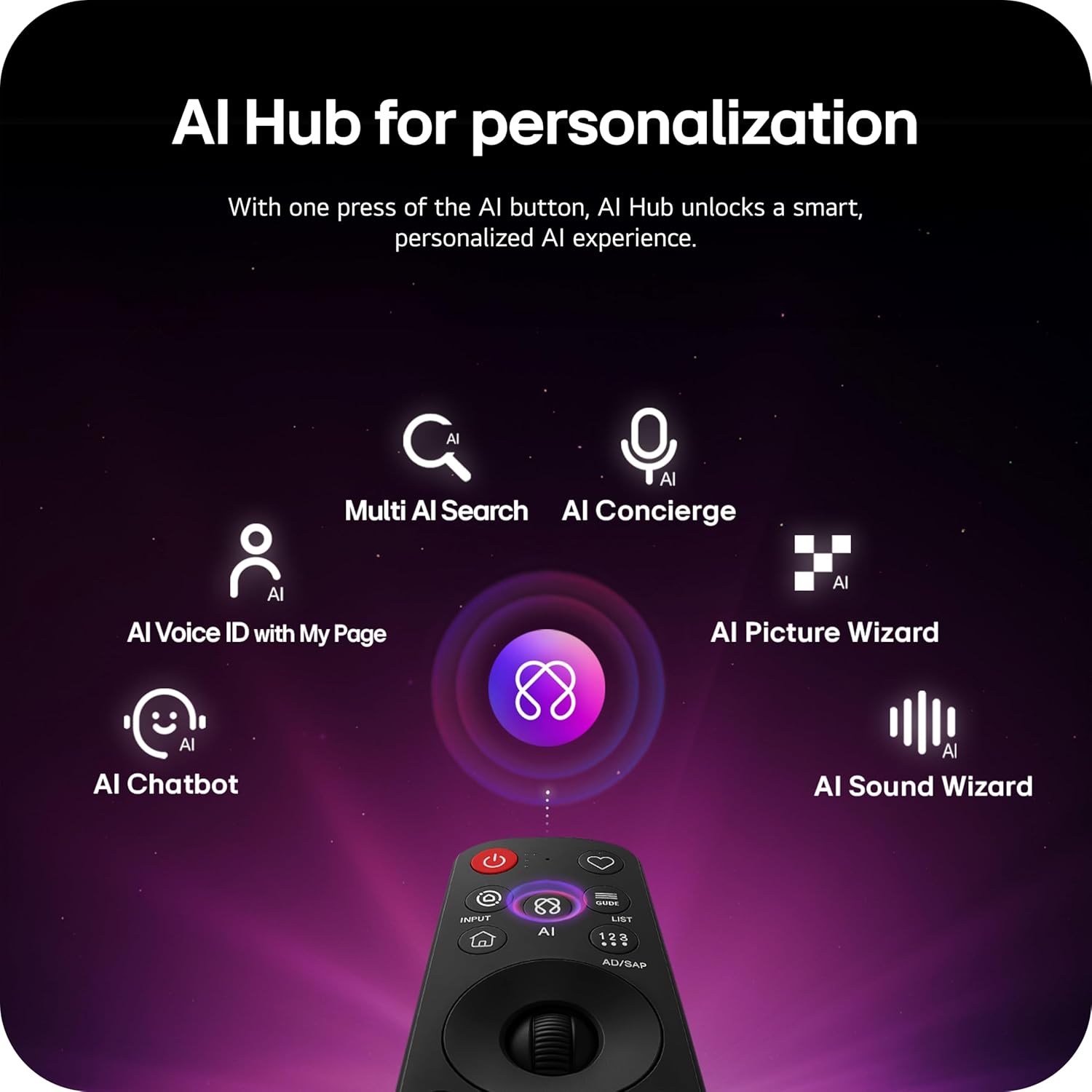
Image: Magic Remote highlighting the AI button and various AI Hub features.
Multi AI Search with Google Gemini and Microsoft Copilot
Utilize the Multi AI search function to find content and information across multiple AI models, including Google Gemini and Microsoft Copilot, for broader and more relevant results.
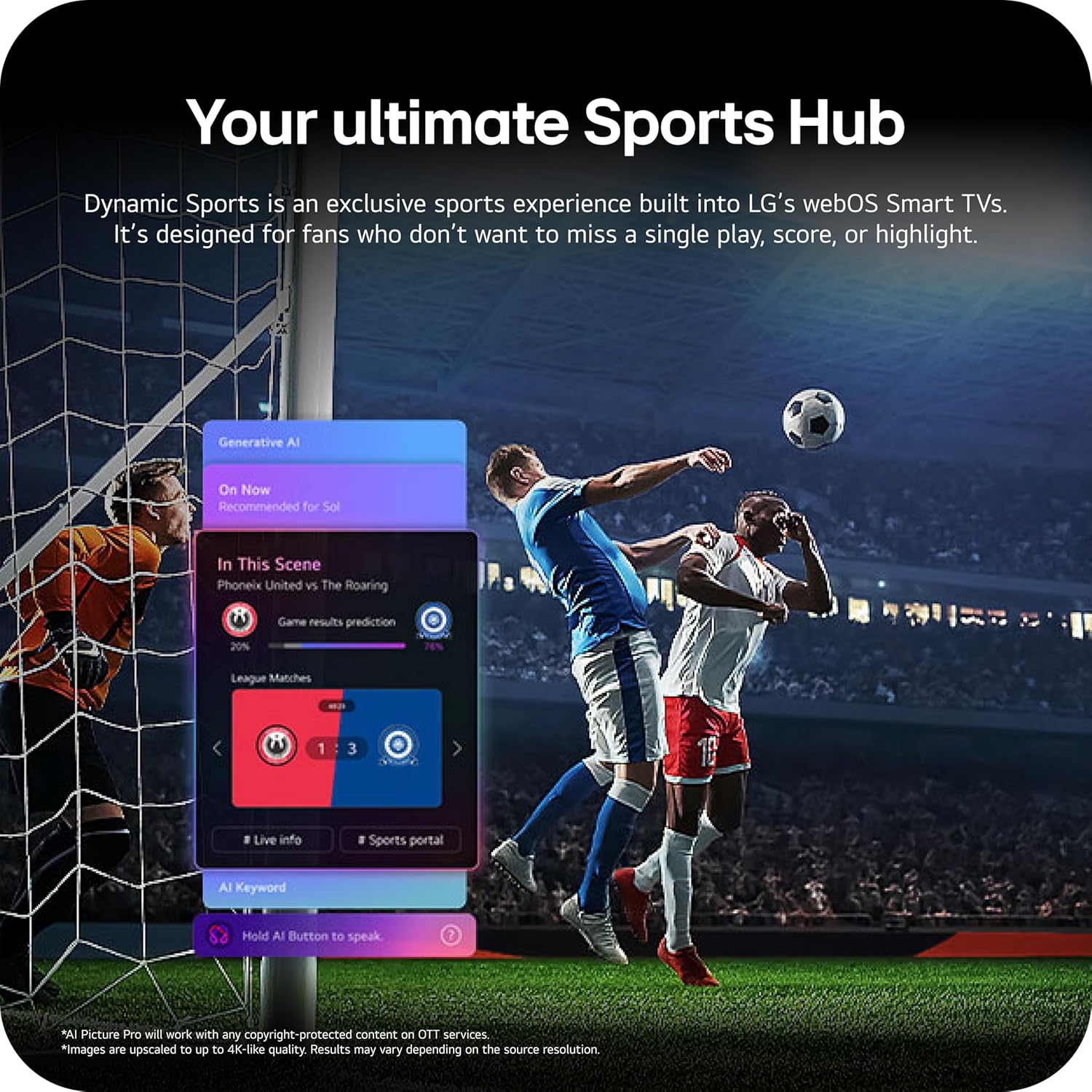
Image: Multi AI search interface displaying integration with Google Gemini and Microsoft Copilot.
2.3 בילד סעטטינגס
Your LG OLED TV offers advanced picture technologies for optimal viewing.
- Brightness Booster Pro: Magnifies each pixel to shine up to 3.2 times brighter for enhanced luminosity.
- פערפעקט שוואַרץ און פערפעקט קאָליר: Over 8.3 million self-lit pixels deliver perfect black levels and accurate colors in any lighting condition.
- Dolby Vision, HDR10, HLG: Supports multiple HDR formats for extraordinary color, contrast, and brightness.
- פילממאַקער מאָדע: Preserves the director's original vision by disabling post-processing effects.
- AI בילד: The a11 AI Processor Gen3 optimizes picture quality in real-time.
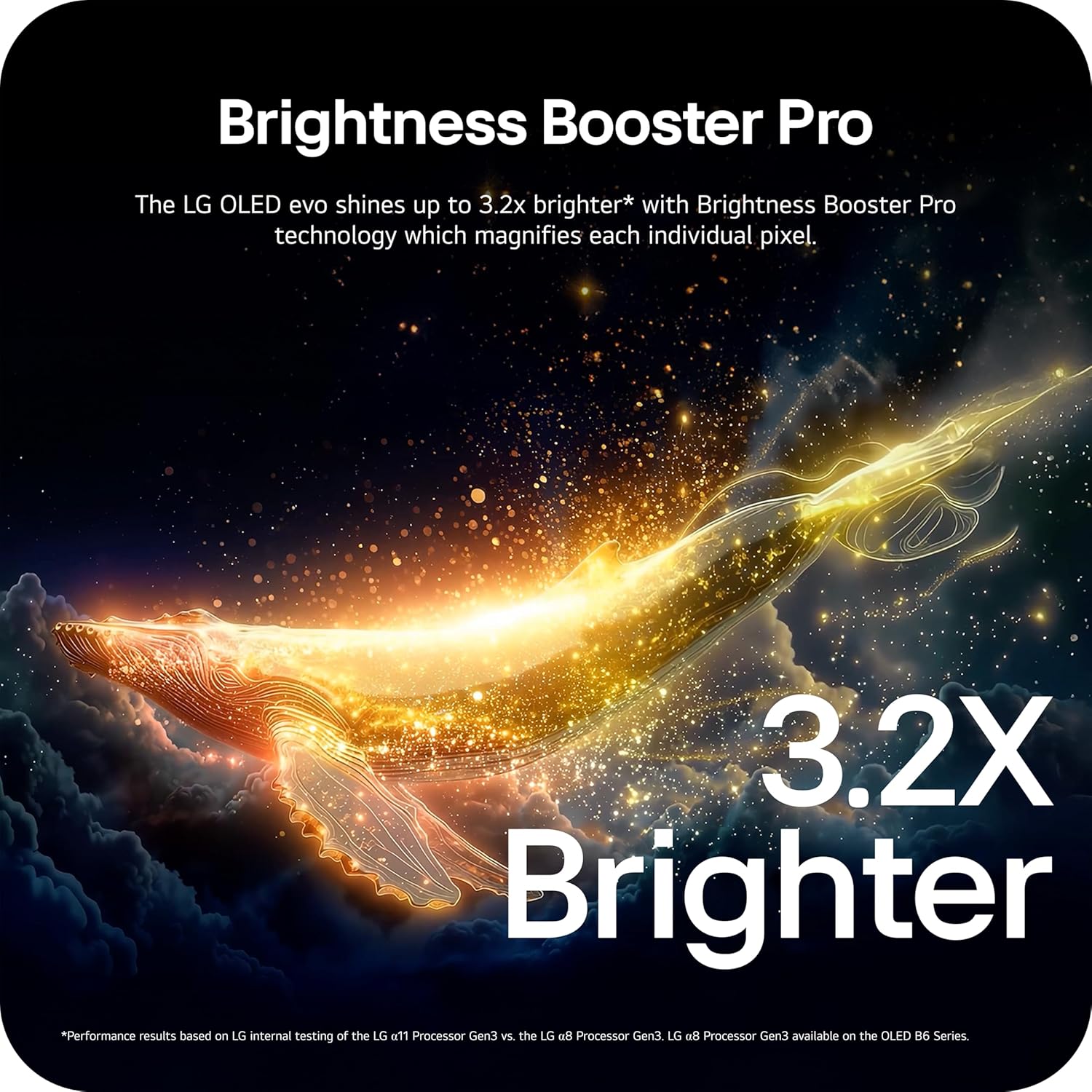
Image: Visual representation of Brightness Booster Pro technology, illustrating increased brightness.

Image: Display demonstrating Perfect Black and Perfect Color capabilities in various light conditions.
2.4 געזונט סעטטינגס
Experience immersive audio with your TV's sound features.
- Dolby Atmos: גיט מולטי-דימענסיאָנעל קלאַנג וואָס באַוועגט זיך אַרום דיר.
- Wow Orchestra: Integrates the TV's speakers with a compatible LG soundbar for an enhanced audio experience.
2.5 גיימינג פֿעיִטשערס
The TV is equipped with features for an optimal gaming experience.
- 165Hz דערפרישן קורס: Supports high frame rates for smooth gameplay.
- 0.1ms רעאַקציע צייט: Minimizes input lag for quick reactions.
- NVIDIA G-Sync און AMD FreeSync Premium: רעדוצירט סקרין טיערן און שטאַמלען פֿאַר גלאַט וויזשוואַלז.

Image: Dynamic gaming visual highlighting the 165Hz refresh rate and G-Sync/FreeSync compatibility.
2.6 Sports Hub
The Dynamic Sports Hub provides an exclusive sports experience, ensuring you don't miss any key moments, scores, or highlights.

Image: Screenshot of the Dynamic Sports Hub interface during a live soccer game.
3. וישאַלט און קער
3.1 OLED Care
To maintain the best picture quality and longevity of your OLED display, utilize the built-in OLED Care features. These features help protect the display from potential issues over time.
3.2 רייניקונג אינסטרוקציעס
- פאַרשטעלן: Gently wipe the screen with a soft, dry, microfiber cloth. For stubborn marks, lightly dampשווענקט דעם שטאָף מיט דיסטילירט וואַסער. פֿאַרמייַדט שטרענגע כעמיקאַלן אָדער אַברייסיוו מאַטעריאַלן.
- טעלעוויזיע גוף: ניצט אַ ווייכן, טרוקענעם שטאָף צו רייניקן דעם ראַם און שטאַנד.
- ווייַט קאָנטראָל: ווישן מיט אַ ווייך, טרוקן שטאָף.
3.3 ווייכווארג דערהייַנטיקונגען
Ensure your TV's software is up-to-date for optimal performance and new features. webOS 26 automatically downloads updates for up to 5 years. If auto-update is disabled, you will receive a notification to accept or deny updates. An LG account is required to access network-based smart services.
3.4 LG Shield Security
LG Shield provides digital protection against malware, viruses, and other cyber threats through real-time scanning and automatic updates. An LG account is required to access network-based smart services.

Image: LG Shield security feature, represented by shield and lock icons, indicating digital protection.
4. טראָובלעשאָאָטינג פּראָסט ישוז
This section addresses common problems you might encounter with your TV. If the issue persists, contact customer support.
| פּראָבלעם | מעגלעך לייזונג |
|---|---|
| קיין מאַכט | זיכער מאַכן אַז דער עלעקטרישער קאַבל איז זיכער פֿאַרבונדן צו ביידע דעם טעלעוויזיע און אַ אַרבעטנדיקן עלעקטרישן אַוטלעט. פּרוביר דעם אַוטלעט מיט אַן אַנדער מיטל. |
| קיין בילד / שוואַרצער עקראַן | Check if the TV is turned on. Verify the correct input source is selected. Ensure all HDMI cables are securely connected. Try restarting the TV by unplugging it for 30 seconds and plugging it back in. |
| קיין געזונט | קאָנטראָלירט דעם וואָלומען לעוועל און זיכערט זיך אַז דער טעלעוויזיע איז נישט שטיל. קאָנטראָלירט אַז עקסטערנע אַודיאָ דעוויסעס (סאַונדבאַר, ריסיווער) זענען ריכטיק פארבונדן און אנגעצונדן. קאָנטראָלירט די אַודיאָ אַוטפּוט סעטטינגס אין דעם טעלעוויזיע מעניו. |
| רימאָוט קאָנטראָל ניט ריספּאַנדינג | Replace the batteries in the Magic Remote. Ensure there are no obstructions between the remote and the TV. Re-pair the remote if necessary (refer to the Quick Start Guide). |
| Network Connectivity Issues (Wi-Fi/Ethernet) | Check your router and modem to ensure they are working correctly. Restart your network equipment. Re-enter Wi-Fi password or check Ethernet cable connection. |
| Picture Quality Issues (e.g., motion blur, color smearing) | Adjust picture settings (e.g., sharpness, color, motion interpolation). Ensure Filmmaker Mode is off if you prefer motion smoothing. Check the source content quality. |
5. טעכניש ספּעסאַפאַקיישאַנז
Below are the key technical specifications for the LG OLED77C6HUP TV.
| שטריך | באַשרייַבונג |
|---|---|
| מאָדעל נומער | OLED77C6HUP |
| פאַרשטעלן גרייס | 77 אינטשעס |
| ווייַז טעכנאָלאָגיע | OLED (Self-Luminous Pixels) |
| האַכלאָטע | 4K (3840 X 2160) |
| דערפרישן קורס | 120 Hz (Native), up to 165 Hz (PC Gaming) |
| פּראַסעסער | a11 AI Processor 4K Gen3 |
| HDR שטיצן | Dolby Vision, HDR10, HLG |
| ענטפער צייט | 0.1 מיליסעקאַנדז |
| אָפּערייטינג סיסטעם | webOS |
| אַודיאָ רעזולטאַט | 2.2 קאַנאַל, דאָלבי אַטמאָס |
| HDMI פּאָרץ | 4 |
| וסב פּאָרץ | 2 (וסב 2.0), 1 (וסב 3.0) |
| קאַנעקטיוויטי | Wi-Fi, בלועטוט 5.3, עטהערנעט |
| סקרין מירערינג | AirPlay, גוגל קאַסט |
| וועסאַ מאָונט סטאַנדאַרט | 300 רענטגענ 200 מם |
| פּראָדוקט גרייס (מיט שטאַנד) | 67.4" ברייט x 40.7" הויך x 10.5" טיף |
| פּראָדוקט גרייסן (אָן שטאַנד) | 67.4" ברייט x 38.7" הויך x 1.9" טיף |
| וואָג פון דעם פּראָדוקט (מיט אַ שטאַנד) | 59.5 פונט |
| וואָג פון פּראָדוקט (אָן אַ שטאַנד) | 51.8 פונט |
6. וואָראַנטי אינפֿאָרמאַציע
Your LG OLED77C6HUP TV comes with a 1 יאָר פּאַרץ און אַרבעט limited warranty. Please retain your proof of purchase for warranty claims. For detailed terms and conditions, refer to the warranty card included with your product or visit the official LG webפּלאַץ.
7. קונה שטיצן
For further assistance, technical support, or service inquiries, please visit the official LG support website or contact their customer service. You can also refer to the comprehensive User Manual (PDF) available for download on the LG support page.
LG שטיצן Webפּלאַץ: https://www.lg.com/us/support
באַניצער מאַנואַל (PDF): אראפקאפיע פּדף