
1. הקדמה
Thank you for choosing the GMKtec NucBox G3 Pro Mini PC. This compact and powerful device is designed for a wide range of applications, from daily office tasks and web browsing to video editing and light server operations. Featuring an Intel Core i3-10110U processor, expandable memory and storage, and versatile connectivity, the NucBox G3 Pro offers a stable and efficient computing experience. This manual provides essential information for setup, operation, maintenance, and troubleshooting to ensure optimal performance and longevity of your device.
2. זיכערקייַט אינפֿאָרמאַציע
- Always use the provided power adapter to prevent damage to the device.
- שטעלט נישט אויס דעם אפאראט צו וואסער, פייכטקייט, אדער עקסטרעמע טעמפעראטורן.
- ויסמיידן פּלייסינג די מיטל אין דירעקט זונשייַן אָדער לעבן היץ קוואלן.
- זאָרגט פֿאַר געהעריקע ווענטילאַציע צו פֿאַרמייַדן איבערהיצונג. פֿאַרשטאָפּט נישט די ווענטילאַציע עפענונגען.
- פרובירט נישט צו עפענען אדער פאררעכטן דעם אפאראט אליין. ווענדט זיך צו קוואַליפֿיצירטע סערוויס פּערסאָנעל.
- האַלטן די מיטל אַוועק פון שטאַרק מאַגנעטיק פעלדער.
3. פּעקל אינהאַלט
ביטע אָפּהאַקן דאָס קעסטל פֿאַר די פֿאָלגנדיקע זאַכן:
- GMKtec Mini PC Unit (NucBox G3 Pro) x 1
- שרויף פּאַקקאַגע X 1
- מאַכט אַדאַפּטער x 1
- HDMI קאַבלע X 1
- באַניצער מאַנואַל x 1
- VESA Bracket x 1

Image: Contents of the GMKtec NucBox G3 Pro retail package.
4. פּראָדוקט איבערview
The GMKtec NucBox G3 Pro is a compact mini PC featuring an Intel Core i3-10110U processor, offering enhanced processing performance compared to previous generation models. It supports a wide range of uses from daily tasks to business applications. The device is designed for low power consumption (TDP 8W-15W) and low heat generation, ensuring stable operation.
שליסל פֿעיִקייטן:
- פּראַסעסער: Intel Core i3-10110U (2 Cores, 4 Threads, up to 4.1GHz, 6MB Cache)
- זכּרון: 16GB DDR4 (8GB x 2) standard, expandable up to 64GB via 2 SO-DIMM slots.
- סטאָרידזש: 256GB NVMe SSD standard, expandable up to 8TB via 2 M.2 slots (M.2 2280 PCIe Gen3x4 x1, M.2 2242 SATA3.0 x1).
- ווייַז רעזולטאַט: Supports dual 4K@60Hz display output via HDMI ports.
- קאַנעקטיוויטי: Wi-Fi 6 (up to 1201 Mbps), Bluetooth 5.2, 2.5G LAN.
- ספּעציעלע פֿעיִקייטן: Wake On LAN, PXE Boot, RTC Wake, Auto Power On.
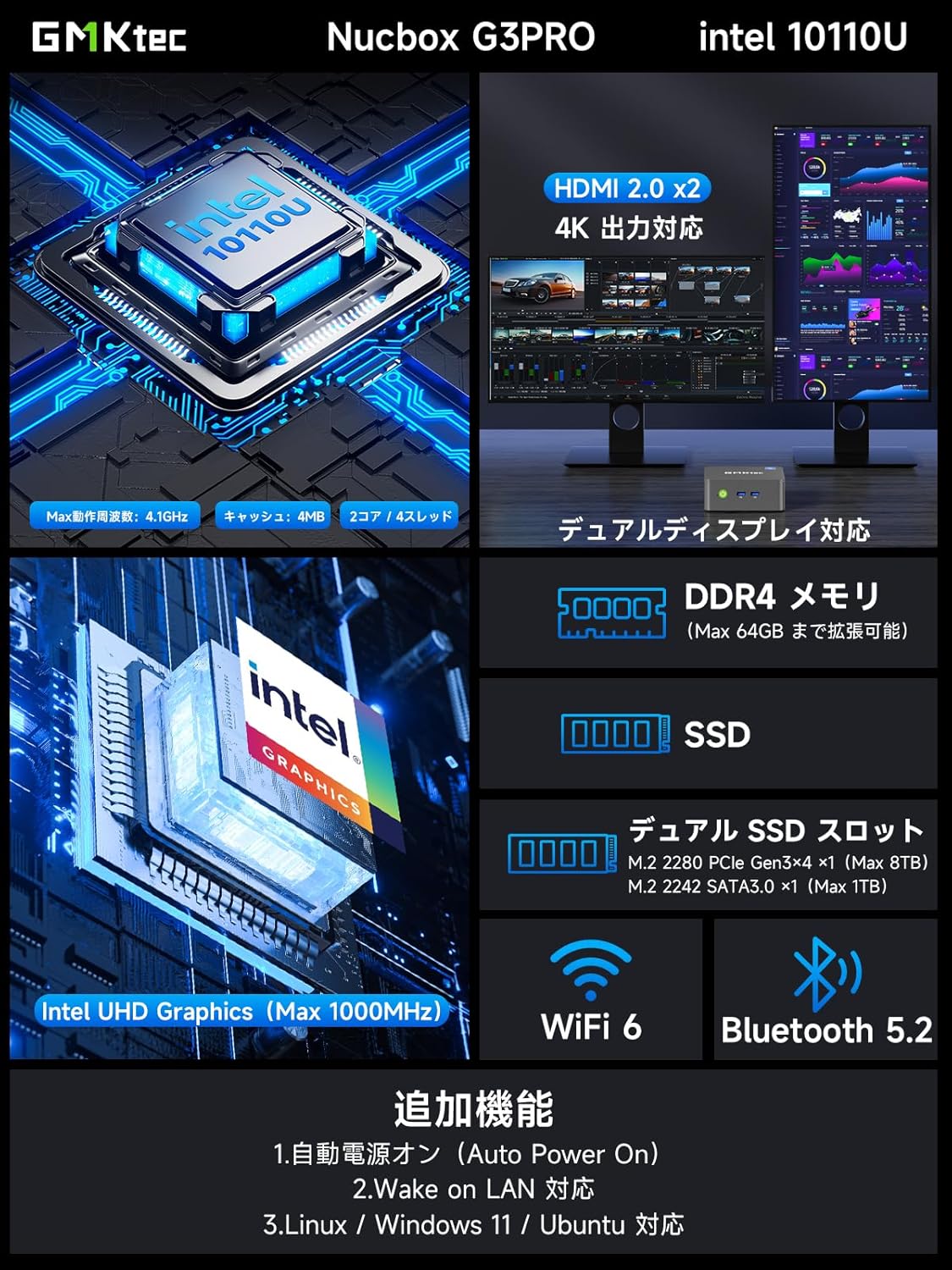
בילד: איבערview of the GMKtec NucBox G3 Pro, highlighting ports, memory, storage, and wireless capabilities.
פּאָרץ און ינטערפייסיז:
The NucBox G3 Pro offers a comprehensive set of ports for various peripherals and displays:
- יו-עס-בי 3.2 (דור 1) x 2
- וסב 2.0 רענטגענ 2
- HDMI x 2 (4K@60Hz output)
- 2.5G LAN (RJ45) x 1
- 3.5mm Audio Jack x 1
- Power Button x 1
- DC IN x 1

בילד: דעטאַלירט view of the NucBox G3 Pro's front and rear ports, including HDMI, USB, LAN, and audio jacks.
5. סעטאַפּ
5.1 ערשט קאַנעקשאַן
- Connect your monitor(s) to the HDMI ports on the back of the Mini PC using the provided HDMI cable.
- פֿאַרבינדט אייער קלאַוויאַטור און מויז צו די USB פּאָרטן.
- For wired internet access, connect an Ethernet cable to the 2.5G LAN port.
- Connect the power adapter to the DC IN port on the Mini PC, then plug it into a power outlet.
- Press the power button on the front of the Mini PC to turn it on.
5.2 וועסאַ מאָונט אינסטאַלאַציע
The NucBox G3 Pro supports VESA mounting, allowing you to attach it to the back of a compatible monitor or TV for a clutter-free workspace.
- Attach the VESA bracket to the back of your monitor using the appropriate screws.
- Secure the Mini PC to the VESA bracket.

Image: Demonstrates VESA mount installation and desktop placement options for the Mini PC.
6. אַפּערייטינג ינסטרוקטיאָנס
6.1 מאַכט אויף / אַוועק
- מאַכט אויף: דרוק די מאַכט קנעפּל אויף די פראָנט טאַפליע.
- מאַכט אַוועק: From the operating system, select 'Shut down'. Alternatively, press and hold the power button for 5 seconds to force a shutdown (not recommended for regular use).
6.2 ווייַז קאַנפיגיעריישאַן
The NucBox G3 Pro supports dual 4K displays. Connect your monitors to the HDMI ports. The operating system will automatically detect and configure the displays. You can adjust display settings (resolution, orientation, extended/duplicated desktop) through the Windows Display Settings.
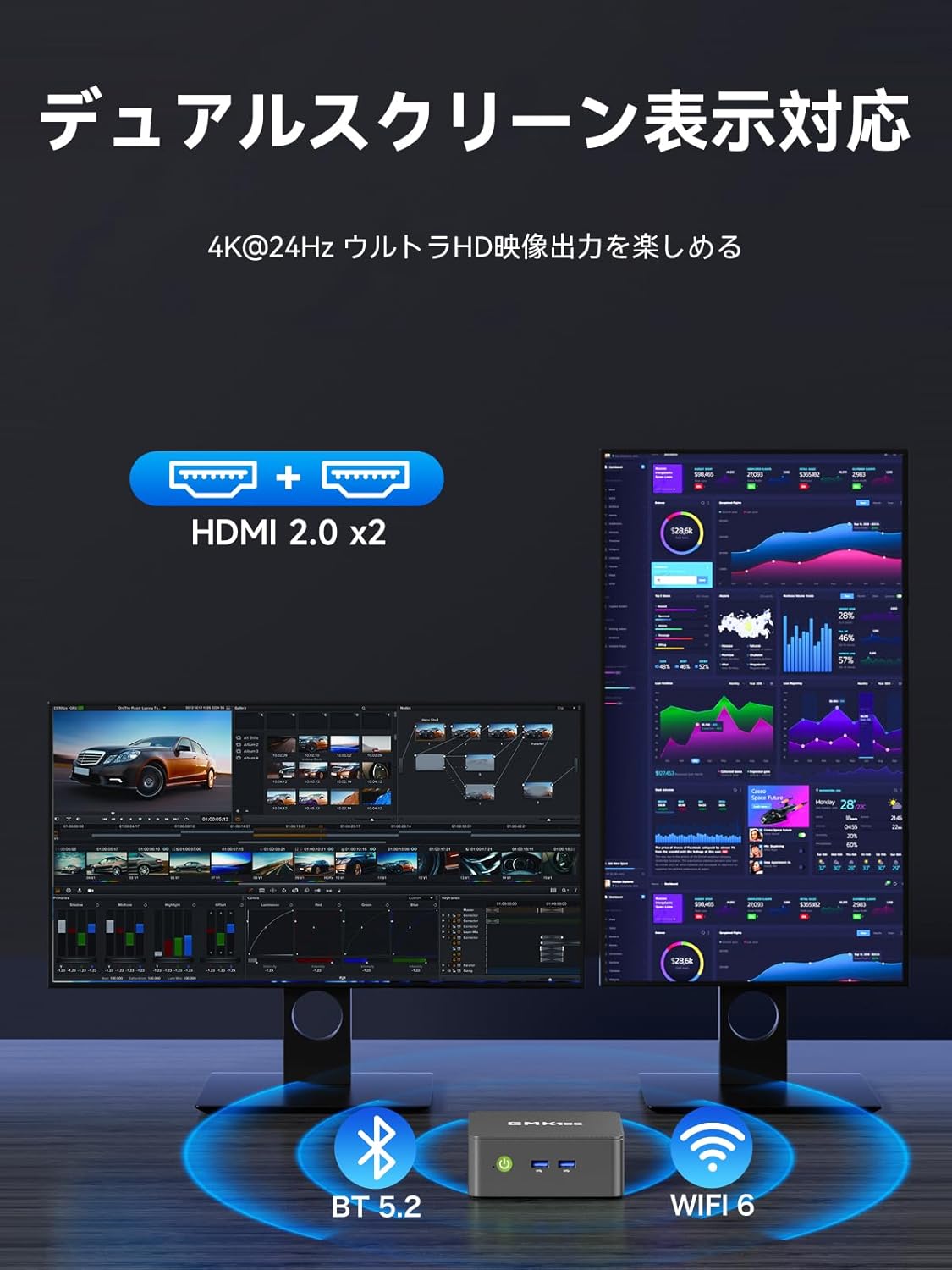
Image: Illustrates the dual-screen display capability of the Mini PC.
6.3 Operating Modes (TDP Adjustment)
The Mini PC features three adjustable TDP (Thermal Design Power) modes: 8W, 10W, and 15W. These modes allow you to balance performance and power consumption according to your needs (Quiet Mode, Power Saving Mode, Full Power Mode).
To adjust the operating mode:
- Power on the Mini PC and repeatedly press the 'ESC' key during startup to enter the BIOS setup screen.
- Navigate to the 'Advanced' tab using the arrow keys.
- Select 'Hardware Monitor' and press 'Enter'.
- Enter the 'System Smart Fan' menu.
- Select 'Enabled' for System Smart Fan.
- Under 'PWM Control System Fan Speed', you can choose from various fan speed percentages (20% to 100%) or 'OFF' to stop the fan. Adjust to your preferred speed.
- Once settings are complete, press 'F10' to save and exit.

Image: Shows the three operating modes (Silent, Balanced, Performance) and the BIOS screen for fan speed adjustment.
Video: Demonstrates how to adjust fan speed settings in the BIOS. Note: This video is for a similar GMKtec model (G10), but the BIOS fan control steps are generally applicable.
7. וישאַלט
7.1 רייניקונג
Regularly clean the exterior of the Mini PC with a soft, dry cloth. Use compressed air to clear dust from the ventilation openings to maintain optimal airflow and cooling performance.
7.2 סטאָרידזש און זכּרון יקספּאַנשאַן
The NucBox G3 Pro allows for easy expansion of both RAM and SSD storage. It supports up to 64GB DDR4 RAM and up to 8TB SSD storage.
- מאַכט אַוועק די מיטל און דיסקאַנעקט אַלע קייבאַלז.
- פֿאָרזיכטיק אַראָפּנעמען דעם אונטערשטן דעקל פֿונעם מיני פּיסי.
- Locate the SO-DIMM slots for RAM or the M.2 slots for SSDs.
- Install or replace the components as needed, ensuring they are securely seated.
- Reattach the bottom cover and reconnect all cables.

Image: Illustrates the process of expanding storage with M.2 SSDs in the Mini PC.

בילד: עקספּלאָדירט view showing internal components like DDR4 memory, M.2 SSDs, cooling fan, and heat vents.
8. טראָובלעשאָאָטינג
- קיין מאַכט: זיכער מאַכן אַז דער מאַכט אַדאַפּטער איז זיכער פארבונדן צו ביידע די מיני פּיסי און אַ אַרבעטנדיק מאַכט אַוטלעט. פּרוּווט אַן אַנדער אַוטלעט.
- קיין ווייַז: Check that the HDMI cable is securely connected to both the Mini PC and the monitor. Ensure the monitor is powered on and set to the correct input source.
- קיין אינטערנעט פֿאַרבינדונג: For wired connections, check the Ethernet cable and router. For Wi-Fi, ensure the Wi-Fi adapter is enabled in Windows settings and connected to the correct network.
- פּאַמעלעך פאָרשטעלונג: Close unnecessary applications. Check for background processes. Ensure sufficient free storage space. Consider upgrading RAM or SSD if performance issues persist.
- איבערהייצונג: Ensure the Mini PC has adequate ventilation. Clean dust from the vents. Adjust fan speed settings in BIOS if necessary (refer to Operating Instructions).
9. ספּעסאַפאַקיישאַנז
| שטריך | דעטאַל |
|---|---|
| סאָרט | דזשי-עם-קיטעק |
| מאָדעל | NucBox G3 Pro |
| אָפּערייטינג סיסטעם | Windows 11 פּראָ |
| קפּו מאָדעל | Intel Core i3-10110U |
| קפּו ספּיד | אַרויף צו 4.1 GHz |
| גראַפיקס | ינטעגראַטעד ינטעל UHD גראַפיקס |
| אינסטאַלירן באַראַן | 16 GB DDR4 (expandable to 64 GB) |
| זכּרון ספּיד | 2400 מהז |
| סטאָרידזש קאַפּאַסיטי | 256 GB NVMe SSD (expandable to 8 TB) |
| שווער דיסק צובינד | PCIE x 2 (M.2 2280 PCIe Gen3x4 x1, M.2 2242 SATA3.0 x1) |
| וידאו רעזולטאַט צובינד | HDMI x 2 (Supports 4K@60Hz) |
| וסב פּאָרץ | USB 3.2 (Gen1) x 2, USB 2.0 x 2 |
| נעץ קאַנעקטיוויטי | 2.5G LAN, Wi-Fi 6, Bluetooth 5.2 |
| פּראָדוקט דימענשאַנז | 114 X 106 X 42.5 מם |
| פּראָדוקט וואָג | 280 גראַמז |
| ספּעציעלע פֿעיִקייטן | Wake On LAN, PXE Boot, RTC Wake, Auto Power On |
10. וואָראַנטי און שטיצן
Your GMKtec NucBox G3 Pro Mini PC comes with a 1-year manufacturer's warranty. For technical support, warranty claims, or any inquiries regarding your product, please contact GMKtec customer service through the official channels or the seller from whom you purchased the device.
Seller: GMKtec-Official (1-year manufacturer's warranty)
פֿאַר ווייטערדיקע הילף, ביטע באַזוכט די GMKtec Store on Amazon.