
1. סעטאַפּ
1.1 אויספּאַקן און פּאַקעט אינהאַלט
Carefully remove the television and all components from the packaging. Ensure all items listed below are present.
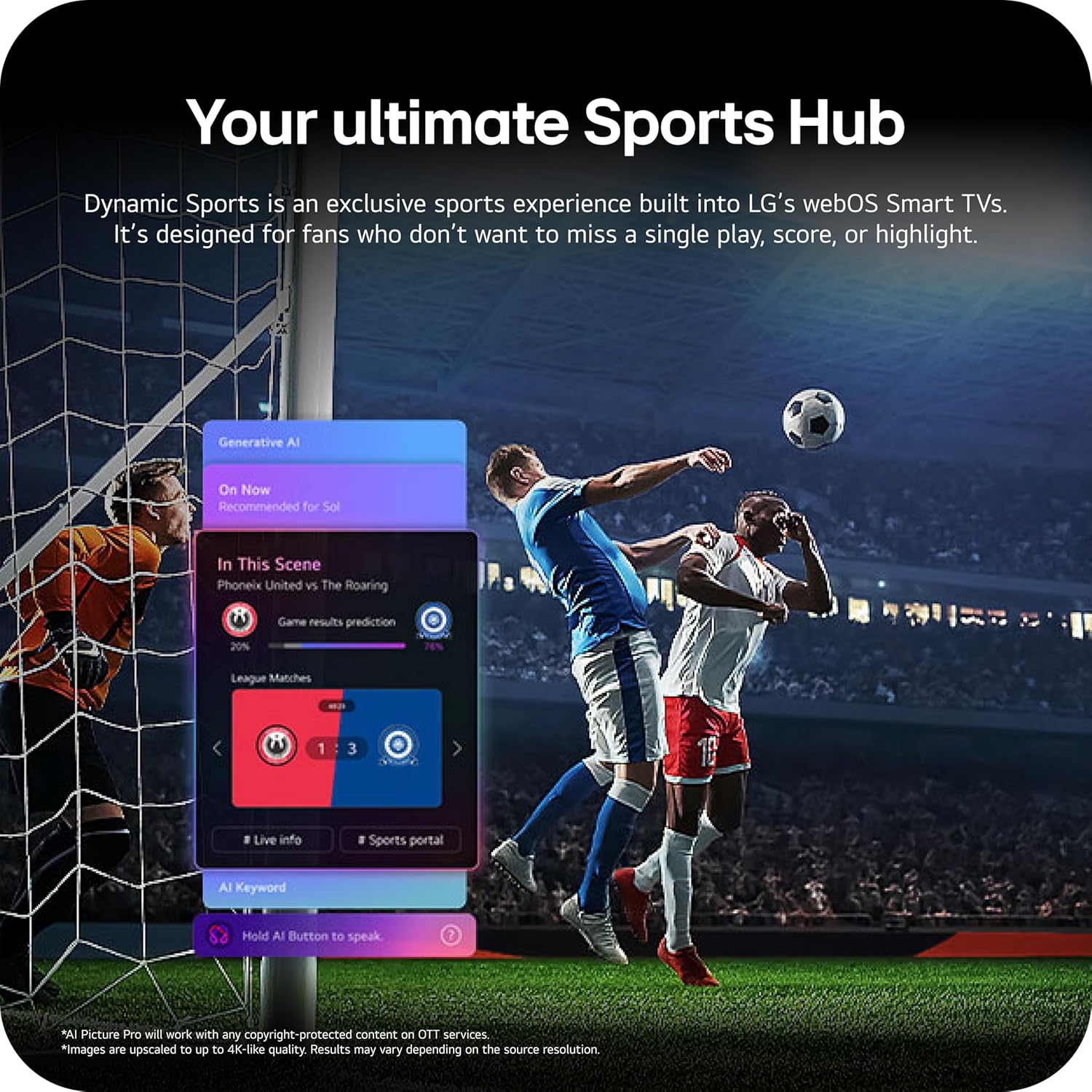
Image: The LG 65-inch OLED TV showing its dimensions with and without the stand, and a list of included accessories such as the Magic Remote, batteries, power cable, stand, and quick start guide.
אַרייַנגערעכנט קאַמפּאָונאַנץ:
- LG 65-אינטש קלאַס OLED evo AI 4K C6 סעריע סמאַרט טעלעוויזיע
- מאַגיש רימאָוט
- ווײַט קאָנטראָל באַטעריעס (2 AAA)
- מאַכט קאַבלע
- שטיין
- באַניצער מאַנואַל (דעם דאָקומענט)
1.2 גשמיות ינסטאַלירונג
The LG OLED65C6PUA can be installed using the included stand or mounted on a wall. Refer to the separate Installation Manual (PDF) for detailed wall mounting instructions.
סטאַנדאַרט ינסטאַלירונג:
- לייגט דעם טעלעוויזיע מיטן עקראַן אַראָפּ אויף אַ ווייכער, גלאַטער ייבערפלאַך צו פאַרמייַדן שאָדן.
- Attach the stand to the designated area on the bottom of the TV using the provided screws. Ensure it is securely fastened.
- הייב פֿאָרזיכטיק דעם טעלעוויזאָר און שטעל אים אויף אַ סטאַבילער, גלייכער ייבערפֿלאַך.
דימענסיעס:
- TV Dimensions with Stand (WxHxD): 56.7" x 34.6" x 9.1"
- TV Dimensions without Stand (WxHxD): 56.7" x 32.5" x 1.8"
- Stand Footprint: 18.5"
1.3 קאַנעקטיוויטי
Connect your external devices to the appropriate ports on the rear and side of the television.

Image: The back panel of the LG OLED TV, displaying multiple HDMI ports, USB ports, Ethernet port, and antenna input for connecting various devices.
- HDMI פּאָרטן (4): Connect Blu-ray players, gaming consoles, soundbars, and other HDMI-enabled devices.
- וסב פּאָרץ (2): פֿאַרבינדט USB סטאָרידזש דעוויסעס פֿאַר מעדיע פּלייבאַק אָדער ווייכווארג דערהייַנטיקונגען.
- עטהערנעט (LAN) פּאָרט: פֿאַר אַ דראָטיקער אינטערנעט פֿאַרבינדונג.
- אַנטענע/קאַבל אַרייַנגאַנג: פֿאַרבינדט אַן אַנטענע אָדער קאַבל טעלעוויזיע סיגנאַל.
- אָפּטיש דיגיטאַל אַודיאָ אַרויס (S/PDIF): פֿאַר פֿאַרבינדן צו עקסטערנע אַודיאָ סיסטעמען.
1.4 ערשטע איינשטראָם און נעץ סעטאַפּ
- שטעקט אריין דעם עלעקטרישן קאבל אין טעלעוויזיע און דערנאך אין א וואנט ווענטיל.
- דריק דעם מאַכט קנעפּל אויף דער ווײַט קאָנטראָל אָדער דעם טעלעוויזיע.
- פֿאָלגט די אינסטרוקציעס אויף דעם עקראַן צו פֿאַרענדיקן די ערשטע סעטאַפּ, אַרייַנגערעכנט שפּראַך אויסוואַל, צייט זאָנע, און נעץ פֿאַרבינדונג (Wi-Fi אָדער עטהערנעט).
- An LG account may be required to access network-based smart services.
2. אַפּערייטינג ינסטרוקטיאָנס
2.1 מאַגיק רימאָוט קאָנטראָל
The Magic Remote allows for intuitive control of your TV with point, click, scroll, and voice commands.

Image: The LG Magic Remote, featuring a central scroll wheel, directional buttons, and dedicated buttons for various functions and streaming services.
- מאַכט קנעפּל: טורנס די טעלעוויזיע אויף אָדער אַוועק.
- נומער קנעפּלעך: דירעקט קאַנאַל אַקסעס.
- באַנד אַרויף / אַראָפּ: אַדדזשוסץ באַנד.
- קאַנאַל אַרויף / אַראָפּ: ענדערונגען טשאַנאַלז.
- היים קנעפּל: אַקסעס די webאָ.עס. סמאַרט טעלעוויזיע היים פאַרשטעלן.
- Pointer/Scroll Wheel: נאַוויגירט מעניוז און סעלעקטירט זאכן.
- שטימע קאמאנד קנעפל: Activates intelligent voice recognition.
2.2 webOS Smart TV Platform (AI Hub)
די webOS 2026 platform provides access to streaming services, apps, and AI-powered features.

Image: A visual representation of the LG webOS Smart TV interface, highlighting AI features like Multi AI Search, AI Concierge, AI Voice ID, AI Picture Wizard, AI Chatbot, and AI Sound Wizard, all accessible via the remote's AI button.
- AI Hub: Press the AI button on your remote to access personalized recommendations and AI features.
- סטרימינג באַדינונגס: Access popular apps like Netflix, Disney+, Prime Video, Apple TV, and YouTube.
- LG טשאַנאַלז: Enjoy over 400 free channels and 10,000+ movies & shows on-demand.
- Multi AI Search: Powered by Google Gemini & Microsoft Copilot for broader, more relevant search results.
2.3 בילד און קלאַנג סעטטינגס
אָפּטימיזירן דיין viewing and listening experience with advanced picture and sound technologies.

Image: A split screen on an LG OLED TV illustrating the difference between an anti-glare matte display and a Perfect Black & Perfect Color display, emphasizing the deep blacks and vibrant colors achieved by OLED technology.
- ברייטנאַס בוסטער: Enhances visuals for brighter, more vivid detail, powered by the α11 AI Processor Gen 3.
- פערפעקט שוואַרץ און פערפעקט קאָליר: Over 8.3 million self-lit pixels deliver infinite contrast and accurate colors.
- Dolby Vision, HDR10, HLG: שטיצט קייפל HDR פֿאָרמאַטן פֿאַר פֿאַרבעסערטן קאָנטראַסט און קאָליר.
- פילממאַקער מאָדע: Preserves the director's original vision by disabling motion smoothing and other post-processing.
- Dolby Atmos: גיט אײַנטונקענדיקן, מולטי-דימענסיאָנעלן קלאַנג.
- AI Picture & AI Sound: AI-assisted deep learning analyzes content to optimize picture and sound settings.
2.4 גיימינג פֿעיִטשערס
Experience responsive and fluid gameplay with dedicated gaming enhancements.

Image: A dynamic image of a race car on a track, overlaid with logos for 165Hz refresh rate, NVIDIA G-Sync, and AMD FreeSync Premium, indicating the TV's advanced gaming capabilities.
- 165Hz דערפרישן קורס: Provides ultra-smooth motion for gaming (up to 165Hz for PC gaming).
- 0.1ms רעאַקציע צייט: Minimizes input lag for quick reactions.
- NVIDIA G-Sync און AMD FreeSync Premium: Reduces screen tearing and stuttering for compatible graphics cards.
- פיר HDMI 2.1 אינפוטס: Supports high bandwidth features required for next-gen gaming.
2.5 Dynamic Sports Hub
Access an exclusive sports experience built into LG's webOS Smart TVs.

Image: A soccer match displayed on an LG webOS Smart TV, with an overlay showing the 'Dynamic Sports Hub' interface, offering game results predictions, live info, and a sports portal.
The Dynamic Sports Hub is designed for fans to track scores, highlights, and relevant information without missing live action.
3. וישאַלט
3.1 OLED Care
The OLED Care feature helps protect your OLED display and maintain picture quality over time.

Image: A simple graphic displaying the 'OLED Care' logo with the LG brand, indicating a feature designed for display maintenance.
Access OLED Care settings through the TV menu to manage features like Pixel Cleaning and Screen Shift, which help prevent image retention.
3.2 רייניקן דעם טעלעוויזאר
- שטענדיק אויסשטעקן דעם טעלעוויזאר איידער איר רייניגט.
- ניצט אַ ווייכן, טרוקענעם מיקראָפיבער שטאָף צו זאַכט ווישן דעם עקראַן און קאַבינעט.
- פֿאַר שווערע פֿלעקן, לײַכט דריקןampen the cloth with water or a specialized screen cleaner (ensure it is safe for OLED displays). Do not spray liquid directly onto the screen.
- ויסמיידן ניצן אַברייסיוו קלינערז, וואַקסעס אָדער סאָלוואַנץ.
4. טראָובלעשאָאָטינג
די סעקציע גיט לייזונגען צו געוויינטלעכע פראבלעמען וואָס איר קענט באַגעגענען.
4.1 קיין מאַכט / טעלעוויזיע טוט זיך נישט אָן
- זייט זיכער אז דער עלעקטרישער קאַבל איז זיכער אריינגעשטעקט סיי אין דער טעלעוויזיע און סיי אין א ארבעטנדיקער וואַנט ווענטיל.
- Check if the wall outlet is receiving power by plugging in another device.
- פרובירט צו דריקן דעם פּאַוער קנעפּל אויף דער טעלעוויזיע אַליין, נישט נאָר די ווײַטקאָנטראָל.
4.2 קיין בילד נישט אדער פארדרייט בילד
- באַשטעטיקט אַז די ריכטיקע אַרייַנגאַנג מקור איז אויסגעקליבן (למשל, HDMI 1, HDMI 2).
- Check all cable connections between the TV and external devices (HDMI, antenna, etc.). Ensure they are firmly seated.
- אויב איר ניצט אַן אַנטענע, קאָנטראָלירט איר פֿאַרבינדונג און פּאָזיציע.
- ריסטאַרט די פֿאַרבונדענע דעוויס (למשל, קאַבל באָקס, גיימינג קאַנסאָול).
4.3 ווײַטקאָנטראָל אַרבעט נישט
- Replace the batteries in the Magic Remote (requires 2 AAA batteries).
- זיכער מאַכן אַז עס זענען נישטאָ קיין שטערונגען צווישן דעם ווײַטקאָנטראָל און דעם טעלעוויזיע.
- Re-pair the Magic Remote if it has become disconnected. Point the remote at the TV and press the Wheel (OK) button.
4.4 קיין קלאַנג אָדער שטיל קלאַנג
- קאָנטראָלירט די טעלעוויזיע וואָלומען און מאַכט זיכער אַז עס איז נישט שטיל.
- אויב איר ניצט עקסטערנע אַודיאָ דעוויסעס (סאַונדבאַר, ריסיווער), זאָרגט אַז זיי זענען אנגעצונדן און ריכטיק פארבונדן.
- Check the audio output settings in the TV menu to ensure the correct output is selected (e.g., TV Speaker, Optical Out).
4.5 נעץ פֿאַרבינדונג פּראָבלעמען
- For Wi-Fi, ensure the router is on and within range. Try restarting the router.
- For wired connection, ensure the Ethernet cable is securely connected to both the TV and the router.
- Check network settings in the TV menu to ensure correct configuration.
5. ספּעסאַפאַקיישאַנז
| שטריך | באַשרייַבונג |
|---|---|
| מאָדעל נאָמען | LGOLED65C6PUA |
| מאָדעל נומער | OLED65C6PUA |
| פאַרשטעלן גרייס | 65 אינטשעס |
| ווייַז טעכנאָלאָגיע | OLED |
| האַכלאָטע | 4K (3840 X 2160) |
| דערפרישן קורס | 120 Hz (Native), up to 165Hz for PC gaming |
| פּראַסעסער | α11 AI Processor 4K Gen3 (Dual AI Engine) |
| HDR פֿאָרמאַט שטיצט | Dolby Vision, HDR10, HLG |
| ענטפער צייט | 0.1 מיליסעקאַנדז |
| אָפּערייטינג סיסטעם | webOS 2026 |
| קאַנעקטיוויטי טעכנאָלאָגיע | Bluetooth (v5.3), Ethernet, HDMI, USB, Wi-Fi |
| גאַנץ הדמי פּאָרץ | 4 (הדמי 2.1) |
| גאַנץ וסב פּאָרץ | 2 (וסב 2.0) |
| אַודיאָ רעזולטאַט | אָפּטיש (S/PDIF) |
| רעדנער באַשרייַבונג | Dolby Atmos (2.2 Channel) |
| ספּעציעלע פֿעיִקייטן | AMD FreeSync, Built-In Speaker, Chromecast, Intelligent Voice Recognition, NVIDIA G-Sync |
| מאַכט צושטעלן | 120 וואלטס |
| וואָג פון פּראָדוקט (אָן אַ שטאַנד) | 36.6 פונט |
| Item Dimensions (with stand) | 9.1"ד רענטגענ 56.7"וו רענטגענ 34.6"ה |
| וועסאַ מאָונט סטאַנדאַרט | 300 רענטגענ 200 מם |
6. וואָראַנטי און שטיצן
6.1 פּראָדוקט וואָראַנטי
This LG OLED TV (Model OLED65C6PUA) comes with a 1 יאָר טיילן און אַרבעט לימיטעד וואָראַנטי פֿון דעם קויף־דאַטום. ביטע באַהאַלטן אייער קויף־באַווייַז פֿאַר גאַראַנטיע־קליימז.
6.2 צוגעלייגטע שוץ פלענער
פארברייטערטע שוץ פלענער קענען זיין באזונדער צו קויפן:
- 4-יאָר שוץ פּלאַן: גיט קאַווערידזש פֿאַר 48 חדשים.
- גאַנץ באַשיצן: א מאָנטלעכער אַבאָנעמענט פּלאַן וואָס דעקט פּאַסיקע פאַרגאַנגענע און צוקונפֿטיקע קויפֿן.
For details on coverage and terms, please refer to the respective plan documentation or contact the provider.
6.3 קונה שטיצן
For technical assistance, troubleshooting beyond this manual, or warranty service, please contact LG Customer Support. You can find contact information on the official LG website or in the Quick Start Guide included with your TV.
איר קענט אויך זיך ווענדן צום אפיציעלן באַניצער מאַנואַל (פּדף) און אינסטאַלאַציע מאַנואַל (PDF) פֿאַר מער דיטיילד אינפֿאָרמאַציע.