
הקדמה
Welcome to the official user manual for your Nothing Phone 4a. This guide provides comprehensive instructions for setting up, operating, maintaining, and troubleshooting your device. Please read this manual thoroughly to ensure optimal performance and longevity of your smartphone.
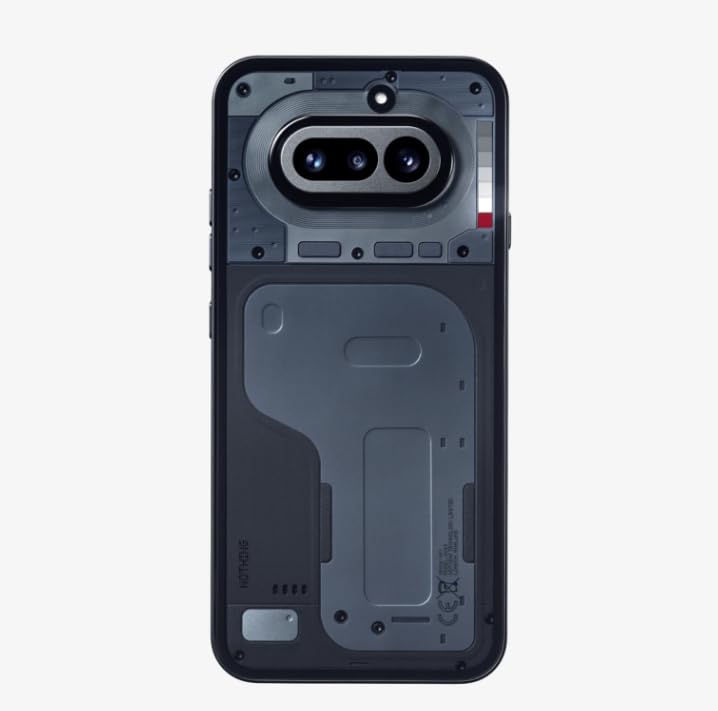
Image: Nothing Phone 4a in use, highlighting its sleek form factor.
וואָס איז אין די קעסטל
באַשטעטיקן אַז דיין פּעקל כּולל די פאלגענדע זאכן:
- Nothing Phone 4a Smartphone
- העאַדסעט
- וסב טיפּע- C קאַבלע
- סים עדזשעקטאָר טול
- Safety and Warranty Information Guide
סעטאַפּ
1. ינסערטינג די סים קאַרד
- Locate the SIM card tray on the side of your Nothing Phone 4a.
- שטעקט אריין דעם סים אויסווארף געצייג אין דעם קליינעם לאך אויפן טאַץ און דריקט לײַכט ביז דער טאַץ קומט ארויס.
- לייגט אריין אייערע נאַנאָ-סים קאַרט(ן) אין דעם טאַץ מיט די גאָלדענע קאָנטאַקטן אַראָפּגעקערט. זאָרגט אַז זיי זאָלן זיין ריכטיק אָריענטירט.
- שטופּ פֿאָרזיכטיק צוריק דעם טאַץ אין טעלעפֿאָן ביז עס קליקט אַרײַן אין פּלאַץ.
2. פּאַוערינג אויף און ערשט סעטאַפּ
- Press and hold the Power button (usually on the right side) until the Nothing logo appears.
- Follow the on-screen instructions to select your language, connect to Wi-Fi, set up your Google account, and configure security settings.
3. טשאַרדזשינג דיין מיטל
Before first use, it is recommended to fully charge your Nothing Phone 4a.
- פֿאַרבינדט דעם USB טיפּ-C קאַבל צום טשאַרדזשינג פּאָרט אין דער אונטערשטער טייל פֿון טעלעפֿאָן.
- פֿאַרבינדט דעם אַנדערן עק פֿונעם קאַבל צו אַ קאָמפּאַטיבלע מאַכט אַדאַפּטער און שטעקט עס אַרײַן אין אַ וואַנט ווענטיל.
- דער טשאַרדזשינג אינדיקאַטאָר וועט דערשייַנען אויף דעם עקראַן.
אַפּערייטינג דיין מיטל
1. מאַכט אויף/אויס און ריסטאַרט
- צו מאַכט אויף: Press and hold the Power button until the device vibrates and the Nothing logo appears.
- צו מאַכט אַוועק: Press and hold the Power button, then tap "Power off" on the screen.
- צו ריסטאַרט: Press and hold the Power button, then tap "Restart" on the screen.
2. יקערדיק נאַוויגאַציע
Your Nothing Phone 4a uses intuitive touch gestures for navigation:
- צאַפּן: אויסקלייבן אַן אייטעם אָדער אַקטיווירן אַ פונקציע.
- לאַקכענען: Move between screens, scroll through lists, or dismiss notifications.
- קניפּ: פארגרעסערן אדער פארקלענערן בילדער און web בלעטער.
- לאנג פּרעס: צוטריט קאנטעקסטועלע מעניוס אדער באוועג איקאנעס.
3. קאַמעראַ יוז
Capture high-quality photos and videos with your Phone 4a's camera system. The device features a 32 מפּ פראָנט אַפּאַראַט designed for wider group selfies and clear video calls.

Image: Key features of the Nothing Phone 4a, including camera capabilities and AI integration.
4. אָפּערייטינג סיסטעם
Your Nothing Phone 4a runs on אַנדרויד 14, offering a smooth and customizable user experience. Explore various apps, widgets, and settings to personalize your device.
5. קאַנעקטיוויטי
The Phone 4a supports 4G cellular technology for fast mobile data. Connect to Wi-Fi networks for internet access and use Bluetooth for pairing with accessories like headsets.
וישאַלט
1. רייניקן דיין דעווייס
- ניצט אַ ווייכן, לינט-פֿרייע שטאָף צו זאַכט ווישן דעם עקראַן און קערפּער פֿון טעלעפֿאָן.
- פֿאַרמײַדן ניצן שטרענגע כעמיקאַלן, אַברייסיוו מאַטעריאַלן, אָדער אַעראָסאָל ספּרײַס.
- דיסקאַנעקט אַלע קייבאַלז איידער רייניקונג.
2. באַטערי קער
To maximize the lifespan of your 5080 מיליamp Hours Lithium-Ion battery:
- ויסמיידן עקסטרעם טעמפּעראַטורעס.
- לאָזט נישט די באַטאַרייע גאָר אויסליידיקן אָפט.
- ניצט נאָר באַשטעטיקטע טשאַרדזשערס און קייבלס.
3. וואַסער קעגנשטעל
The Nothing Phone 4a is rated as וואַסער קעגנשטעליק. This means it can withstand splashes and light rain, but it is not designed for submersion in water. Avoid exposing the device to pressurized water or liquids other than fresh water.
טראָובלעשאָאָטינג
1. דיווייס רעאגירט נישט
- If your device is unresponsive, press and hold the Power button for approximately 10-15 seconds to force a restart.
- זיכער מאַכן אַז די באַטאַרייע איז אויפגעלאָדן. פֿאַרבינדט דעם טעלעפאָן צו אַ טשאַרדזשער פֿאַר לפּחות 30 מינוט.
2. פּראָבלעמען מיטן אויפלאָדן
- Check if the charging cable and adapter are securely connected.
- Try using a different USB Type-C cable and power adapter.
- דורכקוקן די טשאַרדזשינג פּאָרט פֿאַר קיין דעבריס אָדער שעדיקן.
3. ווייכווארג דערהייַנטיקונגען
קאָנטראָלירט און אינסטאַלירט רעגולער ווייכווארג דערהייַנטיקונגען צו זיכער מאַכן אַז אייער מיטל האט די לעצטע פֿעיִקייטן, זיכערהייט פּאַטשאַז און פאָרשטעלונג פֿאַרבעסערונגען. גייט צו סעטטינגס > סיסטעם > סיסטעם דערהייַנטיקונג.
4. פאַבריק באַשטעטיק
א פאַבריק ריסעט וועט אויסמעקן אַלע דאַטן פון דיין טעלעפאָן און צוריקשטעלן עס צו זיין אָריגינעל פאַבריק סעטטינגס. דאָס קען סאָלווען פּערסיסטענט ווייכווארג פּראָבלעמען. באַקאַפּ דיין דאַטן איידער איר פאָרזעצן. גיין צו סעטטינגס> סיסטעם> באַשטעטיק אָפּציעס> מעקן אַלע דאַטן (פאַבריק באַשטעטיק).
ספּעסאַפאַקיישאַנז
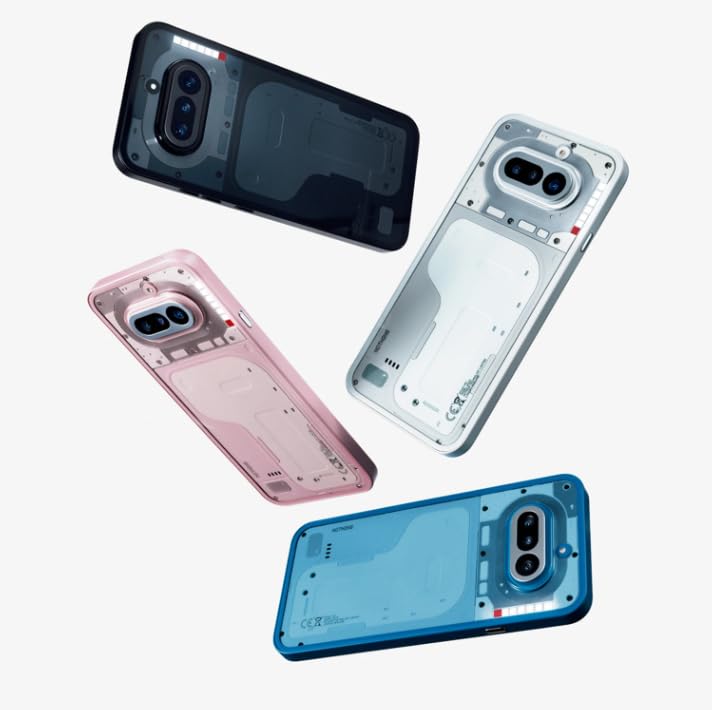
Image: Nothing Phone 4a design variations.
| סאָרט | גאָרנישט |
| מאָדעל | Phone 4a |
| אָפּערייטינג סיסטעם | אַנדרויד 14 |
| באַראַן | 12 גיגאבייט |
| סטאָרידזש קאַפּאַסיטי | 256 גיגאבייט |
| קפּו מאָדעל | Mobile CPU (2 GHz) |
| ווייַז טיפּ | AMOLED |
| באַטאַרייע קאַפּאַציטעט | 5080 מיליamp Hours (Lithium-Ion) |
| וואַסער קעגנשטעל | וואַסער קעגנשטעליק |
| קאַנעקטיוויטי | 4G, USB טיפּ C |
| פּונקט וואָג | 230 גראַמז |
| נומער דימענשאַנז | 16.2 X 7.6 X 0.9 סענטימעטער |
| קאָליר | שוואַרץ |
וואָראַנטי אינפֿאָרמאַציע
Your Nothing Phone 4a is covered by a 1-יאָר פאַבריקאַנט ס וואָראַנטי from the date of purchase. This warranty covers manufacturing defects under normal use. Please refer to the included Safety and Warranty Information Guide for full terms and conditions.
שטיצן
For technical assistance, service inquiries, or further support, please contact Nothing customer service:
- אָפּצאָל-פריי נומער: 18002021232
- בליצפּאָסט: support.india@nothing.tech
You can also visit the official Nothing support webוועבזייטל פֿאַר אָפֿט געשטעלטע פֿראַגעס און נאָך רעסורסן.
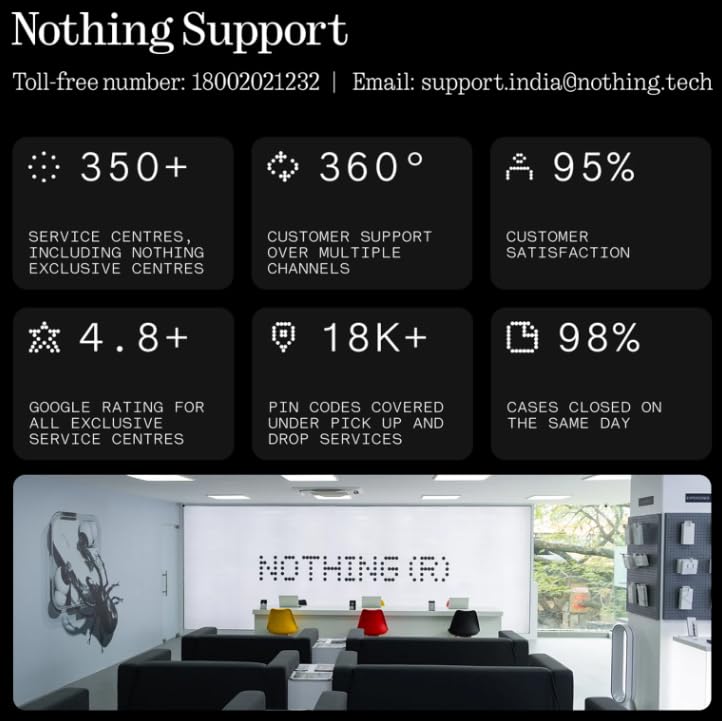
Image: Nothing customer support details and service network overview.