
הקדמה
Thank you for choosing the Cillso Smartwatch. This manual provides detailed instructions on how to set up, operate, and maintain your device. This smartwatch features a 1.95-inch HD display, Bluetooth calling capabilities, IP68 water resistance, comprehensive health monitoring including SpO2 and sleep tracking, over 100 sports modes, and integrated Alexa for voice control. Please read this manual carefully to ensure optimal performance and longevity of your smartwatch.
סעטאַפּ
1. אויפלאָדן די סמאַרטוואַטש
Before initial use, fully charge your smartwatch. Connect the provided charging cable to the charging port on the back of the watch and to a standard USB power adapter (not included). A full charge typically takes approximately 2 שעה. The watch has a 300 מאַה באַטאַרייע, פּראַוויידינג 5-7 days of normal use און אַרויף צו 30 days of standby time.

Image: The smartwatch display indicating a 1.95-inch screen, 2 hours charging time, 5-7 days normal use, 30 days standby time, and a 300mAh battery capacity.
2. אַפּ אינסטאַלאַציע און פּערינג
- אראפקאפיע די אַפּ: Scan the QR code in the quick start guide or search for the companion app (e.g., 'GloryFit' as suggested by watch dial image) in your smartphone's app store (Android or iOS).
- רעגיסטרירן/אריינלאָגירן: גיי די ינסטראַקשאַנז אויף דעם עקראַן צו שאַפֿן אַ חשבון אָדער קלאָץ אין.
- Pair the Smartwatch: Ensure Bluetooth is enabled on your smartphone. Open the app, navigate to the device section, and select 'Add Device'. Choose your Cillso Smartwatch from the list of available devices. Confirm the pairing request on both your phone and the smartwatch.
אַפּערייטינג ינסטראַקשאַנז
1. יקערדיק נאַוויגאַציע
- טאָוטשסקרעען: סווייפּ אַרויף, אַראָפּ, לינקס, אָדער רעכטס צו נאַוויגירן דורך מעניוז און נאָוטאַפאַקיישאַנז. צאַפּן צו סעלעקטירן זאכן.
- זייַט קנעפּל: Press the side button to return to the home screen or to wake up the display.
2. בלועטוט רופן
די סמאַרטוואַטטש שטיצט Bluetooth 5.3 calling, allowing you to make and receive calls directly from your wrist when connected to your smartphone. It features a געבויט-אין מיקראָפאָן און שטיצט רופן רעקאָרדס און אַרויף צו 100 קאָנטאַקטן.
- ענטפֿערן קאַללס: When an incoming call notification appears, tap the green phone icon to answer.
- רידזשעקטינג רופט: צאַפּן אויף דעם רויטן טעלעפאָן בילדל צו אָפּוואַרפן אַן אינקאַמינג רוף.
- מאַכן קאַללס: Access the dial pad or contact list on your smartwatch to initiate a call.
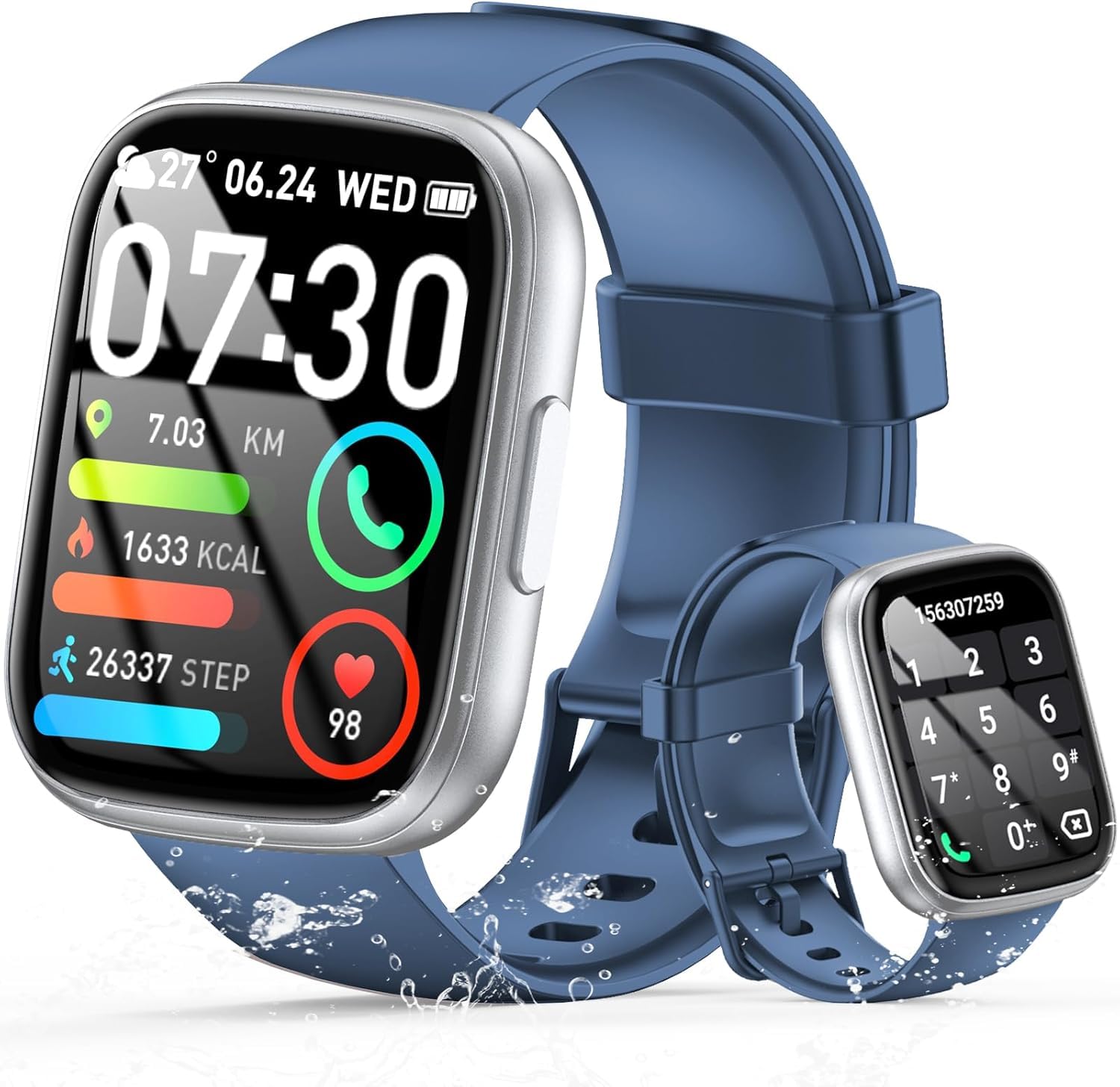
Image: The smartwatch displaying an incoming call, along with icons for built-in mic, Hi-Fi Spectra, call records, and 100 contacts. Examples of dial pad and contact list are also shown.
3. געזונט מאָניטאָרינג
The smartwatch provides continuous health monitoring features to help you track your well-being.
- האַרץ קורס מאָניטאָרינג: The watch continuously monitors your heart rate throughout the day. View your heart rate data on the watch or in the app.
- מאָניטאָרינג פון בלוט זויערשטאָף (SpO2): מעסט אייערע בלוט זויערשטאָף זעטיקונג לעוועלס.
- שלאָף מאָניטאָרינג: Tracks your sleep patterns, including deep sleep, light sleep, and wake times, to provide insights into your sleep quality.

Image: Visual representation of heart rate, blood oxygen (SpO2), and sleep monitoring graphs and data on the smartwatch and a person sleeping while wearing the watch.
4. ספּאָרט מאָדעס
די סמאַרטוואַטטש שטיצט over 100 sports modes to accurately track your workouts. Common modes include running, basketball, climbing, skipping, swimming, and badminton. It tracks metrics such as steps, distance, calories burned, and exercise duration.

Image: A person cycling with the smartwatch, illustrating various sports modes like running, basketball, climbing, skipping, swimming, and badminton. Also shows tracking for steps, distance, and calories.
5. אַלעקסאַ אינטעגראַציע
מיט Alexa integrated, you can use voice commands to control music playback, check weather, set alarms, and more directly from your smartwatch.
6. Personalized Watch Dials
Customize your smartwatch with over 200 stylish watch faces available through the companion app. You can also upload your favorite photos to create personalized watch dials. The display features wide color gamut, AM LED technology, and color accuracy.

בילד: די סמאַרטוואַטש שאָוasing multiple personalized watch dial options, highlighting wide color gamut, AM LED, and color accuracy features.
7. Multifunctional Features
- מוזיק קאָנטראָל: שפּילט, פּויזירט, איבערשפּרינגען לידער, און אַדזשאַסטירט די באַנד פֿאַר מוזיק וואָס שפּילט אויף אייער פֿאַרבונדענע סמאַרטפאָון.
- אַפּאַראַט קאָנטראָל: Remotely control your smartphone's camera to frame, focus, and snap photos or start/stop video recording.
- וועקער זייגער: שטעלט אַלאַרמס צו וועקן אייך אויף אָדער דערמאָנען אייך וועגן וויכטיקע געשעענישן.
- אנדערע פֿעיִקייטן: Includes weather forecasts, stopwatch, timer, and more.

Image: The smartwatch displaying interfaces for music control, remote camera control, and alarm clock settings, along with icons for other features like temperature, weather, and microphone.
וישאַלט
1. רייניקונג
ווישט אָפּ די סמאַרטוואַטש רעגולער מיט אַ ווייכן, טרוקענעם שטאָף. פֿאַר שווערן שמוץ, ניצט אַ לייכט טרוקענעם שטאָף.amp שטאָף און דערנאָך טרוקן גוט אויס. פֿאַרמייַדן ניצן שאַרפע כעמיקאַלן אָדער אַברייסיוו מאַטעריאַלן.
2. וואַסער קעגנשטעל (IP68)
The Cillso Smartwatch is יפּ68 וואַסער-קעגנשטעליק, meaning it is protected against dust ingress and can withstand immersion in water up to 1.5 meters for up to 30 minutes. It is suitable for daily use, hand washing, and light rain. However, it is not recommended for hot showers, saunas, or diving, as steam and high water pressure can compromise the seal.
3. באַטערי קער
- פֿאַרמײַדן עקסטרעמע טעמפּעראַטורן, וואָס קענען פֿאַרערגערן די לעבן פֿון דער באַטעריע.
- לאָדט דאָס אַפּאַראַט גאָר אויף איידער לאַנגע פּעריאָדן פון נישט אַקטיוויטעט.
- ניצן בלויז די צוגעשטעלט טשאַרדזשינג קאַבלע.
טראָובלעשאָאָטינג
- זייגער טוט זיך נישט אן: זיכער מאַכן אַז די זייגער איז גאָר אויפגעלאָדן. פֿאַרבינדט עס צום טשאַרדזשער פֿאַר לפּחות 30 מינוט.
- קען נישט צוזאמענשטעלן מיטן טעלעפאן: Make sure Bluetooth is enabled on your phone and the watch is within range. Restart both devices and try pairing again through the app.
- נישט פּינקטלעכע געזונט דאַטן: זייט זיכער אז די זייגער טראָגט זיך גוט אויף אייער האַנטגעלענק, נישט צו ענג אדער צו לויז. רייניקט די סענסאָרן רעגולער.
- מעלדונגען נישט באקומען: Check app permissions on your phone to ensure the companion app has access to notifications. Verify that notifications are enabled within the app settings.
- אַלעקסאַ ענטפֿערט נישט: Ensure the watch is connected to your phone and has an active internet connection. Check Alexa settings within the companion app.
ספּעסאַפאַקיישאַנז
| מאָדעל נומער | B0GQGYDJS7 |
| סאָרט | סילסאָ |
| פאַרשטעלן גרייס | 1.95 אינטשעס |
| קאַנעקטיוויטי טעכנאָלאָגיע | בלועטאָאָטה 5.3 |
| וואַסער קעגנשטעל שאַץ | IP68 |
| באַטאַרייע קאַפּאַציטעט | 300 mAh (ליטיום-פּאָלימער) |
| טשאַרדזשינג צייט | בעערעך. 2 שעה |
| נאָרמאַל נוצן באַטאַרייע לעבן | 7-10 טעג |
| סטאַנדביי צייט | אַרויף צו 30 טעג |
| זכּרון סטאָרידזש קאַפּאַסיטי | 1 גיגאבייט |
| מענטש צובינד אַרייַנשרייַב | מיקראָפאָן, טאָוטשסקרין |
| אַרייַנגערעכנט קאַמפּאָונאַנץ | טשאַרדזשינג קאַבלע |
וואָראַנטי און שטיצן
Warranty information for your Cillso Smartwatch is typically provided with your purchase documentation. Please refer to those materials for details regarding warranty coverage and terms. For technical support, product inquiries, or assistance with troubleshooting beyond this manual, please contact Cillso customer service through the contact information provided with your product or on the official Cillso webפּלאַץ.