
הקדמה
The Roku Hiro 32-inch 720p HD Smart TV offers an integrated Roku streaming experience. This television features an HD display for clear picture quality and speakers with enhanced audio. It supports Bluetooth for private listening with headphones and includes Wi-Fi for internet connectivity. The Roku operating system provides a customizable home screen, access to numerous streaming channels, and automatic updates, making it suitable for various living spaces.
וואָס איז אין די קעסטל
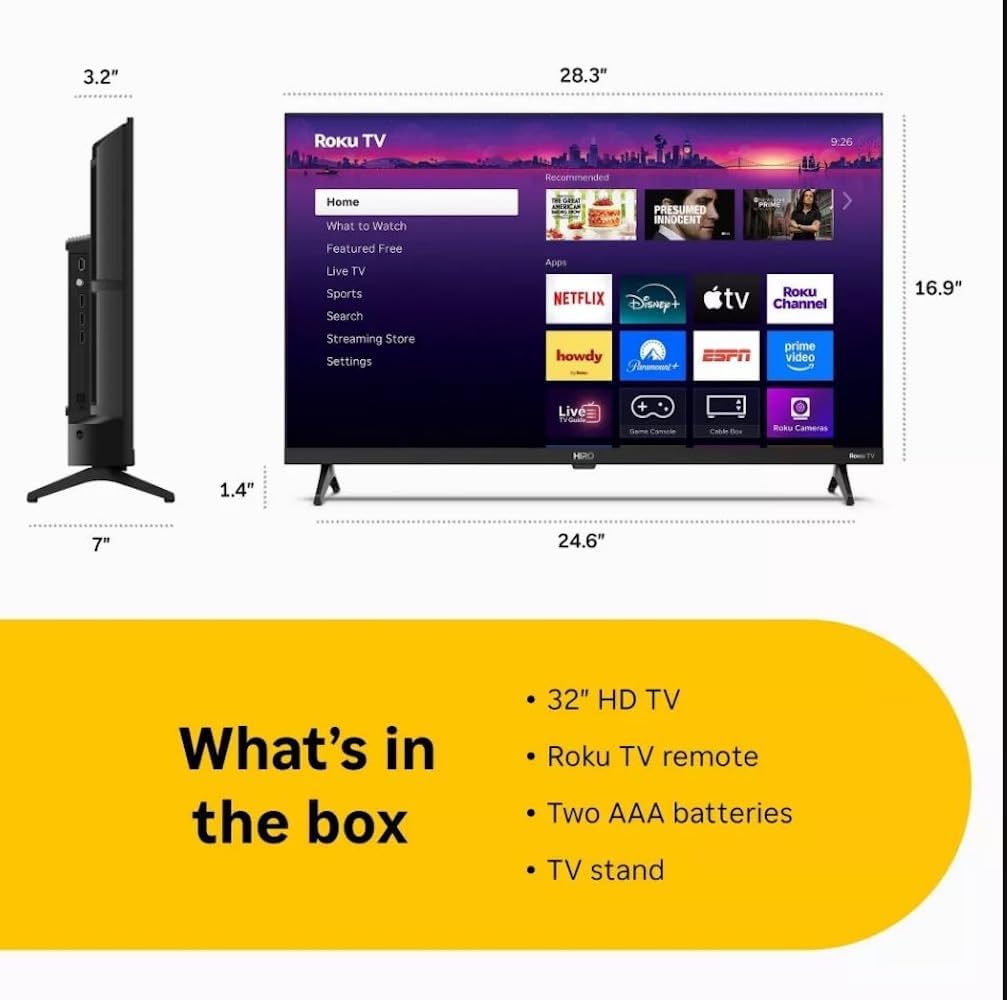
Diagram showing the dimensions of the Roku Hiro 32-inch TV and a list of included accessories: 32-inch HD TV, Roku TV remote, two AAA batteries, and TV stand.
- Hiro 32" 720p HD Smart TV Flat Screen LED Television with Roku TV
- ווייַט קאָנטראָל
- טעלעוויזיע שטייט
- מאַכט קאַבלע
- באַניצער גייד
סעטאַפּ
1. שטיין ייַנמאָנטירונג
Carefully place the TV screen-down on a soft, clean surface to prevent damage. Align the TV stand with the designated slots on the bottom of the TV. Secure the stand using the provided screws. Ensure the stand is firmly attached before proceeding.
2. קאַנעקטינג דעוויסעס

דערציען view of the Roku Hiro TV, showing the input/output ports including USB, HDMI, and antenna connections.
- מאַכט: פֿאַרבינדט דעם מאַכט קאַבל צום טעלעוויזאָרס מאַכט אַרייַנגאַנג און דערנאָך צו אַ וואַנט אַוטלעט.
- הדמי: Connect external devices such as Blu-ray players, game consoles, or cable boxes to the HDMI ports. This TV features 3 HDMI ports.
- וסב: Use the USB port for media playback from a USB drive.
- אָפּטיש אַודיאָ: Connect an external sound system using an optical audio cable for enhanced sound.
- אַנטענע / קאַבלע: Connect an antenna or cable TV feed to the RF input for over-the-air or cable channels.
3. ערשט סעטאַפּ
After connecting all necessary cables, power on the TV. Follow the on-screen instructions to:
- אויסקלייַבן דיין שפּראַך.
- פאַרבינדן צו דיין Wi-Fi נעץ.
- אַקטיווירן דיין ראָקו חשבון (אָדער שאַפֿן אַ נייעם).
- Scan for available channels if an antenna is connected.
אַפּערייטינג ינסטראַקשאַנז
ווייַט קאָנטראָל פאַנגקשאַנז

Close-up of the Roku TV remote control, highlighting buttons for TV power, volume, mute, sleep timer, instant replay, options, and app shortcuts.
- מאַכט קנעפּל: טורנס די טעלעוויזיע אויף אָדער אַוועק.
- ריכטונגס-פאד (די-פאד): נאַוויגירט מעניוז און סעלעקטירט זאכן.
- OK קנעפּל: קאַנפערמז סאַלעקשאַנז.
- היים קנעפּל: קערט זיך צוריק צום ראָקו היים־עקראַן.
- צוריק קנעפּל: קערט צו די פריערדיקע פאַרשטעלן.
- באַנד אַרויף / אַראָפּ: אַדזשאַסץ די טעלעוויזיע באַנד.
- שטיל קנעפּל: שטומט אדער אנשטומט דעם טעלעוויזיע קלאַנג.
- אַפּ קורץ-וועג קנעפּלעך: Direct access to popular streaming services (e.g., Netflix, Disney+, Apple TV+, Prime Video).
- שלאָפן טימער: Sets a timer for the TV to turn off automatically.
- Instant Replay: Jumps back a few seconds in supported content.
- אָפּציעס: Accesses additional settings or information for the current content.
נאַוויגירן די ראָקו אָפּערירן סיסטעם

The Roku TV home screen interface, showing recommended content and various streaming applications.
The Roku home screen provides access to all your streaming channels, inputs, and settings. Use the D-Pad on your remote to navigate through the menu options on the left and the app grid on the right. You can customize the order of your channels by highlighting an app, pressing the * (Options) button, and selecting 'Move channel'.
סטרימינג אינהאַלט
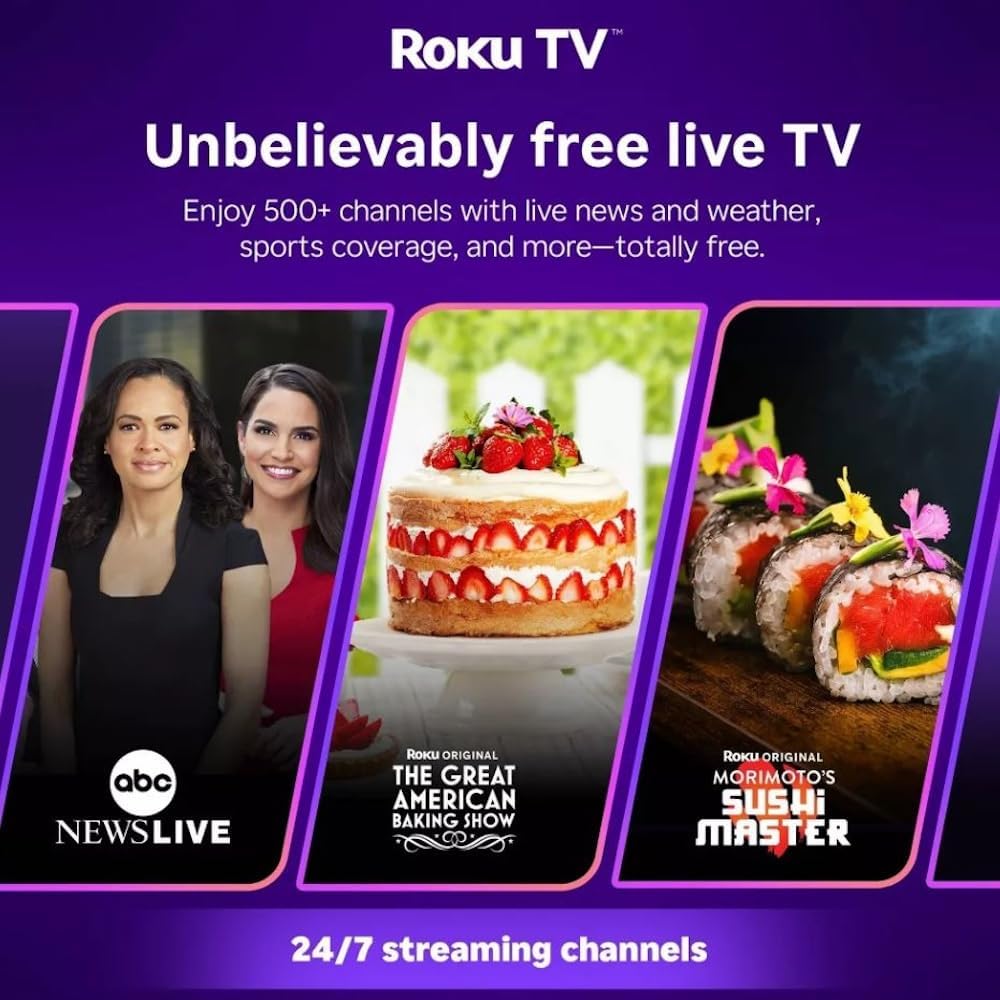
Roku TV interface promoting free live TV channels, featuring examples like ABC News Live, The Great American Baking Show, and Morimoto's Sushi Master.
Access a wide range of streaming services and free content through the Roku Channel Store. The Roku platform offers over 500 free channels, including live television, movies, and news. Use the 'Search' function on the home screen to find specific titles or channels.
אַודיאָ פֿעיִקייטן

Roku Hiro TV displaying the home screen with various streaming apps, emphasizing enhanced audio quality.
The TV features enhanced audio quality. For private listening, you can pair Bluetooth headphones directly with the TV. Navigate to Settings > Remotes & devices > Bluetooth devices > Pair new device to connect your headphones.
וישאַלט
רייניקונג די טעלעוויזיע
- שטענדיק אויסשטעקן דעם טעלעוויזאר איידער איר רייניגט.
- ניצט אַ ווייכן, לינט-פֿרייע שטאָף צו זאַכט ווישן דעם עקראַן און קאַבינעט.
- פֿאַר שווערע פֿלעקן, לײַכט דריקןampווישט דעם שטאָף מיט וואַסער אָדער אַ מילדן, נישט-אַבראַוויזיוון עקראַן רייניגער. שפּריצט נישט רייניגער גלייך אויף דעם עקראַן.
- ויסמיידן ניצן שטרענגע כעמיקאַלן, אַברייסיוו פּאַדס, אָדער סאָלוואַנץ.
ווייכווארג דערהייַנטיקונגען
The Roku TV automatically checks for and installs software updates when connected to the internet. To manually check for updates, go to סעטטינגס > סיסטעם > ווייכווארג דערהייַנטיקונג.
טראָובלעשאָאָטינג
| פּראָבלעם | לייזונג |
|---|---|
| קיין מאַכט | זיכער מאַכן אַז דער עלעקטרישער קאַבל איז זיכער פֿאַרבונדן סיי צום טעלעוויזיע און סיי צו אַן אַרבעטנדיקן עלעקטרישן אַוטלעט. פּרוּווט אַן אַנדער אַוטלעט. |
| קיין בילד נישט, אבער סאונד איז דא | קאָנטראָלירט די אַרייַנגאַנג מקור. דריק די היים button on the remote and select the correct input. Ensure all HDMI cables are securely connected. |
| קיין קלאַנג, אָבער בילד איז דאָ | Check the volume level and ensure the TV is not muted. If using external audio, verify connections and settings. |
| קענען ניט פאַרבינדן צו ווי-פי | Verify your Wi-Fi password. Restart your router and modem. Go to Settings > Network > Set up connection to reconfigure. |
| ווייַט קאָנטראָל נישט ארבעטן | טוישט די באַטעריעס אין דער ווײַטקאָנטראָל. מאַכט זיכער אַז עס זענען נישטאָ קיין שטערונגען צווישן דער ווײַטקאָנטראָל און דעם טעלעוויזאָרס IR סענסאָר. |
ספּעסאַפאַקיישאַנז
| מאָדעל נאָמען | H32C2C4 |
| פאַרשטעלן גרייס | 32 אינטשעס |
| ווייַז טעכנאָלאָגיע | געפירט |
| האַכלאָטע | 720 פּ |
| דערפרישן קורס | 60 הז |
| אָפּערייטינג סיסטעם | ראָקו אַס |
| קאַנעקטיוויטי טעכנאָלאָגיע | Bluetooth, HDMI, Optical Audio, USB, Wi-Fi |
| Total Number of HDMI Ports | 3 |
| גאַנץ וסב פּאָרץ | 1 |
| פּראָדוקט דימענשאַנז (ד רענטגענ וו רענטגענ ה) | 3.2"ד רענטגענ 28.3"וו רענטגענ 16.9"ה |
| פּונקט וואָג | 7.5 פונט |
| Voltage | 120 וואלטס (AC) |
| מאַונטינג טיפּ | טיש בארג |
| קאָליר | שוואַרץ |
וואָראַנטי אינפֿאָרמאַציע
This Roku Hiro TV is covered by a 90-day Replacement Warranty. Please retain your proof of purchase for any warranty claims. For detailed terms and conditions, refer to the warranty documentation included with your product or visit the official Roku support webפּלאַץ.
שטיצן
For further assistance, troubleshooting guides, or to contact customer support, please visit the official Roku support website. You can find comprehensive FAQs and contact information there.