
1. הקדמה
א דאנק פארן קויפןasing the Samsung 55-Inch Class M70H Series Mini LED Smart TV. This manual provides essential information for setting up, operating, and maintaining your new television. Please read these instructions carefully to ensure optimal performance and safe use of your device. The Samsung M70H Series offers a stunning visual experience with Mini LED technology, 4K resolution, and smart features powered by Samsung Vision AI Companion.
2. וואָס איז אין דער קעסטל
Carefully unpack your TV and ensure all items are present. If any items are missing or damaged, contact your retailer.

Image: Samsung 55-Inch M70H Series TV with remote, stand, and power cable.
- Samsung 55-Inch Class M70H Series Mini LED Smart TV
- ווייַט קאָנטראָל
- מאַכט קאַבלע
- טעלעוויזיע שטאַנד (2 שטיק)
- באַניצער מאַנואַל (דעם דאָקומענט)
- וואָראַנטי קאַרד
- Batteries for Remote Control (2 AAA)
3. סעטאַפּ
Follow these steps to set up your new television.
3.1 באַפעסטיקן דעם שטאַנד אָדער וואַנט-מאָנטירונג
If using the included stand, carefully attach the stand feet to the bottom of the TV using the provided screws. Ensure the TV is placed on a stable, level surface. For wall mounting, use a VESA-compatible wall mount (200 x 200 mm) and follow the wall mount manufacturer's instructions. Always ensure proper ventilation around the TV.

Image: Samsung M70H TV properly set up in a living room environment.
3.2 קאַנעקטינג מאַכט
Connect the power cable to the TV's power input and then to a wall outlet. Do not plug in the TV until all other connections are made.
3.3 ערשט סעטאַפּ
Once powered on, the TV will guide you through the initial setup process, including language selection, network connection (Wi-Fi or Ethernet), and channel scanning. You will also be prompted to sign in to your Samsung account to access smart features.
4. קאַנעקשאַנז
The Samsung M70H TV offers various ports for connecting external devices.

בילד: דעטאַלירט view of the TV's rear connection panel.
| פּאָרט | באַשרייַבונג |
|---|---|
| HDMI 1 (eARC) | Enhanced Audio Return Channel for high-quality sound and advanced formats. Connect soundbars or AV receivers. |
| הדמי 2, 3 | Connect Blu-ray players, game consoles, or other HDMI devices. |
| וסב-א | Standard rectangular port for power or media playback from USB storage devices. |
| קאַבל/אַנט | Connect an over-the-air antenna or cable TV signals. |
| עטהערנעט (LAN) | Wired internet connection for stable streaming, updates, and smart features. |
5. אַפּערייטינג ינסטרוקטיאָנס
This section details how to use the various features of your Samsung M70H Smart TV.
5.1 בילד קוואַליטעט פֿעיִקייטן
Experience superior visual performance with advanced display technologies.
- Mini LED Processor 4K: The advanced processor delivers brighter highlights and deeper blacks, enhancing every detail with stunning clarity. This processor also upscales content to crisp 4K clarity.

Image: The Mini LED Processor 4K, responsible for image optimization.
- Pure Spectrum Color: Enjoy one billion true-to-life colors, powered by advanced color technology and Mini LED precision. This ensures rich reds, deep blues, and vibrant greens for breathtaking realism.

Image: Visual comparison demonstrating the enhanced color range with Pure Spectrum Color.
- Mini LED HDR: Experience HDR picture quality with brighter highlights and deeper blacks than traditional HDR TVs. This technology enhances brightness and contrast, making every image stand out with remarkable depth.

Image: A vibrant sunset scene highlighting the dramatic detail provided by Mini LED HDR.
- Supreme Mini LED Dimming: This feature delivers deep contrast and bright highlights for a truly superb picture by precisely controlling the Mini LEDs.

Image: A tiger in a jungle, showcasing the deep contrast from Supreme Mini LED Dimming.
- קאָליר בוסטער: Transforms your content into a visual masterpiece by making every color come to life with intensity, from fiery reds to sparkling blues.
5.2 Motion and Gaming Features
Optimized features for smooth action and immersive gaming.
- Motion Xcelerator + DLG 120Hz: Enjoy smooth visuals and fast motion clarity with technology that analyzes and optimizes the refresh rate. Designed for gaming and sports, it keeps every scene sharp and fluid. DLG 120Hz increases the refresh rate up to 120Hz, optimal for fast-paced gaming, though visual quality may vary by title.

Image: A motocross scene demonstrating the smooth motion provided by Motion Xcelerator + DLG 120Hz.
- גיימינג הוב: A central hub that brings together your favorite games from consoles, cloud services, and gaming apps, all in one place. It offers personalized recommendations to help you find what to play next.
- Soccer Mode: Enjoy a stadium-like experience with optimized settings for sports. This mode delivers clearer motion and more vibrant greens for realistic turf, putting you right in the stadium.
5.3 Smart Features and AI Companion
Access a world of entertainment and smart home control.
- אומענדלעכע פרייע אינהאַלט (Samsung TV Plus): Watch over 2,700 free streaming options, including 750+ subscription-free channels on Samsung TV Plus. Enjoy news, sports, movies, kids' shows, and reality TV without a subscription.
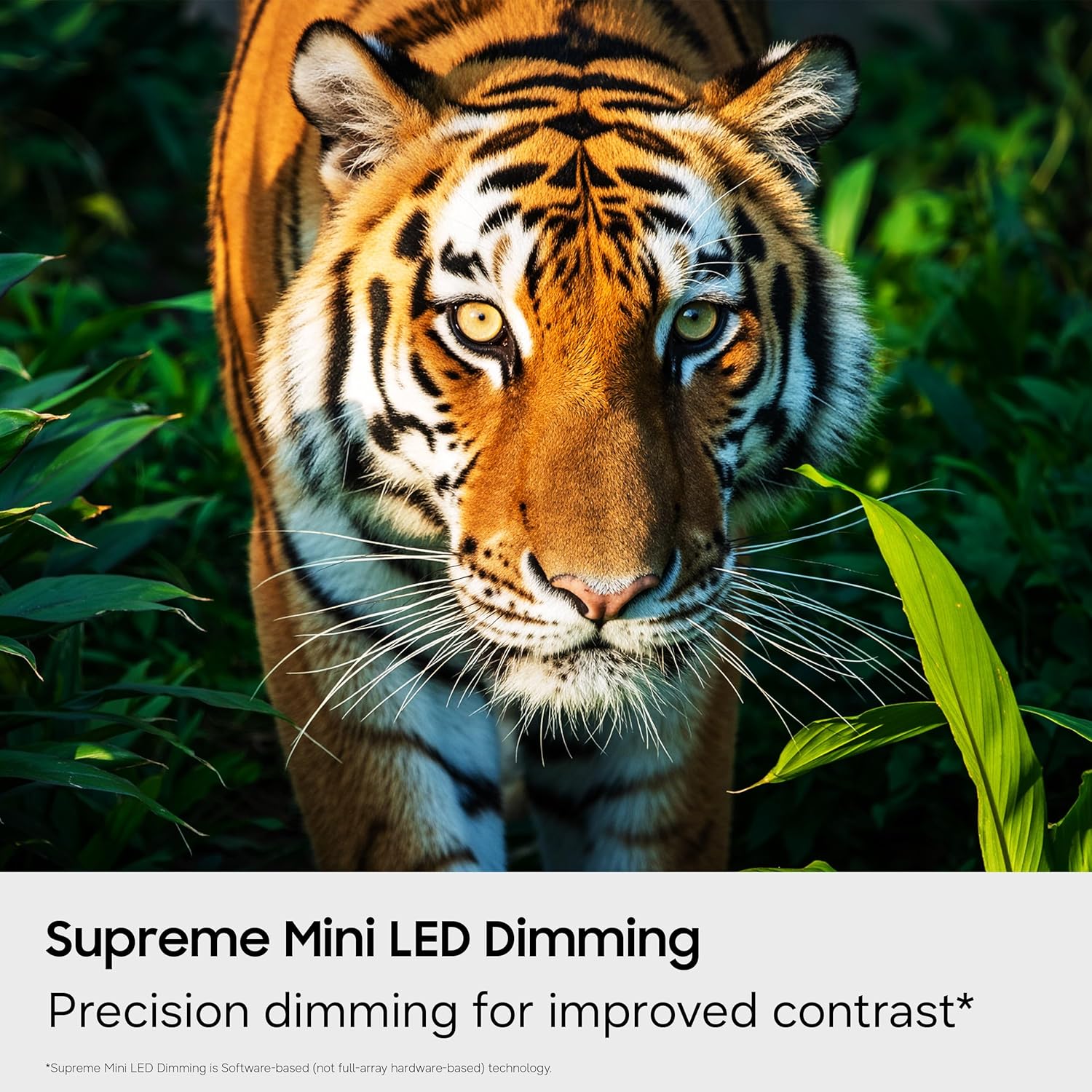
Image: The Smart TV home screen displaying a variety of streaming services and free content options.
- Samsung Vision AI Companion: Ask your TV anything and access powerful AI features. This AI-enhanced system provides personalized experiences, optimizing picture and sound, and allowing deeper engagement with content.

Image: The Vision AI Companion interface showing options like Copilot, Generative Wallpaper, and AI Mode.
- איין יו-איי טיזען: Stream, game, and explore all your favorite content on One UI Tizen, an intuitive smart TV platform you can customize.
- סאַמסונג נאָקס זיכערהייט: Built-in triple-layer data protection defends against harmful apps and phishing sites, keeping sensitive data like PIN-codes and passwords secure. It also safeguards your IoT devices connected to your TV.
- סמאַרטטינגס הוב: Connect and control smart devices through your TV to simplify daily life. Get notifications about your devices on screen, including a 3D Map View of your smart home ecosystem.
- Quick Remote: Use your smartphone to change channels, adjust volume, and access key Samsung Tizen TV features such as media, ambient mode, and menu.
- קינסטלעכע אינטעליגענץ ענערגיע מאָדע: Save energy with intelligent analysis. This mode helps reduce power consumption by auto-adjusting brightness based on the room's lighting and your user activity.
- Karaoke Feature: Have fun with friends and family using the karaoke feature in Samsung Daily+. You can connect your phone as a mic without separate equipment.
5.4 אפיציעלע פּראָדוקט ווידעאָ
קוקט דעם אפיציעלן ווידעא פאר אן איבערבליקview of the Samsung Mini LED M70 features.
Video: Official Samsung video highlighting the key features of the Mini LED M70H TV.
6. וישאַלט
Proper maintenance ensures the longevity and performance of your TV.
6.1 רייניקן דעם טעלעוויזאר
- שטענדיק אויסשטעקן דעם טעלעוויזאר איידער איר רייניגט.
- ניצט אַ ווייכן, טרוקענעם מיקראָפיבער שטאָף צו ווישן דעם עקראַן און קאַבינעט.
- פֿאַר שווערע פֿלעקן, לײַכט דריקןampווישט דעם שטאָף מיט וואַסער אָדער אַ ספּעציאַליזירטן עקראַן רייניגער (פאַרמייַדט שטרענגע כעמיקאַליען).
- Do not spray liquid directly onto the TV.
6.2 ווייכווארג דערהייַנטיקונגען
Ensure your TV's software is up to date for the best performance and latest features. You can usually find the update option in the TV's settings menu under 'Support' or 'Software Update'.
7. טראָובלעשאָאָטינג
אויב איר טרעפט פּראָבלעמען מיט אייער טעלעוויזיע, באַציעט זיך צו די פאלגענדע געוויינטלעכע לייזונגען.
7.1 קיין מאַכט
- קאָנטראָלירט צי דער מאַכט קאַבל איז זיכער פארבונדן צו ביידע די טעלעוויזיע און די וואַנט אַוטלעט.
- זיכער מאַכן אַז די וואַנט אַוטלעט אַרבעט דורך אַרײַנשטעקן אַן אַנדער דעוויס.
- פּרוּווט אַ אַנדערש מאַכט ווענטיל.
7.2 קיין בילד נישט אדער פארדרייט בילד
- באַשטעטיקט אַז די ריכטיקע אַרייַנגאַנג מקור איז אויסגעקליבן (למשל, HDMI 1, טעלעוויזיע).
- קאָנטראָלירט אַלע קאַבל פֿאַרבינדונגען (HDMI, אַנטענע) פֿאַר לויזקייט אָדער שעדיקן.
- ריסטאַרט דעם טעלעוויזיע און אַלע פֿאַרבונדענע דעוויסעס.
- אַדזשאַסטירן בילד סעטטינגס (ברייטקייט, קאָנטראַסט, שאַרפֿקייט) אין די טעלעוויזיע מעניו.
7.3 קיין קלאַנג אָדער שטיל קלאַנג
- זייט זיכער אז די קול איז נישט שטיל און איז אויפגעשטרעקט.
- Check audio cable connections to external sound systems (if applicable).
- איבערקוקן די אַודיאָ אַוטפּוט סעטטינגס אין די טעלעוויזיע מעניו (למשל, טעלעוויזיע רעדנער, אָפּטיש, HDMI eARC).
7.4 ווײַטקאָנטראָל אַרבעט נישט
- פאַרבייַטן די באַטעריז אין די ווייַט קאָנטראָל.
- זיכער מאַכן אַז עס זענען נישטאָ קיין שטערונגען צווישן דעם ווײַטקאָנטראָל און דעם טעלעוויזאָרס סענסאָר.
- אויב עס איז אַ בלועטוט ווײַטקאָנטראָל, פּרוּווט עס ווידער צו פאַרבינדן לויט די אינסטרוקציעס אויף דעם עקראַן פֿון דער טעלעוויזיע.
7.5 נעץ פֿאַרבינדונג פּראָבלעמען
- Check your Wi-Fi router and modem to ensure they are powered on and working correctly.
- ריסטאַרט דיין ראַוטער און מאָדעם.
- Go to the TV's network settings and try reconnecting to your Wi-Fi network or re-establishing a wired connection.
- פאַרזיכערן די Wi-Fi פּאַראָל איז אריין ריכטיק.
8. ספּעסאַפאַקיישאַנז
Key technical specifications for the Samsung 55-Inch Class M70H Series Mini LED Smart TV.
| שטריך | דעטאַל |
|---|---|
| סאָרט | סאַמסונג |
| מאָדעל נאָמען | M70H |
| מאָדעל נומער | UN55M70HAFXZA |
| פאַרשטעלן גרייס | 55 אינטשעס |
| ווייַז טעכנאָלאָגיע | מיני-געפירט |
| האַכלאָטע | 4K (3840 X 2160) |
| דערפרישן קורס | 60 Hz (DLG 120Hz supported) |
| HDR פֿאָרמאַט שטיצט | HDR10+ |
| אָפּערייטינג סיסטעם | טיזען |
| קאַנעקטיוויטי טעכנאָלאָגיע | Bluetooth 5.3, HDMI (3 ports), USB (1 port), Wi-Fi, Ethernet |
| אַודיאָ טשאַנאַלז | 2.0 געבויט-אין רעדנער |
| פּראָדוקט דימענשאַנז (ד רענטגענ וו רענטגענ ה) | 7.8"ד רענטגענ 48.2"וו רענטגענ 29.9"ה |
| פּונקט וואָג | 22.5 פונט |
| וועסאַ מאָונט סטאַנדאַרט | 200 רענטגענ 200 מם |
9. וואָראַנטי און שטיצן
Your Samsung M70H Series TV comes with a manufacturer's warranty and access to customer support.
9.1 וואָראַנטי אינפֿאָרמאַציע
דער פּראָדוקט איז באדעקט דורך אַ 1 יאָר מאַנופאַקטורער לימיטעד וואָראַנטי. Please refer to the included Warranty Card for detailed terms and conditions, including coverage specifics and how to make a claim. Keep your proof of purchase for warranty validation.
9.2 קונה שטיצן
For technical assistance, troubleshooting beyond this manual, or warranty inquiries, please contact Samsung Customer Support. Visit the official Samsung webזייטל פֿאַר קאָנטאַקט אינפֿאָרמאַציע, אָפֿט געשטעלטע פֿראַגעס, און נאָך רעסורסן.
אָנליין שטיצן: www.samsung.com/us/support/